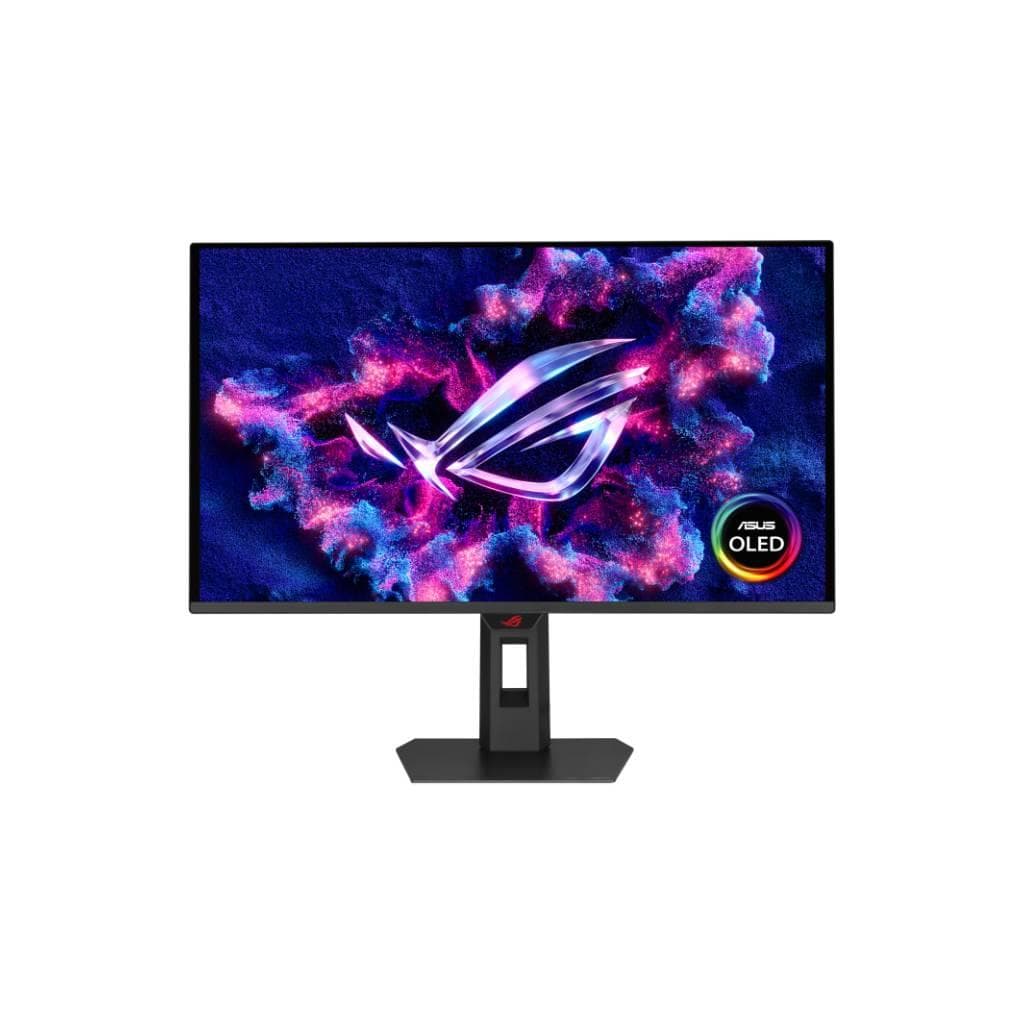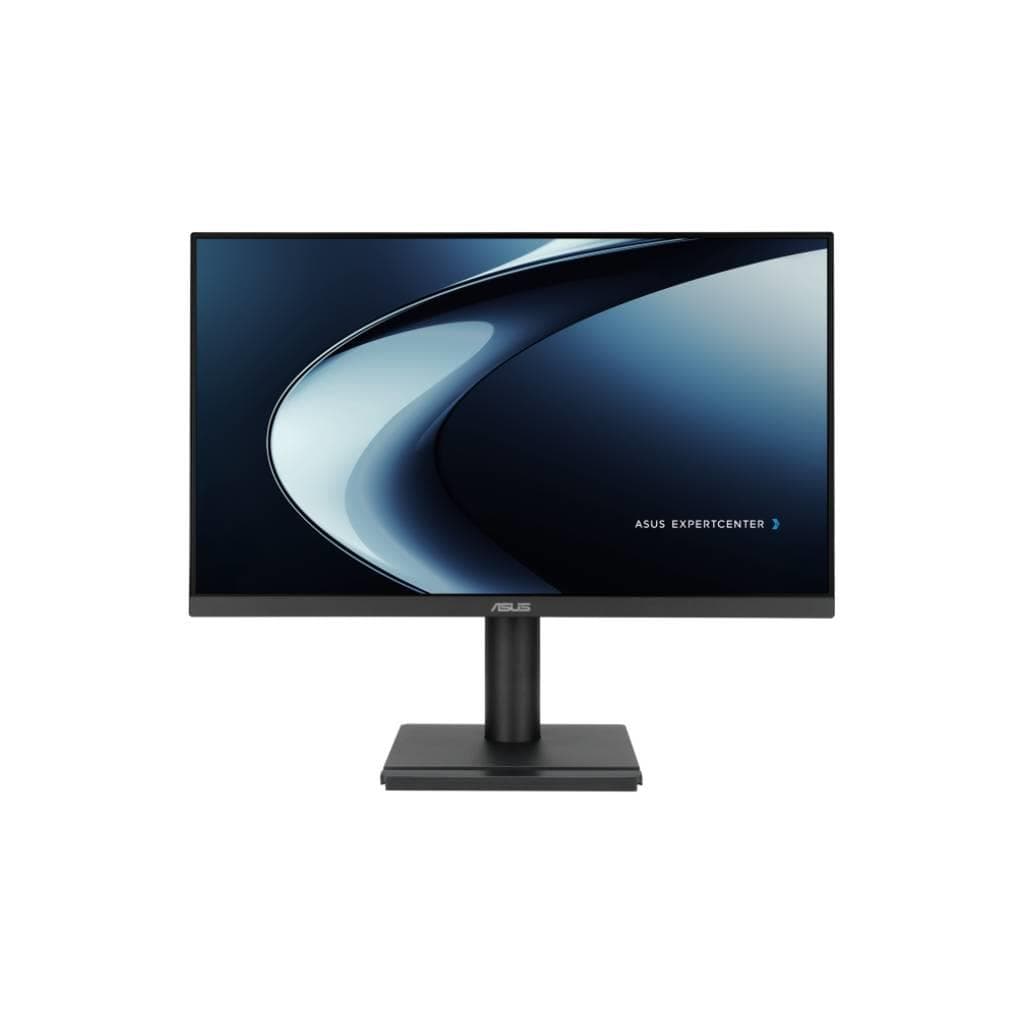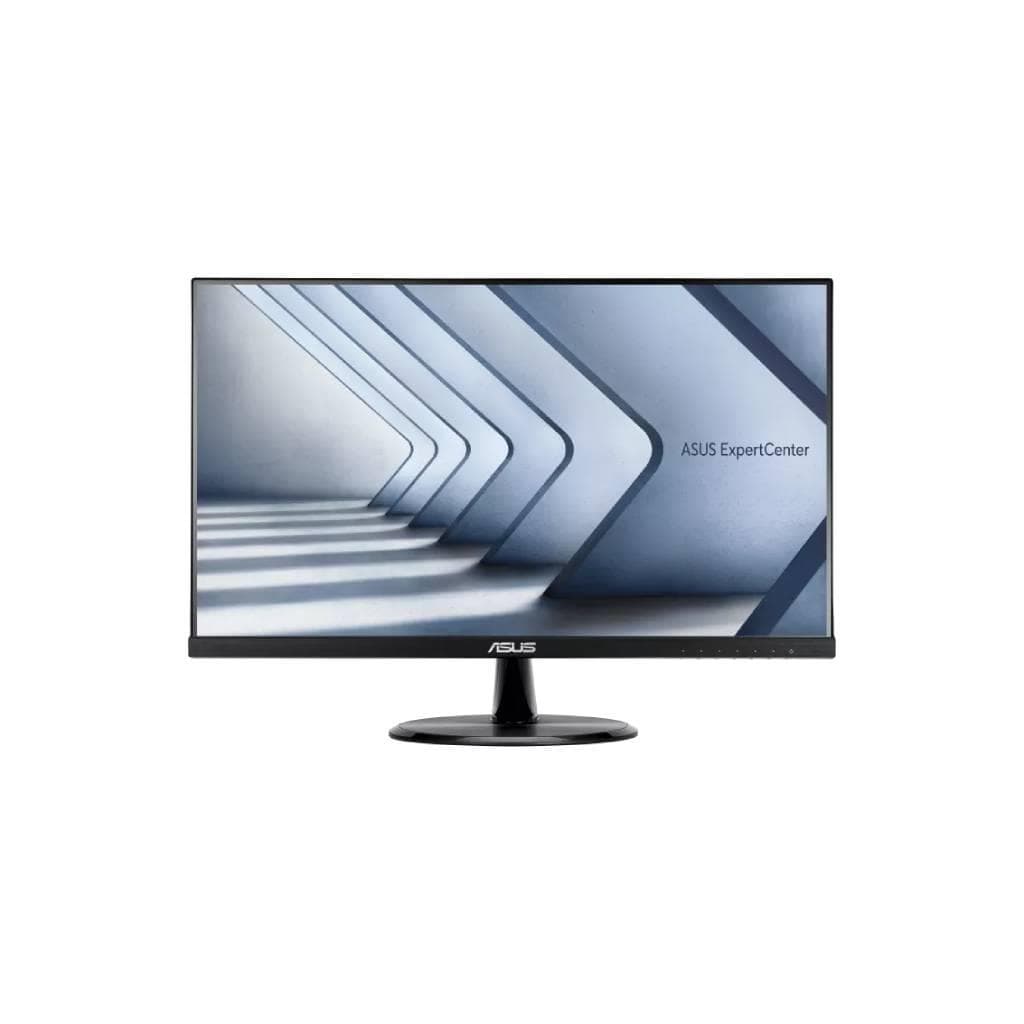


ASUS ExpertCenter C2221HF 21.45" IPS FHD 1920x1080 100Hz Monitor
SKU: C2221HFDisplays & Projectors › Business Monitors
฿2,333
Price includes 7% VATPrice updated October 9, 2026
Out of stock3 years manufacturer's warranty
Temporarily out of stock — ask us about the restock date or an alternative model
Call us 092-251-4017Send a question to salesGenuineFree delivery from ฿5,000Tax invoice
จอภาพสำหรับใช้งานสำนักงานขนาด 21.45 นิ้ว พร้อมเทคโนโลยี IPS และความละเอียด FHD ให้ภาพคมชัด ทัศนวิสัยกว้าง รองรับการปรับเอียงและฟังก์ชันถนอมสายตา
Key features
- IPS Panel ให้มุมมองกว้าง 178° ภาพคมชัดจากทุกมุม
- ความละเอียด FHD (1920 x 1080) พร้อมสีสันสมจริง 16.7 ล้านสี
- รีเฟรชเรทสูงสุด 100Hz ลดภาพลอกและกระพริบ
- รองรับ Adaptive-Sync เพื่อประสบการณ์การใช้งานลื่นไหล
- ฟังก์ชันถนอมสายตา: Flicker-free และ Low Blue Light
Product description
ASUS ExpertCenter C2221HF เป็นจอภาพขนาด 21.45 นิ้ว ความละเอียด FHD (1920 x 1080) ที่มาพร้อมแผง IPS ให้สีสันสมจริงและมุมมองกว้างถึง 178° ช่วยให้ภาพคมชัดแม้ในมุมเอียง สัมผัสประสบการณ์การรับชมที่ราบรื่นด้วยความถี่รีเฟรชสูงสุด 100Hz และเทคโนโลยี Adaptive-Sync ลดอาการลอกหรือกระพริบของภาพ จอรุ่นนี้ยังมาพร้อมฟังก์ชันถนอมสายตา เช่น TÜV Rheinland-certified Flicker-free และ Low Blue Light ช่วยลดการเมื่อยล้าของดวงตาในช่วงเวลาทำงานยาวนาน นอกจากนี้ยังรองรับการปรับเอียงจอได้ถึง ±23° พร้อมระบบ VESA Mount ขนาด 100x100 มม. สำหรับติดตั้งแนวนอนบนผนังได้อย่างสะดวก
More features
- ปรับเอียงจอได้ถึง +23° ~ -5° พร้อม VESA Mount 100x100mm
- รองรับพอร์ต HDMI, VGA และแจ็คหูฟัง
- ใช้พลังงานต่ำเพียง <12W ประหยัดไฟ
- เหมาะสำหรับใช้งานในสำนักงานหรือที่บ้าน
- ออกแบบมาเพื่อความทนทานและลดการเมื่อยล้าของสายตา
Pros and limitations
Pros
- จอ IPS ขนาด 21.45 นิ้ว ให้มุมมองกว้างและสีสันสมจริง
- ความละเอียด FHD พร้อมรีเฟรชเรท 100Hz ใช้งานลื่นไหล
- รองรับ Adaptive-Sync ลดภาพลอกในเกมหรือวิดีโอ
- ฟังก์ชันถนอมสายตาครบถ้วน เช่น Low Blue Light และ Flicker-free
- ปรับเอียงจอได้ พร้อม VESA Mount สำหรับติดผนัง
Limitations
- ไม่มีพอร์ต USB-C หรือ DisplayPort ในข้อมูลหลัก (แม้จะมีในบางแหล่ง แต่ไม่ยืนยันใน TechSpec)
- ไม่มีลำโพงในตัว
- ไม่มีการระบุรองรับ HDR
Who it is for
เหมาะสำหรับพนักงานออฟฟิศที่ต้องใช้งานจอเป็นเวลานาน หรือผู้ที่ต้องการจอภาพคุณภาพดี ประหยัดพลังงาน และถนอมสายตา
Connectivity
HDMI, VGA
Specifications (33)
- HDCP
- รองรับ
- พอร์ต
- HDMI (v1.4) x 1, D-Sub x 1, Earphone Jack x 1
- QuickFit
- รองรับ
- ขนาดหน้าจอ
- 21.45"
- ประเภทจอ
- IPS
- ความละเอียด
- 1920 x 1080
- การติดตั้ง VESA
- 100x100 mm
- อัตราส่วนภาพ
- 16:9
- Flicker-free
- รองรับ
- Gross Weight
- 3.8 kg
- Adaptive-Sync
- รองรับ
- การปรับตั้ง
- Tilt (+23° ~ -5°)
- แรงดันไฟฟ้าขาเข้า
- 100-240 V, 50/60 Hz
- เวลาตอบสนอง
- 1 ms MPRT
- Rest Reminder
- รองรับ
- Backlight Type
- LED
- Built-in Power
- รองรับ
- Display Colors
- 16.7M
- Low Blue Light
- รองรับ
- Power Off Mode
- <0.3 W
- Brightness (Typ.)
- 250 cd/m²
- การใช้พลังงาน
- <12 W
- Power Saving Mode
- 0.5 W
- Refresh Rate (Max)
- 100 Hz
- Viewing Angle (H/V)
- 178° / 178°
- Weight (with stand)
- 2.7 kg
- Color Temp. Selection
- 4 modes
- Contrast Ratio (Typ.)
- 1300:1
- Trace Free Technology
- รองรับ
- Weight (without stand)
- 2.3 kg
- Color Augmentation Mode
- รองรับ
- Dimensions (with stand)
- 493.6 x 357.6 x 204.4 mm
- Dimensions (without stand)
- 493.6 x 291.2 x 49.7 mm
Datasheets and manuals straight from the manufacturer — select a document to open or download it.
13 questions
Frequently asked questions about this product
Compiled from manufacturer information
จอ ASUS C2221HF รองรับการเชื่อมต่อ HDMI และ VGA ได้ไหม?
ใช่ จอรุ่นนี้รองรับพอร์ต HDMI (v1.4) จำนวน 1 ช่อง และ D-Sub (VGA) จำนวน 1 ช่อง สามารถเชื่อมต่อได้กับเครื่องพีซีหรือแล็ปท็อปที่มีพอร์ตเหล่านี้โดยตรง
จอ C2221HF มีฟังก์ชันถนอมสายตาอะไรบ้าง?
จอรุ่นนี้มี TÜV Rheinland-certified Flicker-free และ Low Blue Light ที่ช่วยลดการกระพริบของหน้าจอและลดแสงสีฟ้า ช่วยให้ใช้งานได้นานโดยไม่เมื่อยล้าสายตา
จอ C2221HF ปรับเอียงได้ไหม?
ใช่ สามารถปรับเอียงหน้าจอได้ในแนวตั้งจาก -5° ถึง +23° ช่วยให้ผู้ใช้ตั้งค่ามุมมองที่เหมาะสมกับการนั่งทำงาน
จอ C2221HF ใช้พลังงานเท่าไร?
จอรุ่นนี้ใช้พลังงานเพียง <12 วัตต์ ขณะทำงาน และอยู่ในโหมดประหยัดไฟเพียง 0.5 วัตต์ ช่วยลดค่าไฟและเป็นมิตรกับสิ่งแวดล้อม
จอ C2221HF ติดผนังได้ไหม?
ใช่ รองรับการติดตั้งแนวนอนบนผนังด้วยระบบ VESA Mount ขนาด 100x100 มม. สามารถติดตั้งได้กับขาตั้งหรือแท่นแขวนผนังที่รองรับมาตรฐานนี้
จอ C2221HF รองรับการใช้งานในสำนักงานได้ดีแค่ไหน?
เหมาะอย่างยิ่งสำหรับใช้งานในออฟฟิศ เนื่องจากมีฟังก์ชันถนอมสายตาครบถ้วน รีเฟรชเรทสูง ปรับเอียงได้ และใช้พลังงานต่ำ ช่วยเพิ่มประสิทธิภาพการทำงานและลดความเมื่อยล้า
จอ C2221HF มีลำโพงในตัวไหม?
ไม่มีลำโพงในตัว จึงต้องใช้หูฟังหรือลำโพงภายนอกหากต้องการฟังเสียง
จอ C2221HF รองรับการเชื่อมต่อ USB-C ไหม?
แม้บางแหล่งจะระบุพอร์ต USB-C แต่ใน TechSpec หลักของ ASUS ไม่ได้ระบุไว้ชัดเจน จึงถือว่าไม่มีการรองรับโดยตรงในข้อมูลที่ยืนยัน
Is it in stock?
The ASUS ExpertCenter C2221HF 21.45" IPS FHD 1920x1080 100Hz Monitor is temporarily out of stock. Ask us about the restock date or an alternative model at sales@gist.co.th or 092-251-4017.
How much does it cost?
The price is ฿2,333 (including 7% VAT). It is currently out of stock; ask us about the restock date at sales@gist.co.th. Business customers can request a quotation at sales@gist.co.th.
How long is the warranty?
Warranty period: รับประกัน 3 ปี (manufacturer's terms). To make a warranty claim, call 092-251-4017 or 065-523-5262, or email sales@gist.co.th (Mon–Fri 9:00–18:00), then send the product with your order number to our head office, or bring it to the head office in person.
How long does delivery take?
Orders placed before 12:00 on a business day are delivered within 1–3 business days (Bangkok and vicinity) or 2–5 business days (other provinces). Free delivery on orders of ฿5,000 or more (a ฿150 delivery fee applies below this amount).
Is it genuine?
Genuine products sourced from distributors in Thailand, covered by the manufacturer's warranty. Full tax invoices are available.
Didn't find the answer you need?
Loading reviews…
Genuine products
Sourced from distributors in Thailand and covered by the manufacturer's warranty
Warranty period
รับประกัน 3 ปี
Covered by the manufacturer's warranty; you can make claims through GIST
Claims through GIST
Ship the product to our head office or bring it in person
Warranty conditions
- A receipt or other proof of purchase is required
- The product must not have been modified or altered
- Damage caused by misuse is not covered by the warranty
- To make a warranty claim, call 092-251-4017 or 065-523-5262, or email sales@gist.co.th (Mon–Fri 9:00–18:00), then send the product with your order number to our head office, or bring it to the head office in person.Head office: 554 Sky Nine Center, Floor 12A, Room 554/62, Asok-Din Daeng Road, Din Daeng Subdistrict, Din Daeng District, Bangkok 10400
More in Business Monitors