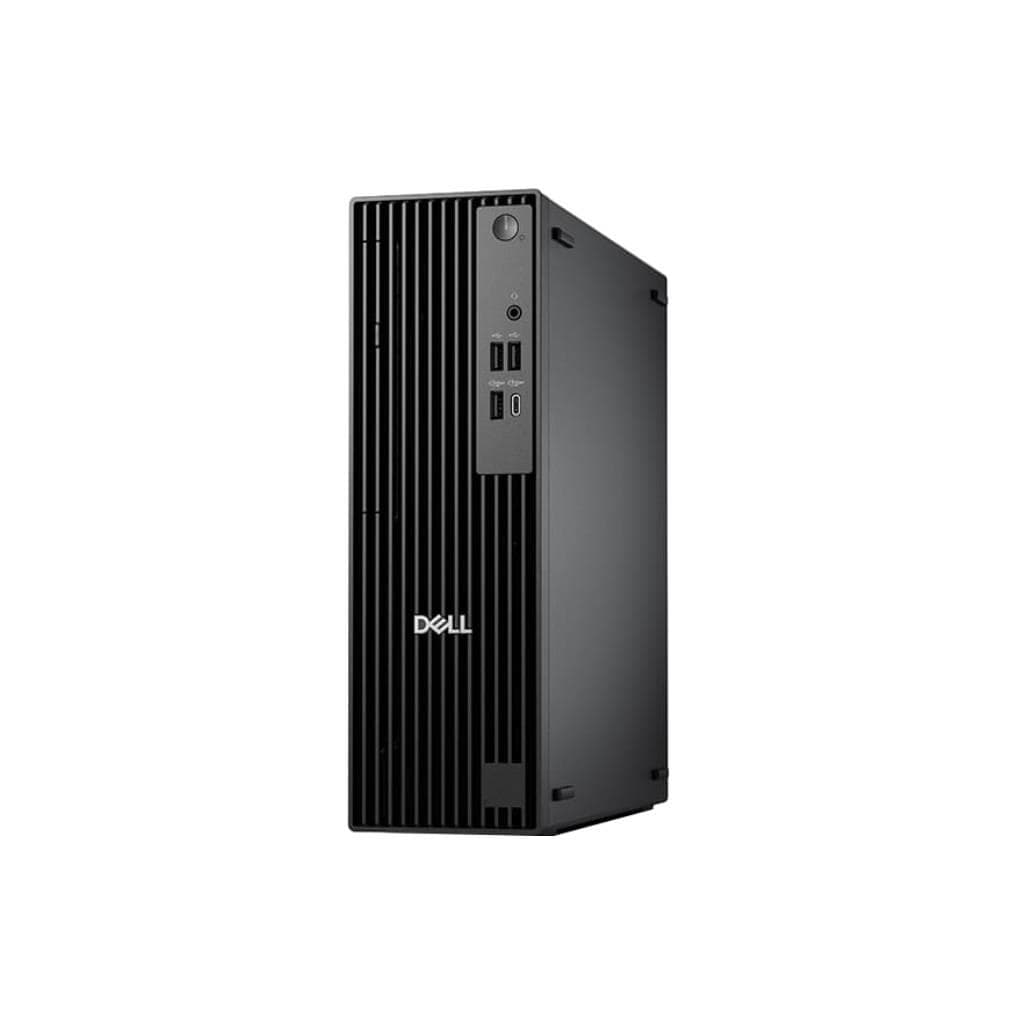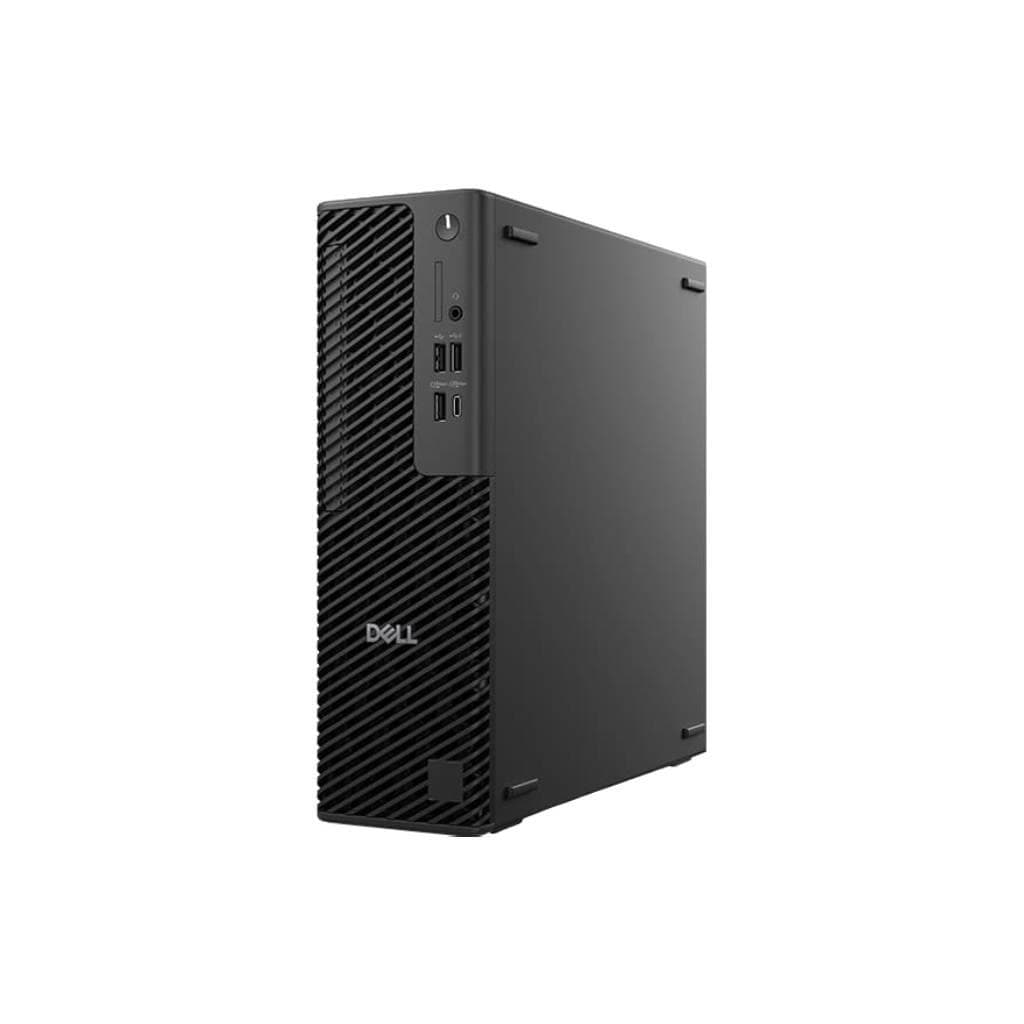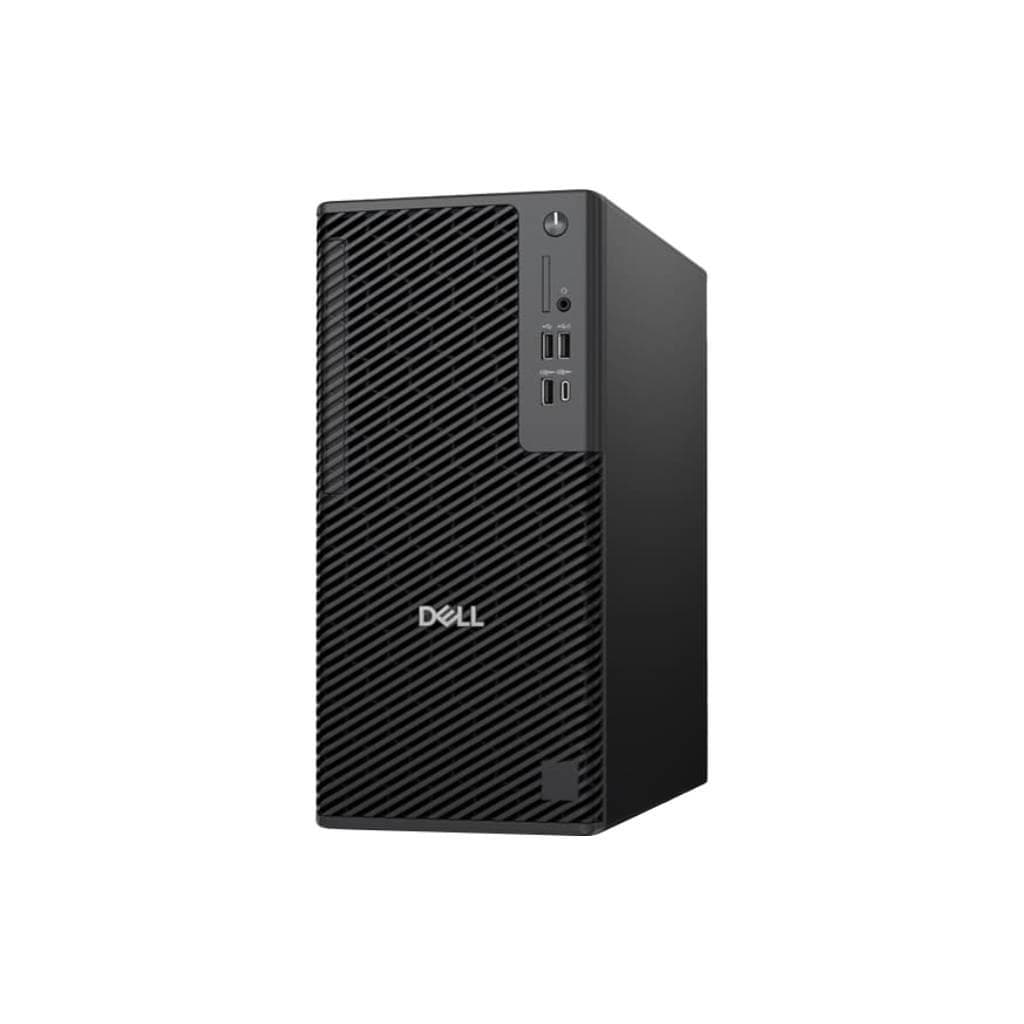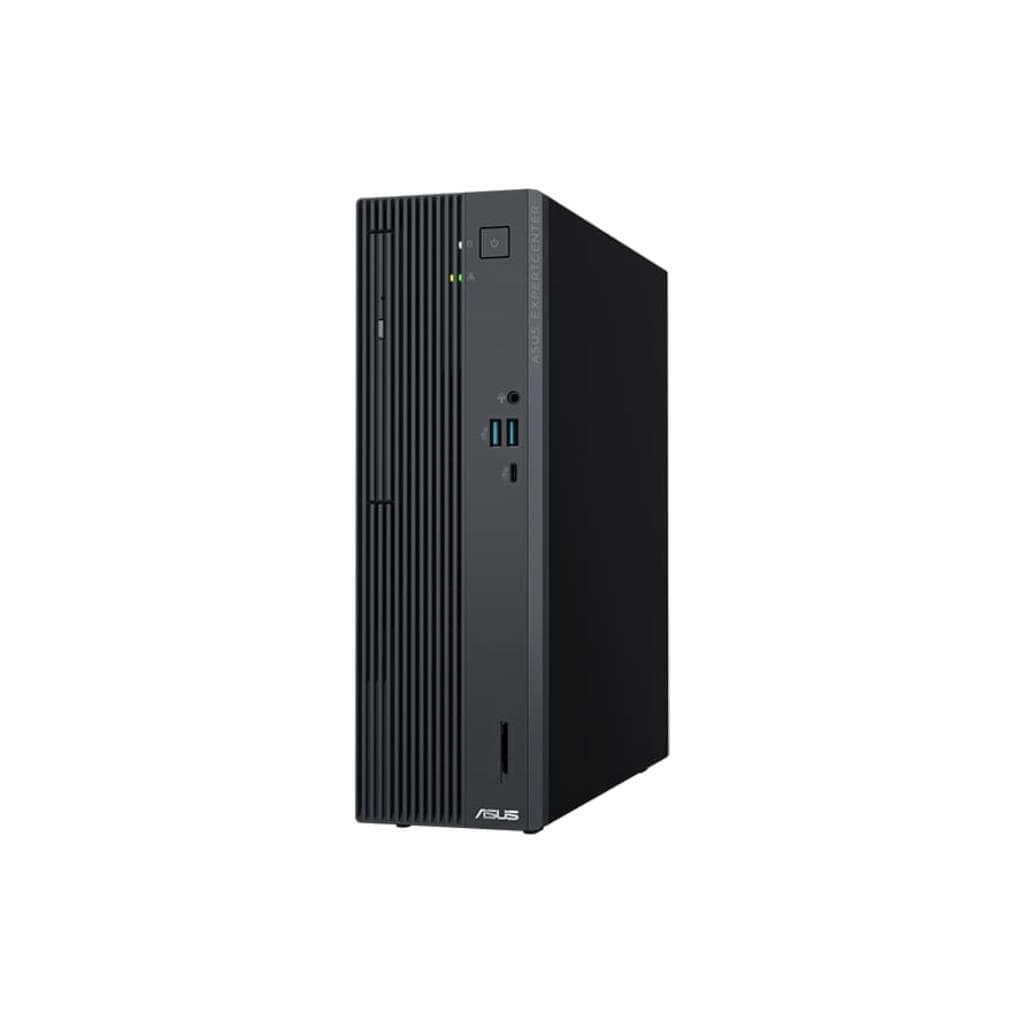
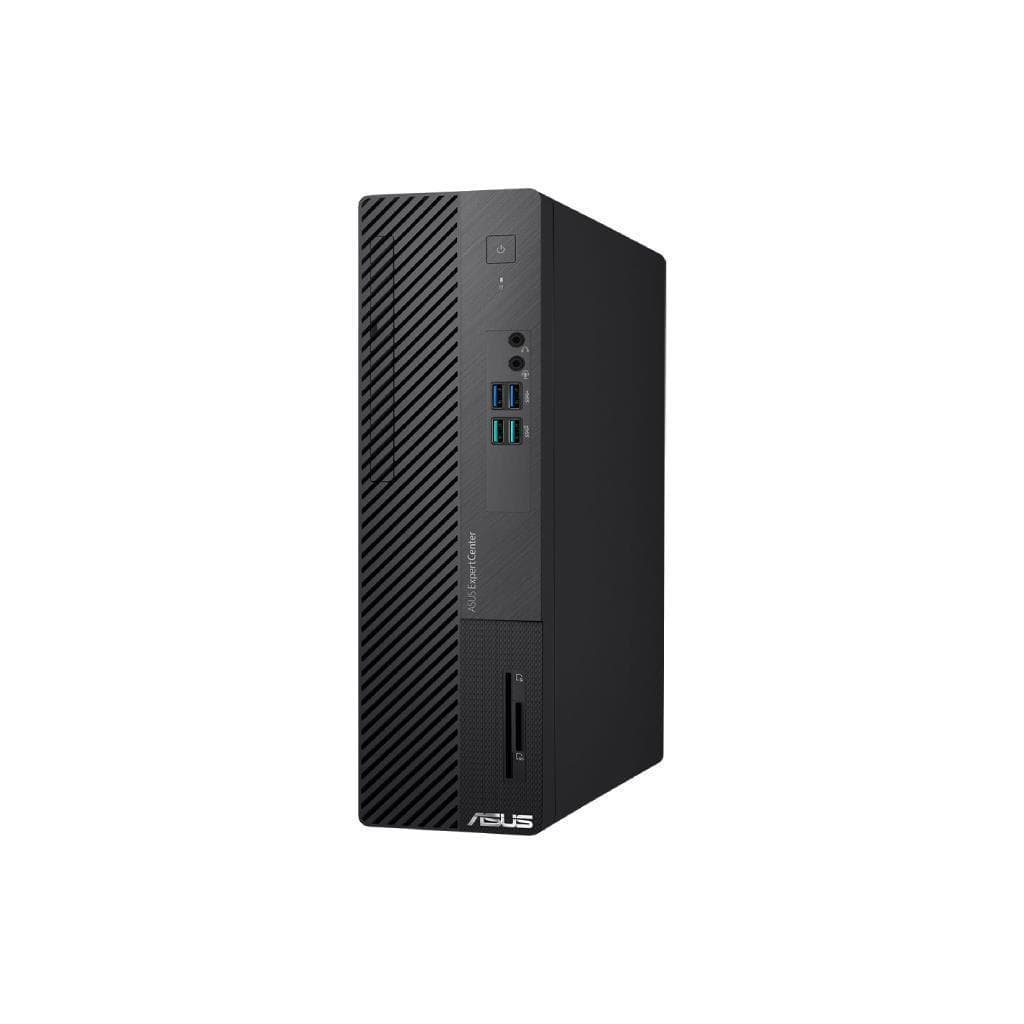

ASUS ExpertCenter D5 SFF D501SERES i5-14500/8GB DDR5/512GB SSD/330W Win11 Pro
SKU: D501SERES-514500155X#ZICUREComputers › Business Desktop PCs
57 views
Please enquire before ordering
The distributor has not yet confirmed the latest price and availability (last checked Aug 11, 2026)
092-251-4017Awaiting stock confirmation3 years manufacturer's warranty
GenuineFree delivery from ฿5,000Tax invoice
เครื่องตั้งโต๊ะขนาดเล็กสำหรับธุรกิจ ASUS ExpertCenter D5 SFF รุ่น D501SERES พร้อมโปรเซสเซอร์ Intel Core i5-14500, แรม DDR5 8GB, SSD 512GB และระบบปฏิบัติการ Windows 11 Pro เหมาะสำหรับงานสำนักงานที่ต้องการประสิทธิภาพสูงในพื้นที่จำกัด
Key features
- โปรเซสเซอร์ Intel Core i5-14500 ความเร็วสูงสุด 5.0GHz
- หน่วยความจำ DDR5 8GB รองรับสูงสุด 64GB
- SSD NVMe PCIe 4.0 512GB ความเร็วสูง
- รองรับการเชื่อมต่อ Wi-Fi 6E และ Bluetooth 5.4
- ช่องเสียบอุปกรณ์ครบครัน พร้อมพอร์ต HDMI, VGA, USB 3.2 Gen 2
Product description
ASUS ExpertCenter D5 SFF D501SERES เป็นเครื่องตั้งโต๊ะขนาดเล็ก (SFF) ที่ออกแบบมาเพื่อประสิทธิภาพสูงในพื้นที่จำกัด โดยใช้โปรเซสเซอร์ Intel Core i5-14500 ความเร็ว 2.6GHz พร้อมแคช 24MB และสามารถเร่งได้สูงสุดถึง 5.0GHz บนคอร์ทั้งหมด 14 คอร์ 20 เธรด รองรับการประมวลผลหลายงานพร้อมกันได้อย่างราบรื่น หน่วยความจำ DDR5 ขนาด 8GB รองรับสูงสุด 64GB ผ่านสล็อต U-DIMM 2 ช่อง ส่วนหน่วยจัดเก็บข้อมูลใช้ SSD M.2 2280 NVMe PCIe 4.0 ความจุ 512GB ให้ความเร็วในการอ่าน/เขียนสูง พร้อมรองรับการติดตั้ง HDD SATA 3.5" เพิ่มเติมได้อีก 2TB หากต้องการพื้นที่จัดเก็บมากขึ้น
More features
- ระบบปฏิบัติการ Windows 11 Pro เหมาะสำหรับธุรกิจ
- โครงสร้างทนต่อแรงกระแทก MIL-STD 810H
- รองรับการติดตั้ง HDD เพิ่มเติมได้สูงสุด 2TB
- ใช้พาวเวอร์ซัพพลาย 330W 80+ Platinum
- ออกแบบมาเพื่อความทนทานและใช้งานในสำนักงานได้อย่างยาวนาน
Pros and limitations
Pros
- โปรเซสเซอร์ Intel Core i5-14500 ประสิทธิภาพสูงในขนาดเล็ก
- รองรับ RAM DDR5 สูงสุด 64GB พร้อมขยายได้ในอนาคต
- ใช้ SSD NVMe PCIe 4.0 ความเร็วสูง ลดเวลาเปิดโปรแกรม
- มีพอร์ตเชื่อมต่อครบครัน รองรับจอภาพหลายจอ
- โครงสร้างทนทาน MIL-STD 810H เหมาะกับสภาพแวดล้อมสำนักงาน
Limitations
- ไม่มีพอร์ต HDMI 2.1 หรือ DisplayPort 1.4
- ไม่รองรับการอัปเกรด GPU นอกเหนือจากที่มีในตัว
Who it is for
เหมาะสำหรับพนักงานออฟฟิศที่ต้องการประสิทธิภาพสูงในพื้นที่จำกัด ใช้งานร่วมกับจอภาพหลายจอ รองรับการประมวลผลเอกสาร การประชุมออนไลน์ และการใช้งานโปรแกรมธุรกิจทั่วไปได้อย่างลื่นไหล
Specifications (43)
- ซีพียู (CPU)
- Intel® Core™ i5-14500 Processor 2.6GHz (24MB Cache, up to 5.0GHz, 14 cores, 20 Threads)
- หน่วยความจำ (RAM)
- 8GB DDR5 U-DIMM
- น้ำหนัก
- 4.8 kg
- พอร์ต LAN
- 1x RJ45 Gigabit Ethernet
- VGA Port
- 1x VGA Port
- HDMI Port
- 1x HDMI 1.4
- RAM Slots
- 2x DDR5 U-DIMM slot
- ขนาด
- 9.30 x 29.60 x 30.90 cm (3.66" x 11.65" x 12.17")
- PCIe Slots
- 1x PCIe® 4.0 x16, 2x PCIe® 3.0 x1
- AI Features
- ASUS AI ExpertMeet – on-device AI assistant for meetings
- Audio Jacks
- 7.1 channel audio (microphone, line-out, Line-in)
- รูปทรง
- SFF (Small Form Factor)
- Serial Port
- Optional
- Chassis Size
- 8.6L compact chassis
- Padlock Loop
- 1x Padlock loop
- แหล่งจ่ายไฟ
- 330W power supply (80+ Platinum, peak 660W)
- ประเภทหน่วยเก็บข้อมูล
- SSD
- Graphics Card
- Integrated Intel Iris Xe Graphics
- แรงดันไฟฟ้าขาเข้า
- 100-240V AC, 50/60Hz
- การรับรอง
- 80+ Platinum
- Headphone Jack
- 1x Headphone port
- M.2 Connectors
- 1x M.2 2280 connector for storage, 1x M.2 2230 connector for storage
- SD Card Reader
- Optional
- USB 2.0 Type-A
- 2x USB 2.0 Type-A (support USB keyboard power-on function)
- มาตรฐาน Wi-Fi
- Wi-Fi 6E (802.11ax) Triple band
- พอร์ตแสดงผล
- HDMI 1.4, VGA
- ระบบปฏิบัติการ
- Windows 11 Pro
- RAM Max Capacity
- 64GB
- Tool-Free Design
- รองรับ
- เวอร์ชัน Bluetooth
- 5.4
- Durability Rating
- MIL-STD 810H
- HDD LED Indicator
- รองรับ
- Optical Drive Bay
- Optional
- การใช้พลังงาน
- 330W (nominal), peak 660W
- คุณสมบัติด้านความปลอดภัย
- ASUS ExpertGuardian business-grade security
- LAN Port Indicator
- รองรับ
- Kensington Lock Slot
- 1x Kensington lock
- USB 3.2 Gen 1 Type-A
- 2x USB 3.2 Gen 1 Type-A
- USB 3.2 Gen 2 Type-A
- 2x USB 3.2 Gen 2 Type-A
- การเชื่อมต่อไร้สาย
- Wi-Fi 6E (802.11ax) (Triple band) 2*2 + Bluetooth® 5.4
- Primary Storage Capacity
- 512GB M.2 2280 NVMe™ PCIe® 4.0 SSD
- Secondary Storage Support
- Up to 2TB SATA 7200RPM 3.5" HDD (optional)
- อุณหภูมิการทำงาน
- 0°C to 40°C
Datasheets and manuals straight from the manufacturer — select a document to open or download it.
13 questions
Frequently asked questions about this product
Compiled from manufacturer information
เครื่องนี้รองรับการติดตั้ง SSD เพิ่มเติมได้หรือไม่?
ใช่ รองรับการติดตั้ง SSD M.2 2280 อีก 1 ช่องผ่าน M.2 connector และสามารถเพิ่ม HDD SATA 3.5" ขนาด 2TB ได้อีก 1 ตัว ทำให้สามารถขยายพื้นที่จัดเก็บข้อมูลได้อย่างยืดหยุ่น
ใช้ Wi-Fi 6E ได้จริงหรือไม่?
ใช่ รองรับ Wi-Fi 6E (802.11ax) แบบ Triple band พร้อม Bluetooth 5.4 ทำให้สามารถเชื่อมต่อเครือข่ายความเร็วสูงได้ทั้งในย่าน 2.4GHz, 5GHz และ 6GHz โดยเฉพาะย่าน 6GHz ที่ลดการรบกวนจากอุปกรณ์อื่น
รองรับการใช้งานจอภาพหลายจอได้กี่จอ?
รองรับการเชื่อมต่อจอภาพได้สูงสุด 2 จอผ่านพอร์ต HDMI 1.4 และ VGA โดยสามารถใช้งานพร้อมกันได้ทั้งสองจอ หรือขยายหน้าจอได้อย่างมีประสิทธิภาพ
ใช้พาวเวอร์ซัพพลาย 330W ได้จริงหรือไม่?
ใช่ พาวเวอร์ซัพพลาย 330W รองรับการทำงานปกติ และมี Peak Power 660W ทำให้สามารถรองรับการใช้งานหนักได้ในระดับปานกลาง โดยเฉพาะเมื่อใช้กับโปรเซสเซอร์ i5-14500 ที่มี TDP สูง
ติดตั้ง Windows 11 Pro ได้หรือไม่?
ใช่ เครื่องนี้มาพร้อมระบบปฏิบัติการ Windows 11 Pro ที่เหมาะกับธุรกิจ โดยรองรับฟีเจอร์ความปลอดภัยขั้นสูง เช่น BitLocker และ Group Policy สำหรับการบริหารจัดการในองค์กร
มีช่องเสียบ USB-C ไหม?
ไม่มีพอร์ต USB-C โดยตรง แต่มี USB 3.2 Gen 2 Type-A จำนวน 2 ช่อง และ USB 3.2 Gen 1 Type-A อีก 2 ช่อง สำหรับการเชื่อมต่ออุปกรณ์ทั่วไป
รองรับการใช้งานในสภาพแวดล้อมที่มีแรงสั่นสะเทือนไหม?
ใช่ เครื่องนี้ได้รับการทดสอบความทนทานตามมาตรฐาน MIL-STD 810H ซึ่งออกแบบมาเพื่อทนต่อแรงกระแทก แรงสั่นสะเทือน และสภาพแวดล้อมที่ไม่เอื้ออำนวยในสำนักงานได้อย่างมั่นคง
สามารถใช้งานร่วมกับระบบ AI Meeting Assistant ได้ไหม?
ใช่ เครื่องนี้รองรับ ASUS AI ExpertMeet ซึ่งเป็น AI assistant บนอุปกรณ์ (on-device) ที่ช่วยปรับปรุงคุณภาพการประชุมออนไลน์ เช่น การตัดเสียงรบกวนด้วย AI และการตรวจจับใบหน้าในกล้อง
Is it in stock?
We are confirming the latest stock and price of the ASUS ExpertCenter D5 SFF D501SERES i5-14500/8GB DDR5/512GB SSD/330W Win11 Pro with the distributor. Please contact us before ordering at 092-251-4017 or sales@gist.co.th.
How much does it cost?
The distributor has not yet confirmed the latest price and availability. Please contact us before ordering at 092-251-4017 or sales@gist.co.th.
How long is the warranty?
Warranty period: 3 ปี บริการศูนย์ (On-site Service) (manufacturer's terms). To make a warranty claim, call 092-251-4017 or 065-523-5262, or email sales@gist.co.th (Mon–Fri 9:00–18:00), then send the product with your order number to our head office, or bring it to the head office in person.
How long does delivery take?
Orders placed before 12:00 on a business day are delivered within 1–3 business days (Bangkok and vicinity) or 2–5 business days (other provinces). Free delivery on orders of ฿5,000 or more (a ฿150 delivery fee applies below this amount).
Is it genuine?
Genuine products sourced from distributors in Thailand, covered by the manufacturer's warranty. Full tax invoices are available.
Didn't find the answer you need?
Loading reviews…
Genuine products
Sourced from distributors in Thailand and covered by the manufacturer's warranty
Warranty period
3 ปี บริการศูนย์ (On-site Service)
Covered by the manufacturer's warranty; you can make claims through GIST
Claims through GIST
Ship the product to our head office or bring it in person
Warranty conditions
- A receipt or other proof of purchase is required
- The product must not have been modified or altered
- Damage caused by misuse is not covered by the warranty
- To make a warranty claim, call 092-251-4017 or 065-523-5262, or email sales@gist.co.th (Mon–Fri 9:00–18:00), then send the product with your order number to our head office, or bring it to the head office in person.Head office: 554 Sky Nine Center, Floor 12A, Room 554/62, Asok-Din Daeng Road, Din Daeng Subdistrict, Din Daeng District, Bangkok 10400
More in Business Desktop PCs