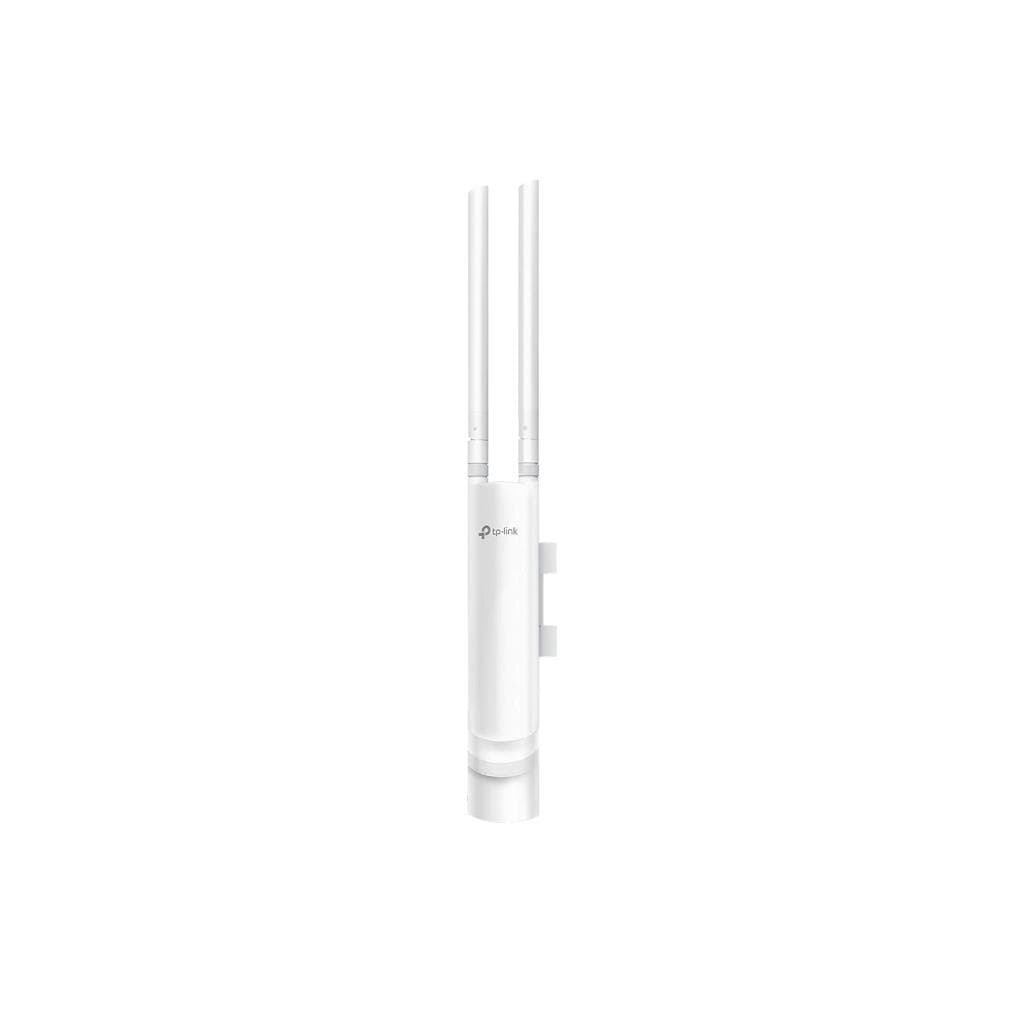

TP-Link EAP110-Outdoor V3 300Mbps Outdoor Wi-Fi Access Point
SKU: EAP110-OUTDOOR-VER3Networking › Routers & Access Points
Please enquire before ordering
The distributor has not yet confirmed the latest price and availability (last checked Jun 16, 2026)
092-251-4017Awaiting stock confirmation3 years manufacturer's warranty
GenuineFree delivery from ฿5,000Tax invoice
จุดเข้าถึง Wi-Fi กลางแจ้งรุ่น EAP110-Outdoor V3 จาก TP-Link รองรับสัญญาณ 2.4GHz ความเร็วสูงสุด 300 Mbps ใช้งานได้ทั้งในพื้นที่กลางแจ้งและภายในอาคาร พร้อมโครงสร้างกันน้ำระดับ IP65 และรองรับการจัดการแบบรวมศูนย์ผ่าน Omada Controller
Key features
- รองรับ Wi-Fi 802.11n ความเร็วสูงสุด 300 Mbps บน 2.4GHz
- โครงสร้างกันน้ำระดับ IP65 ทนต่อสภาพอากาศรุนแรง
- เสาอากาศภายนอก 2 ตัว แบบ omni 3dBi กระจายสัญญาณกว้าง
- รองรับการจัดการแบบรวมศูนย์ผ่าน Omada Controller
- รองรับ PoE ผ่านสาย LAN ด้วย Passive PoE 24V
Product description
TP-Link EAP110-Outdoor V3 เป็นจุดเข้าถึง Wi-Fi กลางแจ้งที่ออกแบบมาเพื่อใช้งานในสภาพแวดล้อมที่ท้าทาย เช่น ลานจอดรถ ลานกิจกรรม หรือพื้นที่เปิดโล่ง โดยรองรับมาตรฐาน Wi-Fi 802.11n ที่ให้ความเร็วสูงสุดถึง 300 Mbps บนแบนด์วิธ 2.4GHz พร้อมเสาอากาศภายนอก 2 ตัว แบบ omni ความ gain 3dBi ที่ช่วยกระจายสัญญาณได้กว้างและมั่นคง โครงสร้างกันน้ำระดับ IP65 ทนต่อฝน ฝุ่น และอุณหภูมิสุดขั้วได้ตั้งแต่ -30℃ ถึง +65℃ ใช้งานได้ทั้งกลางแจ้งและในพื้นที่ปิด รองรับการจัดการแบบรวมศูนย์ผ่าน Omada Software Controller หรือ Hardware Controller พร้อมฟีเจอร์ความปลอดภัยขั้นสูง เช่น การควบคุมการเข้าถึงผ่าน MAC Address, การแยกเครือข่ายระหว่างผู้ใช้ (Client Isolation), การตั้งค่า SSID ได้สูงสุด 8 ช่อง และการรองรับการจัดการผ่าน Cloud ได้ทันที
More features
- รองรับการตั้งค่า SSID ได้สูงสุด 8 ช่อง
- รองรับการจัดการผ่าน Cloud และระบบ SNMP
- ทนต่ออุณหภูมิ -30℃ ถึง +65℃ ใช้งานกลางแจ้งได้จริง
- รองรับการตั้งค่า QoS, Load Balance และ Rate Limit
- มีไฟ LED ควบคุมเปิด-ปิดได้ พร้อมระบบแจ้งเตือนผ่านอีเมล
Pros and limitations
Pros
- โครงสร้างกันน้ำระดับ IP65 ทนต่อฝนและฝุ่นได้ดี
- รองรับการจัดการแบบรวมศูนย์ผ่าน Omada Controller ใช้งานง่ายในระบบเครือข่ายขนาดใหญ่
- ทนต่ออุณหภูมิสุดขั้วได้ตั้งแต่ -30℃ ถึง +65℃
- เสาอากาศภายนอก 2 ตัว แบบ omni ช่วยกระจายสัญญาณได้กว้างและมั่นคง
- รองรับ Passive PoE 24V ติดตั้งง่ายด้วยสาย LAN เดียว
Limitations
- ไม่รองรับ Wi-Fi 6 (Wi-Fi 6E) หรือ 5GHz
- ต้องใช้ Omada Controller หรือ Software เพื่อจัดการแบบรวมศูนย์ ไม่สามารถใช้งานได้เต็มรูปแบบในโหมด standalone โดยไม่มีเครื่องควบคุม
- ต้องใช้อุปกรณ์ PoE Adapter เพิ่มเติมสำหรับการจ่ายไฟ
Who it is for
เหมาะสำหรับใช้ในพื้นที่กลางแจ้ง เช่น ลานจอดรถ ร้านอาหาร โรงแรม หรือพื้นที่กิจกรรมกลางแจ้ง ที่ต้องการสัญญาณ Wi-Fi ครอบคลุมกว้างและทนต่อสภาพอากาศ
Connectivity
Wi-Fi 802.11b/g/n
Specifications (42)
- พอร์ต
- 1 × 10/100 Mbps RJ45 Port
- แบรนด์
- TP-Link
- รุ่น
- EAP110-Outdoor V3
- น้ำหนัก
- 1.8 kg
- หมวดหมู่
- Access Point
- LED Control
- ON/OFF control
- รองรับ PoE
- Passive PoE 24V
- Signal Rate
- 11n: Up to 300 Mbps (dynamic), 11g: Up to 54 Mbps (dynamic), 11b: Up to 11 Mbps (dynamic)
- Antenna Gain
- 3dBi
- ประเภทเสาอากาศ
- External Omni
- Cloud Access
- รองรับ (requires Omada Controller)
- Email Alerts
- รองรับ
- แหล่งจ่ายไฟ
- 24V Passive PoE (+4,5pins; -7,8pins)
- ปุ่มรีเซ็ต
- รองรับ
- การรับรอง
- FCC, RoHS
- L3 Management
- รองรับ
- ไฟแสดงสถานะ
- รองรับ
- การติดตั้ง
- Pole or wall mounting
- ย่านความถี่
- 2.4GHz
- System Logging
- Local and Remote Syslog
- Management VLAN
- รองรับ
- การอัปเดตเฟิร์มแวร์
- รองรับ (via web interface or Omada Controller)
- ความชื้นในการจัดเก็บ
- 5% ~ 90% non-condensing
- Omada App Support
- รองรับ
- ความปลอดภัยไร้สาย
- Captive Portal Authentication, Access Control, MAC Address Filtering, Client Isolation, SSID to VLAN Mapping, Rogue AP Detection, 802.1X Support, WEP (64/128/152-bit), WPA/WPA2-Enterprise, WPA-PSK/WPA2-PSK
- Concurrent Clients
- 100+
- Max Wireless Speed
- 300 Mbps (dynamic)
- Number of Antennas
- : 2
- ความชื้นขณะทำงาน
- 10% ~ 90% non-condensing
- Transmission Power
- < 22dBm
- Wireless Functions
- Multiple SSIDs (up to 8), Automatic Channel Assignment, Transmit Power Control (dBm), Seamless Roaming (802.11r), QoS (WMM), Load Balance, Rate Limit, Reboot Schedule, Wireless Schedule, Wireless Statistics by SSID/AP/Client
- มาตรฐาน Wi-Fi
- IEEE 802.11n/g/b
- อุณหภูมิในการจัดเก็บ
- -40℃ ~ 70℃ (-40℉ ~ 158℉)
- อุปกรณ์ในกล่อง
- Mounting kit, Waterproof rubber insert, Waterproof antennas, EAP110-Outdoor Passive PoE Adapter, Power cord, Installation guide
- อินเทอร์เฟซการจัดการ
- Web-based (HTTP/HTTPS), SSH, SNMP v1/v2c
- การใช้พลังงานสูงสุด
- 3.1 W
- Multi-site Management
- รองรับ
- อุณหภูมิการทำงาน
- -30℃ ~ 65℃ (-22℉ ~ 149℉)
- Centralized Management
- Omada Software Controller, Omada Hardware Controller
- ขนาด (กว้าง x ลึก x สูง)
- 1.8 × 1.1 × 8.5 in (46 × 26.7 × 214.9 mm)
- Weatherproof Enclosure
- IP65
- Management MAC Access Control
- รองรับ
Datasheets and manuals straight from the manufacturer — select a document to open or download it.
13 questions
Frequently asked questions about this product
Compiled from manufacturer information
EAP110-Outdoor V3 รองรับ Wi-Fi 6 หรือ 5GHz ไหม?
ไม่รองรับ Wi-Fi 6 หรือแบนด์วิธ 5GHz โดยสินค้ารุ่นนี้รองรับเฉพาะ Wi-Fi 802.11n บนแบนด์วิธ 2.4GHz ความเร็วสูงสุด 300 Mbps สำหรับผู้ใช้ที่ต้องการความเร็วสูงกว่านี้ แนะนำให้พิจารณา EAP รุ่นใหม่ที่รองรับ Wi-Fi 6
ต้องใช้อุปกรณ์ PoE Adapter ไหม?
ใช่ ต้องใช้ PoE Adapter แบบ Passive 24V ที่มาพร้อมกับชุดสินค้า โดยใช้ขั้วต่อ +4,5 และ -7,8 ของสาย LAN เพื่อจ่ายไฟ ไม่สามารถจ่ายไฟผ่าน PoE แบบมาตรฐาน (IEEE 802.3af/at) ได้
สามารถติดตั้งบนเสาไฟฟ้าได้ไหม?
ได้ โดยรองรับการติดตั้งแบบเสา (Pole mounting) พร้อมอุปกรณ์ติดตั้งในกล่องบรรจุภัณฑ์ โครงสร้างกันน้ำระดับ IP65 ทนต่อฝนและฝุ่นได้ดี ใช้งานกลางแจ้งได้จริง
รองรับการจัดการผ่าน Cloud ได้ไหม?
ได้ รองรับการจัดการผ่าน Cloud โดยต้องใช้ Omada Hardware Controller หรือ Omada Software Controller เท่านั้น ไม่สามารถจัดการผ่าน Cloud โดยตรงได้ หากไม่มีอุปกรณ์ควบคุม
สามารถตั้งค่า SSID ได้กี่ช่อง?
สามารถตั้งค่า SSID ได้สูงสุด 8 ช่อง พร้อมรองรับการแยก VLAN ตาม SSID และการตั้งค่าความปลอดภัยแยกต่างหาก เช่น การควบคุม MAC Address หรือการตั้งค่า Captive Portal
ใช้กับระบบ Omada Controller ได้ทันทีไหม?
ได้ รองรับการจัดการผ่าน Omada Controller ทั้งแบบ Software และ Hardware โดยต้องตั้งค่าให้ AP อยู่ในโหมด Adopt เพื่อเชื่อมต่อกับ Controller ได้ทันที สอบถามทีมขายหากต้องการคำแนะนำการตั้งค่าเบื้องต้น
อุณหภูมิที่ใช้งานได้สูงสุดเท่าไหร่?
รองรับการใช้งานได้ตั้งแต่ -30℃ ถึง +65℃ ซึ่งเหมาะกับพื้นที่กลางแจ้งทั่วไปทั้งในฤดูหนาวและฤดูร้อน โดยไม่กระทบต่อประสิทธิภาพการส่งสัญญาณ
มีระบบแจ้งเตือนเมื่อเกิดปัญหาไหม?
มี รองรับระบบแจ้งเตือนผ่านอีเมลเมื่อเกิดเหตุการณ์สำคัญ เช่น อุปกรณ์ดับหรือมีการเข้าถึงผิดสิทธิ์ พร้อมระบบบันทึกเหตุการณ์ (Logging) ทั้งแบบ Local และ Remote Syslog
Is it in stock?
We are confirming the latest stock and price of the TP-Link EAP110-Outdoor V3 300Mbps Outdoor Wi-Fi Access Point with the distributor. Please contact us before ordering at 092-251-4017 or sales@gist.co.th.
How much does it cost?
The distributor has not yet confirmed the latest price and availability. Please contact us before ordering at 092-251-4017 or sales@gist.co.th.
How long is the warranty?
Warranty period: รับประกัน 3 ปี (manufacturer's terms). To make a warranty claim, call 092-251-4017 or 065-523-5262, or email sales@gist.co.th (Mon–Fri 9:00–18:00), then send the product with your order number to our head office, or bring it to the head office in person.
How long does delivery take?
Orders placed before 12:00 on a business day are delivered within 1–3 business days (Bangkok and vicinity) or 2–5 business days (other provinces). Free delivery on orders of ฿5,000 or more (a ฿150 delivery fee applies below this amount).
Is it genuine?
Genuine products sourced from distributors in Thailand, covered by the manufacturer's warranty. Full tax invoices are available.
Didn't find the answer you need?
Loading reviews…
Genuine products
Sourced from distributors in Thailand and covered by the manufacturer's warranty
Warranty period
รับประกัน 3 ปี
Covered by the manufacturer's warranty; you can make claims through GIST
Claims through GIST
Ship the product to our head office or bring it in person
Warranty conditions
- A receipt or other proof of purchase is required
- The product must not have been modified or altered
- Damage caused by misuse is not covered by the warranty
- To make a warranty claim, call 092-251-4017 or 065-523-5262, or email sales@gist.co.th (Mon–Fri 9:00–18:00), then send the product with your order number to our head office, or bring it to the head office in person.Head office: 554 Sky Nine Center, Floor 12A, Room 554/62, Asok-Din Daeng Road, Din Daeng Subdistrict, Din Daeng District, Bangkok 10400
More in Routers & Access Points