
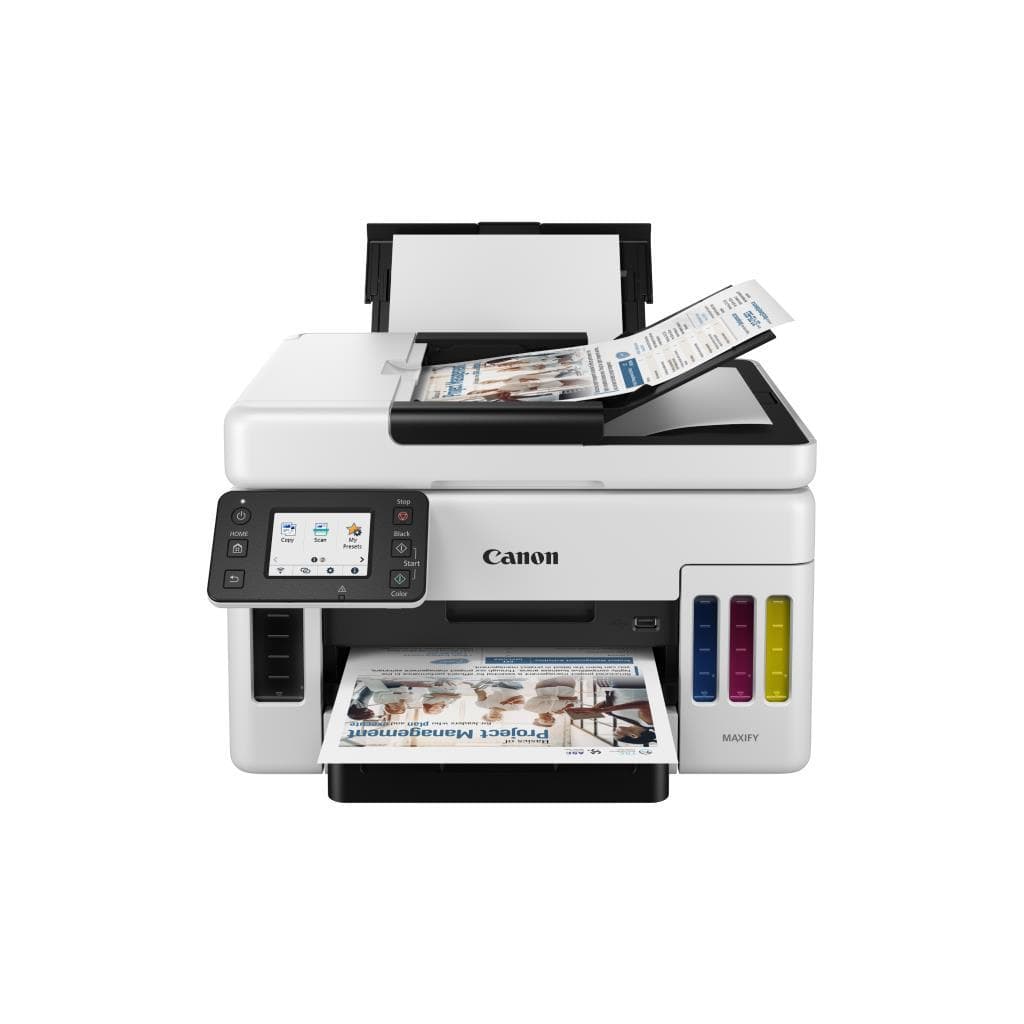
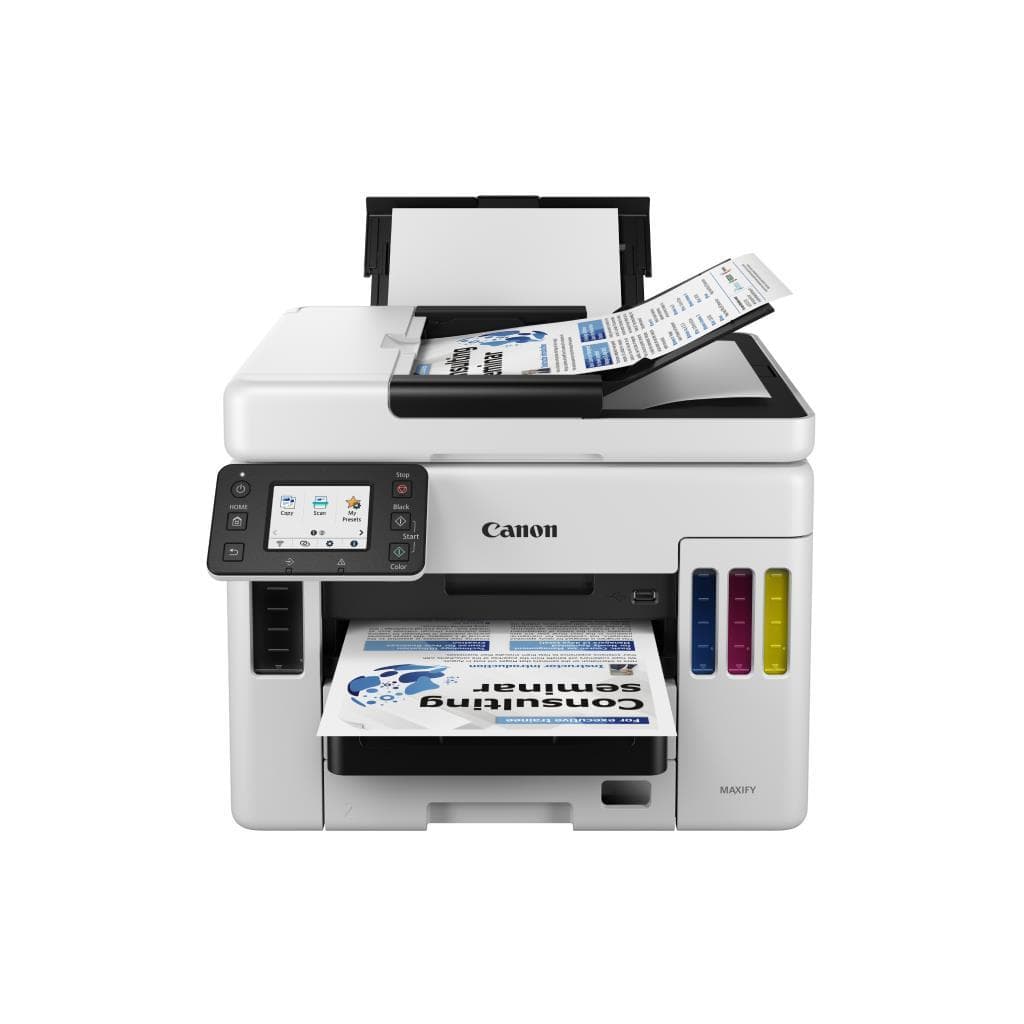

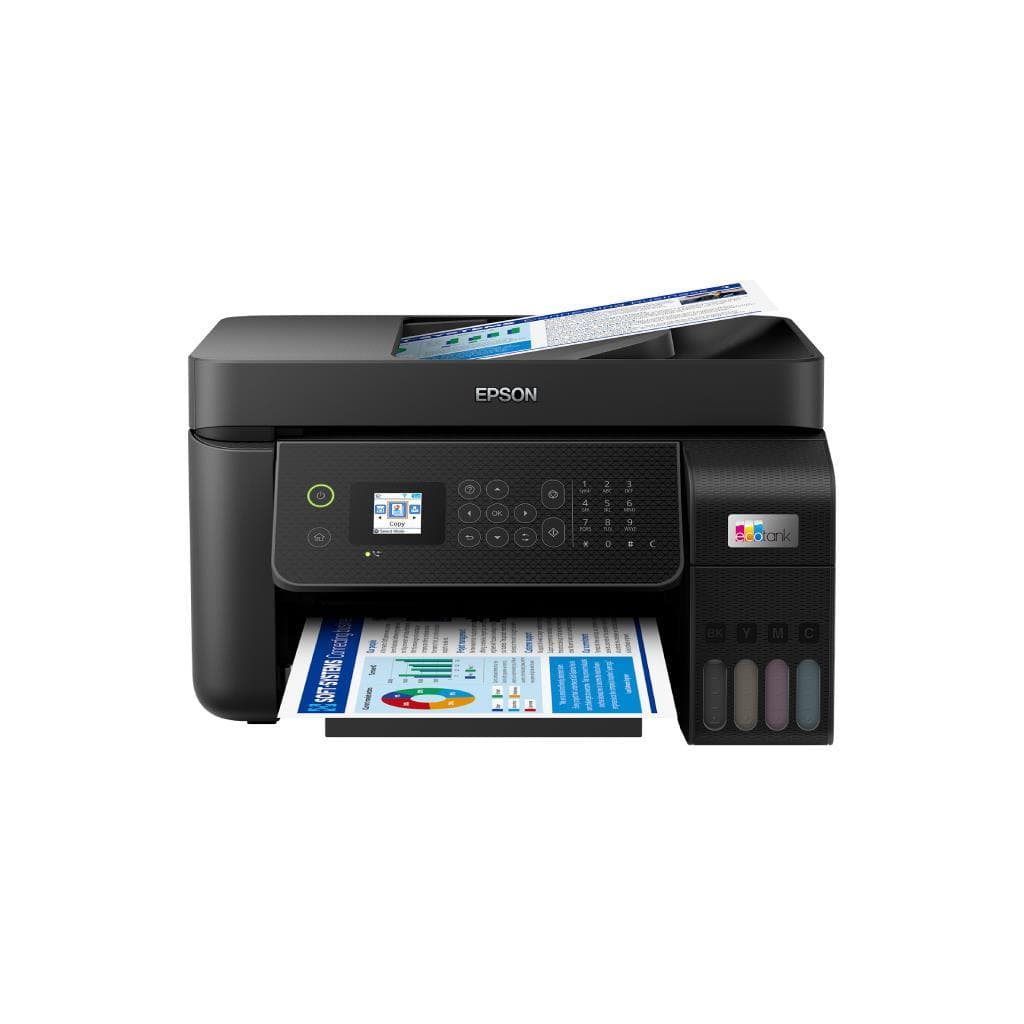
CANON MAXIFY GX1070 All-in-One Color Inkjet Printer 600 x 1200 dpi USB 2.0
SKU: GX1070Printers & Supplies › Multifunction Printers
฿7,250
Price includes 7% VATPrice updated November 1, 2026
In stock2 units1 year manufacturer's warranty
For orders placed before 12:00 on a business day; weekends excluded
GenuineFree delivery from ฿5,000Tax invoice
เครื่องพิมพ์อัลล์อินวันรุ่น GX1070 จาก CANON รองรับการพิมพ์สีครบวงจร พร้อมระบบ MegaTank สำหรับเติมหมึกแบบเต็มถัง ใช้งานได้ยาวนาน ไม่ต้องเปลี่ยนตลับบ่อย
Key features
- พิมพ์สีคุณภาพสูง 600 x 1200 dpi
- ระบบเติมหมึก MegaTank ประหยัดต้นทุนต่อหน้า
- รองรับการพิมพ์สีได้สูงสุด 15,000 หน้าต่อตลับ
- รองรับการพิมพ์ขาวดำได้สูงสุด 30,000 หน้าต่อตลับ
- เชื่อมต่อผ่าน USB 2.0 ใช้งานง่ายทันที
Product description
เครื่องพิมพ์อัลล์อินวัน CANON MAXIFY GX1070 ออกแบบมาเพื่อธุรกิจขนาดเล็กถึงกลาง รองรับการพิมพ์เอกสารและภาพสีคุณภาพสูงด้วยความละเอียดสูงสุด 600 x 1200 dpi พร้อมระบบเติมหมึกแบบ MegaTank ที่ช่วยลดต้นทุนการพิมพ์ต่อหน้าอย่างมาก โดยสามารถพิมพ์ได้สูงสุดถึง 15,000 หน้า (สี) และ 30,000 หน้า (ขาวดำ) ต่อตลับหมึกเต็มถัง ใช้งานผ่านพอร์ต USB 2.0 ได้ทันที ไม่ต้องตั้งค่าเครือข่าย หรือติดตั้ง Wi-Fi เพิ่มเติม เหมาะสำหรับออฟฟิศที่ต้องการความเร็วในการพิมพ์สูงและต้นทุนต่ำ
More features
- พิมพ์เอกสาร A4 ได้เร็ว 15 ppm (ขาวดำ), 10 ppm (สี)
- รองรับการสแกนเอกสารและแฟกซ์ผ่านเครื่องเดียว
- ใช้งานได้ยาวนาน ไม่ต้องเปลี่ยนตลับบ่อย
- เหมาะสำหรับออฟฟิศขนาดเล็กถึงกลาง
- ประหยัดพลังงาน ใช้ไฟเพียง 10.5 W (กำลังทำงาน)
Pros and limitations
Pros
- ระบบเติมหมึก MegaTank ลดต้นทุนการพิมพ์ต่อหน้าได้อย่างมาก
- พิมพ์สีคุณภาพสูง 600 x 1200 dpi คมชัดแม้ในเอกสารสำคัญ
- รองรับการพิมพ์ขาวดำและสีได้สูงสุด 30,000 และ 15,000 หน้าต่อตลับ
- ใช้งานง่ายด้วยพอร์ต USB 2.0 โดยไม่ต้องตั้งค่าเครือข่าย
- พิมพ์เอกสาร A4 เร็ว 15 ppm (ขาวดำ), 10 ppm (สี)
Limitations
- ไม่มี Wi-Fi หรือการเชื่อมต่อเครือข่ายไร้สาย
- ไม่รองรับ NFC หรือการพิมพ์ผ่าน NFC
Who it is for
เหมาะสำหรับสำนักงานขนาดเล็กถึงกลางที่ต้องการพิมพ์เอกสารและภาพสีคุณภาพสูง พร้อมลดต้นทุนหมึกอย่างมากด้วยระบบ MegaTank
Specifications (37)
- nfc
- ไม่รองรับ
- duplex
- Auto
- หน่วยความจำ (RAM)
- 128 MB
- ink_type
- Inkjet (MegaTank)
- port_lan
- ไม่รองรับ
- port_usb
- USB 2.0
- ซอฟต์แวร์
- Canon PRINT Inkjet/SELPHY, Canon PRINT Inkjet/SELPHY for Mac
- การรับประกัน
- 1 ปี
- languages
- PCL, PostScript
- weight_kg
- 10.5
- ความสว่าง
- 100 nits
- os_support
- Windows 10/11, macOS 10.15 or later
- paper_size
- A4, A5, B5, Letter, Legal, Envelope (DL, Monarch)
- -duty_cycle
- 30,000 หน้าต่อเดือน
- color_gamut
- sRGB 99%
- wifi_direct
- ไม่รองรับ
- adf_capacity
- 35 แผ่น
- mobile_print
- AirPrint, Mopria
- scanner_speed
- 3.5 แผ่น/นาที (A4 สี)
- contrast_ratio
- 4,000:1
- ink_yield_black
- 30,000 หน้า
- ink_yield_color
- 15,000 หน้า
- power_consumption
- 10.5 W (ทำงาน), 3.5 W (สแตนด์บาย)
- security_features
- ไม่รองรับ
- network_management
- ไม่รองรับ
- scanner_resolution
- 600 x 600 dpi
- dimensions_depth_mm
- 380
- dimensions_width_mm
- 420
- scanner_duplex_scan
- Supports
- dimensions_height_mm
- 270
- wireless_connectivity
- ไม่รองรับ
- paper_tray_input_capacity
- 150 แผ่น
- recommended_monthly_pages
- 1,000 - 5,000 หน้า
- first_print_out_time_black
- 12 วินาที
- first_print_out_time_color
- 15 วินาที
- ความละเอียด
- 600 x 1200 dpi
- ความเร็วพิมพ์
- 15 ppm (ขาวดำ), 10 ppm (สี)
Datasheets and manuals straight from the manufacturer — select a document to open or download it.
13 questions
Frequently asked questions about this product
Compiled from manufacturer information
เครื่องนี้รองรับการพิมพ์ผ่าน Wi-Fi ได้ไหม?
ไม่รองรับการเชื่อมต่อ Wi-Fi โดยตรง เครื่องนี้เชื่อมต่อผ่านพอร์ต USB 2.0 เท่านั้น จึงไม่สามารถใช้งานผ่านเครือข่ายไร้สายได้
พิมพ์สีได้กี่หน้าต่อตลับหมึกเต็มถัง?
ระบบ MegaTank ของ GX1070 รองรับการพิมพ์สีได้สูงสุด 15,000 หน้าต่อตลับหมึกเต็มถัง ซึ่งช่วยลดต้นทุนการพิมพ์อย่างมากเมื่อเปรียบเทียบกับตลับหมึกทั่วไป
ใช้เวลาพิมพ์หน้าแรกกี่วินาที?
เครื่องพิมพ์นี้ใช้เวลาพิมพ์หน้าแรก 12 วินาที (ขาวดำ) และ 15 วินาที (สี) ซึ่งถือว่าเร็วสำหรับเครื่องพิมพ์อัลล์อินวันรุ่นประหยัด
รองรับการสแกนเอกสารแบบสองด้านได้ไหม?
ใช่ รองรับการสแกนเอกสารแบบสองด้าน (Duplex Scan) โดยสามารถสแกนเอกสาร A4 สีได้ 3.5 แผ่นต่อนาที และรองรับถาดใส่เอกสารอัตโนมัติ (ADF) ความจุ 35 แผ่น
ใช้พลังงานเท่าไหร่เมื่อทำงาน?
เครื่องพิมพ์ GX1070 ใช้พลังงานเพียง 10.5 วัตต์ เมื่อทำงาน และ 3.5 วัตต์ ในโหมดสแตนด์บาย ถือว่าประหยัดไฟมากเมื่อเทียบกับเครื่องพิมพ์ทั่วไป
สามารถพิมพ์เอกสารขนาด A3 ได้ไหม?
ไม่รองรับการพิมพ์เอกสารขนาด A3 เครื่องนี้รองรับเฉพาะขนาด A4, A5, B5, Letter และ Legal เท่านั้น
ใช้ระบบหมึกแบบใด?
ใช้ระบบหมึกแบบ MegaTank ซึ่งเป็นระบบที่เติมหมึกจากถังใหญ่แทนการเปลี่ยนตลับหมึกบ่อยครั้ง ช่วยลดต้นทุนและเพิ่มความสะดวกในการใช้งาน
รองรับการพิมพ์จากสมาร์ทโฟนได้ไหม?
ใช่ รองรับการพิมพ์ผ่านแอป Canon PRINT Inkjet/SELPHY บนสมาร์ทโฟนทั้ง iOS และ Android รวมถึง AirPrint และ Mopria สำหรับอุปกรณ์ที่รองรับ
Is it in stock?
The CANON MAXIFY GX1070 All-in-One Color Inkjet Printer 600 x 1200 dpi USB 2.0 is in stock and ready to ship. Orders placed before 12:00 on a business day are delivered within 1–3 business days (Bangkok and vicinity) or 2–5 business days (other provinces). Order online at store.gist.co.th or contact our sales team at 092-251-4017.
How much does it cost?
The price is ฿7,250 (including 7% VAT). It is in stock and ready to ship. Business customers can request a quotation at sales@gist.co.th.
How long is the warranty?
Warranty period: รับประกัน 1 ปี (manufacturer's terms). To make a warranty claim, call 092-251-4017 or 065-523-5262, or email sales@gist.co.th (Mon–Fri 9:00–18:00), then send the product with your order number to our head office, or bring it to the head office in person.
How long does delivery take?
Orders placed before 12:00 on a business day are delivered within 1–3 business days (Bangkok and vicinity) or 2–5 business days (other provinces). Free delivery on orders of ฿5,000 or more (a ฿150 delivery fee applies below this amount).
Is it genuine?
Genuine products sourced from distributors in Thailand, covered by the manufacturer's warranty. Full tax invoices are available.
Didn't find the answer you need?
Loading reviews…
Genuine products
Sourced from distributors in Thailand and covered by the manufacturer's warranty
Warranty period
รับประกัน 1 ปี
Covered by the manufacturer's warranty; you can make claims through GIST
Claims through GIST
Ship the product to our head office or bring it in person
Warranty conditions
- A receipt or other proof of purchase is required
- The product must not have been modified or altered
- Damage caused by misuse is not covered by the warranty
- To make a warranty claim, call 092-251-4017 or 065-523-5262, or email sales@gist.co.th (Mon–Fri 9:00–18:00), then send the product with your order number to our head office, or bring it to the head office in person.Head office: 554 Sky Nine Center, Floor 12A, Room 554/62, Asok-Din Daeng Road, Din Daeng Subdistrict, Din Daeng District, Bangkok 10400
More in Multifunction Printers
Price
฿7,250