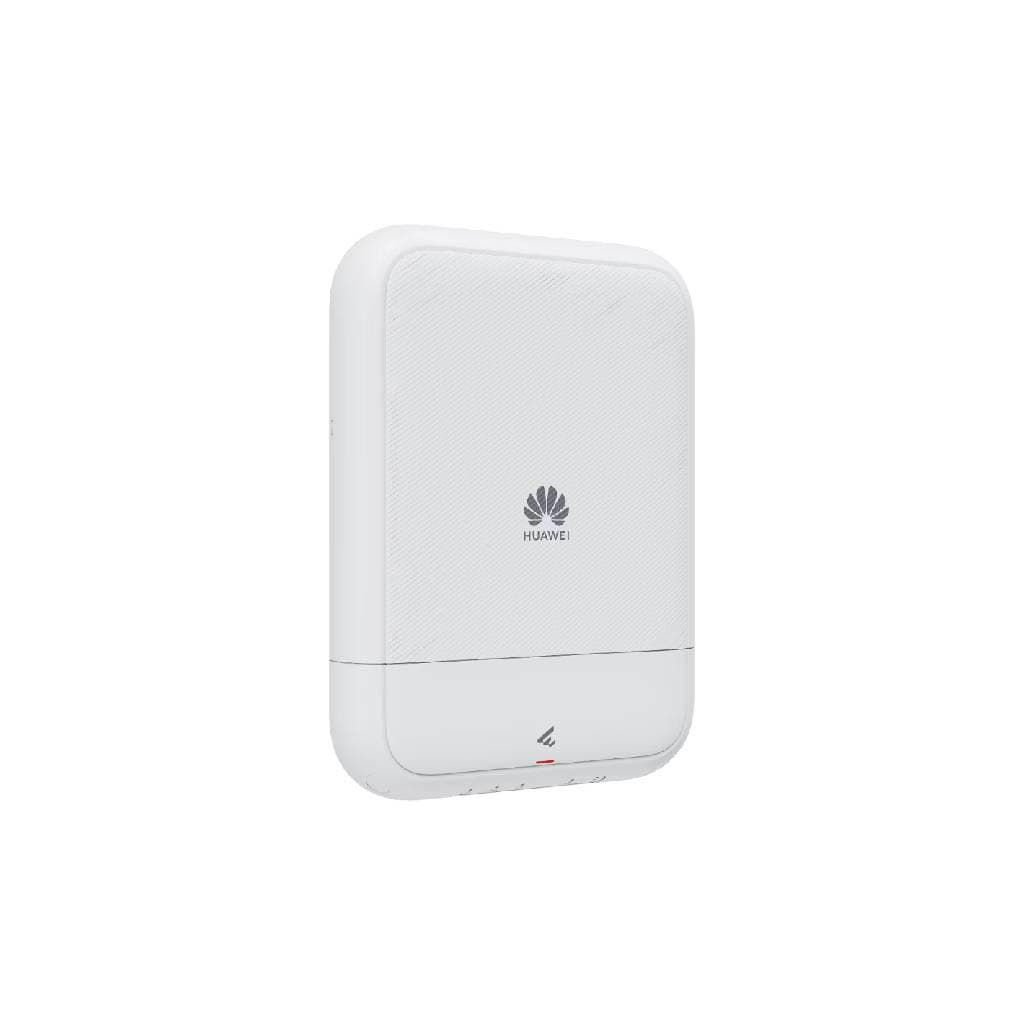


HUAWEI OptiXstar F600C-30-1GH GPON Wi-Fi 6 Optical AP
SKU: HW-FTTO-F600C-30-1GHHuawei › Huawei Routers & Switches· Model: F600C-30-1GH
Please enquire before ordering
The distributor has not yet confirmed the latest price and availability (last checked Jul 30, 2026)
092-251-4017Awaiting stock confirmation3 years manufacturer's warranty
GenuineFree delivery from ฿5,000Tax invoice
HUAWEI F600C-30-1GH Wi-Fi 6 fiber router supports fiber optic (GPON) connectivity and is suitable for both home and small office use.
Key features
- Supports Wi-Fi 6 (802.11ax) with maximum speed up to 2.4 Gbps
- Connects via GPON using ITU-T G.984 standard
- Designed specifically for fiber optic networks in homes and small offices
- Supports management via HUAWEI iManager NCE system
- Low power consumption, energy efficient
Product description
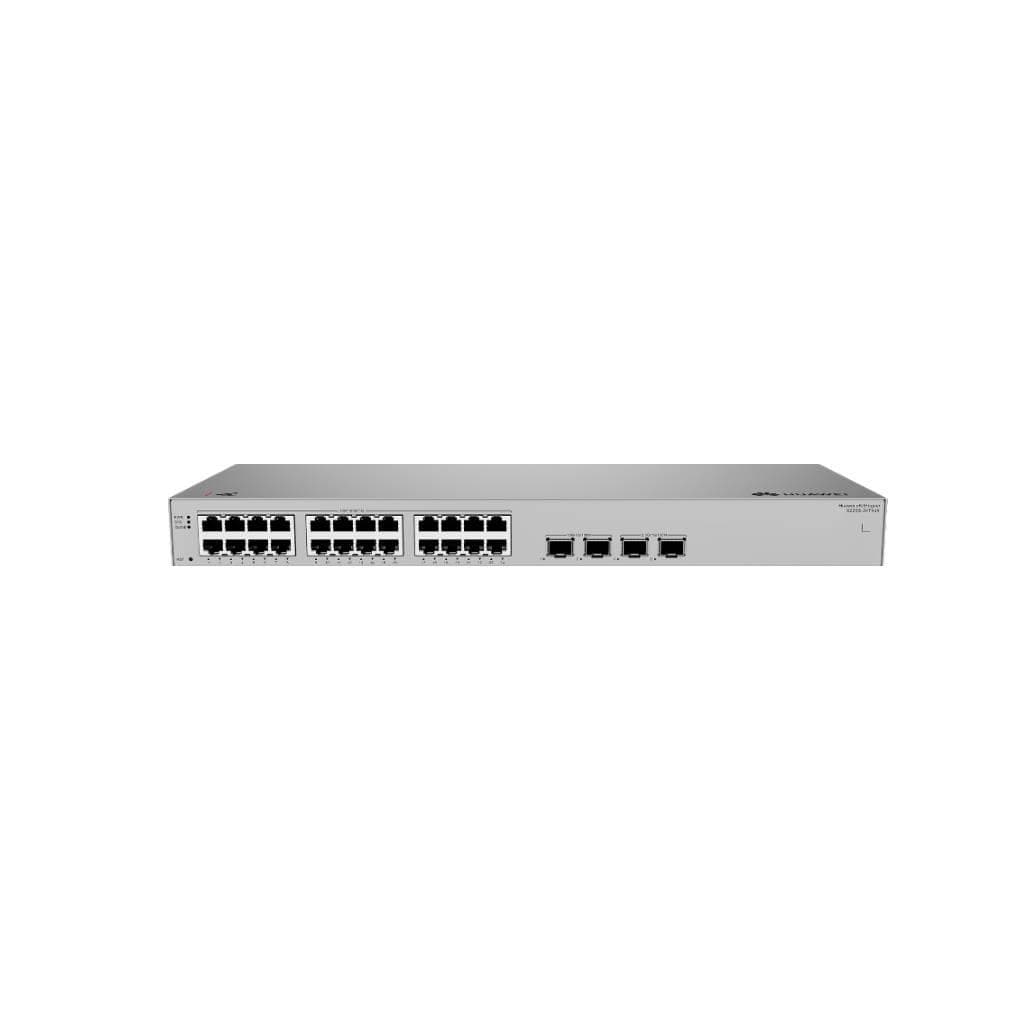
Huawei OptiXstar F600C-30-1GH is the latest Optical Access Point designed to support GPON fiber optic networks with Wi-Fi 6 (802.11ax) standard, delivering high speed and supporting more simultaneous users. It enables efficient network management in stable environments such as small offices or homes with heavy internet usage. It supports direct fiber optic connection, reducing signal interference and ensuring continuous high-speed data transmission.
More features
- Features 30 LAN ports supporting Gigabit Ethernet
- Supports PoE for end devices
- Designed for easy installation and ready to use immediately after fiber connection
Pros and limitations
Pros
- Supports high-speed Wi-Fi 6, ready for use with modern devices
- Features 30 LAN ports supporting connection of numerous devices
- Supports PoE for switches or CCTV cameras
- Designed for direct use in GPON fiber optic networks
- Can be managed via HUAWEI iManager NCE system
Limitations
- Requires ISP service that supports GPON only
- Large size, requires space for rack mounting
Who it is for
Ideal for use in small offices or homes requiring high-speed and stable fiber optic network performance, especially for users needing to connect many devices simultaneously via Wi-Fi 6.
Connectivity
GPON, Wi-Fi 6, Ethernet
Specifications (41)
- Brand
- HUAWEI
- Model
- F600C-30-1GH
- Weight
- 3.5 kg
- DNS Relay
- Yes
- LED Color
- Green/Orange
- Dimensions
- 440 x 220 x 45 mm
- PoE Budget
- 150 W
- DHCP Server
- Yes
- PoE Support
- Yes
- Power Input
- DC 48 V
- QoS Support
- Yes
- IPv6 Support
- Yes
- PoE Per Port
- Up to 30 W
- Product Type
- GPON Optical Access Point
- VLAN Support
- Up to 16 VLANs
- IGMP Snooping
- Yes
- Mounting Type
- Rack Mount (19-inch)
- OFDMA Support
- Yes
- Certifications
- CE, FCC, RoHS
- GPON Interface
- ITU-T G.984 compliant
- Humidity Range
- 10% to 90% RH (non-condensing)
- LAN Port Speed
- 1 Gbps
- LED Indicators
- Power, GPON Link, LAN Status
- Transmit Power
- 0 dBm
- Wi-Fi Standard
- Wi-Fi 6 (802.11ax)
- Frequency Bands
- 2.4 GHz + 5 GHz
- MU-MIMO Support
- Yes
- Max Wi-Fi Speed
- 2400 Mbps
- Firmware Upgrade
- Over-the-air and via USB
- Link Aggregation
- Yes (LACP)
- STP/RSTP Support
- Yes
- Power Consumption
- 30 W
- Security Features
- WPA3, WPA2-Enterprise, MAC Filtering, Firewall
- Number of Antennas
- 4
- Beamforming Support
- Yes
- Number of LAN Ports
- 30
- Storage Temperature
- -40°C to 70°C
- Management Interface
- Web, CLI, SNMP, HUAWEI iManager NCE
- Optical Power Budget
- 28 dB
- Receiver Sensitivity
- -28 dBm
- Operating Temperature
- -5°C to 45°C
Datasheets and manuals straight from the manufacturer — select a document to open or download it.
11 questions
Frequently asked questions about this product
Compiled from manufacturer information
F600C-30-1GH can be used with which ISPs?
This device supports GPON as per ITU-T G.984 standard, making it compatible with internet service providers using GPON fiber optic technology, particularly in Thailand such as AIS Fiber, DTAC Fiber, and TrueMove H.
How many Wi-Fi devices can be connected simultaneously?
Supports up to several hundred Wi-Fi devices simultaneously, especially with MU-MIMO and OFDMA technologies that enhance bandwidth allocation efficiency for multiple users at once.
What type of fiber optic cable is required?
Must use Single Mode fiber optic cable supporting GPON, specifically cables with ITU-T G.652D standard and SC/APC connectors.
Can additional switches be connected?
Yes, it supports connecting additional switches via the 30 LAN ports, and enables effective management of VLAN, QoS, and Link Aggregation.
How much power does it use?
Uses DC 48 V power with a maximum power of 30 watts, making it suitable for use in networks with efficient power management.
Can it be installed on a rack?
Yes, it is designed for installation in a 19-inch rack, with dimensions of 440 x 220 x 45 mm and a weight of 3.5 kg.
Is it in stock?
We are confirming the latest stock and price of the HUAWEI OptiXstar F600C-30-1GH GPON Wi-Fi 6 Optical AP with the distributor. Please contact us before ordering at 092-251-4017 or sales@gist.co.th.
How much does it cost?
The distributor has not yet confirmed the latest price and availability. Please contact us before ordering at 092-251-4017 or sales@gist.co.th.
How long is the warranty?
Warranty period: 3-year warranty (manufacturer's terms). To make a warranty claim, call 092-251-4017 or 065-523-5262, or email sales@gist.co.th (Mon–Fri 9:00–18:00), then send the product with your order number to our head office, or bring it to the head office in person.
How long does delivery take?
Orders placed before 12:00 on a business day are delivered within 1–3 business days (Bangkok and vicinity) or 2–5 business days (other provinces). Free delivery on orders of ฿5,000 or more (a ฿150 delivery fee applies below this amount).
Is it genuine?
Genuine products sourced from distributors in Thailand, covered by the manufacturer's warranty. Full tax invoices are available.
Didn't find the answer you need?
Loading reviews…
Genuine products
Sourced from distributors in Thailand and covered by the manufacturer's warranty
Warranty period
3-year warranty
Covered by the manufacturer's warranty; you can make claims through GIST
Claims through GIST
Ship the product to our head office or bring it in person
Warranty conditions
- A receipt or other proof of purchase is required
- The product must not have been modified or altered
- Damage caused by misuse is not covered by the warranty
- To make a warranty claim, call 092-251-4017 or 065-523-5262, or email sales@gist.co.th (Mon–Fri 9:00–18:00), then send the product with your order number to our head office, or bring it to the head office in person.Head office: 554 Sky Nine Center, Floor 12A, Room 554/62, Asok-Din Daeng Road, Din Daeng Subdistrict, Din Daeng District, Bangkok 10400
More in Huawei Routers & Switches