
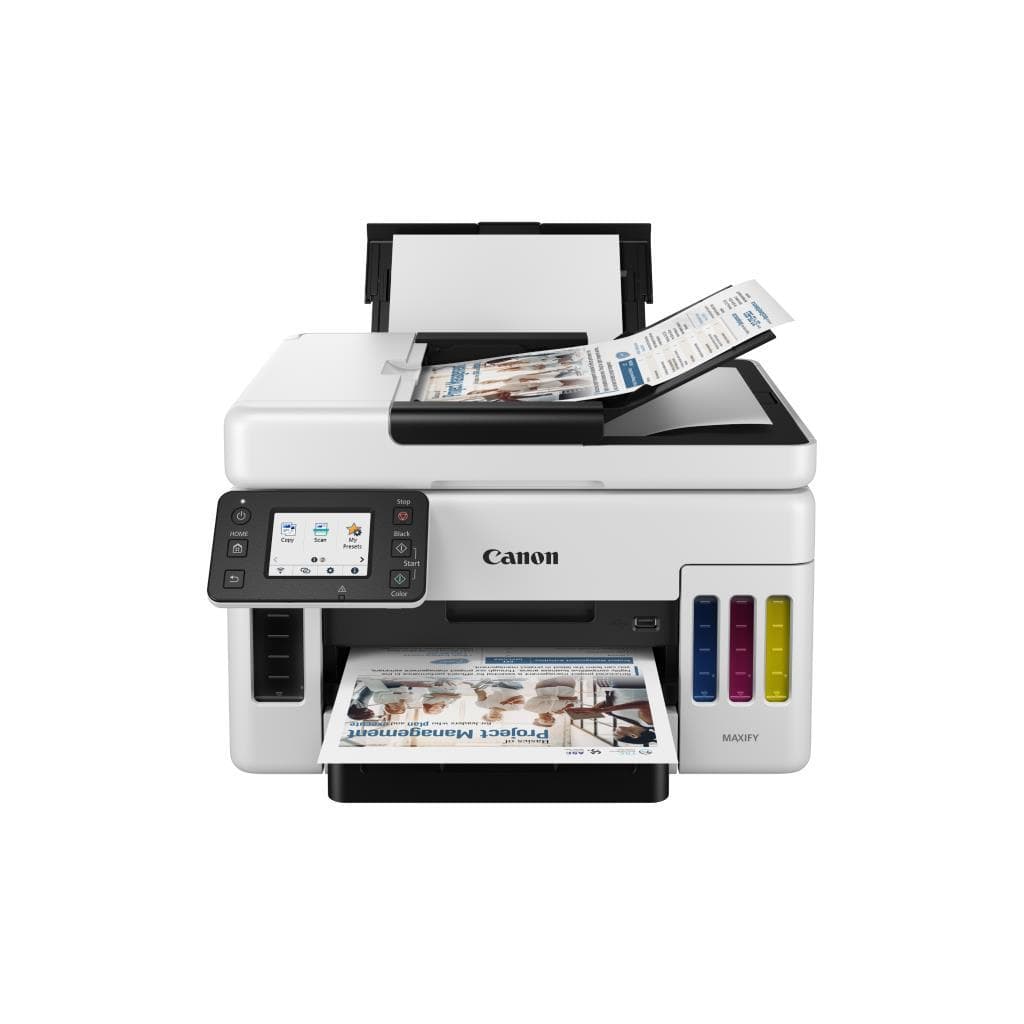


CANON PIXMA iX6870 All-in-One Inkjet Printer A3 Max Print
SKU: IX6870Printers & Supplies › Multifunction Printers
฿7,411
Price includes 7% VATPrice updated November 1, 2026
In stock1 unit1 year manufacturer's warranty
For orders placed before 12:00 on a business day; weekends excluded
GenuineFree delivery from ฿5,000Tax invoice
เครื่องพิมพ์อิงค์เจ็ทมัลติฟังก์ชันรุ่น A3 รองรับการพิมพ์ภาพความละเอียดสูง พร้อมระบบ Wi-Fi และ Wireless Direct ใช้งานได้ทั้งในออฟฟิศและที่พักโรงแรม
Key features
- พิมพ์งานขนาด A3 ได้โดยไม่ต้องใช้เครื่องพิมพ์ใหญ่
- รองรับการพิมพ์ไร้สายผ่าน Wi-Fi และ Wireless Direct
- ความละเอียดสูงถึง 9600 x 2400 dpi สำหรับงานภาพคุณภาพสูง
- ใช้หมึก 5 สี ให้สีสันสดใส คมชัด
- สามารถเข้าถึงหน้าเว็บเครื่องพิมพ์ผ่านเบราว์เซอร์ได้ด้วยรหัสผ่านจากซีเรียลนัมเบอร์
Product description
เครื่องพิมพ์ CANON PIXMA iX6870 เป็นอีกหนึ่งตัวเลือกยอดนิยมสำหรับผู้ใช้งานที่ต้องการพิมพ์งานคุณภาพสูง ไม่ว่าจะเป็นเอกสาร รูปภาพ หรืองานออกแบบขนาด A3 โดยรองรับการพิมพ์แบบไร้สายผ่าน Wi-Fi และ Wireless Direct ซึ่งช่วยให้สามารถใช้งานได้ทั้งในห้องพักโรงแรมหรือออฟฟิศที่มีเครือข่ายอินเทอร์เน็ตสาธารณะ โดยเฉพาะเมื่อเครือข่ายมีการตั้งค่า Device Isolation ซึ่งทำให้ไม่สามารถเชื่อมต่ออุปกรณ์อื่นได้ ผู้ใช้สามารถตั้งค่าเครื่องพิมพ์ในโหมด Wireless Direct เพื่อสร้างเครือข่ายเฉพาะตัวและเชื่อมต่อโดยตรงกับสมาร์ทโฟนหรือแล็ปท็อปได้ทันที รองรับการพิมพ์ภาพความละเอียดสูงถึง 9600 x 2400 dpi และใช้หมึก 5 สี ทำให้ได้สีสันสดใส คมชัด เหมาะสำหรับงานกราฟิกและงานพิมพ์ภาพถ่ายระดับมืออาชีพ
More features
- ตั้งค่าการเชื่อมต่อผ่านสมาร์ทโฟนได้ง่ายด้วยแอป Canon PRINT Inkjet/SELPHY
- รองรับการพิมพ์จากอุปกรณ์ iOS และ Android โดยตรง
- สามารถใช้งานในโรงแรมหรือสถานที่สาธารณะที่มี Device Isolation ได้
- มีโหมดการตั้งค่าสำหรับเครือข่ายสาธารณะผ่าน Hotspot
- รองรับการอัปเดตซอฟต์แวร์จาก canon.us/ijstart
Pros and limitations
Pros
- รองรับการพิมพ์ภาพขนาด A3 ได้โดยไม่ต้องใช้เครื่องใหญ่
- สามารถเชื่อมต่อผ่าน Wireless Direct ได้แม้ในเครือข่ายสาธารณะที่มี Device Isolation
- ความละเอียดสูงถึง 9600 x 2400 dpi ให้ภาพคมชัด สดใส
- ใช้หมึก 5 สี ทำให้ได้สีสันที่สมจริงและเหมาะสมกับงานกราฟิก
- สามารถตั้งค่าการเชื่อมต่อผ่านสมาร์ทโฟนได้ง่ายด้วยแอป Canon PRINT
Limitations
- ไม่มีพอร์ต Ethernet สำหรับการเชื่อมต่อแบบมีสาย
- ไม่รองรับการพิมพ์สองหน้าอัตโนมัติ (Duplex)
- น้ำหนักเครื่องค่อนข้างมาก 10.9 กก.
Who it is for
เหมาะสำหรับผู้ใช้งานที่ต้องการพิมพ์งานภาพถ่ายหรือเอกสารขนาด A3 อย่างมืออาชีพ โดยเฉพาะในสถานที่ที่เครือข่ายมี Device Isolation เช่น โรงแรม หรือออฟฟิศสาธารณะ
Specifications (45)
- ประเภท
- All-in-One Inkjet Printer
- แบรนด์
- CANON
- รุ่น
- PIXMA iX6870
- น้ำหนัก
- 10.9 kg
- พอร์ต USB
- รองรับ (USB 2.0 Type-B)
- ขนาด
- 430 x 380 x 260 mm
- ความละเอียด
- 9600 x 2400 dpi
- Wi-Fi Band
- 2.4 GHz
- ADF Capacity
- Up to 35 sheets
- Color Output
- 5-color ink
- Fax Function
- ไม่รองรับ
- พอร์ต Ethernet
- ไม่รองรับ
- Max Print Size
- A3
- Duplex Printing
- Manual
- Duplex Scanning
- รองรับ
- Input Tray Type
- Sheet feeder
- Copying Function
- รองรับ
- Default Password
- Serial number (first 4 letters in uppercase)
- Default Username
- ADMIN
- เทคโนโลยีการพิมพ์
- Inkjet
- การใช้พลังงาน
- Approx. 15 W (printing), 2.5 W (standby)
- Scanning Function
- รองรับ
- คุณสมบัติด้านความปลอดภัย
- Device isolation workaround via Wireless Direct mode
- Software Included
- Canon PRINT Inkjet/SELPHY, Canon IJ Printer Assistant
- Supported Devices
- iOS, Android
- Wi-Fi Direct SSID
- Canon-iX6870-XXXXXX
- Ink Cartridge Type
- CLI-581 series (Black, Cyan, Magenta, Yellow, Photo Black)
- Paper Size Support
- A4, A3, Letter, Legal, Envelope
- Scanner Resolution
- Optical: 1200 x 2400 dpi
- Ink Cartridge Yield
- Approx. 400 pages (black), 350 pages (color)
- Paper Tray Capacity
- Up to 100 sheets (standard)
- First Print Out Time
- Approx. 10 seconds
- Ink Cartridge Volume
- Approx. 12 ml per cartridge
- Network Setup Method
- Direct connection via smartphone app
- Output Tray Capacity
- Up to 50 sheets
- Paper Weight Support
- 60–256 g/m²
- Printer Web Page URL
- http://[printer IP address]
- Web Interface Access
- รองรับ
- การเชื่อมต่อไร้สาย
- Wi-Fi, Wireless Direct
- Mobile Printing Support
- Canon PRINT Inkjet/SELPHY
- Print Speed (Black, A4)
- Up to 10 ipm
- Print Speed (Color, A4)
- Up to 8 ipm
- Environmental Conditions
- Operating: 10–35°C, Humidity: 20–80% RH
- ระบบปฏิบัติการที่รองรับ
- Windows, macOS, iOS, Android
- Ink Cartridge Part Number
- CLI-581BK, CLI-581C, CLI-581M, CLI-581Y, CLI-581P
Datasheets and manuals straight from the manufacturer — select a document to open or download it.
13 questions
Frequently asked questions about this product
Compiled from manufacturer information
เครื่องพิมพ์ iX6870 พิมพ์จาก iPhone ในโรงแรมได้ไหม?
ได้ครับ โดยเฉพาะเมื่อเครือข่ายในโรงแรมมีการตั้งค่า Device Isolation ซึ่งทำให้ไม่สามารถเชื่อมต่ออุปกรณ์อื่นได้ ให้ตั้งค่าเครื่องพิมพ์ในโหมด Wireless Direct เพื่อสร้างเครือข่ายเฉพาะตัว แล้วเชื่อมต่อ iPhone เข้าไปโดยตรง สามารถพิมพ์ได้ทันที
รหัสผ่านเข้าหน้าเว็บเครื่องพิมพ์ iX6870 คืออะไร?
โดยค่าเริ่มต้น ชื่อผู้ใช้คือ ADMIN และรหัสผ่านคือหมายเลขซีเรียลของเครื่องพิมพ์ โดยให้พิมพ์ตัวอักษรแรก 4 ตัวเป็นตัวพิมพ์ใหญ่ เช่น หากซีเรียลคือ ABCD123456 ให้ใช้รหัสผ่าน ABCD
เครื่องพิมพ์ iX6870 พิมพ์จาก Hotspot ได้ไหม?
ได้ครับ แม้จะใช้ Hotspot จากมือถือ แต่หากไม่สามารถเชื่อมต่อได้ ให้ตรวจสอบว่า Hotspot มีการเปิดใช้งาน Device Isolation หรือไม่ ซึ่งอาจทำให้ไม่สามารถเห็นเครื่องพิมพ์ได้ แนะนำให้ตั้งค่า Wireless Direct เพื่อเชื่อมต่อโดยตรง
ใช้หมึกอะไรกับเครื่องพิมพ์ iX6870?
ใช้หมึก CLI-581 ซีรีส์ ได้แก่ CLI-581BK (ดำ), CLI-581C (ฟ้า), CLI-581M (แดง), CLI-581Y (เหลือง), และ CLI-581P (ดำสำหรับภาพถ่าย) โดยแต่ละตลับมีปริมาณประมาณ 12 มล. และพิมพ์ได้ประมาณ 400 หน้า (ดำ)
เครื่องพิมพ์ iX6870 พิมพ์ภาพ A3 ได้ไหม?
ได้แน่นอนครับ เครื่องพิมพ์รุ่นนี้รองรับการพิมพ์งานขนาด A3 โดยไม่ต้องใช้เครื่องพิมพ์ขนาดใหญ่ และสามารถพิมพ์ภาพความละเอียดสูงถึง 9600 x 2400 dpi ได้อย่างคมชัด
ตั้งค่าเครื่องพิมพ์ iX6870 กับ Wi-Fi ได้อย่างไร?
ให้เปิด Wi-Fi บนสมาร์ทโฟนและเครื่องพิมพ์ จากนั้นใช้แอป Canon PRINT Inkjet/SELPHY แล้วเลือก [Join] เพื่อเชื่อมต่อ โดยต้องตรวจสอบว่าสมาร์ทโฟนได้รับอนุญาตให้เข้าถึงเครือข่ายท้องถิ่น (Local Network) แล้ว
เครื่องพิมพ์ iX6870 มีระบบสแกนสองหน้าอัตโนมัติไหม?
ไม่มีครับ เครื่องพิมพ์รุ่นนี้รองรับการสแกนเอกสารสองหน้าด้วยการกลับด้านกระดาษเอง (Duplex Scanning) แต่ต้องใส่เอกสารทีละแผ่น โดยสามารถสแกนได้สูงสุด 35 แผ่นผ่าน ADF
เครื่องพิมพ์ iX6870 ใช้พลังงานเท่าไหร่?
เมื่อพิมพ์อยู่ ใช้พลังงานประมาณ 15 วัตต์ และในโหมดสแตนด์บายใช้เพียง 2.5 วัตต์ ทำให้ประหยัดไฟและเหมาะกับการใช้งานต่อเนื่องในสำนักงาน
Is it in stock?
The CANON PIXMA iX6870 All-in-One Inkjet Printer A3 Max Print is in stock and ready to ship. Orders placed before 12:00 on a business day are delivered within 1–3 business days (Bangkok and vicinity) or 2–5 business days (other provinces). Order online at store.gist.co.th or contact our sales team at 092-251-4017.
How much does it cost?
The price is ฿7,411 (including 7% VAT). It is in stock and ready to ship. Business customers can request a quotation at sales@gist.co.th.
How long is the warranty?
Warranty period: รับประกัน 1 ปี สำหรับเครื่องพิมพ์และหมึก (manufacturer's terms). To make a warranty claim, call 092-251-4017 or 065-523-5262, or email sales@gist.co.th (Mon–Fri 9:00–18:00), then send the product with your order number to our head office, or bring it to the head office in person.
How long does delivery take?
Orders placed before 12:00 on a business day are delivered within 1–3 business days (Bangkok and vicinity) or 2–5 business days (other provinces). Free delivery on orders of ฿5,000 or more (a ฿150 delivery fee applies below this amount).
Is it genuine?
Genuine products sourced from distributors in Thailand, covered by the manufacturer's warranty. Full tax invoices are available.
Didn't find the answer you need?
Loading reviews…
Genuine products
Sourced from distributors in Thailand and covered by the manufacturer's warranty
Warranty period
รับประกัน 1 ปี สำหรับเครื่องพิมพ์และหมึก
Covered by the manufacturer's warranty; you can make claims through GIST
Claims through GIST
Ship the product to our head office or bring it in person
Warranty conditions
- A receipt or other proof of purchase is required
- The product must not have been modified or altered
- Damage caused by misuse is not covered by the warranty
- To make a warranty claim, call 092-251-4017 or 065-523-5262, or email sales@gist.co.th (Mon–Fri 9:00–18:00), then send the product with your order number to our head office, or bring it to the head office in person.Head office: 554 Sky Nine Center, Floor 12A, Room 554/62, Asok-Din Daeng Road, Din Daeng Subdistrict, Din Daeng District, Bangkok 10400
More in Multifunction Printers
Price
฿7,411