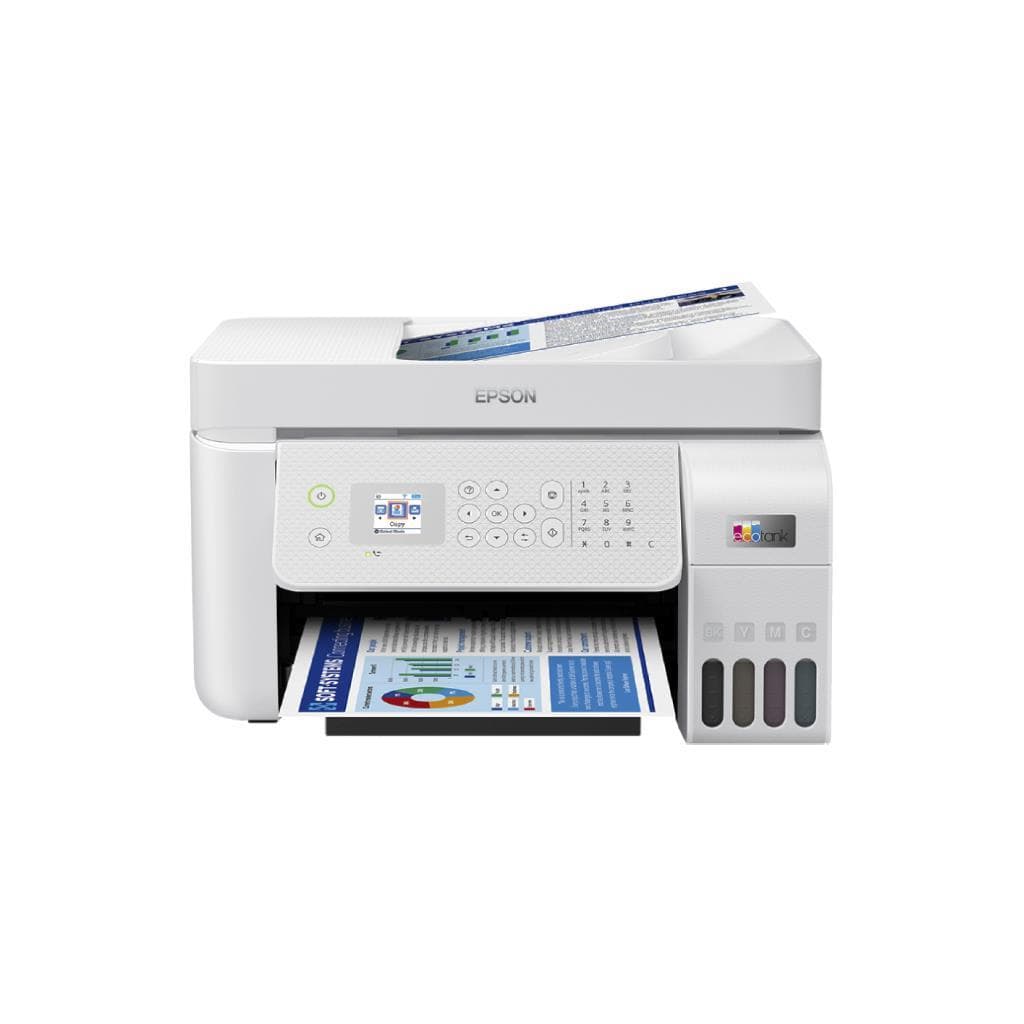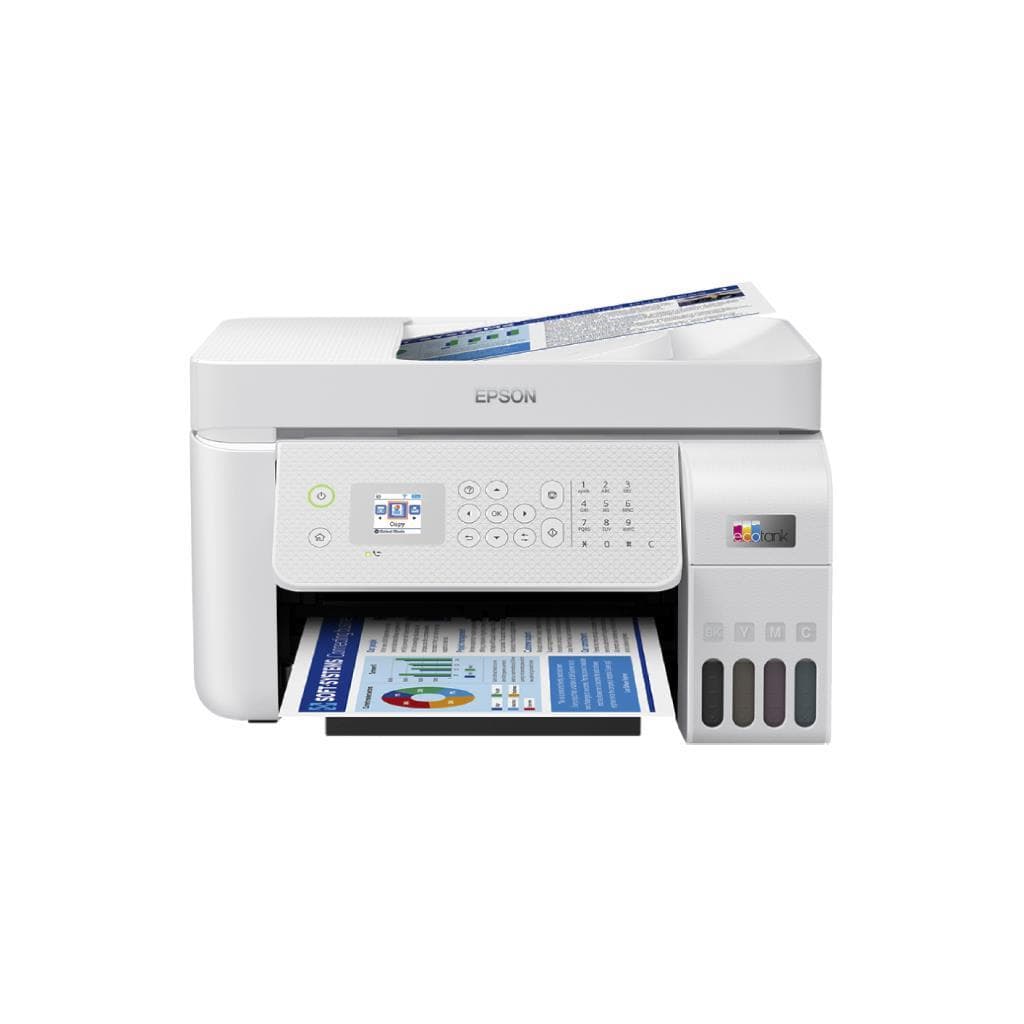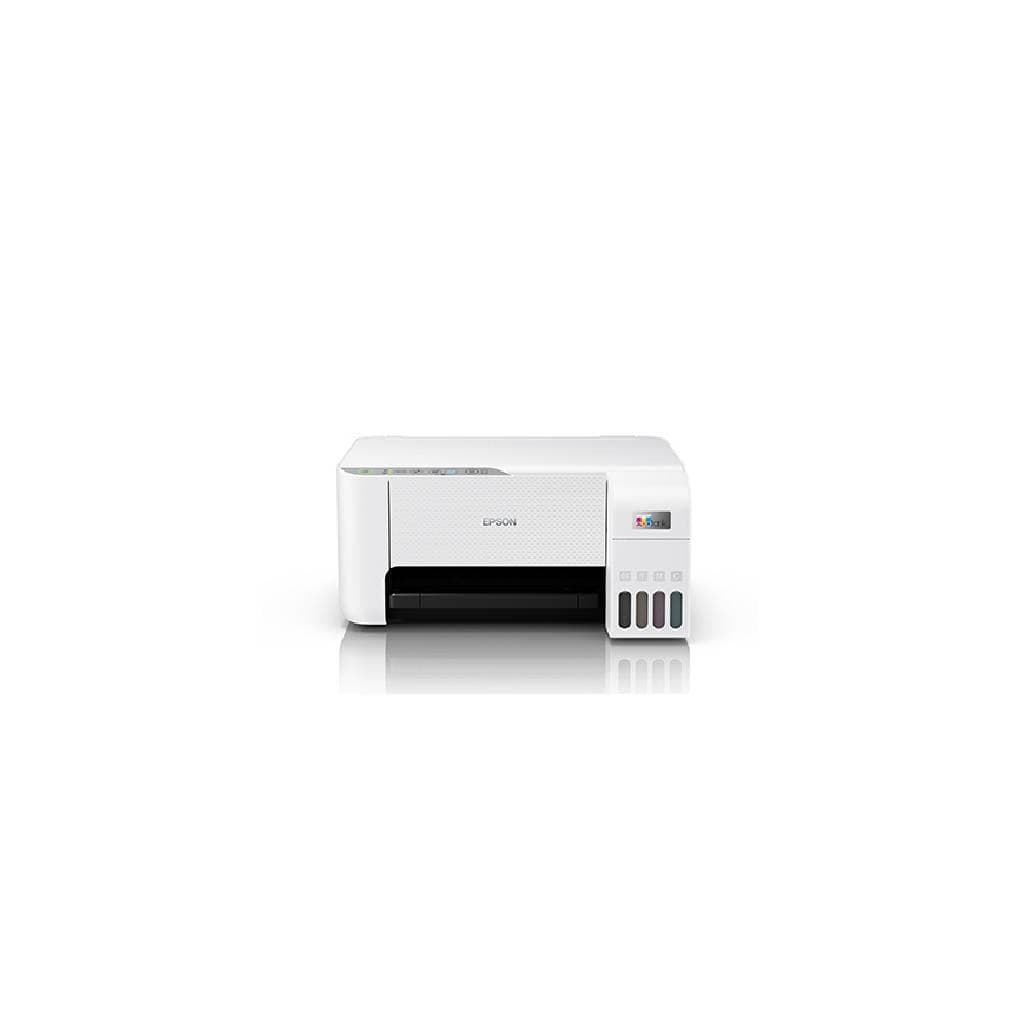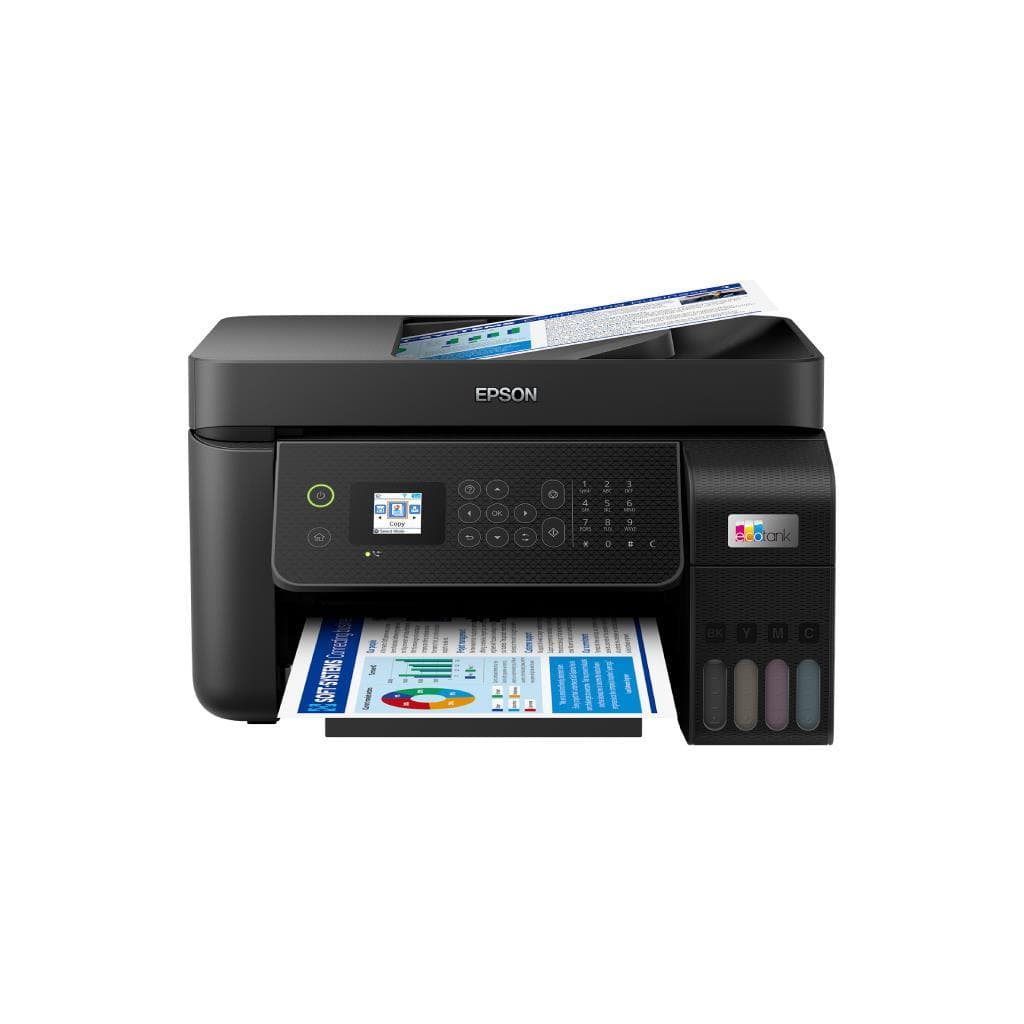


EPSON L5290 All-in-One Inkjet Printer (A4, ADF, Wi-Fi) - 2 Years Warranty
SKU: L5290/2YEARSPrinters & Supplies › Multifunction Printers· Model: L5290
Please enquire before ordering
The distributor has not yet confirmed the latest price and availability (last checked Sep 1, 2026)
092-251-4017Awaiting stock confirmation2 years manufacturer's warranty
GenuineFree delivery from ฿5,000Tax invoice
เครื่องพิมพ์อิงค์เจ็ท All-in-One จาก Epson รุ่น L5290 รองรับการพิมพ์ สแกน ถ่ายเอกสาร และแฟกซ์ พร้อมถาดใส่เอกสารอัตโนมัติ (ADF) ใช้งานได้ทั้งในบ้านและสำนักงานขนาดเล็ก
Key features
- พิมพ์ สแกน ถ่ายเอกสาร และแฟกซ์ ครบจบในเครื่องเดียว
- ถาดใส่เอกสารอัตโนมัติ (ADF) รองรับเอกสารสูงสุด 30 แผ่น
- รองรับการพิมพ์ไร้สายผ่าน Wi-Fi และ Mobile Print
- ใช้ระบบหมึก Epson EcoTank แบบเติมเอง ประหยัดค่าใช้จ่ายต่อหน้าพิมพ์
- ความเร็วพิมพ์สูงสุด 7.7 ipm (ขาวดำ) และ 3.8 ipm (สี)
Product description
EPSON L5290 เป็นเครื่องพิมพ์อิงค์เจ็ท All-in-One ประสิทธิภาพสูงที่ออกแบบมาเพื่อความสะดวกในการใช้งานทั้งในบ้านและสำนักงานขนาดเล็ก โดยรองรับการพิมพ์เอกสารสีและขาวดำ พร้อมระบบ ADF (Automatic Document Feeder) ช่วยให้สามารถสแกนหรือถ่ายเอกสารเอกสารหลายหน้าได้อย่างต่อเนื่องโดยไม่ต้องวางกระดาษทีละแผ่น ความเร็วในการพิมพ์ขาวดำสูงสุด 7.7 แผ่นต่อนาที และสี 3.8 แผ่นต่อนาที พร้อมรองรับการเชื่อมต่อ Wi-Fi แบบไร้สาย ทำให้สามารถใช้งานได้จากอุปกรณ์หลายเครื่องในเครือข่ายเดียวกัน โดยไม่จำเป็นต้องเสียบสาย USB
More features
- รองรับกระดาษ A4, Letter, Legal และขนาดอื่น ๆ ที่กำหนด
- หน้าจอควบคุม LCD พร้อมปุ่มเลือกเมนูง่ายต่อการใช้งาน
- ประหยัดพลังงานด้วยโหมดประหยัดไฟและตั้งเวลาปิดอัตโนมัติ
- รองรับการพิมพ์จากสมาร์ทโฟนผ่านแอป Epson Smart Panel
Pros and limitations
Pros
- ระบบหมึกเติมเอง EcoTank ลดต้นทุนต่อหน้าพิมพ์ได้อย่างมาก
- รองรับการพิมพ์ไร้สายจากสมาร์ทโฟนและแท็บเล็ตผ่านแอป Epson Smart Panel
- ถาดใส่เอกสารอัตโนมัติ (ADF) รองรับเอกสารสูงสุด 30 แผ่น ช่วยประหยัดเวลา
- หน้าจอ LCD พร้อมปุ่มควบคุมง่าย ใช้งานสะดวกแม้ไม่เชื่อมต่อคอมพิวเตอร์
- รองรับการพิมพ์เอกสารขนาด A4, Letter และ Photo ได้หลากหลาย
Limitations
- ไม่รองรับการพิมพ์แบบ duplex อัตโนมัติ
- น้ำหนักเครื่องค่อนข้างมาก (7.5 กก.) จึงเคลื่อนย้ายได้ยาก
Who it is for
เหมาะสำหรับผู้ใช้งานทั่วไปในบ้านและสำนักงานขนาดเล็กที่ต้องการเครื่องพิมพ์ครบวงจร พร้อมระบบ ADF และการพิมพ์ไร้สาย เพื่อเพิ่มประสิทธิภาพในการทำงานเอกสาร
Connectivity
Wi-Fi, USB
Specifications (35)
- หน่วยความจำ (RAM)
- 64 MB
- น้ำหนัก
- 7.5 kg
- การรับประกัน
- 2 years
- Ink System
- EcoTank
- Duplex Scan
- รองรับ (ADF)
- ADF Capacity
- 30 sheets
- Control Panel
- LCD display with touch buttons
- แรงดันไฟฟ้าขาเข้า
- AC 100-240 V, 50/60 Hz
- การเชื่อมต่อ
- Wi-Fi, USB 2.0
- Duplex Printing
- Manual
- Ink Volume (Each)
- 750 ml
- Scanning Function
- Flatbed + ADF
- Ink Cartridge Type
- Separate Color Tanks (Black, Cyan, Magenta, Yellow)
- ความชื้นขณะทำงาน
- 20% to 80% RH
- Page Yield (Black)
- 4,000 pages
- Page Yield (Color)
- 6,000 pages
- Resolution (Print)
- 4800 x 1200 dpi
- มาตรฐาน Wi-Fi
- Wi-Fi 802.11b/g/n
- Print Speed (Black)
- 7.7 ipm
- Print Speed (Color)
- 3.8 ipm
- First Print Out Time
- 10 seconds
- อุปกรณ์ในกล่อง
- Power cord, Ink bottles (Black, Cyan, Magenta, Yellow), Setup guide
- Output Tray Capacity
- 100 sheets
- Paper Size Supported
- A4, Letter, Legal, Envelope (DL, Monarch), Photo (4" x 6", 5" x 7")
- อุณหภูมิการทำงาน
- 10°C to 35°C
- ขนาด (กว้าง x ลึก x สูง)
- 408 x 397 x 178 mm
- Noise Level (Printing)
- Below 45 dB
- Supported File Formats
- PDF, JPEG, TIFF, BMP
- Mobile Printing Support
- Epson Smart Panel, AirPrint, Mopria Print Service
- Paper Tray Input Capacity
- 100 sheets
- Power Consumption (Sleep)
- 0.5 W
- Power Consumption (Standby)
- 3.5 W
- Power Consumption (Printing)
- 12 W
- Scanner Resolution (Optical)
- 1200 x 2400 dpi
- ระบบปฏิบัติการที่รองรับ
- Windows 10/11, macOS 10.15 or later, Android, iOS
Compatibility
Windows, macOS
Datasheets and manuals straight from the manufacturer — select a document to open or download it.
12 questions
Frequently asked questions about this product
Compiled from manufacturer information
EPSON L5290 พิมพ์เอกสารสีได้เร็วแค่ไหน?
เครื่องพิมพ์ EPSON L5290 มีความเร็วในการพิมพ์สีสูงสุด 3.8 แผ่นต่อนาที (ipm) ซึ่งเหมาะสำหรับงานเอกสารทั่วไปในบ้านและสำนักงานขนาดเล็ก
สามารถสแกนเอกสารหลายหน้าพร้อมกันได้ไหม?
ได้ครับ โดยเครื่องมีถาดใส่เอกสารอัตโนมัติ (ADF) รองรับการสแกนเอกสารสูงสุด 30 แผ่นต่อครั้ง ช่วยประหยัดเวลาในการจัดการเอกสาร
ใช้หมึกแบบไหน และเติมได้กี่ครั้ง?
ใช้ระบบหมึก Epson EcoTank แบบเติมเอง โดยแต่ละสีมีความจุ 750 มล. ซึ่งสามารถพิมพ์ได้สูงสุด 6,000 หน้า (สี) และ 4,000 หน้า (ขาวดำ)
พิมพ์จากสมาร์ทโฟนได้ไหม?
ได้ครับ เครื่องรองรับการพิมพ์จากสมาร์ทโฟนผ่านแอป Epson Smart Panel รวมถึง AirPrint และ Mopria Print Service ทำให้พิมพ์เอกสารหรือรูปภาพได้ทันทีโดยไม่ต้องใช้คอมพิวเตอร์
รองรับกระดาษขนาดไหนบ้าง?
รองรับกระดาษขนาด A4, Letter, Legal, ซองจดหมาย (DL, Monarch) และรูปถ่ายขนาด 4" x 6" และ 5" x 7" พร้อมถาดใส่กระดาษรองรับได้สูงสุด 100 แผ่น
ต้องใช้ซอฟต์แวร์ติดตั้งไหม?
ไม่จำเป็นครับ เครื่องรองรับการพิมพ์ไร้สายโดยตรงผ่าน Wi-Fi และแอป Epson Smart Panel แต่หากต้องการใช้งานฟีเจอร์ขั้นสูง เช่น การจัดการเอกสารหรือการสแกนไฟล์ PDF ก็สามารถติดตั้งไดรเวอร์จากเว็บไซต์ Epson
ใช้พลังงานมากไหม?
ไม่ครับ เครื่องมีโหมดประหยัดพลังงานและสามารถตั้งเวลาปิดอัตโนมัติได้ ขณะพิมพ์ใช้พลังงานเพียง 12 วัตต์ และในโหมดสแตนด์บายใช้เพียง 3.5 วัตต์
Is it in stock?
We are confirming the latest stock and price of the EPSON L5290 All-in-One Inkjet Printer (A4, ADF, Wi-Fi) - 2 Years Warranty with the distributor. Please contact us before ordering at 092-251-4017 or sales@gist.co.th.
How much does it cost?
The distributor has not yet confirmed the latest price and availability. Please contact us before ordering at 092-251-4017 or sales@gist.co.th.
How long is the warranty?
Warranty period: รับประกัน 2 ปี (manufacturer's terms). To make a warranty claim, call 092-251-4017 or 065-523-5262, or email sales@gist.co.th (Mon–Fri 9:00–18:00), then send the product with your order number to our head office, or bring it to the head office in person.
How long does delivery take?
Orders placed before 12:00 on a business day are delivered within 1–3 business days (Bangkok and vicinity) or 2–5 business days (other provinces). Free delivery on orders of ฿5,000 or more (a ฿150 delivery fee applies below this amount).
Is it genuine?
Genuine products sourced from distributors in Thailand, covered by the manufacturer's warranty. Full tax invoices are available.
Didn't find the answer you need?
Loading reviews…
Genuine products
Sourced from distributors in Thailand and covered by the manufacturer's warranty
Warranty period
รับประกัน 2 ปี
Covered by the manufacturer's warranty; you can make claims through GIST
Claims through GIST
Ship the product to our head office or bring it in person
Warranty conditions
- A receipt or other proof of purchase is required
- The product must not have been modified or altered
- Damage caused by misuse is not covered by the warranty
- To make a warranty claim, call 092-251-4017 or 065-523-5262, or email sales@gist.co.th (Mon–Fri 9:00–18:00), then send the product with your order number to our head office, or bring it to the head office in person.Head office: 554 Sky Nine Center, Floor 12A, Room 554/62, Asok-Din Daeng Road, Din Daeng Subdistrict, Din Daeng District, Bangkok 10400
More in Multifunction Printers