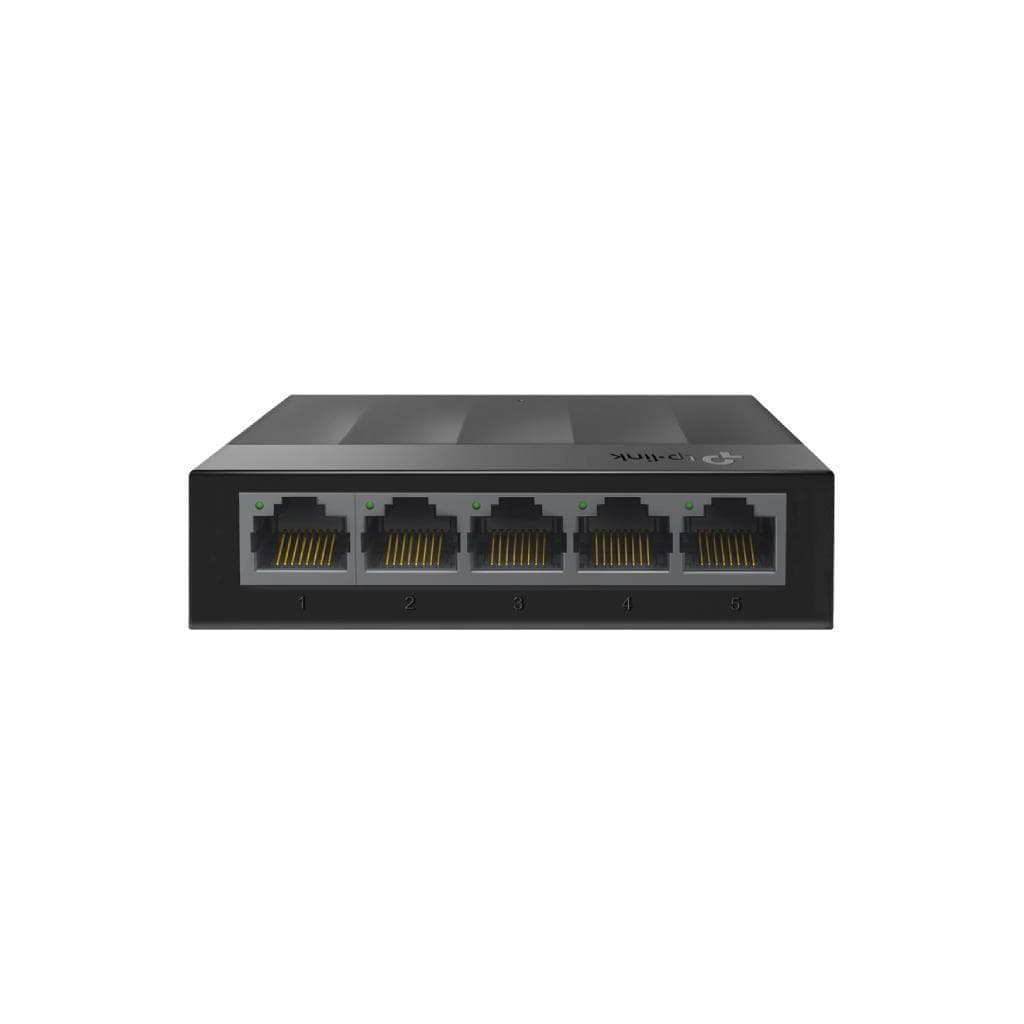


TP-Link LS1008G 8-Port Gigabit Desktop Switch (10/100/1000Mbps) - Unmanaged
SKU: LS1008Networking › Network Switches
Please enquire before ordering
The distributor has not yet confirmed the latest price and availability (last checked Jul 30, 2026)
092-251-4017Awaiting stock confirmation1 year manufacturer's warranty
GenuineFree delivery from ฿5,000Tax invoice
8-port unmanaged switch for connecting network devices in small offices or homes, supporting Gigabit speed with energy-saving technology and silent operation due to fanless design
Key features
- Supports Gigabit speed on every port (10/100/1000 Mbps)
- Supports Auto-MDI/MDIX for immediate use with standard cables
- Fanless design for silent operation, no noise disturbance
- Energy efficient with Green Ethernet technology
- Easy setup, no additional configuration required (Plug and Play)
Product description
The TP-Link LS1008G is an unmanaged switch designed to efficiently expand wired networks. It supports 8 ports operating at 10/100/1000 Mbps, with Auto-MDI/MDIX feature eliminating the need for crossover or special cables. Each port supports Auto-Negotiation for automatic speed configuration, enabling immediate connection of various devices such as computers, printers, servers, or CCTV cameras without additional setup. Equipped with Green Ethernet technology to reduce power consumption and a fanless design for silent operation, it ensures no disturbance in workspaces or meeting rooms. It supports Store and Forward data transmission for stable and secure performance, along with IEEE 802.3X Flow Control and Back Pressure for managing data flow and preventing packet loss during high network load.
More features
- Supports Jumbo Frame up to 16 KB
- Supports desktop or wall mounting
- Maximum power consumption of only 2.7W
- Supports wide operating temperature range from 0°C to 40°C
- Certified for safety: CE, FCC, and RoHS
Pros and limitations
Pros
- Supports Gigabit speed on every port for full performance.
- No fan, operates silently without disturbing the workspace.
- Energy-saving with Green Ethernet technology.
- Easy setup and operation—no additional configuration needed.
- Supports large Jumbo Frames to improve data transmission efficiency.
Limitations
- No professional management features (Unmanaged).
- Requires an external power adapter.
Who it is for
Ideal for small offices, homes, or classrooms needing to expand LAN ports to connect computers, printers, CCTV cameras, or servers without additional setup.
Connectivity
RJ45
Specifications (29)
- Port
- 8× 10/100/1000Mbps
- Usage
- Plug and Play
- Design
- Fanless
- Weight
- 0.45 kg
- Management
- Unmanaged
- Jumbo Frame
- 16 KB
- Connectivity
- RJ45
- Flow control
- IEEE 802.3X Flow Control, Back Pressure
- Installation
- Desktop or Wall-mounting
- Certification
- CE, FCC, RoHS
- Number of fans
- 0
- Number of ports
- 8
- Cable management
- Auto-MDI/MDIX
- Network standard
- IEEE 802.3i, IEEE 802.3u, IEEE 802.3ab, IEEE 802.3x
- Size (W x D x H)
- 127 × 66.5 × 23 mm
- Storage humidity
- 5% ~ 90% non-condensing
- MAC Address Table
- 4K
- Operating humidity
- 10% ~ 90% non-condensing
- Switching capacity
- 16 Gbps
- Speed configuration
- Auto-Negotiation
- Storage temperature
- -40°C ~ 60°C (-40°F ~ 140°F)
- Packet buffer memory
- 1.5 Mb
- External power supply
- External Power Adapter (Output: 5VDC / 0.6A)
- Operating temperature
- 0°C ~ 40°C (32°F ~ 104°F)
- Packet forwarding rate
- 11.9 Mpps
- Data transmission method
- Store and Forward
- Energy-saving technology
- Green Technology
- Maximum heat dissipation
- 13.3 BTU/h
- Maximum power consumption
- 2.7W
Datasheets and manuals straight from the manufacturer — select a document to open or download it.
13 questions
Frequently asked questions about this product
Compiled from manufacturer information
Does the LS1008G support 1000 Mbps?
Yes, it supports up to 1000 Mbps on every port, with Auto-Negotiation enabling full Gigabit performance when connecting compatible devices
What type of cable do I need for the LS1008G?
You can use standard LAN cables (Cat5e or Cat6) immediately, as the Auto-MDI/MDIX feature eliminates the need for crossover cables
Can I connect a printer or CCTV camera to the LS1008G?
Yes, it supports connecting various network devices such as printers, CCTV cameras, or NAS, especially in small office or home environments requiring additional LAN ports
How much power does the LS1008G consume?
It consumes a maximum of only 2.7W, making it highly energy efficient, preventing overheating and minimizing power usage even during prolonged operation
Can it be wall-mounted?
Yes, it supports both desktop and wall mounting, with wall mounting hardware included in the packaging
Does it support Jumbo Frame?
Yes, it supports Jumbo Frame up to 16 KB, improving data transfer efficiency for large files or video.
Does it require additional configuration?
No setup is required. It works immediately upon connection (Plug and Play) without needing browser or software configuration.
Can it be used with 100 Mbps devices?
Yes, it supports Auto-Negotiation, automatically connecting to devices that support 10/100 Mbps.
Is it in stock?
We are confirming the latest stock and price of the TP-Link LS1008G 8-Port Gigabit Desktop Switch (10/100/1000Mbps) - Unmanaged with the distributor. Please contact us before ordering at 092-251-4017 or sales@gist.co.th.
How much does it cost?
The distributor has not yet confirmed the latest price and availability. Please contact us before ordering at 092-251-4017 or sales@gist.co.th.
How long is the warranty?
Warranty period: 1 year official service-center warranty (manufacturer's terms). To make a warranty claim, call 092-251-4017 or 065-523-5262, or email sales@gist.co.th (Mon–Fri 9:00–18:00), then send the product with your order number to our head office, or bring it to the head office in person.
How long does delivery take?
Orders placed before 12:00 on a business day are delivered within 1–3 business days (Bangkok and vicinity) or 2–5 business days (other provinces). Free delivery on orders of ฿5,000 or more (a ฿150 delivery fee applies below this amount).
Is it genuine?
Genuine products sourced from distributors in Thailand, covered by the manufacturer's warranty. Full tax invoices are available.
Didn't find the answer you need?
Loading reviews…
Genuine products
Sourced from distributors in Thailand and covered by the manufacturer's warranty
Warranty period
1 year official service-center warranty
Covered by the manufacturer's warranty; you can make claims through GIST
Claims through GIST
Ship the product to our head office or bring it in person
Warranty conditions
- A receipt or other proof of purchase is required
- The product must not have been modified or altered
- Damage caused by misuse is not covered by the warranty
- To make a warranty claim, call 092-251-4017 or 065-523-5262, or email sales@gist.co.th (Mon–Fri 9:00–18:00), then send the product with your order number to our head office, or bring it to the head office in person.Head office: 554 Sky Nine Center, Floor 12A, Room 554/62, Asok-Din Daeng Road, Din Daeng Subdistrict, Din Daeng District, Bangkok 10400
More in Network Switches