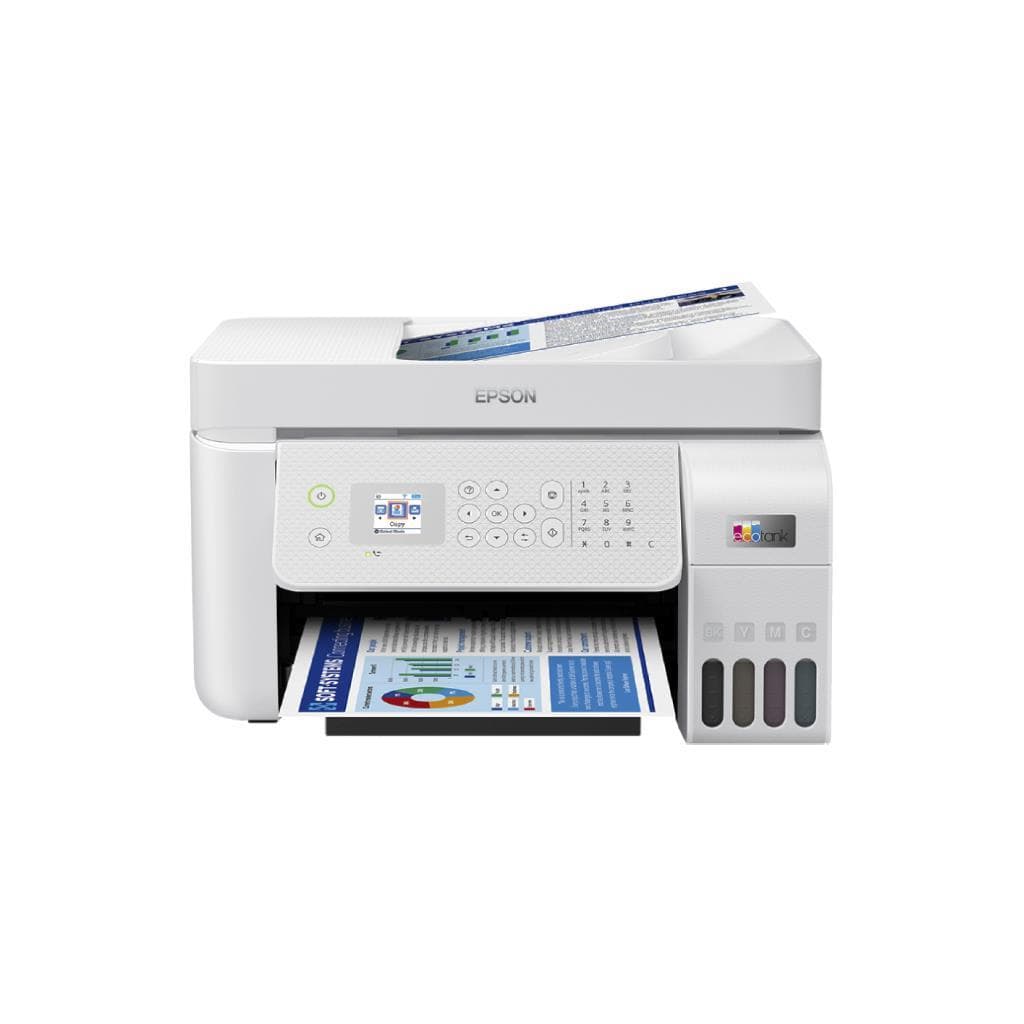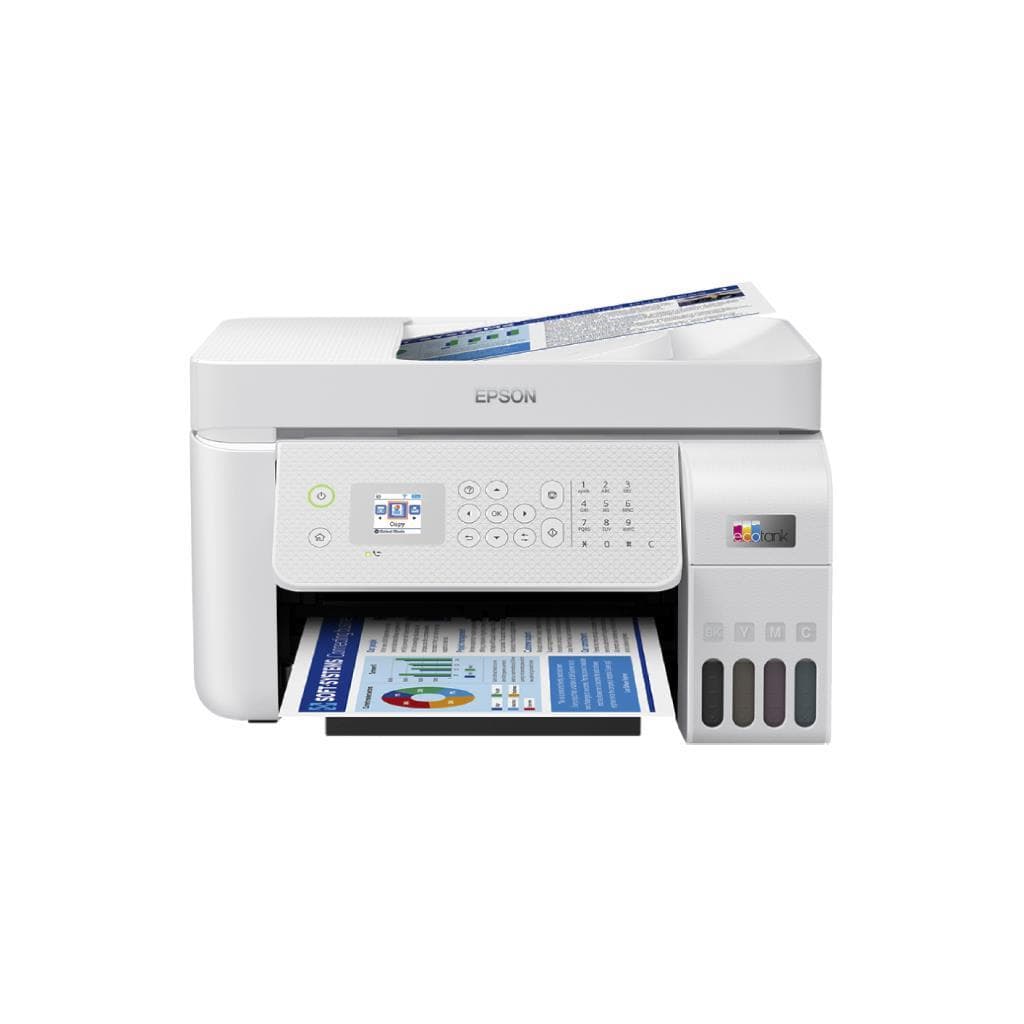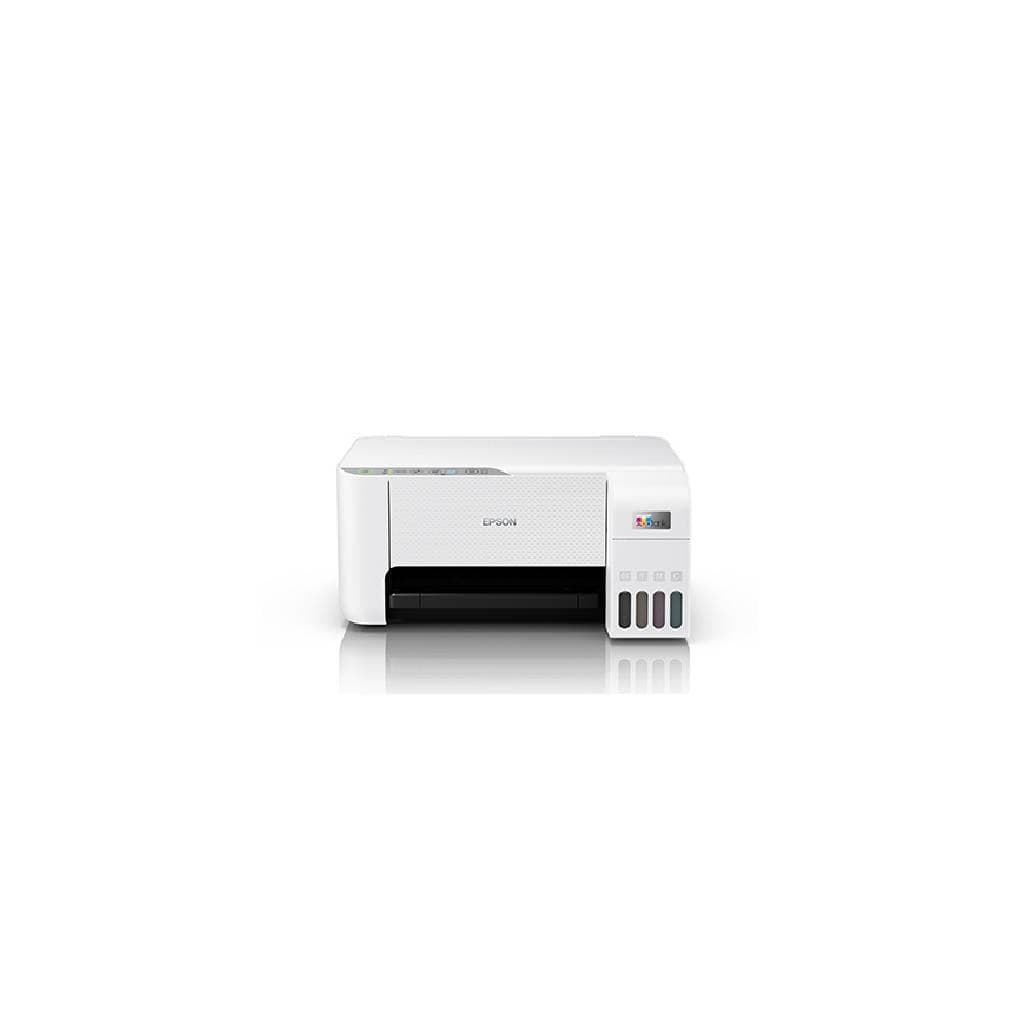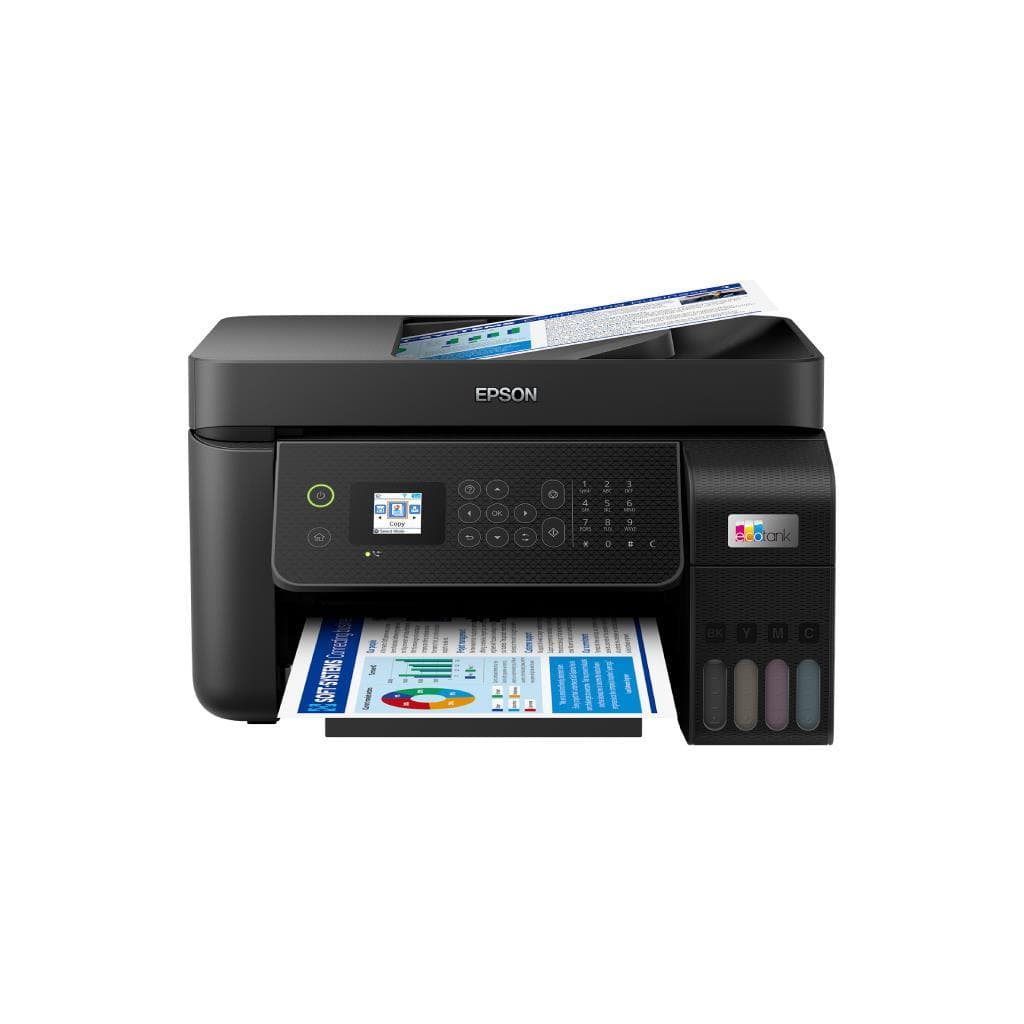


EPSON EcoTank ET-M3170 Monochrome All-in-One Supertank Printer (C11CG92201)
SKU: M3170/4YEARSPrinters & Supplies › Multifunction Printers· Model: M3170
Please enquire before ordering
The distributor has not yet confirmed the latest price and availability (last checked Jul 22, 2026)
092-251-4017Awaiting stock confirmation2 years manufacturer's warranty
GenuineFree delivery from ฿5,000Tax invoice
เครื่องพิมพ์มัลติฟังก์ชันแบบไม่ใช้ตลับหมึก รองรับการพิมพ์สองหน้าอัตโนมัติ สแกน ถ่ายเอกสาร และแฟกซ์ ใช้งานได้ทั้งในสำนักงานและบ้าน
Key features
- พิมพ์ขาวดำได้สูงสุด 6,000 หน้าต่อขวดหมึก
- รองรับการพิมพ์สองหน้าอัตโนมัติ (Duplex)
- ความละเอียดสูงถึง 1,200 x 2,400 dpi
- ระบบ ADF อัตโนมัติ 35 แผ่น
- เชื่อมต่อผ่าน USB 2.0 และ Wi-Fi
Product description
EPSON EcoTank ET-M3170 เป็นเครื่องพิมพ์มัลติฟังก์ชันแบบไม่ใช้ตลับหมึก (cartridge-free) ที่มาพร้อมถังหมึกขนาดใหญ่ รองรับการพิมพ์ได้สูงสุด 6,000 หน้าต่อขวดหมึก ประหยัดค่าใช้จ่ายได้ถึง 75% เมื่อเทียบกับเครื่องพิมพ์เลเซอร์ขาวดำทั่วไป โดยใช้เทคโนโลยี PrecisionCore ที่ให้ความละเอียดสูงถึง 1,200 x 2,400 dpi และความเร็วในการพิมพ์สูงสุด 39 แผ่นต่อนาที (ppm) สำหรับงานขาวดำ พร้อมระบบ ADF อัตโนมัติ รองรับการสแกนเอกสารหน้าเดียวและสองหน้าได้สูงสุด 35 แผ่น ใช้งานได้อย่างต่อเนื่องในสภาพแวดล้อมสำนักงานหรือบ้านที่ต้องการความเร็วและประสิทธิภาพสูง
More features
- ใช้เทคโนโลยี PrecisionCore สำหรับคุณภาพการพิมพ์สูง
- รองรับการสแกน ถ่ายเอกสาร และแฟกซ์
- ประหยัดค่าใช้จ่ายได้ถึง 75% เมื่อเทียบกับเลเซอร์
Pros and limitations
Pros
- พิมพ์ได้สูงสุด 6,000 หน้าต่อขวดหมึก ค่าต่อหน้าต่ำมาก
- ระบบ ADF อัตโนมัติ 35 แผ่น ช่วยประหยัดเวลา
- รองรับการพิมพ์สองหน้าอัตโนมัติ ใช้งานสะดวก
- เชื่อมต่อไร้สายได้ทั้ง Wi-Fi และ AirPrint
- หน้าจอสัมผัสสีช่วยควบคุมเครื่องง่ายขึ้น
Limitations
- ไม่รองรับการพิมพ์สี
- ขนาดตัวเครื่องใหญ่ ใช้พื้นที่มาก
Who it is for
เหมาะสำหรับสำนักงานขนาดเล็กถึงกลาง หรือผู้ใช้ที่ต้องการพิมพ์เอกสารจำนวนมากในราคาต่อหน้าต่ำ โดยเฉพาะผู้ที่ต้องการเครื่องพิมพ์ครบวงจรทั้งพิมพ์ สแกน ถ่ายเอกสาร และแฟกซ์
Connectivity
Hi-Speed USB 2.0
Specifications (37)
- แบรนด์
- EPSON
- รุ่น
- C11CG92201
- หน่วยความจำ (RAM)
- 256 MB
- น้ำหนัก
- 7.5 kg
- ประเภทหมึก
- Supertank Monochrome Ink
- การรับประกัน
- 2-year limited warranty with registration
- Fax Support
- รองรับ
- ADF Capacity
- 35 pages
- การเชื่อมต่อ
- Hi-Speed USB 2.0, Wi-Fi (802.11b/g/n)
- ประเภทสินค้า
- All-in-One Printer
- Color Support
- Monochrome
- ความเข้ากันได้
- Windows 11, macOS 26 Tahoe
- Control Panel
- LCD with touchscreen
- Copy Function
- รองรับ
- แรงดันไฟฟ้าขาเข้า
- 100–240 V AC, 50/60 Hz
- Scan Function
- รองรับ
- Duplex Printing
- Auto
- Print Languages
- PCL 6, ESC/P2
- เทคโนโลยีการพิมพ์
- PrecisionCore
- คุณสมบัติด้านความปลอดภัย
- Secure printing (PIN), USB connection prevention option
- Wireless Features
- Wi-Fi Direct, AirPrint, Mopria Print Service
- Page Yield (Black)
- Up to 6,000 pages
- Resolution (Print)
- 1,200 x 2,400 dpi
- Scanning Resolution
- Up to 1,200 x 2,400 dpi
- Touchscreen Display
- Color LCD Touchscreen
- First Print Out Time
- Approx. 10 seconds
- Output Tray Capacity
- 100 sheets
- Paper Size Supported
- A4, A5, Letter, Legal, Executive, Envelope (DL, Monarch)
- Ink Volume per Bottle
- Approx. 1,000 ml
- ขนาด (กว้าง x ลึก x สูง)
- 378 x 390 x 205 mm
- Noise Level (Printing)
- Approx. 45 dB(A)
- Supported Mobile Print
- AirPrint, Mopria Print Service
- Print Speed (Black, A4)
- 39 ppm
- ระบบปฏิบัติการที่รองรับ
- Windows 10/11, macOS 10.15 or later
- Paper Tray Input Capacity
- 150 sheets
- Power Consumption (Standby)
- Approx. 4.5 W
- Power Consumption (Printing)
- Approx. 13 W
Datasheets and manuals straight from the manufacturer — select a document to open or download it.
13 questions
Frequently asked questions about this product
Compiled from manufacturer information
EPSON M3170 พิมพ์ได้กี่หน้าต่อขวดหมึก?
เครื่องพิมพ์ EPSON M3170 รองรับการพิมพ์ขาวดำได้สูงสุด 6,000 หน้าต่อขวดหมึก ซึ่งช่วยลดค่าใช้จ่ายต่อหน้าได้อย่างมากเมื่อเทียบกับเครื่องเลเซอร์ทั่วไป
M3170 รองรับการสแกนเอกสารสองหน้าได้ไหม?
ใช่ เครื่องพิมพ์ EPSON M3170 มาพร้อม ADF อัตโนมัติ รองรับการสแกนเอกสารได้สูงสุด 35 แผ่น และสามารถสแกนสองหน้าอัตโนมัติได้ทันที
ใช้ Wi-Fi ได้ไหม? เชื่อมต่อผ่านแอปอะไรดี?
เครื่องพิมพ์ EPSON M3170 เชื่อมต่อผ่าน Wi-Fi (802.11b/g/n) และรองรับการพิมพ์จากมือถือผ่าน AirPrint และ Mopria Print Service ใช้งานง่ายบนสมาร์ทโฟนหรือแท็บเล็ต
พิมพ์สองหน้าอัตโนมัติใช้เวลานานไหม?
ไม่ครับ เครื่องพิมพ์ EPSON M3170 มีระบบพิมพ์สองหน้าอัตโนมัติที่ทำงานได้อย่างรวดเร็ว โดยความเร็วในการพิมพ์สูงสุด 39 แผ่นต่อนาที ช่วยเพิ่มประสิทธิภาพการทำงานในสำนักงาน
ใช้กับ Windows 11 และ macOS ได้ไหม?
ใช่ เครื่องพิมพ์ EPSON M3170 รองรับระบบปฏิบัติการ Windows 11 และ macOS 10.15 ขึ้นไป โดยสามารถดาวน์โหลดไดรเวอร์จากเว็บไซต์ Epson ได้ฟรี
มีช่องเสียบ USB ไหม? ใช้กับคอมพิวเตอร์ได้ทันทีไหม?
ใช่ เครื่องพิมพ์ EPSON M3170 มีพอร์ต Hi-Speed USB 2.0 สำหรับเชื่อมต่อโดยตรงกับคอมพิวเตอร์ และสามารถใช้งานได้ทันทีเมื่อติดตั้งไดรเวอร์เรียบร้อย
มีระบบป้องกันการเชื่อมต่อ USB ไหม?
ใช่ เครื่องพิมพ์ EPSON M3170 มีฟีเจอร์ป้องกันการเชื่อมต่อผ่าน USB จากเครื่องคอมพิวเตอร์โดยไม่ตั้งใจ ช่วยเพิ่มความปลอดภัยในสภาพแวดล้อมสำนักงาน
ใช้งานในสำนักงานได้ไหม? เหมาะกับใคร?
เหมาะอย่างยิ่งสำหรับสำนักงานขนาดเล็กถึงกลาง หรือผู้ใช้ที่ต้องการพิมพ์เอกสารจำนวนมากในราคาต่อหน้าต่ำ โดยเฉพาะที่ต้องการเครื่องพิมพ์ครบวงจรทั้งพิมพ์ สแกน ถ่ายเอกสาร และแฟกซ์
Is it in stock?
We are confirming the latest stock and price of the EPSON EcoTank ET-M3170 Monochrome All-in-One Supertank Printer (C11CG92201) with the distributor. Please contact us before ordering at 092-251-4017 or sales@gist.co.th.
How much does it cost?
The distributor has not yet confirmed the latest price and availability. Please contact us before ordering at 092-251-4017 or sales@gist.co.th.
How long is the warranty?
Warranty period: รับประกัน 2 ปี (เมื่อลงทะเบียนสินค้า) ตามเงื่อนไขผู้ผลิต (manufacturer's terms). To make a warranty claim, call 092-251-4017 or 065-523-5262, or email sales@gist.co.th (Mon–Fri 9:00–18:00), then send the product with your order number to our head office, or bring it to the head office in person.
How long does delivery take?
Orders placed before 12:00 on a business day are delivered within 1–3 business days (Bangkok and vicinity) or 2–5 business days (other provinces). Free delivery on orders of ฿5,000 or more (a ฿150 delivery fee applies below this amount).
Is it genuine?
Genuine products sourced from distributors in Thailand, covered by the manufacturer's warranty. Full tax invoices are available.
Didn't find the answer you need?
Loading reviews…
Genuine products
Sourced from distributors in Thailand and covered by the manufacturer's warranty
Warranty period
รับประกัน 2 ปี (เมื่อลงทะเบียนสินค้า) ตามเงื่อนไขผู้ผลิต
Covered by the manufacturer's warranty; you can make claims through GIST
Claims through GIST
Ship the product to our head office or bring it in person
Warranty conditions
- A receipt or other proof of purchase is required
- The product must not have been modified or altered
- Damage caused by misuse is not covered by the warranty
- To make a warranty claim, call 092-251-4017 or 065-523-5262, or email sales@gist.co.th (Mon–Fri 9:00–18:00), then send the product with your order number to our head office, or bring it to the head office in person.Head office: 554 Sky Nine Center, Floor 12A, Room 554/62, Asok-Din Daeng Road, Din Daeng Subdistrict, Din Daeng District, Bangkok 10400
More in Multifunction Printers