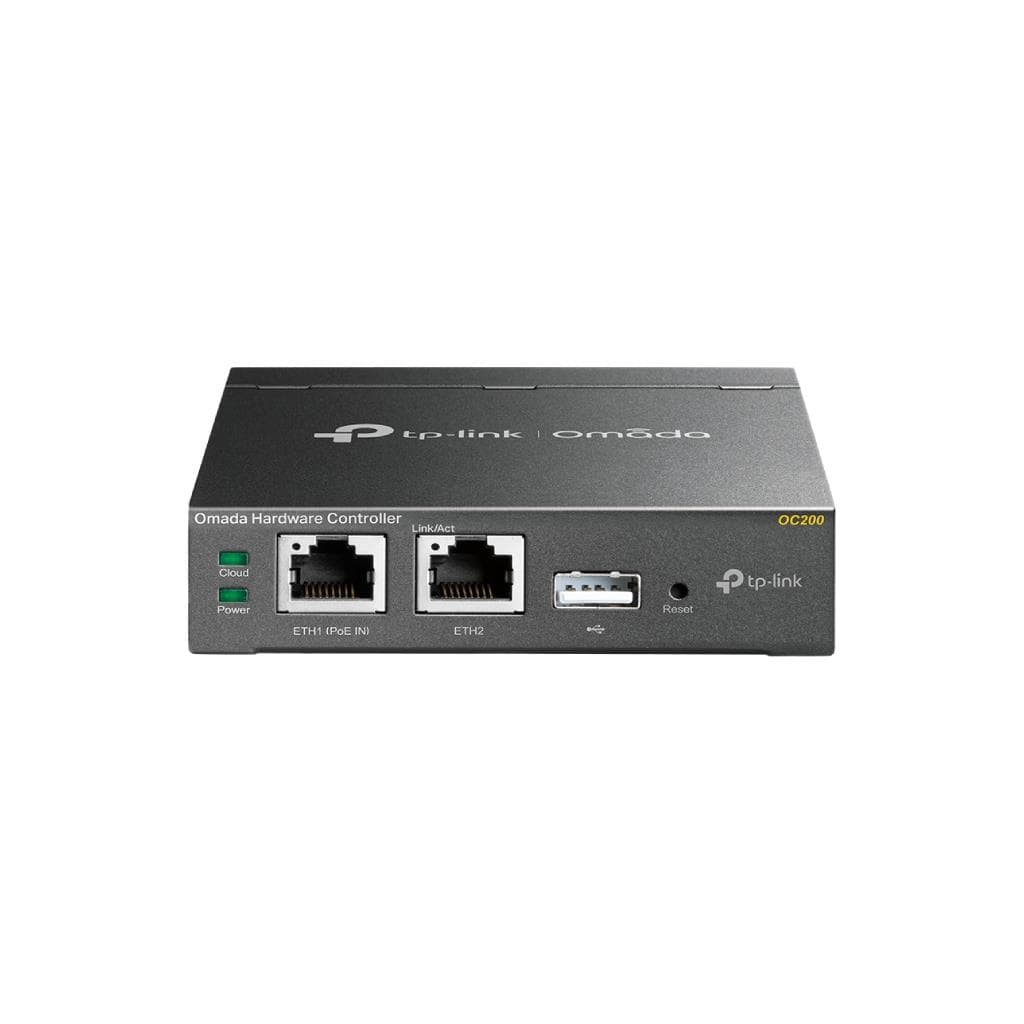

TP-Link Omada OC200 Hardware Controller (Up to 100 APs) - 2x10/100Mbps Ethernet
SKU: OC200Special Offers › สินค้าราคาพิเศษ
Please enquire before ordering
The distributor has not yet confirmed the latest price and availability (last checked Jun 28, 2026)
092-251-4017Awaiting stock confirmation1 year manufacturer's warranty
GenuineFree delivery from ฿5,000Tax invoice
Hardware network controller from TP-Link that supports management of up to 100 Omada devices, with free cloud system and on-premises management
Key features
- Manage up to 100 Omada devices including AP, Switch, and Router
- Supports cloud-based management from anywhere, anytime
- Features 2 Ethernet ports with 10/100 Mbps speed
- Supports PoE 802.3af/at and Micro USB (5V/1A)
- Includes USB 2.0 for automatic backup
Product description
TP-Link Omada OC200 is a hardware controller designed to centrally manage Wi-Fi networks and network devices, supporting up to 100 Omada devices, including Access Points, Switches, and Routers, with free cloud management that allows network monitoring and management anytime, anywhere via the Omada app or Web UI. Additionally, it supports On-Premises management for maximum security and stability, featuring a high-performance chipset, a durable metal case, and a USB 2.0 port for automatic data backup, making network maintenance easy and fast.
More features
- Displays real-time network topology to quickly resolve issues
- Supports multi-site management
- Smart network monitoring and abnormal event alerts
- Supports batch firmware upgrade
- Supports Captive Portal setup and user access control
Pros and limitations
Pros
- Supports management of up to 100 devices with high performance
- Supports both cloud and on-premises management for flexible deployment
- Features 2 Ethernet ports and USB for automatic backup
- Durable metal casing designed for long-term use
- Supports group firmware updates to save time on system maintenance
Limitations
- Supports Ethernet speed up to only 10/100 Mbps, not Gigabit
- No USB-C or HDMI port for connecting external devices
- Requires PoE or Micro USB for power supply, which may limit installation in certain areas
Who it is for
Ideal for medium to large-sized businesses needing centralized Wi-Fi and network device management, especially internet service providers, hotels, offices, or schools with many Omada devices
Specifications (35)
- Weight
- Approx. 0.7 kg
- Storage
- 1MB Nor Flash; 4 GB eMMC
- USB Port
- 1 USB 2.0 Port; 1 Micro-USB Port
- Interface
- 1 Kensington Lock; 1 Reset
- Omada App
- Yes
- Processor
- Dual-Core A53 @ 1.2 GHz
- RJ45 Port
- 2 10/100 Mbps Ethernet Ports
- Dimensions
- 3.9 × 3.9 × 1.0 in (100 × 98 × 25 mm)
- Cloud Access
- Yes
- Power Supply
- 802.3af/at PoE; Micro-USB (DC 5 V/ Minimum 1 A)
- AP Management
- Automatic Discovery, Unified Configuration, Reboot Schedule, Batch Firmware Upgrade, LED ON/OFF
- Certification
- CE, FCC, RoHS
- L3 Management
- Yes
- Authentication
- Captive Portal
- Package Content
- Omada Hardware Controller OC200, Quick Installation Guide, Ethernet Cable
- Reboot Schedule
- Yes
- Storage Humidity
- 5–90% RH non-condensing
- Wireless Function
- L3 Management, Multi-SSID, Load Balance, Band Steering, Airtime Fairness, Beamforming, Rate Limit, Wireless Schedule, QoS
- Wireless Security
- Captive Portal Authentication, Access Control, Wireless Mac Address Filtering, Wireless Isolation Between Clients, SSID to VLAN Mapping, Rogue AP Detection
- Memory Information
- 1 GB DDR3
- Operating Humidity
- 10–90% RH non-condensing
- Batch Configuration
- Yes
- Storage Temperature
- -40–70℃ (-40–158℉)
- System Requirements
- Microsoft® Windows®10, 8, 7, Vista™, XP or MAC® OS, NetWare®, UNIX® or Linux
- Max Power Consumption
- 11.3 W (powered by a PoE device, with USB 2.0 cable connected)
- Multi-site Management
- Yes
- Operating Temperature
- -5–50℃ (23–122℉)
- Unified Configuration
- Yes
- Centralized Management
- Up to 100 Omada access points, 20 JetStream switches, and 10 Omada routers
- On-Premises Management
- Yes
- Abnormal Event Warnings
- Yes
- Batch Firmware Upgrading
- Yes
- Automatic Device Discovery
- Yes
- Captive Portal Configuration
- Yes
- Intelligent Network Monitoring
- Yes
Datasheets and manuals straight from the manufacturer — select a document to open or download it.
13 questions
Frequently asked questions about this product
Compiled from manufacturer information
How many Access Points can OC200 manage?
OC200 supports management of up to 100 Omada devices, including Access Points, Switches, and Routers, with up to 100 APs specifically
Can OC200 be used to manage the network from anywhere?
You can manage via the cloud anytime, anywhere using the Omada app or Web UI immediately, including On-Premises management directly in the office.
What additional devices are needed for OC200?
You need Omada-compatible devices such as Access Points, Switches, or Routers that support SDN-based management; no additional hardware is required
Where can OC200 get power from?
Supports PoE 802.3af/at or power supply via Micro USB port requiring a DC 5V/1A or higher power supply.
Does OC200 support batch firmware upgrade?
Yes, it supports batch firmware upgrade, allowing multiple devices to be updated simultaneously quickly and easily
Does OC200 have abnormal event alert system?
Yes, it supports abnormal event warnings and smart network monitoring to help administrators detect issues immediately
Can OC200 be mounted on a rack?
Yes, size is 100 × 98 × 25 mm and includes a Kensington Lock slot, allowing secure mounting on a rack or desk
Does OC200 support multi-site network management?
Yes, it supports multi-site management, enabling centralized control of networks across multiple locations efficiently
Is it in stock?
We are confirming the latest stock and price of the TP-Link Omada OC200 Hardware Controller (Up to 100 APs) - 2x10/100Mbps Ethernet with the distributor. Please contact us before ordering at 092-251-4017 or sales@gist.co.th.
How much does it cost?
The distributor has not yet confirmed the latest price and availability. Please contact us before ordering at 092-251-4017 or sales@gist.co.th.
How long is the warranty?
Warranty period: 1 year (manufacturer's terms). To make a warranty claim, call 092-251-4017 or 065-523-5262, or email sales@gist.co.th (Mon–Fri 9:00–18:00), then send the product with your order number to our head office, or bring it to the head office in person.
How long does delivery take?
Orders placed before 12:00 on a business day are delivered within 1–3 business days (Bangkok and vicinity) or 2–5 business days (other provinces). Free delivery on orders of ฿5,000 or more (a ฿150 delivery fee applies below this amount).
Is it genuine?
Genuine products sourced from distributors in Thailand, covered by the manufacturer's warranty. Full tax invoices are available.
Didn't find the answer you need?
Loading reviews…
Genuine products
Sourced from distributors in Thailand and covered by the manufacturer's warranty
Warranty period
1 year
Covered by the manufacturer's warranty; you can make claims through GIST
Claims through GIST
Ship the product to our head office or bring it in person
Warranty conditions
- A receipt or other proof of purchase is required
- The product must not have been modified or altered
- Damage caused by misuse is not covered by the warranty
- To make a warranty claim, call 092-251-4017 or 065-523-5262, or email sales@gist.co.th (Mon–Fri 9:00–18:00), then send the product with your order number to our head office, or bring it to the head office in person.Head office: 554 Sky Nine Center, Floor 12A, Room 554/62, Asok-Din Daeng Road, Din Daeng Subdistrict, Din Daeng District, Bangkok 10400
More in สินค้าราคาพิเศษ