
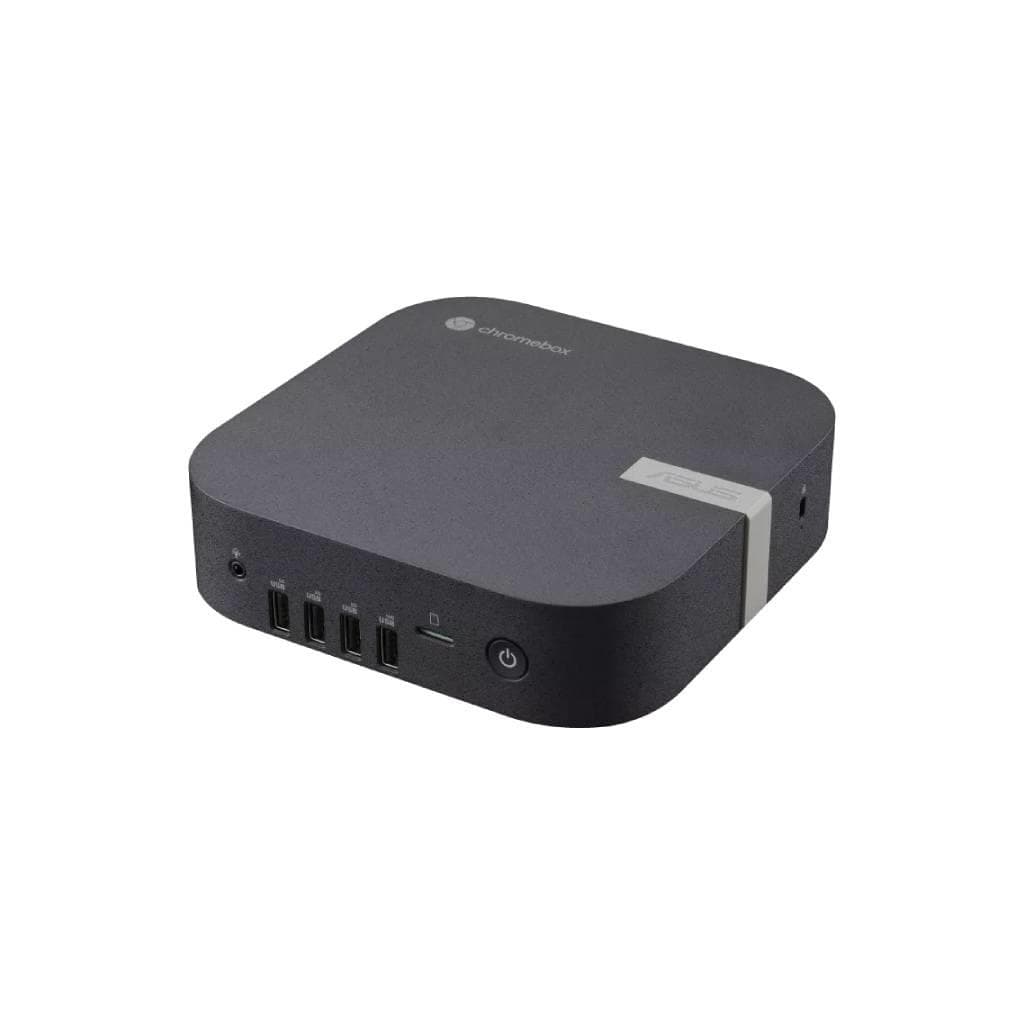


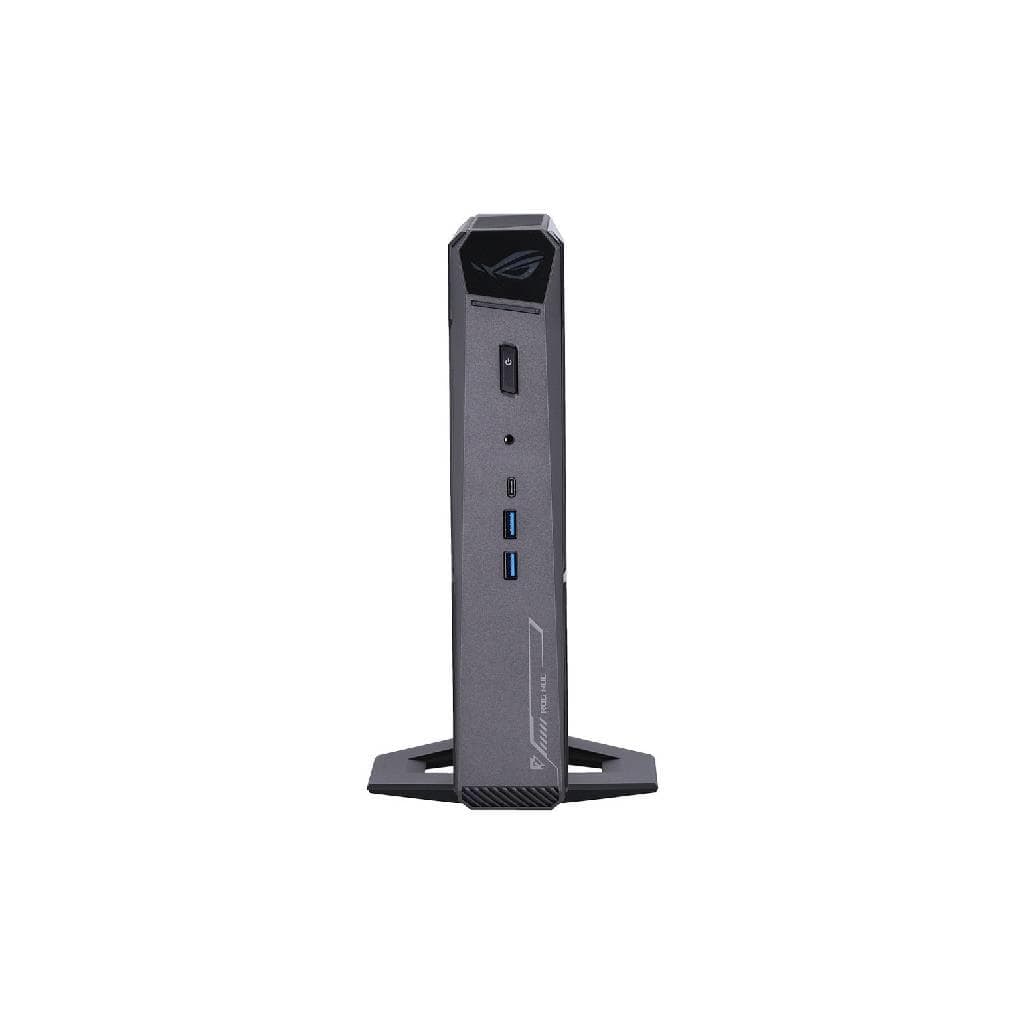
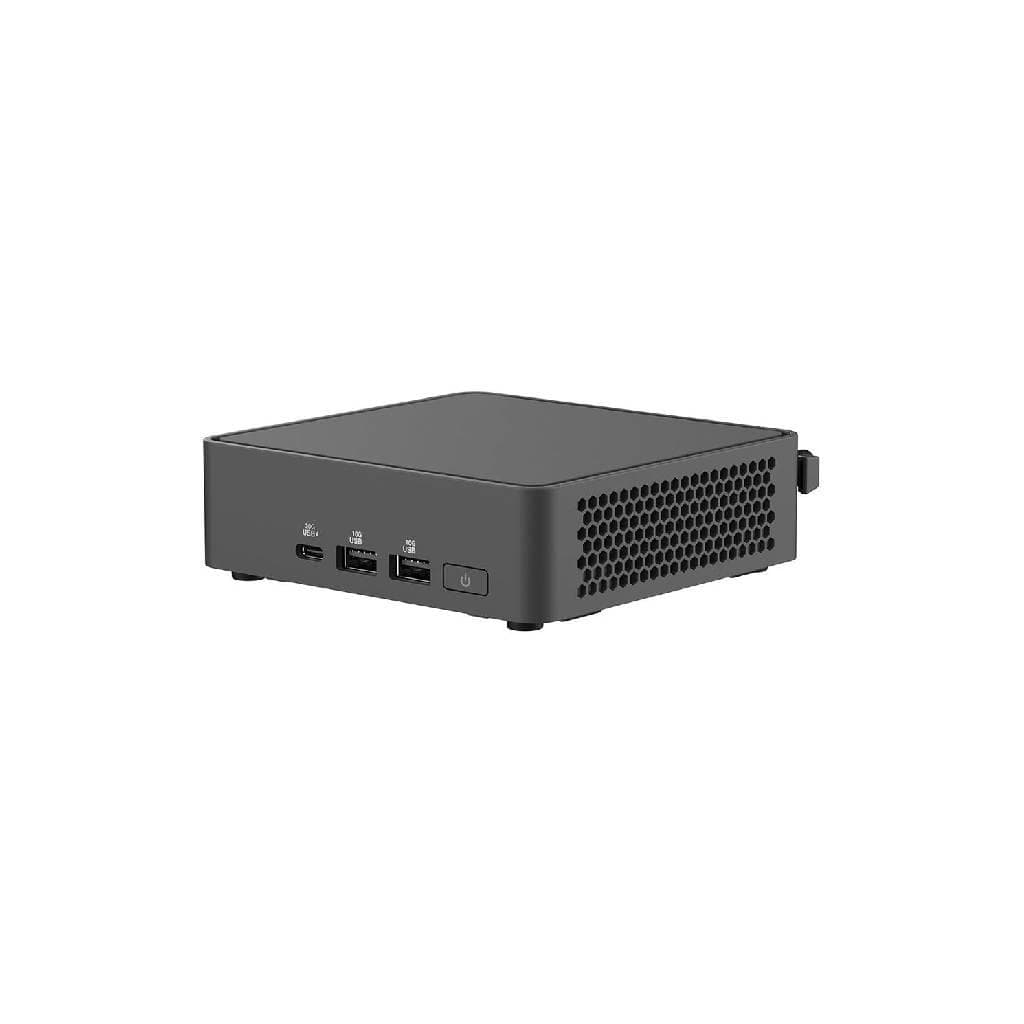
ASUS NUC 14 Essential Intel® Processor N250 6W TDP 16GB DDR5 5600MHz 1TB NVMe SSD
SKU: RNUC14MNK2500000Computers › Mini PCs· P/N: 90AR00M2-M00040
Please enquire before ordering
The distributor has not yet confirmed the latest price and availability (last checked Jun 15, 2026)
092-251-4017Awaiting stock confirmation3 years manufacturer's warranty
GenuineFree delivery from ฿5,000Tax invoice
คอมพิวเตอร์ตัวเล็กขนาด 0.56 ลิตร ใช้โปรเซสเซอร์ Intel N250 ความเร็ว 6W TDP รองรับหน้าจอ 4K สามจอพร้อมกัน ใช้งานได้ทั้งสำนักงานและบ้าน
Key features
- โปรเซสเซอร์ Intel N250 TDP 6W ใช้พลังงานต่ำ ประหยัดไฟ
- รองรับหน่วยความจำ DDR5-5600MHz สูงสุด 16GB
- มี SSD NVMe PCIe Gen4 1TB สำหรับความเร็วสูง
- รองรับจอภาพ 4K สามจอพร้อมกัน
- พอร์ตครบ ทั้ง Thunderbolt™ 4, HDMI 2.1, USB 3.2 Gen2
Product description
ASUS NUC 14 Essential เป็นคอมพิวเตอร์ตัวเล็กที่ออกแบบมาเพื่อประสิทธิภาพสูงในขนาดเล็ก ด้วยโปรเซสเซอร์ Intel® Processor N250 ที่มี TDP 6W ช่วยให้ใช้พลังงานต่ำแต่ยังคงความเร็วเพียงพอสำหรับงานทั่วไป เช่น ทำงานเอกสาร ดูวิดีโอ หรือใช้งานเบราว์เซอร์หลายแท็บพร้อมกัน รองรับหน่วยความจำ DDR5-5600MHz สูงสุด 16GB และมี SSD NVMe PCIe Gen4 ขนาด 1TB สำหรับความเร็วในการอ่าน/เขียนที่รวดเร็ว พร้อมพอร์ตเชื่อมต่อครบครัน ทั้ง Thunderbolt™ 4, HDMI 2.1, USB 3.2 Gen2 และ Ethernet 2.5G ทำให้สามารถเชื่อมต่อกับจอภาพ 4K ได้สูงสุดสามจอพร้อมกัน ใช้งานได้ทั้งในสำนักงานและบ้านอย่างมีประสิทธิภาพ
More features
- รองรับ Wi-Fi 6E และ Bluetooth 5.3
- ขนาดเล็กเพียง 0.56 ลิตร ติดตั้งง่ายด้วย VESA Mount
- รองรับระบบปฏิบัติการ Windows 11 Pro / Home และ Linux
- มี Ethernet 2.5G สำหรับการเชื่อมต่อเครือข่ายความเร็วสูง
- ออกแบบมาเพื่อการอัปเกรดง่าย ไม่ต้องใช้เครื่องมือ
Pros and limitations
Pros
- ขนาดเล็กเพียง 0.56 ลิตร ประหยัดพื้นที่ใช้งาน
- รองรับหน่วยความจำ DDR5-5600MHz สูงสุด 16GB ความเร็วสูง
- มี SSD 1TB NVMe PCIe Gen4 สำหรับความเร็วในการอ่าน/เขียนที่รวดเร็ว
- รองรับจอภาพ 4K สามจอพร้อมกัน ใช้งานได้จริง
- พอร์ตเชื่อมต่อครบครัน ทั้ง Thunderbolt™ 4, HDMI 2.1, USB 3.2 Gen2 และ Ethernet 2.5G
Limitations
- ไม่รองรับการอัปเกรด SSD แบบ M.2 2242 ขนาดใหญ่กว่า 512GB
- ไม่มี GPU แยก สำหรับงานกราฟิกหนักหรือเล่นเกมระดับสูง
Who it is for
เหมาะสำหรับผู้ใช้งานทั่วไป นักเรียน หรือพนักงานออฟฟิศที่ต้องการคอมพิวเตอร์ขนาดเล็ก ประหยัดพื้นที่ ใช้งานงานทั่วไป เช่น งานเอกสาร ดูหนัง หรือประชุมออนไลน์ผ่านจอ 4K
Specifications (30)
- ซีพียู (CPU)
- Intel® Processor N250, TDP 6W
- หน่วยความจำ (RAM)
- 16 GB DDR5-5600MHz SO-DIMM
- HDMI
- 2 x HDMI 2.1 TMDS Compatible connector with CEC
- น้ำหนัก
- 1.2 kg
- Cooling
- Passive cooling
- Ethernet
- 1 x Realtek Ethernet Controller RTL8125BG-CG, 2.5G
- การ์ดจอ (GPU)
- Intel® Graphics (N150, N250, N355)
- การรับประกัน
- 3 years
- ขนาด
- 130 x 130 x 65 mm
- USB Type-A
- 3 x USB 3.2 Gen2 Type A ports
- USB Type-C
- 1 x USB 3.2 Gen2x2 Type C port
- การติดตั้ง VESA
- Included
- รูปทรง
- Mini PC
- ไฟขาเข้า
- DC-in
- Thunderbolt
- 2 x Thunderbolt™ 4 ports (DP 2.1 & USB4)
- Chassis Size
- 0.56L
- ประเภทหน่วยเก็บข้อมูล
- M.2 2280 NVMe™ PCIe® 3.0 x 4 SSD
- Supported OS
- Windows 11, RedHat Enterprise Linux, Ubuntu 24.04 LTS
- พอร์ตแสดงผล
- HDMI 2.1, Thunderbolt™ 4 (DP 2.1)
- Storage Support
- 128GB~2TB M.2 2280 NVMe™ PCIe® 3.0 x 4 SSD
- Max RAM Capacity
- 16 GB
- ระบบปฏิบัติการ
- Windows 11 Home, Windows 11 Pro, No preinstalled OS
- ความจุ
- 1 TB
- การใช้พลังงาน
- 6W TDP
- คุณสมบัติด้านความปลอดภัย
- TPM 2.0 (implied by vPro support in similar models)
- Max Display Support
- Support for three 4K Displays
- Internal USB Headers
- 1 x Type A and 2 x internal USB 2.0 headers
- Processor Generation
- 14th Gen
- การเชื่อมต่อไร้สาย
- Intel® Wi-Fi 6E AX211 (Gig+), Bluetooth 5.3
- Secondary Storage Slot
- M.2 2242 SATA SSD
Datasheets and manuals straight from the manufacturer — select a document to open or download it.
13 questions
Frequently asked questions about this product
Compiled from manufacturer information
ASUS NUC 14 Essential รองรับการต่อจอภาพ 4K ได้กี่จอ?
รองรับการต่อจอภาพ 4K ได้สูงสุดสามจอพร้อมกัน ผ่านพอร์ต HDMI 2.1 และ Thunderbolt™ 4 ที่รองรับ DisplayPort 2.1
สามารถอัปเกรด RAM ได้สูงสุดเท่าไร?
รองรับ RAM สูงสุด 16GB DDR5-5600MHz โดยใช้ SO-DIMM สองช่อง แต่ไม่สามารถเพิ่มเกิน 16GB ได้
มีพอร์ต Ethernet หรือไม่? ความเร็วเท่าไร?
มีพอร์ต Ethernet 2.5G ผ่าน Realtek RTL8125BG-CG รองรับความเร็วสูงสุด 2.5 Gbps สำหรับการเชื่อมต่อเครือข่ายที่เสถียร
ใช้พลังงานเท่าไร? ใช้กับจอ 4K ได้ไหม?
ใช้พลังงานเพียง 6W TDP แม้จะต่อจอ 4K สามจอพร้อมกันก็ยังคงประสิทธิภาพดี ไม่ร้อนและประหยัดไฟ
ติดตั้งบนผนังได้ไหม? ใช้ VESA Mount ได้หรือไม่?
ใช่ ติดตั้งบนผนังได้ด้วย VESA Mount ที่แถมมาในกล่อง ติดตั้งง่าย ไม่ต้องใช้เครื่องมือ
รองรับระบบปฏิบัติการอะไรบ้าง?
รองรับ Windows 11 Home และ Pro รวมถึง Linux อย่าง RedHat Enterprise และ Ubuntu 24.04 LTS พร้อมติดตั้งได้เอง
มี Wi-Fi 6E หรือไม่? รองรับ Bluetooth เวอร์ชันไหน?
ใช่ มี Wi-Fi 6E AX211 และรองรับ Bluetooth 5.3 ทำให้เชื่อมต่ออุปกรณ์ไร้สายได้อย่างรวดเร็วและเสถียร
สามารถต่อ HDD 2.5 นิ้วได้ไหม?
ใช่ รองรับ HDD 2.5 นิ้วผ่านช่องติดตั้งแบบ Tall kit ที่มีมาในกล่อง ใช้ได้กับฮาร์ดดิสก์ SATA
Is it in stock?
We are confirming the latest stock and price of the ASUS NUC 14 Essential Intel® Processor N250 6W TDP 16GB DDR5 5600MHz 1TB NVMe SSD with the distributor. Please contact us before ordering at 092-251-4017 or sales@gist.co.th.
How much does it cost?
The distributor has not yet confirmed the latest price and availability. Please contact us before ordering at 092-251-4017 or sales@gist.co.th.
How long is the warranty?
Warranty period: รับประกัน 3 ปี ตามเงื่อนไขผู้ผลิต (manufacturer's terms). To make a warranty claim, call 092-251-4017 or 065-523-5262, or email sales@gist.co.th (Mon–Fri 9:00–18:00), then send the product with your order number to our head office, or bring it to the head office in person.
How long does delivery take?
Orders placed before 12:00 on a business day are delivered within 1–3 business days (Bangkok and vicinity) or 2–5 business days (other provinces). Free delivery on orders of ฿5,000 or more (a ฿150 delivery fee applies below this amount).
Is it genuine?
Genuine products sourced from distributors in Thailand, covered by the manufacturer's warranty. Full tax invoices are available.
Didn't find the answer you need?
Loading reviews…
Genuine products
Sourced from distributors in Thailand and covered by the manufacturer's warranty
Warranty period
รับประกัน 3 ปี ตามเงื่อนไขผู้ผลิต
Covered by the manufacturer's warranty; you can make claims through GIST
Claims through GIST
Ship the product to our head office or bring it in person
Warranty conditions
- A receipt or other proof of purchase is required
- The product must not have been modified or altered
- Damage caused by misuse is not covered by the warranty
- To make a warranty claim, call 092-251-4017 or 065-523-5262, or email sales@gist.co.th (Mon–Fri 9:00–18:00), then send the product with your order number to our head office, or bring it to the head office in person.Head office: 554 Sky Nine Center, Floor 12A, Room 554/62, Asok-Din Daeng Road, Din Daeng Subdistrict, Din Daeng District, Bangkok 10400
More in Mini PCs

ASUS
ASUS NUC 15 Pro มินิพีซี Intel Core 3 100U 8GB DDR5 SSD 512GB (RNUC15CRHI3053C1)
Price on request