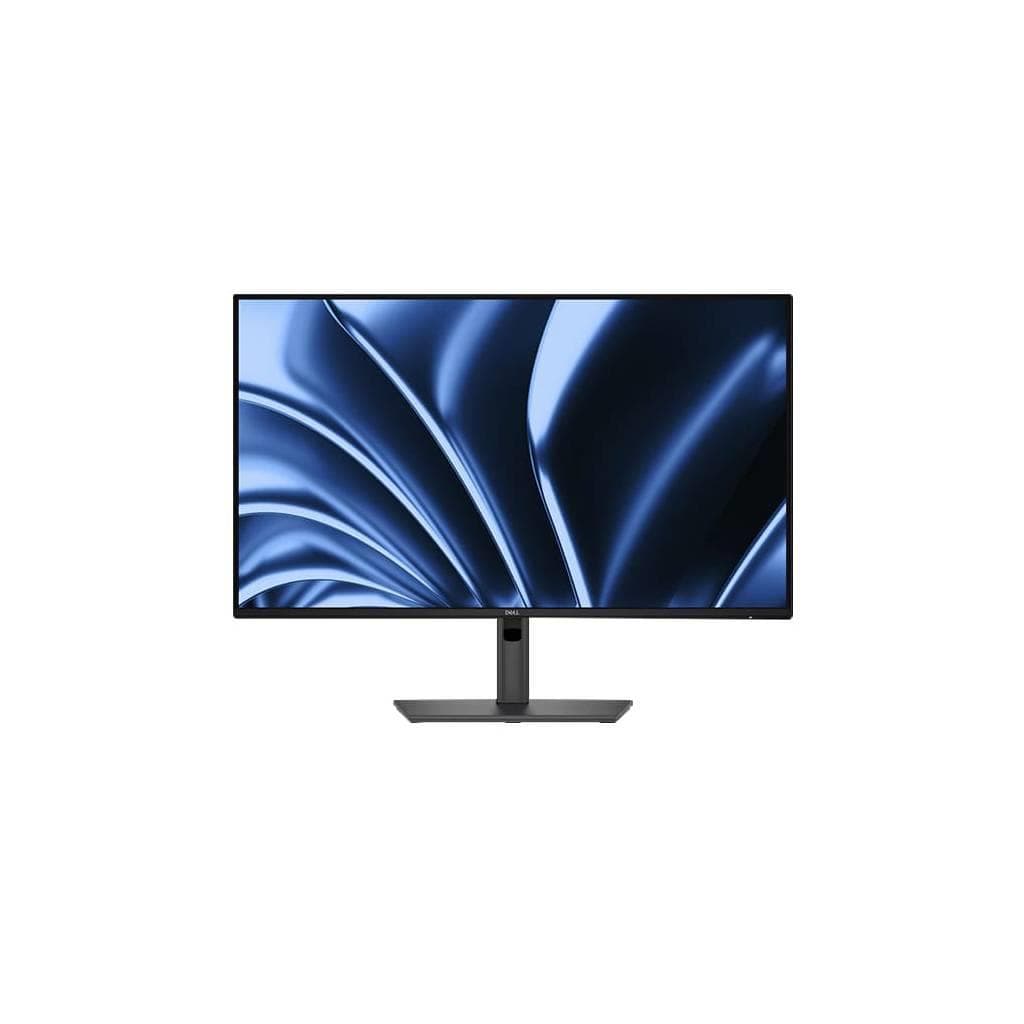
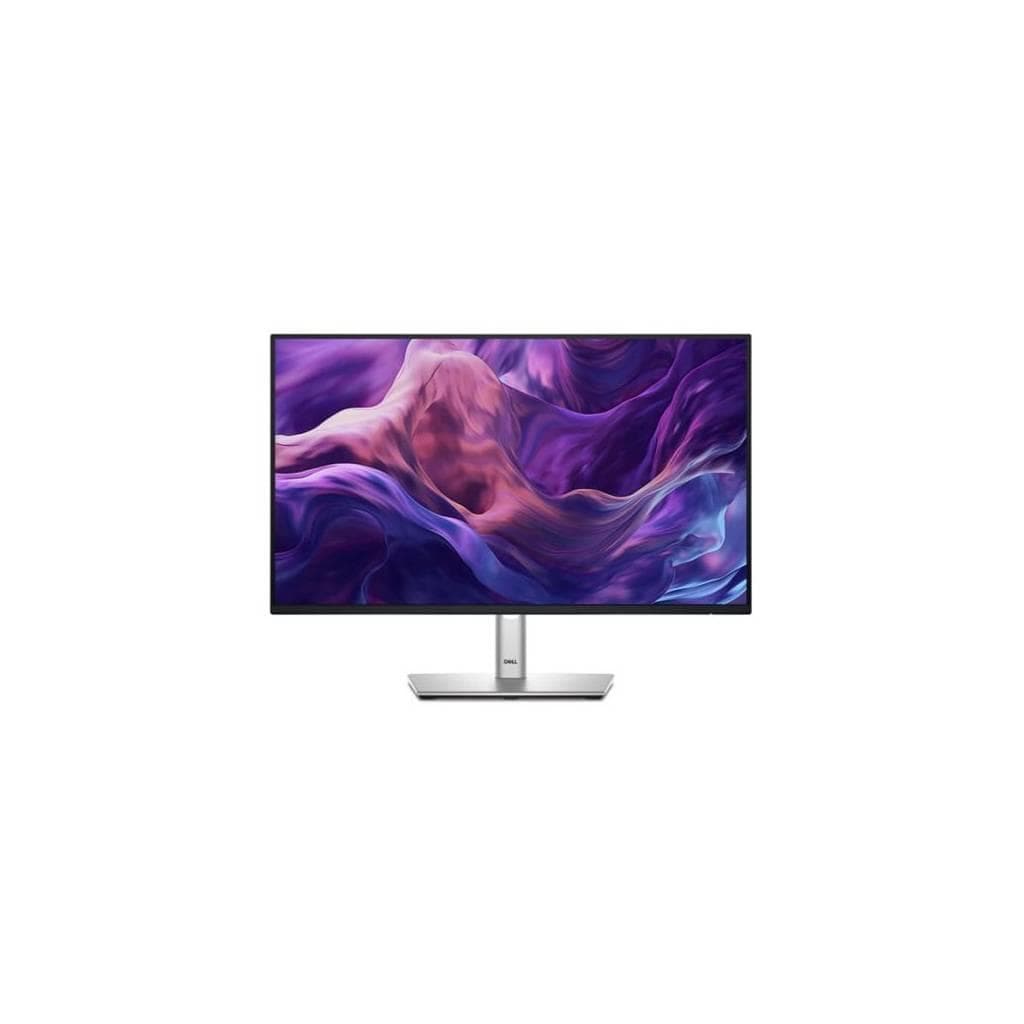

DELL P2425HE 23.8" USB-C Hub Monitor - FHD IPS 1920x1080 90W PD
SKU: SNSP2425HEDisplays & Projectors › Business Monitors
Please enquire before ordering
The distributor has not yet confirmed the latest price and availability (last checked Oct 1, 2026)
092-251-4017Awaiting stock confirmation3 years manufacturer's warranty
GenuineFree delivery from ฿5,000Tax invoice
มอนิเตอร์ Dell P2425HE ขนาด 23.8 นิ้ว ความละเอียด Full HD พร้อมพอร์ต USB-C รองรับการชาร์จสูงสุด 90W เหมาะสำหรับผู้ใช้งานที่ต้องการประสิทธิภาพการทำงานแบบครบวงจรในจอเดียว
Key features
- รองรับชาร์จไฟผ่าน USB-C สูงสุด 90W
- พอร์ต HDMI, DP, Ethernet และ USB-A ครบครัน
- จอ IPS ขนาด 23.8" ความละเอียด FHD
- มุมมองกว้าง 178° ทั้งแนวนอนและแนวตั้ง
- ได้รับการรับรอง TÜV Eye Comfort 4 ดาว
Product description
มอนิเตอร์ Dell P2425HE ขนาด 23.8 นิ้ว ใช้เทคโนโลยี IPS ให้มุมมองที่กว้างและสีสันแม่นยำ พร้อมความละเอียด 1920 x 1080 พิกเซล รีเฟรชเรท 60 Hz รองรับการเชื่อมต่อหลายทางผ่านพอร์ต HDMI, DisplayPort และ USB-C ที่สามารถส่งสัญญาณวิดีโอและชาร์จไฟได้พร้อมกัน โดยเฉพาะพอร์ต USB-C บนตัวเครื่องรองรับ Power Delivery สูงสุด 90W ช่วยให้แล็ปท็อปหรือ AI PC ของคุณชาร์จไฟได้เต็มประสิทธิภาพในขณะใช้งาน พร้อมพอร์ต Ethernet 1GbE สำหรับการเชื่อมต่อเน็ตเวิร์กเสถียร ไม่ต้องใช้สายแยกเพิ่มเติม
Pros and limitations
Pros
- ชาร์จไฟแล็ปท็อปได้สูงสุด 90W ผ่านสายเดียว
- มีพอร์ตครบ ไม่ต้องใช้ฮับเพิ่มเติม
- จอ IPS มุมมองกว้าง ภาพคมชัดแม้ดูจากมุมเฉียง
- ได้รับการรับรอง TÜV Eye Comfort ลดอาการเมื่อยล้าของสายตา
- รองรับการปรับระดับสูง-ต่ำ, หมุน, เฉียง ใช้งานได้หลากหลายมุม
Limitations
- ไม่มีลำโพงในตัว
- ไม่รองรับ HDR
Who it is for
เหมาะสำหรับผู้ใช้งานที่ต้องการมอนิเตอร์สำนักงานแบบครบวงจร รองรับการเชื่อมต่อแล็ปท็อปผ่าน USB-C พร้อมชาร์จไฟและส่งสัญญาณวิดีโอได้ในสายเดียว
Specifications (23)
- HDR
- ไม่รองรับ
- ลำโพง
- ไม่มี
- การติดตั้ง VESA
- รองรับ
- ความลึกสี
- 16.7 million colors
- ขอบเขตสี
- 72% NTSC (CIE 1931), 83% NTSC (CIE 1976)
- ระยะห่างพิกเซล
- 0.2745 mm
- อัตราส่วนภาพ
- 16:9
- ขนาด
- 21.2 in x 8.2 in x 14.9 in - with stand (lowest position)
- การปรับตั้ง
- Height, Tilt, Swivel, Pivot
- มุมมองภาพ
- 178° (horizontal), 178° (vertical)
- อัตราส่วนคอนทราสต์
- 3000:1 / 3000:1 (dynamic)
- Pixel Per Inch
- 93
- Screen Coating
- Anti-glare
- พอร์ต
- 1x HDMI 1.4 (HDCP 1.4), 1x DP 1.4 (HDCP 1.4), 1x DP-out (1.4) with MST (HDCP 1.4), 1x RJ45 Ethernet port, 1x USB 3.2 Gen1 Type-C upstream (Alt. mode with DP1.4) with up to 90W PD, 3x USB 3.2 Gen1 Type-A downstream, 1x USB 3.2 Gen1 Type-C downstream with up to 15W PD (data only)
- ประเภทจอ
- In-Plane Switching (IPS) technology
- ขนาดหน้าจอ
- 23.8"
- Backlight Technology
- LED backlight
- น้ำหนัก
- 9.99 lbs
- ความสว่าง
- 250 cd/m²
- อัตราการรีเฟรช
- 60 Hz
- ความละเอียด
- 1920 x 1080
- เวลาตอบสนอง
- 5 ms (gray-to-gray fast), 8 ms (gray-to-gray normal)
- การรับประกัน
- 3 ปี
Datasheets and manuals straight from the manufacturer — select a document to open or download it.
13 questions
Frequently asked questions about this product
Compiled from manufacturer information
มอนิเตอร์รุ่นนี้ชาร์จแล็ปท็อปได้กี่วัตต์?
รองรับ Power Delivery สูงสุด 90W ผ่านพอร์ต USB-C บนตัวเครื่อง ช่วยให้แล็ปท็อปสามารถชาร์จไฟและแสดงภาพพร้อมกันได้ในสายเดียว
ใช้กับแล็ปท็อปที่มีพอร์ต USB-C ได้ไหม?
ได้แน่นอน โดยเฉพาะแล็ปท็อปที่รองรับ DisplayPort Alt Mode ผ่าน USB-C สามารถเชื่อมต่อเพื่อแสดงภาพและชาร์จไฟพร้อมกันได้ทันที
พอร์ต Ethernet ใช้กับแล็ปท็อปได้ไหม?
ใช่ พอร์ต RJ45 Ethernet รองรับการเชื่อมต่อเน็ตเวิร์กความเร็ว 1GbE โดยไม่ต้องใช้ฮับเพิ่มเติม ช่วยให้การเชื่อมต่อเสถียรและรวดเร็ว
จอรุ่นนี้เหมาะกับงานกราฟิกไหม?
เหมาะสำหรับงานทั่วไปและงานเอกสาร แต่ไม่รองรับ HDR และสีสันครอบคลุม NTSC 72% จึงอาจไม่เหมาะกับงานออกแบบที่ต้องการความแม่นยำสูง
มีลำโพงในตัวไหม?
ไม่มีลำโพงในตัว แต่สามารถเชื่อมต่อลำโพงภายนอกหรือหูฟังผ่านพอร์ต USB-C หรือ HDMI ได้
ปรับจอได้ทั้งหมดกี่มุม?
รองรับการปรับระดับสูง-ต่ำ (Height), เฉียงหน้าหลัง (Tilt), หมุนซ้ายขวา (Swivel) และหมุนแนวตั้ง (Pivot) ใช้งานได้หลากหลายมุมมอง
ใช้กับแล็ปท็อปที่ไม่มีพอร์ต Ethernet ได้ไหม?
ได้ เนื่องจากมอนิเตอร์มีพอร์ต RJ45 Ethernet ภายใน จึงสามารถเชื่อมต่อเน็ตเวิร์กผ่านสาย LAN โดยไม่ต้องใช้อุปกรณ์เพิ่มเติม
รองรับการเชื่อมต่อหลายจอได้ไหม?
ได้ ผ่านพอร์ต DP-out (1.4) ที่รองรับ MST (Multi-Stream Transport) สามารถเชื่อมต่อจอเพิ่มเติมได้โดยไม่ต้องใช้การ์ดจอเพิ่ม
Is it in stock?
We are confirming the latest stock and price of the DELL P2425HE 23.8" USB-C Hub Monitor - FHD IPS 1920x1080 90W PD with the distributor. Please contact us before ordering at 092-251-4017 or sales@gist.co.th.
How much does it cost?
The distributor has not yet confirmed the latest price and availability. Please contact us before ordering at 092-251-4017 or sales@gist.co.th.
How long is the warranty?
Warranty period: 3 ปี (manufacturer's terms). To make a warranty claim, call 092-251-4017 or 065-523-5262, or email sales@gist.co.th (Mon–Fri 9:00–18:00), then send the product with your order number to our head office, or bring it to the head office in person.
How long does delivery take?
Orders placed before 12:00 on a business day are delivered within 1–3 business days (Bangkok and vicinity) or 2–5 business days (other provinces). Free delivery on orders of ฿5,000 or more (a ฿150 delivery fee applies below this amount).
Is it genuine?
Genuine products sourced from distributors in Thailand, covered by the manufacturer's warranty. Full tax invoices are available.
Didn't find the answer you need?
Loading reviews…
Genuine products
Sourced from distributors in Thailand and covered by the manufacturer's warranty
Warranty period
3 ปี
Covered by the manufacturer's warranty; you can make claims through GIST
Claims through GIST
Ship the product to our head office or bring it in person
Warranty conditions
- A receipt or other proof of purchase is required
- The product must not have been modified or altered
- Damage caused by misuse is not covered by the warranty
- To make a warranty claim, call 092-251-4017 or 065-523-5262, or email sales@gist.co.th (Mon–Fri 9:00–18:00), then send the product with your order number to our head office, or bring it to the head office in person.Head office: 554 Sky Nine Center, Floor 12A, Room 554/62, Asok-Din Daeng Road, Din Daeng Subdistrict, Din Daeng District, Bangkok 10400
More in Business Monitors