
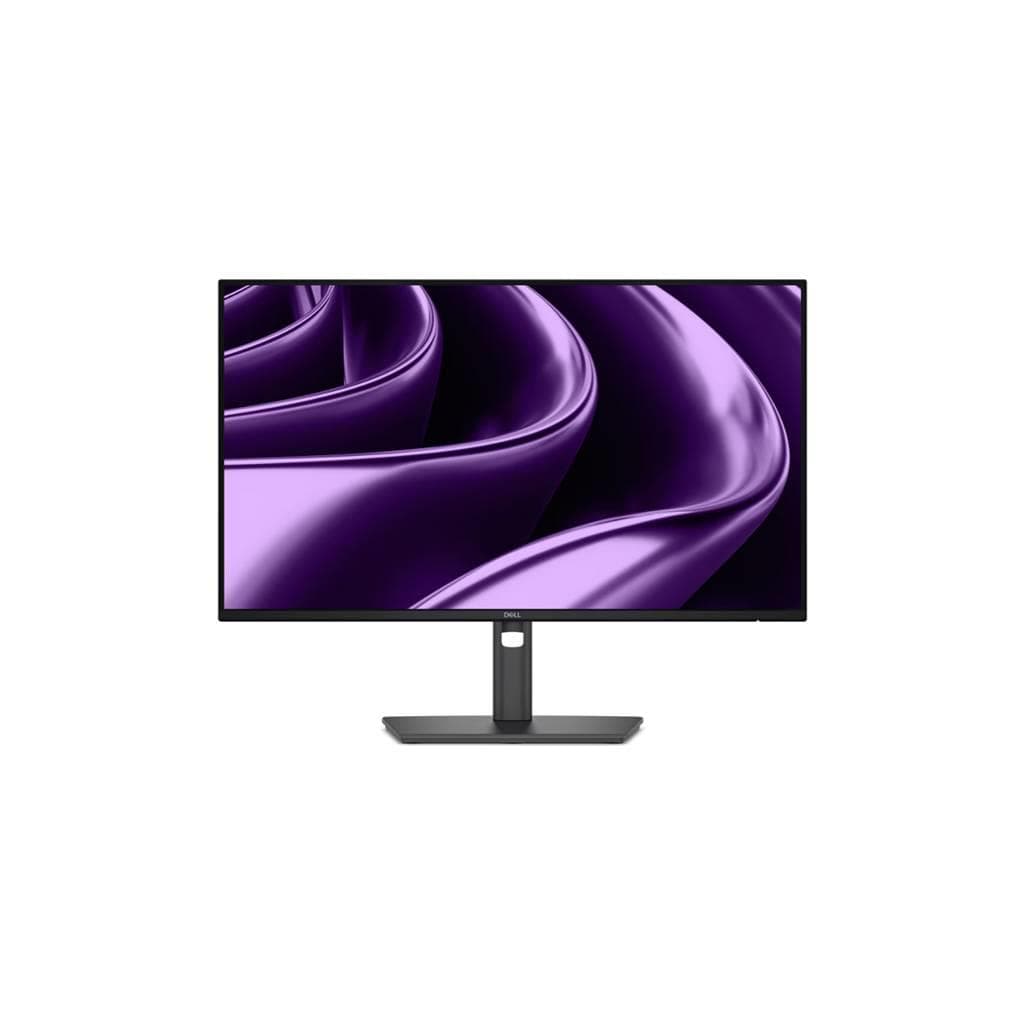

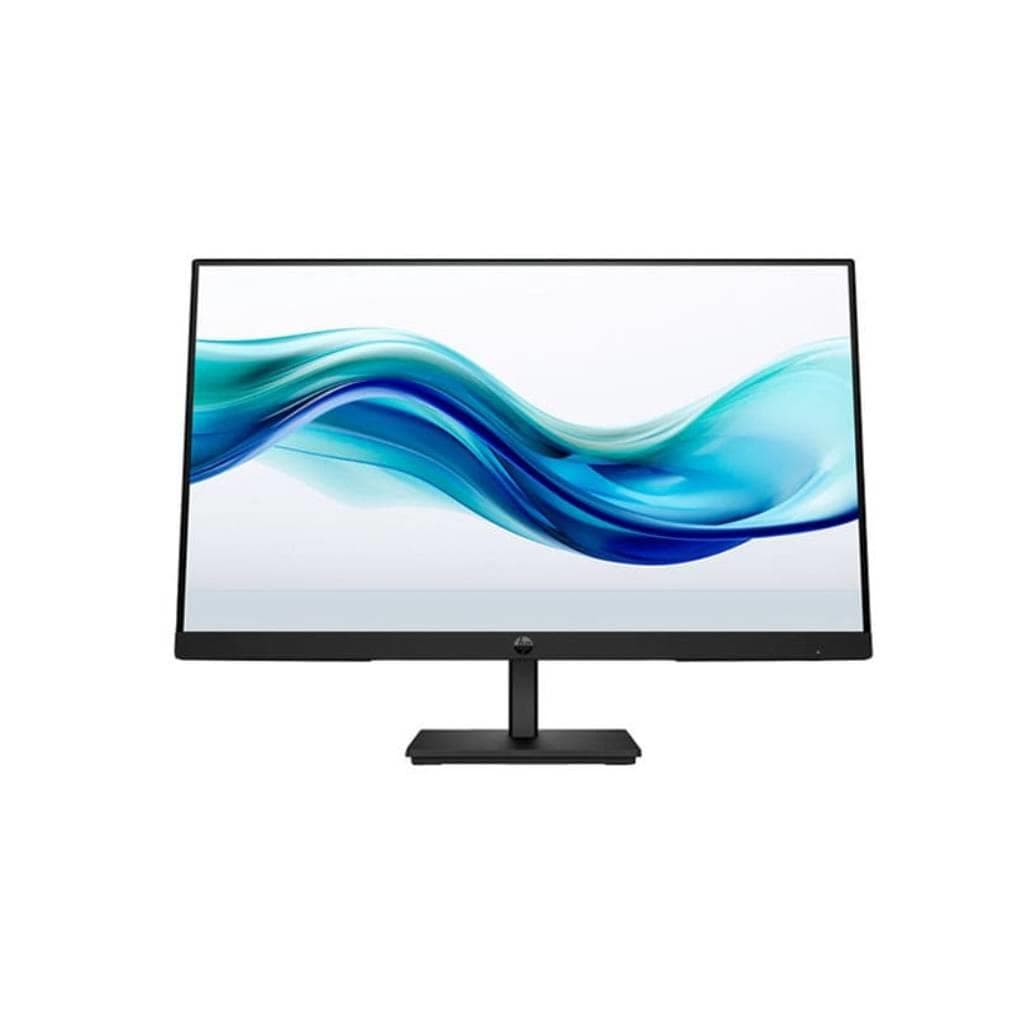
DELL Pro P 24 USB-C Hub Monitor P2426HE 23.8" FHD IPS 1920x1080 120Hz 100W PD
SKU: SNSP2426HEDisplays & Projectors › Business Monitors
฿6,857
Price includes 7% VATPrice updated November 1, 2026
In stock91 units3 years manufacturer's warranty
For orders placed before 12:00 on a business day; weekends excluded
GenuineFree delivery from ฿5,000Tax invoice
จอภาพขนาด 23.8 นิ้ว ความละเอียด Full HD พร้อมพอร์ต USB-C สำหรับส่งสัญญาณภาพ เสียง และชาร์จไฟได้สูงสุด 100W เหมาะสำหรับการทำงานในออฟฟิศหรือห้องประชุมแบบครบวงจร
Key features
- จอ IPS ขนาด 23.8 นิ้ว ความละเอียด FHD 1920x1080
- รีเฟรชเรทสูงถึง 120 Hz สำหรับภาพลื่นไหล
- USB-C รองรับ Power Delivery สูงสุด 100W
- พอร์ตครบครัน: HDMI, DP, Ethernet, USB-A/C
- ปรับระดับความสูง หมุน ชั่น และเอียงได้
Product description
Dell Pro P 24 USB-C Hub Monitor P2426HE ออกแบบมาเพื่อประสิทธิภาพการทำงานสูงสุดในสภาพแวดล้อมธุรกิจ โดยมีขนาดจอ 23.8 นิ้ว ความละเอียด 1920 x 1080 พิกเซล รีเฟรชเรทสูงถึง 120 Hz บนเทคโนโลยี IPS ให้มุมมองที่กว้างและสีสันแม่นยำ รองรับการเชื่อมต่อแบบ USB-C พร้อม Power Delivery สูงสุด 100W ช่วยลดจำนวนสายไฟในโต๊ะทำงานได้อย่างมีประสิทธิภาพ พร้อมพอร์ตครบครัน เช่น HDMI, DisplayPort 1.4, Ethernet 1GbE และ USB-A/USB-C สำหรับเชื่อมต่ออุปกรณ์เสริมต่าง ๆ ได้ทันที จอรุ่นนี้ยังมาพร้อมระบบปรับระดับความสูง หมุน ชั่น และเอียง ทำให้สามารถตั้งค่าตำแหน่งได้ตามสบาย ลดอาการเมื่อยล้าจากการใช้งานยาวนาน
More features
- รองรับการเชื่อมต่อแบบ Daisy Chain
- มีไมค์และกล้องเว็บแคมในตัว (เฉพาะรุ่น P2426HEB)
- สายเคเบิลพร้อมใช้งาน 1 ชุด
Pros and limitations
Pros
- เชื่อมต่อแล็ปท็อปผ่าน USB-C เพียงสายเดียว ได้ทั้งภาพ เสียง และชาร์จไฟ 100W
- รองรับรีเฟรชเรทสูงถึง 120 Hz ทำให้ภาพลื่นไหลขณะทำงานหรือดูวิดีโอ
- ปรับระดับจอได้หลายมุม ลดอาการเมื่อยล้าจากการใช้งานต่อเนื่อง
- พอร์ตครบครัน รองรับการเชื่อมต่ออุปกรณ์หลากหลาย
- ออกแบบมาเพื่อความทนทานในสภาพแวดล้อมธุรกิจ
Limitations
- ไม่มีกล้องเว็บแคมและไมค์ในตัว (เฉพาะรุ่น P2426HEB มี)
- ไม่รองรับ HDR
- ไม่สามารถเชื่อมต่อ Daisy Chain กับ MacBook ได้หากเปิด PEG Mode
Who it is for
เหมาะสำหรับพนักงานออฟฟิศที่ต้องการจอภาพทำงานครบวงจร พร้อมชาร์จแล็ปท็อปผ่านสายเดียว และเชื่อมต่ออุปกรณ์ได้หลากหลาย
Specifications (33)
- HDR
- ไม่รองรับ
- เว็บแคม
- ไม่มี
- ลำโพง
- มี
- Ethernet
- RJ45 Ethernet port, 1GbE
- ไมโครโฟน
- ไม่มี
- การติดตั้ง VESA
- 100 x 100 mm
- ขอบเขตสี
- sRGB 99%
- อัตราส่วนภาพ
- 16:9
- HDMI Support
- Supports up to 1920 x 1080, 120 Hz as specified in HDMI 2.1 (TMDS)
- ขนาด
- 553.7 x 409.5 x 183.5 mm
- การปรับตั้ง
- Height, Tilt, Swivel, Pivot
- แรงดันไฟฟ้าขาเข้า
- 100-240 V AC, 50/60 Hz
- เวลาตอบสนอง
- 5 ms
- มุมมองภาพ
- 178° (H) / 178° (V)
- Cable Included
- 1 x USB Type-C to Type-C 5Gbps 100 W cable - 1.80 m
- การรับรอง
- TÜV-certified 4-star eye comfort
- อัตราส่วนคอนทราสต์
- 1000:1
- ความชื้นขณะทำงาน
- 10% to 80% non-condensing
- พอร์ต
- 1 HDMI port/s (HDCP 1.4), 1 DisplayPort 1.4 (HDCP 1.4), 1 DisplayPort Out 1.4, 2 USB Type-A 5Gbps downstream, 1 USB-C 5Gbps upstream (DisplayPort 1.4 Alt Mode, Power Delivery up to 100 W), 1 RJ45 Ethernet port/s, 2 USB-C 5Gbps downstream (Power Charging up to 15 W)
- ประเภทจอ
- In-plane Switching (IPS) Technology
- การใช้พลังงาน
- 28.5 W (typical)
- ขนาดหน้าจอ
- 23.8"
- DisplayPort Support
- Supports up to 1920 x 1080, 120 Hz
- อุณหภูมิในการจัดเก็บ
- -20°C to 60°C
- DisplayPort Alt Mode
- รองรับ DisplayPort 1.4 Alt Mode
- USB-C Power Delivery
- สูงสุด 100 W
- Mounting Hole Pattern
- 100 x 100 mm
- อุณหภูมิการทำงาน
- 0°C to 40°C
- น้ำหนัก
- 5.3 kg
- ความสว่าง
- 250 cd/m²
- อัตราการรีเฟรช
- 120 Hz
- ความละเอียด
- 1920 x 1080
- การรับประกัน
- 3 ปี Advance Exchange (NBD, Prem)
Datasheets and manuals straight from the manufacturer — select a document to open or download it.
13 questions
Frequently asked questions about this product
Compiled from manufacturer information
จอรุ่นนี้ชาร์จแล็ปท็อปได้สูงสุดกี่วัตต์?
รองรับ Power Delivery สูงสุด 100W ผ่านพอร์ต USB-C ทำให้สามารถชาร์จแล็ปท็อปได้อย่างมีประสิทธิภาพ โดยเฉพาะกับแล็ปท็อปที่ใช้พอร์ต USB-C สำหรับชาร์จ
ใช้จอรุ่นนี้เชื่อมต่อกับ MacBook Pro ได้ไหม?
ได้ครับ โดยเฉพาะรุ่นที่ใช้พอร์ต USB-C แต่หากเปิดโหมด PEG (PCI Express Graphics) อาจทำให้ไม่สามารถ Hot-plug DisplayPort หรือ HDMI ผ่าน USB-C ได้ แนะนำให้ปิดโหมดนี้หากต้องการเชื่อมต่อหลายจอ
พอร์ต USB-C ของจอรองรับการส่งสัญญาณภาพแบบ DisplayPort Alt Mode ไหม?
ใช่ รองรับ DisplayPort 1.4 Alt Mode ผ่านพอร์ต USB-C ทำให้สามารถเชื่อมต่อแล็ปท็อปหรือเครื่องพีซีได้โดยไม่ต้องใช้สายแยก
จอรุ่นนี้มีกล้องเว็บแคมหรือไมค์ในตัวไหม?
รุ่น P2426HE ไม่มีกล้องเว็บแคมและไมค์ในตัว แต่รุ่น P2426HEB มีมาให้ โดยเฉพาะสำหรับห้องประชุมที่ต้องการใช้งานวิดีโอคอนเฟอเรนซ์
สามารถเชื่อมต่อจอหลายจอแบบ Daisy Chain ได้ไหม?
ได้ครับ โดยเฉพาะกับแล็ปท็อปที่รองรับ DisplayPort 1.4 Out แต่ต้องตรวจสอบว่าไม่เปิดโหมด PEG หากเปิดจะขัดข้องในการเชื่อมต่อ
จอรุ่นนี้ใช้พลังงานเท่าไหร่?
ใช้พลังงานประมาณ 28.5 วัตต์ (typical) ซึ่งถือว่าประหยัดไฟ และรองรับการใช้งานต่อเนื่องได้นานโดยไม่ร้อนเกินไป
มีสายเคเบิลอะไรให้บ้าง?
มาพร้อมสาย USB-C ถึง USB-C ความยาว 1.8 เมตร สำหรับชาร์จและส่งสัญญาณภาพ รวมถึงสายไฟสำหรับต่อเข้าปลั๊กไฟ
จอรุ่นนี้สามารถติดตั้งบนขาตั้งหรือผนังได้ไหม?
ได้ครับ รองรับการติดตั้งแบบ VESA Mount ขนาด 100 x 100 มม. ทำให้สามารถติดตั้งบนขาตั้งหรือผนังได้อย่างมั่นคง
Is it in stock?
The DELL Pro P 24 USB-C Hub Monitor P2426HE 23.8" FHD IPS 1920x1080 120Hz 100W PD is in stock and ready to ship. Orders placed before 12:00 on a business day are delivered within 1–3 business days (Bangkok and vicinity) or 2–5 business days (other provinces). Order online at store.gist.co.th or contact our sales team at 092-251-4017.
How much does it cost?
The price is ฿6,857 (including 7% VAT). It is in stock and ready to ship. Business customers can request a quotation at sales@gist.co.th.
How long is the warranty?
Warranty period: รับประกัน 3 ปี ตามเงื่อนไขผู้ผลิต (manufacturer's terms). To make a warranty claim, call 092-251-4017 or 065-523-5262, or email sales@gist.co.th (Mon–Fri 9:00–18:00), then send the product with your order number to our head office, or bring it to the head office in person.
How long does delivery take?
Orders placed before 12:00 on a business day are delivered within 1–3 business days (Bangkok and vicinity) or 2–5 business days (other provinces). Free delivery on orders of ฿5,000 or more (a ฿150 delivery fee applies below this amount).
Is it genuine?
Genuine products sourced from distributors in Thailand, covered by the manufacturer's warranty. Full tax invoices are available.
Didn't find the answer you need?
Loading reviews…
Genuine products
Sourced from distributors in Thailand and covered by the manufacturer's warranty
Warranty period
รับประกัน 3 ปี ตามเงื่อนไขผู้ผลิต
Covered by the manufacturer's warranty; you can make claims through GIST
Claims through GIST
Ship the product to our head office or bring it in person
Warranty conditions
- A receipt or other proof of purchase is required
- The product must not have been modified or altered
- Damage caused by misuse is not covered by the warranty
- To make a warranty claim, call 092-251-4017 or 065-523-5262, or email sales@gist.co.th (Mon–Fri 9:00–18:00), then send the product with your order number to our head office, or bring it to the head office in person.Head office: 554 Sky Nine Center, Floor 12A, Room 554/62, Asok-Din Daeng Road, Din Daeng Subdistrict, Din Daeng District, Bangkok 10400
More in Business Monitors
Price
฿6,857