
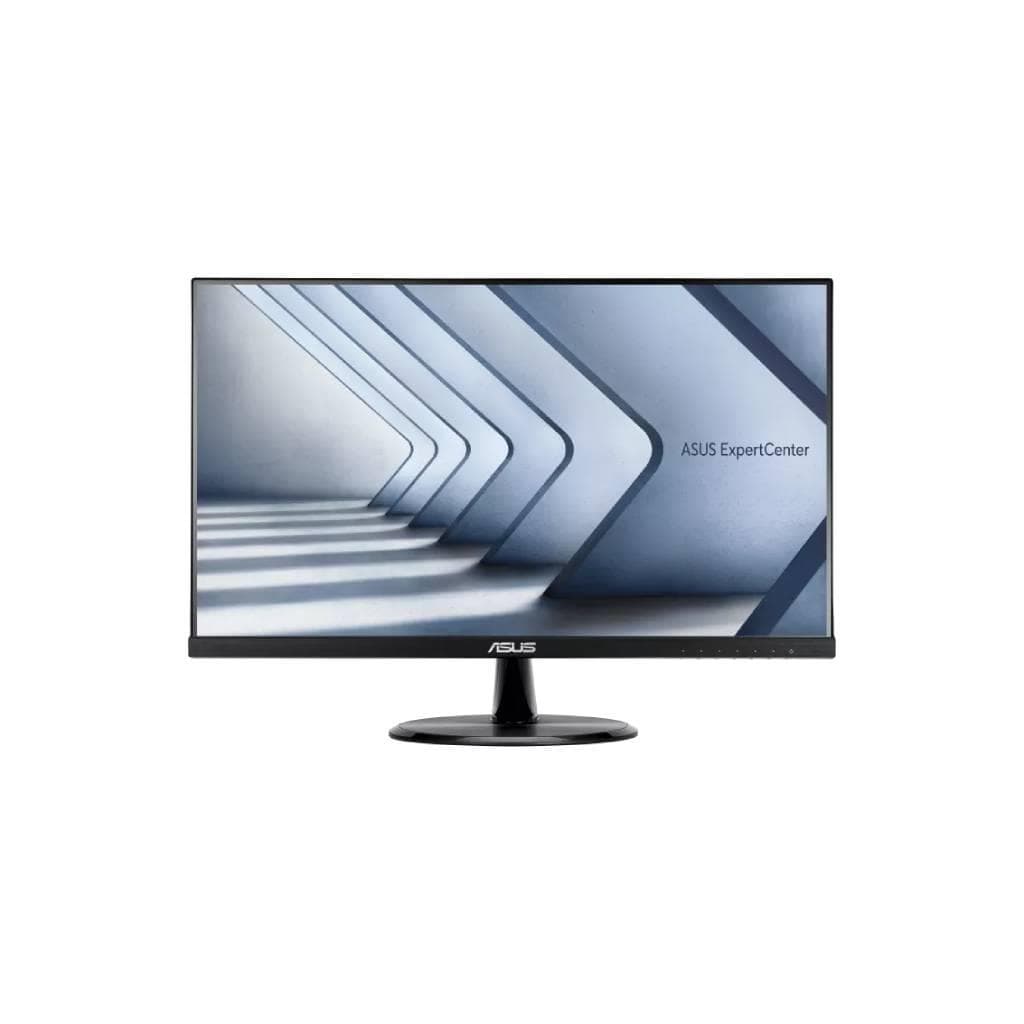


DELL UltraSharp 24 Monitor U2424H (1920 x 1080, 120Hz, USB-C 90W, IPS)
SKU: SNSU2424HDisplays & Projectors › Business Monitors· Model: U2424H
฿6,857
Price includes 7% VATPrice updated November 1, 2026
In stock25 units3 years manufacturer's warranty
For orders placed before 12:00 on a business day; weekends excluded
GenuineFree delivery from ฿5,000Tax invoice
จอภาพ Dell UltraSharp 24 นิ้ว ความละเอียด FHD 1920 x 1080 รีเฟรชเรท 120Hz พร้อมพอร์ต USB-C รองรับ Power Delivery สูงสุด 90W เหมาะสำหรับงานสำนักงาน ดีไซน์เรียบหรู รองรับการปรับระดับจอได้
Key features
- ความละเอียด FHD 1920 x 1080 รีเฟรชเรท 120Hz
- พอร์ต USB-C รองรับ Power Delivery สูงสุด 90W
- รองรับการเชื่อมต่อหลายอุปกรณ์ผ่านพอร์ตเดียว
- จอ IPS ให้มุมมองกว้าง 178°
- ระบบลดแสงสีฟ้า ComfortView Plus
Product description
จอภาพ Dell UltraSharp U2424H ขนาด 23.8 นิ้ว ใช้เทคโนโลยี IPS ให้สีสันแม่นยำและมุมมองกว้าง 178° ทั้งแนวนอนและแนวตั้ง รองรับความละเอียด Full HD (1920 x 1080) ที่รีเฟรชเรทสูงถึง 120Hz ทำให้ภาพลื่นไหล ไม่กระตุก แม้ในงานที่ต้องการความเร็วสูง เช่น การตัดต่อวิดีโอหรือเล่นเกมระดับกลาง จอรุ่นนี้มาพร้อมพอร์ต USB-C 3.2 Gen 2 ที่รองรับการส่งสัญญาณวิดีโอ ข้อมูล และการชาร์จไฟสูงสุด 90W ช่วยลดจำนวนสายไฟในโต๊ะทำงานได้อย่างมาก พร้อมพอร์ต HDMI, DisplayPort 1.4 และ USB 3.2 Gen 2 สำหรับการเชื่อมต่ออุปกรณ์ต่าง ๆ ได้อย่างสะดวก จอรุ่นนี้ยังมีระบบ ComfortView Plus ลดแสงสีฟ้าและป้องกันภาพกระพริบ ช่วยลดความเมื่อยล้าของสายตาในช่วงเวลาทำงานยาวนาน
More features
- รองรับ DisplayPort 1.4 และ HDMI สำหรับการเชื่อมต่อที่หลากหลาย
- ปรับระดับจอได้ทั้งสูง-ต่ำ, หมุน, ชี้, ปรับเอียง
- สีสันแม่นยำ 100% sRGB, 85% DCI-P3
- รองรับ MST สำหรับการเชื่อมต่อหลายจอ
- ออกแบบมาเพื่อเพิ่มประสิทธิภาพในการทำงาน
Pros and limitations
Pros
- รีเฟรชเรทสูง 120Hz ทำให้ภาพลื่นไหล
- พอร์ต USB-C รองรับชาร์จไฟ 90W ลดสายไฟ
- จอ IPS ให้มุมมองกว้าง 178°
- สีสันแม่นยำ 100% sRGB และ 85% DCI-P3
- รองรับการปรับระดับจอได้ทั้งสูง-ต่ำ, หมุน, ชี้, ปรับเอียง
Limitations
- ไม่มีลำโพงในตัว
- ไม่รองรับ HDR
Who it is for
เหมาะสำหรับพนักงานออฟฟิศ นักออกแบบกราฟิก หรือผู้ที่ต้องการจอภาพคุณภาพสูงสำหรับงานที่ต้องใช้เวลาจ้องจอเป็นเวลานาน เช่น การเขียนโค้ด การตัดต่อวิดีโอระดับกลาง หรือการประชุมออนไลน์
Connectivity
DisplayPort, HDMI, USB-C
Specifications (23)
- HDR
- ไม่รองรับ
- ลำโพง
- ไม่มี
- การติดตั้ง VESA
- รองรับ (100 x 100 mm)
- ความลึกสี
- 8-bit (True Color)
- ขอบเขตสี
- 100% sRGB, 100% BT.709, 85% DCI-P3
- ระยะห่างพิกเซล
- 0.2745 mm
- อัตราส่วนภาพ
- 16:9
- ขนาด
- 21.2 x 8.2 x 14.9 นิ้ว (กับขาตั้ง)
- การปรับตั้ง
- Height, Tilt, Swivel, Pivot
- แรงดันไฟฟ้าขาเข้า
- 100-240 V AC, 50-60 Hz
- มุมมองภาพ
- 178° (H) / 178° (V)
- อัตราส่วนคอนทราสต์
- 1000:1
- Pixel Per Inch
- 93
- พอร์ต
- DisplayPort 1.4 (DRR for Microsoft Windows), HDMI (HDCP 1.4), USB-C upstream (90W PD), USB-C downstream (10 Gbps), 3 x USB-A downstream (10 Gbps), Audio line-out, RJ45 Ethernet
- ประเภทจอ
- IPS
- การใช้พลังงาน
- 25 W (typical)
- ขนาดหน้าจอ
- 23.8 นิ้ว
- น้ำหนัก
- 9.99 ปอนด์ (4.53 กก.)
- ความสว่าง
- 300 cd/m²
- อัตราการรีเฟรช
- 120 Hz
- ความละเอียด
- 1920 x 1080
- เวลาตอบสนอง
- 1 ms (gray-to-gray fast)
- การรับประกัน
- 3 ปี
Datasheets and manuals straight from the manufacturer — select a document to open or download it.
13 questions
Frequently asked questions about this product
Compiled from manufacturer information
จอ U2424H รองรับการเชื่อมต่อ MacBook ได้ไหม?
ได้แน่นอน จอรุ่นนี้รองรับ USB-C พร้อม Power Delivery สูงสุด 90W จึงสามารถเชื่อมต่อและชาร์จ MacBook ได้ทันที โดยไม่ต้องใช้อะแดปเตอร์เพิ่มเติม รองรับการส่งสัญญาณวิดีโอและข้อมูลผ่านสายเดียว
ใช้จอ U2424H ร่วมกับโน้ตบุ๊กที่มีพอร์ต HDMI ได้ไหม?
ได้แน่นอน จอรุ่นนี้มีพอร์ต HDMI และ DisplayPort 1.4 รองรับการเชื่อมต่อจากโน้ตบุ๊กที่มีพอร์ต HDMI หรือ DisplayPort ได้ทันที ทำให้ขยายหน้าจอหรือใช้งานร่วมกันได้อย่างสะดวก
จอ U2424H ชาร์จโน้ตบุ๊กได้กี่วัตต์?
จอรุ่นนี้รองรับ Power Delivery ผ่านพอร์ต USB-C สูงสุด 90 วัตต์ จึงสามารถชาร์จโน้ตบุ๊กที่ต้องการไฟไม่เกิน 90W ได้อย่างมีประสิทธิภาพ เช่น MacBook Pro 14 นิ้ว หรือ Dell Latitude บางรุ่น
จอ U2424H รองรับการต่อจอแบบ Multi-Stream Transport (MST) ไหม?
ได้ จอรุ่นนี้รองรับ DisplayPort 1.4 พร้อมฟีเจอร์ MST (Multi-Stream Transport) ทำให้สามารถต่อจอหลายจอจากอุปกรณ์เดียวกันได้ โดยใช้พอร์ต DisplayPort เดียว ช่วยเพิ่มประสิทธิภาพในการทำงาน
จอ U2424H ปรับระดับจอได้แค่ไหน?
จอรุ่นนี้รองรับการปรับระดับสูง-ต่ำ (Height Adjustment), ปรับเอียง (Tilt), หมุน (Swivel) และหมุนแนวตั้ง (Pivot) ได้ทั้งหมด ช่วยให้ผู้ใช้สามารถตั้งจอให้เหมาะสมกับท่าทางการทำงาน ลดความเมื่อยล้าของคอและไหล่
จอ U2424H ใช้ไฟกี่วัตต์?
จอรุ่นนี้ใช้ไฟประมาณ 25 วัตต์ต่อชั่วโมง (typical power consumption) ซึ่งถือว่าประหยัดไฟเมื่อเทียบกับจอขนาด 24 นิ้วทั่วไป และยังรองรับการตั้งค่าโหมดประหยัดพลังงานได้
จอ U2424H รองรับการใช้งานกับ Windows 10/11 ได้ไหม?
ได้แน่นอน จอรุ่นนี้รองรับการเชื่อมต่อผ่าน DisplayPort และ HDMI พร้อมรองรับการใช้งานกับระบบปฏิบัติการ Windows 10 และ Windows 11 ได้อย่างเต็มประสิทธิภาพ โดยเฉพาะในโหมดรีเฟรชเรท 120Hz ที่ช่วยให้การใช้งานลื่นไหล
จอ U2424H ติดตั้งบนตู้ Rack ได้ไหม?
ได้ จอรุ่นนี้รองรับการติดตั้งผ่านมาตรฐาน VESA ขนาด 100 x 100 มม. จึงสามารถติดตั้งบนขาตั้งแบบ Rack หรือขาตั้งแบบติดผนังได้ ช่วยประหยัดพื้นที่โต๊ะทำงาน
Is it in stock?
The DELL UltraSharp 24 Monitor U2424H (1920 x 1080, 120Hz, USB-C 90W, IPS) is in stock and ready to ship. Orders placed before 12:00 on a business day are delivered within 1–3 business days (Bangkok and vicinity) or 2–5 business days (other provinces). Order online at store.gist.co.th or contact our sales team at 092-251-4017.
How much does it cost?
The price is ฿6,857 (including 7% VAT). It is in stock and ready to ship. Business customers can request a quotation at sales@gist.co.th.
How long is the warranty?
Warranty period: 3 ปี (manufacturer's terms). To make a warranty claim, call 092-251-4017 or 065-523-5262, or email sales@gist.co.th (Mon–Fri 9:00–18:00), then send the product with your order number to our head office, or bring it to the head office in person.
How long does delivery take?
Orders placed before 12:00 on a business day are delivered within 1–3 business days (Bangkok and vicinity) or 2–5 business days (other provinces). Free delivery on orders of ฿5,000 or more (a ฿150 delivery fee applies below this amount).
Is it genuine?
Genuine products sourced from distributors in Thailand, covered by the manufacturer's warranty. Full tax invoices are available.
Didn't find the answer you need?
Loading reviews…
Genuine products
Sourced from distributors in Thailand and covered by the manufacturer's warranty
Warranty period
3 ปี
Covered by the manufacturer's warranty; you can make claims through GIST
Claims through GIST
Ship the product to our head office or bring it in person
Warranty conditions
- A receipt or other proof of purchase is required
- The product must not have been modified or altered
- Damage caused by misuse is not covered by the warranty
- To make a warranty claim, call 092-251-4017 or 065-523-5262, or email sales@gist.co.th (Mon–Fri 9:00–18:00), then send the product with your order number to our head office, or bring it to the head office in person.Head office: 554 Sky Nine Center, Floor 12A, Room 554/62, Asok-Din Daeng Road, Din Daeng Subdistrict, Din Daeng District, Bangkok 10400
More in Business Monitors
Price
฿6,857