

Logitech S150 USB Stereo Speakers Black
SKU: SPEAKERS_S150Gadgets & Accessories › Speakers· Model: S150
Please enquire before ordering
The distributor has not yet confirmed the latest price and availability (last checked Sep 21, 2026)
092-251-4017Awaiting stock confirmationManufacturer's warranty
GenuineFree delivery from ฿5,000Tax invoice
ลำโพงสเตอริโอขนาดเล็กสำหรับเดสก์ท็อปหรือแล็ปท็อป ต่อผ่านพอร์ต USB-A ใช้งานง่าย ควบคุมเสียงด้วยปุ่มตรงหน้าลำโพง
Key features
- ต่อผ่าน USB-A เพียงเส้นเดียว จ่ายไฟและส่งเสียงพร้อมกัน
- ควบคุมเสียงง่ายด้วยปุ่ม Volume + / - และ Mute ตรงลำโพงขวานอกจากนี้ยังมีไฟสีส้มแสดงสถานะเปิด
- ออกแบบเล็กกะทัดรัด พกพาสะดวก เหมาะสำหรับโต๊ะทำงาน
- ใช้งานได้ทันที ไม่ต้องติดตั้งไดรเวอร์เพิ่มเติม
- เหมาะสำหรับใช้งานทั่วไป ฟังเพลง ดูวิดีโอ หรือประชุมออนไลน์
Product description
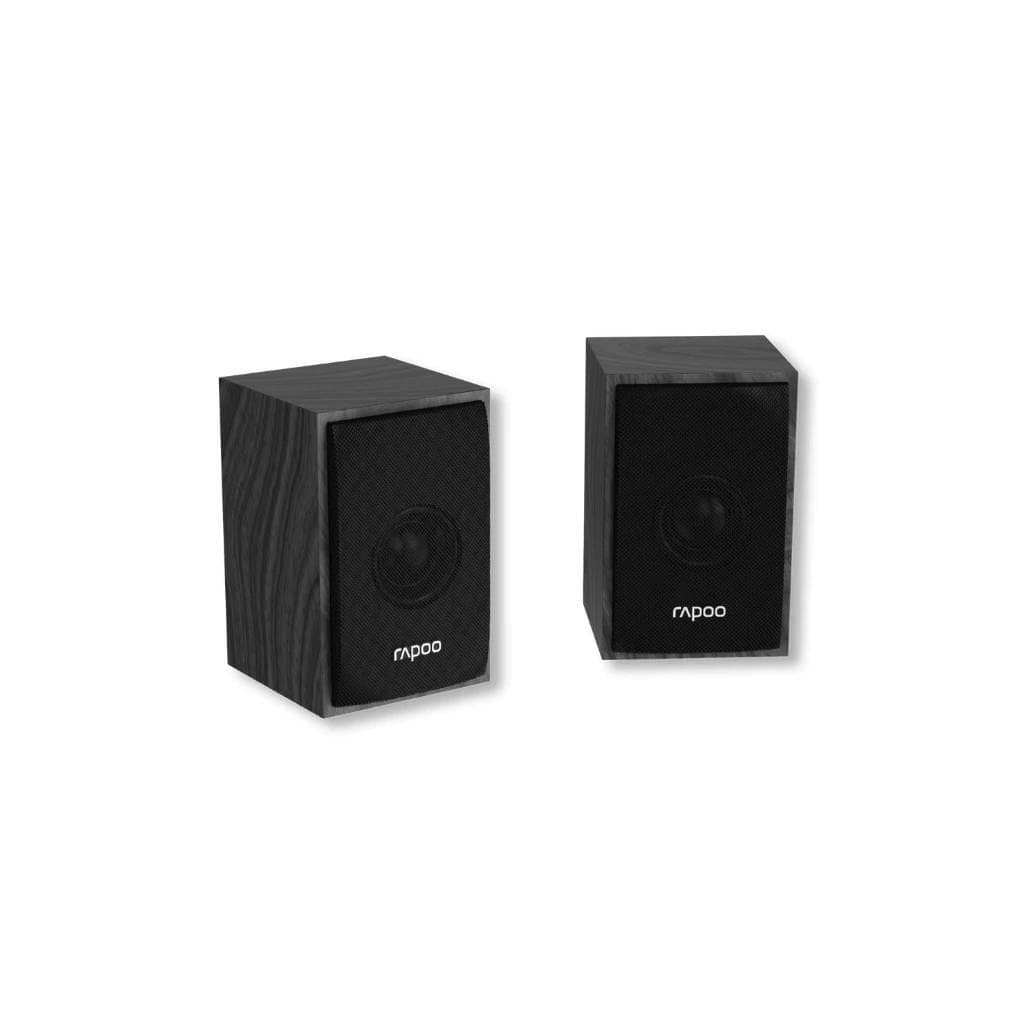
ลำโพง Logitech S150 USB Stereo Speakers ออกแบบมาให้เล็กกะทัดรัด เหมาะสำหรับใช้งานบนโต๊ะทำงานหรือเดสก์ท็อป ต่อผ่านพอร์ต USB-A เพียงเส้นเดียว ทั้งเพื่อจ่ายไฟและส่งสัญญาณเสียง โดยลำโพงมีไฟสีส้มแสดงสถานะเปิด เมื่อเชื่อมต่อแล้ว ควบคุมระดับเสียงได้ง่ายด้วยปุ่ม Volume + และ - ที่ด้านหน้าลำโพงขวานอกจากนี้ยังมีปุ่ม Mute สำหรับปิดเสียงชั่วคราว ใช้งานได้ทั้งกับคอมพิวเตอร์และแล็ปท็อป โดยไม่ต้องติดตั้งไดรเวอร์เพิ่มเติม เหมาะสำหรับผู้ใช้งานทั่วไป นักเรียน หรือพนักงานออฟฟิศที่ต้องการเสียงคุณภาพดีในราคาประหยัด
Pros and limitations
Pros
- ต่อผ่าน USB-A เพียงเส้นเดียว ใช้งานง่ายและประหยัดพอร์ต
- ควบคุมเสียงได้ทันทีด้วยปุ่มตรงลำโพง ไม่ต้องใช้เมนูระบบ
- ออกแบบเล็กกะทัดรัด พกพาสะดวก เหมาะกับพื้นที่จำกัด
- รองรับทั้ง Windows, macOS และ Linux โดยไม่ต้องติดตั้งไดรเวอร์เพิ่มเติม
- มีไฟสีส้มแสดงสถานะเปิด ใช้งานได้ทันที
Limitations
- ไม่มีการปรับระดับเสียงหรือเอฟเฟกต์เสียงเพิ่มเติม
- ไม่รองรับการเชื่อมต่อไร้สาย เช่น Bluetooth
- ขนาดลำโพงเล็ก อาจไม่เหมาะกับพื้นที่กว้างหรือฟังเสียงดัง
Who it is for
เหมาะสำหรับผู้ใช้งานทั่วไป นักเรียน หรือพนักงานออฟฟิศที่ต้องการเสียงคุณภาพดีจากลำโพงขนาดเล็กที่ต่อใช้งานง่ายกับคอมพิวเตอร์หรือแล็ปท็อป
Connectivity
USB
Specifications (21)
- แบรนด์
- Logitech
- สี
- Black
- รุ่น
- S150
- น้ำหนัก
- Approximately 1.3 kg (total for both speakers)
- การรับประกัน
- Standard warranty (details not specified in source)
- ขนาด
- Left speaker: 105 mm x 68 mm x 120 mm, Right speaker: 105 mm x 68 mm x 120 mm
- Mute Button
- Middle button on right speaker
- ความยาวสาย
- USB-A cable included, length not specified in source
- แหล่งพลังงาน
- USB-A (for power and audio)
- การปรับตั้ง
- Fixed position (no tilt or swivel)
- Audio Support
- Stereo audio playback via USB Audio Class 1.0
- ความเข้ากันได้
- Compatible with Windows, macOS, Linux, Chrome OS
- ไฟแสดงสถานะ
- Orange LED on right speaker when powered on
- Plug and Play
- รองรับ (no drivers required)
- Volume Control
- Front-mounted volume up/down buttons on right speaker
- Audio Interface
- USB Audio Class 1.0
- การเชื่อมต่อ
- USB-A
- การใช้พลังงาน
- Low power draw via USB bus power
- อุปกรณ์ในกล่อง
- USB-A cable, user guide
- Operating Environment
- Room temperature, indoor use only
- Speaker Configuration
- Stereo
Datasheets and manuals straight from the manufacturer — select a document to open or download it.
13 questions
Frequently asked questions about this product
Compiled from manufacturer information
ลำโพง S150 ใช้กับแล็ปท็อปได้ไหม?
ได้แน่นอนครับ ลำโพงรุ่น S150 รองรับการเชื่อมต่อผ่านพอร์ต USB-A บนแล็ปท็อปทุกรุ่นที่มีพอร์ตนี้ โดยไม่จำเป็นต้องติดตั้งไดรเวอร์เพิ่มเติม เหมาะสำหรับใช้งานกับ Windows, macOS และ Chrome OS
ใช้ลำโพง S150 แล้วเสียงไม่ออก ควรทำอย่างไร?
ตรวจสอบว่าต่อสาย USB-A ที่พอร์ตคอมพิวเตอร์หรือแล็ปท็อปเรียบร้อยแล้ว และมีไฟสีส้มสว่างบนลำโพงขวานอกจากนี้ให้ตรวจสอบการตั้งค่าเสียงในระบบปฏิบัติการว่าเลือกลำโพง S150 เป็นอุปกรณ์เสียงหลักหรือยัง หากยังไม่ได้ ให้เปลี่ยนเป็นลำโพงนี้เพื่อใช้งาน
ลำโพง S150 มีไฟแสดงสถานะไหม?
มีครับ ลำโพง S150 มีไฟสีส้มที่ด้านหน้าของลำโพงขวานอกจากนี้ยังสามารถควบคุมเสียงได้โดยตรงผ่านปุ่ม Volume +, Volume -, และ Mute บนลำโพงขวานำเสนอประสบการณ์ใช้งานที่สะดวกและรวดเร็ว
ต่อ S150 เข้ากับคอมพิวเตอร์แล้วไม่ได้ยินเสียง ควรตรวจสอบอะไรบ้าง?
ให้ตรวจสอบว่าลำโพงเชื่อมต่อผ่านพอร์ต USB-A อย่างถูกต้อง และมีไฟสีส้มสว่างบนลำโพงขวานอกจากนี้ให้เปิดการตั้งค่าเสียงในระบบปฏิบัติการ แล้วเลือก 'Logitech S150 USB Stereo Speakers' เป็นอุปกรณ์เสียงหลัก หากยังไม่ได้ยินเสียง ลองดึงสายออกแล้วเสียบใหม่อีกครั้ง
ลำโพง S150 รองรับระบบปฏิบัติการอะไรบ้าง?
ลำโพง S150 รองรับระบบปฏิบัติการหลักทุกตัว เช่น Windows, macOS, Linux และ Chrome OS โดยใช้มาตรฐาน USB Audio Class 1.0 ทำให้สามารถใช้งานได้ทันทีโดยไม่ต้องติดตั้งไดรเวอร์เพิ่มเติม
ลำโพง S150 มีขนาดเท่าไร?
ลำโพงแต่ละข้างมีขนาดประมาณ 105 มม. กว้าง x 68 มม. สูง x 120 มม. น้ำหนักรวมทั้งสองข้างประมาณ 1.3 กิโลกรัม ออกแบบให้เล็กกะทัดรัด เหมาะสำหรับวางบนโต๊ะทำงานหรือพื้นที่จำกัด
ลำโพง S150 ใช้พลังงานจากไหน?
ลำโพง S150 ใช้พลังงานจากพอร์ต USB-A บนคอมพิวเตอร์หรือแล็ปท็อป โดยไม่จำเป็นต้องใช้อาหารไฟภายนอก จ่ายไฟและส่งเสียงผ่านสาย USB-A เดียวกัน ทำให้การติดตั้งใช้งานง่ายและสะดวก
ลำโพง S150 มีปุ่มควบคุมเสียงไหม?
มีครับ ลำโพง S150 มีปุ่มควบคุมเสียงอยู่ที่ด้านหน้าของลำโพงขวานอกจากนี้ยังมีไฟสีส้มแสดงสถานะเปิด เมื่อต่อสาย USB-A เรียบร้อยแล้ว สามารถปรับระดับเสียงหรือปิดเสียงชั่วคราวได้ทันทีโดยไม่ต้องเข้าไปในเมนูระบบ
Is it in stock?
We are confirming the latest stock and price of the Logitech S150 USB Stereo Speakers Black with the distributor. Please contact us before ordering at 092-251-4017 or sales@gist.co.th.
How much does it cost?
The distributor has not yet confirmed the latest price and availability. Please contact us before ordering at 092-251-4017 or sales@gist.co.th.
How long is the warranty?
Warranty period: null (manufacturer's terms). To make a warranty claim, call 092-251-4017 or 065-523-5262, or email sales@gist.co.th (Mon–Fri 9:00–18:00), then send the product with your order number to our head office, or bring it to the head office in person.
How long does delivery take?
Orders placed before 12:00 on a business day are delivered within 1–3 business days (Bangkok and vicinity) or 2–5 business days (other provinces). Free delivery on orders of ฿5,000 or more (a ฿150 delivery fee applies below this amount).
Is it genuine?
Genuine products sourced from distributors in Thailand, covered by the manufacturer's warranty. Full tax invoices are available.
Didn't find the answer you need?
Loading reviews…
Genuine products
Sourced from distributors in Thailand and covered by the manufacturer's warranty
Warranty period
According to the manufacturer's terms for each model
Covered by the manufacturer's warranty; you can make claims through GIST
Claims through GIST
Ship the product to our head office or bring it in person
Warranty conditions
- A receipt or other proof of purchase is required
- The product must not have been modified or altered
- Damage caused by misuse is not covered by the warranty
- To make a warranty claim, call 092-251-4017 or 065-523-5262, or email sales@gist.co.th (Mon–Fri 9:00–18:00), then send the product with your order number to our head office, or bring it to the head office in person.Head office: 554 Sky Nine Center, Floor 12A, Room 554/62, Asok-Din Daeng Road, Din Daeng Subdistrict, Din Daeng District, Bangkok 10400