
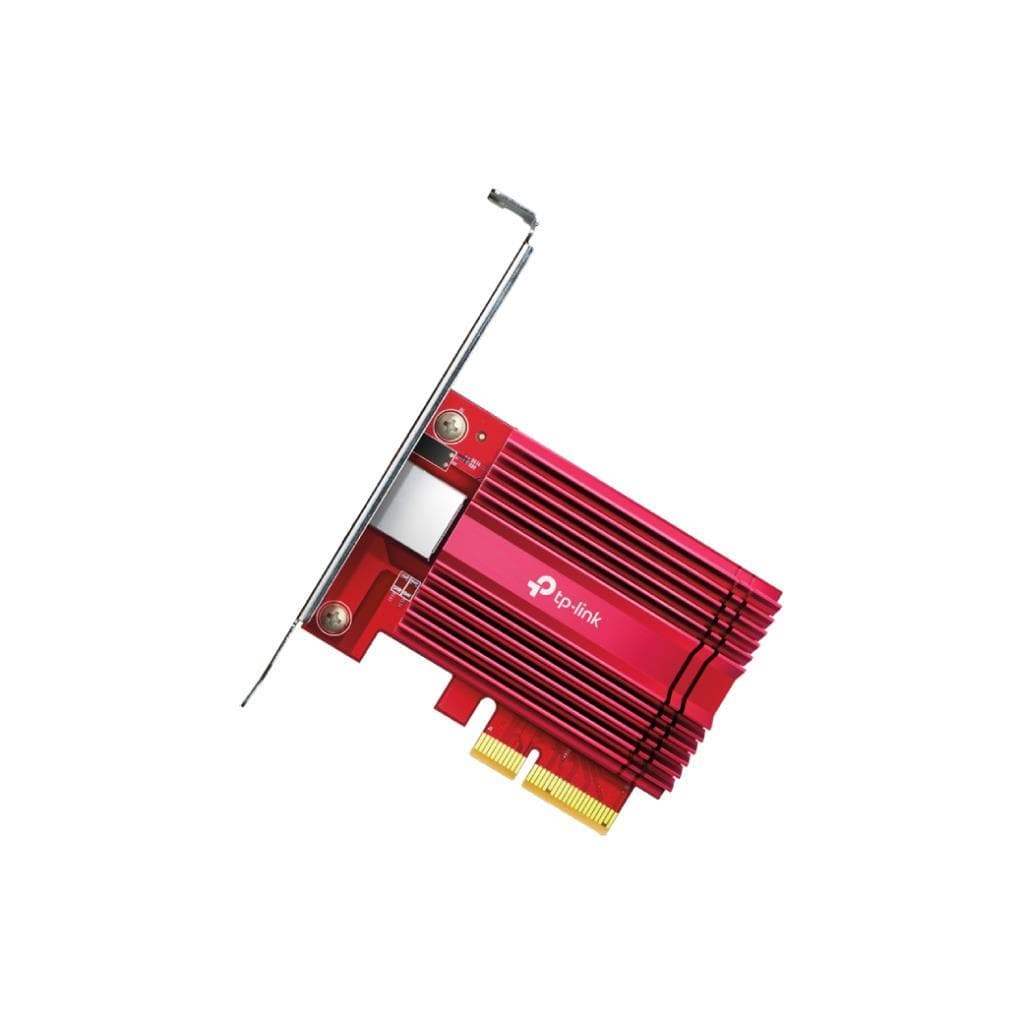


TP-Link TX201 2.5 Gigabit PCIe Network Adapter (PCIe 2.1 x1)
SKU: TX201-VER1Networking › Network Adapters
฿537
Price includes 7% VATPrice updated November 1, 2026
In stock1 year manufacturer's warranty
For orders placed before 12:00 on a business day; weekends excluded
GenuineFree delivery from ฿5,000Tax invoice
PCIe 2.5Gbps LAN card for computers, supports maximum connectivity speed of 2.5 Gbps with compatibility for Gigabit and Fast Ethernet networks, works with Windows and Linux
Key features
- Maximum speed of 2.5 Gbps, supports 2.5GBASE-T network connectivity
- Supports backward compatibility with Gigabit and Fast Ethernet
- Compatible with Windows 11/10/8.1/8/7 and Windows Server 2022/2019/2016/2012 R2/2012/2008 R2
- Supports Linux operating system (Kernel 5.17)
- Includes both full-height and Low-Profile brackets for installation in various cases
Product description
Upgrade your computer's network speed with the TP-Link TX201 2.5 Gigabit PCIe Network Adapter, which supports the 2.5GBASE-T standard, delivering up to 2.5 Gbps—2.5 times faster than Gigabit Ethernet. This ensures smooth file transfers within the network or video streaming, especially in high-bandwidth environments such as data backup, NAS usage, or low-latency online gaming. The adapter uses a PCIe 2.1 x1 port with a 3-level LED indicator showing connection status (2.5 Gbps, 1 Gbps, 100/10 Mbps), and includes both full-height and Low-Profile brackets for easy installation in compact cases.
More features
- Supports Half-Duplex and Full-Duplex modes with 802.3x Flow Control
- Compact size: 120.8 × 98.2 × 21.5 mm
- Low power consumption, no additional power required from PSU
- Supports driver updates via TP-Link website
- Certified to FCC, CE, and RoHS standards
Pros and limitations
Pros
- Up to 2.5 Gbps speed, supports heavy-duty usage.
- Supports both Windows and Linux without requiring additional driver installation.
- Includes a Low-Profile Bracket for small cases.
- Easy installation using a standard PCIe x1 port.
- Supports backward connectivity with existing networks.
Limitations
- Requires a PCIe x1 port on the motherboard.
- Not supported for USB-C or Thunderbolt connectivity.
Who it is for
Ideal for users wanting to upgrade home or office network speed, especially NAS users, online gamers, or teams frequently transferring large files.
Connectivity
PCIe
Specifications (23)
- Warranty
- 1 year limited warranty
- Interface
- 1× PCI Express 2.1 x1
- PCIe Lane
- x1
- RJ45 Port
- 1× Gigabit/Megabit Port
- Data Rates
- 10Mbps, 100 Mbps, 1 Gbps, 2.5 Gbps for Half-Duplex mode, 20Mbps, 200 Mbps, 2 Gbps, 5 Gbps, for Full-Duplex mode
- LED Status
- 2.5 Gbps, 1 Gbps, and 100/10 Mbps Link/Act
- Form Factor
- PCIe x1 Full-Height / Low-Profile Bracket
- Flow Control
- 802.3x
- PCIe Version
- 2.1
- Certification
- FCC, CE, RoHS
- Compatibility
- Backward compatible with 1000BASE-T and 100BASE-TX
- Network Media
- 2.5GBASE-T/1000BASE-T/100BASE-TX
- Driver Support
- TX201_V1.6_Windows (for Windows 11/10/8.1/8/7, Server 2022/2019/2016/2012 R2/2012/2008 R2), TX201_V1.6_Linux (for Linux kernel 5.17)
- Package Content
- 2.5 Gigabit PCIe Network Adapter (TX201), Standard/Low-Profile Brackets, Quick Installation Guide, Resource CD
- Hardware Version
- V1.60
- Storage Humidity
- 5% ~ 90% non-condensing
- Power Consumption
- Low power, no external power required
- Maximum Throughput
- 2.5 Gbps
- Operating Humidity
- 10% ~ 90% non-condensing
- System Requirements
- Windows 11/10/8.1/8/7, Windows Servers 2022/2019/2016/2012 R2/2012/2008 R2, Linux
- Operating Temperature
- 0℃ ~ 40℃ (32℉ ~104℉)
- Dimensions (W x D x H)
- 120.8 × 98.2 × 21.5 mm (4.8 × 3.9 × 0.8 in)
- Standards and Protocols
- IEEE 802.3, IEEE 802.3u, IEEE 802.3ab, IEEE 802.3bz, IEEE 802.3x
Datasheets and manuals straight from the manufacturer — select a document to open or download it.
13 questions
Frequently asked questions about this product
Compiled from manufacturer information
Can the TX201 be installed on a motherboard with PCIe x16?
Yes, the card uses PCIe x1, so it can be installed on any motherboard with a PCIe x16 port. It will operate at PCIe 2.1 x1 speed only.
Can it be used with a 1 Gbps network?
Yes, the TX201 supports backward compatibility with 1 Gbps and 100 Mbps networks. It automatically adjusts speed when connected to a compatible switch or router.
Do I need a Linux driver?
For Linux kernel 5.17, you must install the driver from the TP-Link website specifically. The driver is available for free download and supports all major operating systems.
Can it be used with NAS?
Yes, the TX201 is an excellent choice for connecting to NAS, especially when transferring large files across the network. The 2.5 Gbps speed significantly reduces backup time.
What should I do if the LED does not light up after installation?
Check whether the LAN cable is properly connected to the switch or router. If not, try switching ports or replacing the LAN cable. If the LED still does not light up, verify the driver and reinstall it via the TP-Link website.
Does it support Windows Server?
Yes, the TX201 supports Windows Server 2022, 2019, 2016, 2012 R2, 2012, and 2008 R2. Drivers can be downloaded immediately from the TP-Link website.
Do I need a high-power PSU?
No, it is not necessary. The TX201 uses low power and does not require additional power from the PSU. It draws power directly from the PCIe port, so it can be installed in any standard case.
Is there a Low-Profile Bracket?
Yes, the card comes with a Low-Profile Bracket for installation in small cases or Mini Tower cases, and it can be swapped as needed.
Is it in stock?
The TP-Link TX201 2.5 Gigabit PCIe Network Adapter (PCIe 2.1 x1) is in stock and ready to ship. Orders placed before 12:00 on a business day are delivered within 1–3 business days (Bangkok and vicinity) or 2–5 business days (other provinces). Order online at store.gist.co.th or contact our sales team at 092-251-4017.
How much does it cost?
The price is ฿537 (including 7% VAT). It is in stock and ready to ship. Business customers can request a quotation at sales@gist.co.th.
How long is the warranty?
Warranty period: 1 year official service-center warranty (manufacturer's terms). To make a warranty claim, call 092-251-4017 or 065-523-5262, or email sales@gist.co.th (Mon–Fri 9:00–18:00), then send the product with your order number to our head office, or bring it to the head office in person.
How long does delivery take?
Orders placed before 12:00 on a business day are delivered within 1–3 business days (Bangkok and vicinity) or 2–5 business days (other provinces). Free delivery on orders of ฿5,000 or more (a ฿150 delivery fee applies below this amount).
Is it genuine?
Genuine products sourced from distributors in Thailand, covered by the manufacturer's warranty. Full tax invoices are available.
Didn't find the answer you need?
Loading reviews…
Genuine products
Sourced from distributors in Thailand and covered by the manufacturer's warranty
Warranty period
1 year official service-center warranty
Covered by the manufacturer's warranty; you can make claims through GIST
Claims through GIST
Ship the product to our head office or bring it in person
Warranty conditions
- A receipt or other proof of purchase is required
- The product must not have been modified or altered
- Damage caused by misuse is not covered by the warranty
- To make a warranty claim, call 092-251-4017 or 065-523-5262, or email sales@gist.co.th (Mon–Fri 9:00–18:00), then send the product with your order number to our head office, or bring it to the head office in person.Head office: 554 Sky Nine Center, Floor 12A, Room 554/62, Asok-Din Daeng Road, Din Daeng Subdistrict, Din Daeng District, Bangkok 10400
More in Network Adapters

TP-Link
TP-Link TX401 10 Gigabit PCI Express Network Adapter (PCIe 3.0 x4) - 10GBASE-T
Price on request

Price
฿537