

TP-Link UE300C USB-C to RJ45 Gigabit Ethernet Adapter
SKU: UE300CNetworking › Network Accessories
Please enquire before ordering
The distributor has not yet confirmed the latest price and availability (last checked Jun 19, 2026)
092-251-4017Awaiting stock confirmationManufacturer's warranty
GenuineFree delivery from ฿5,000Tax invoice
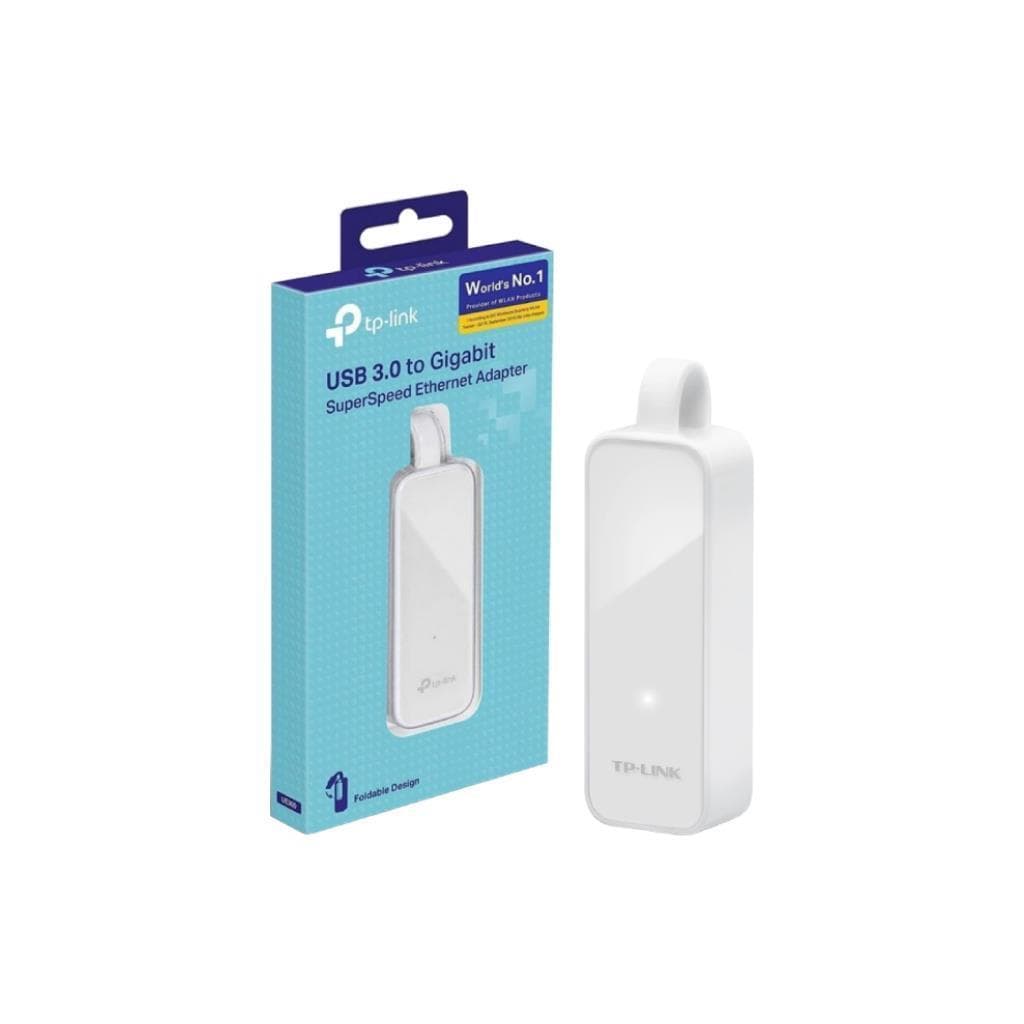
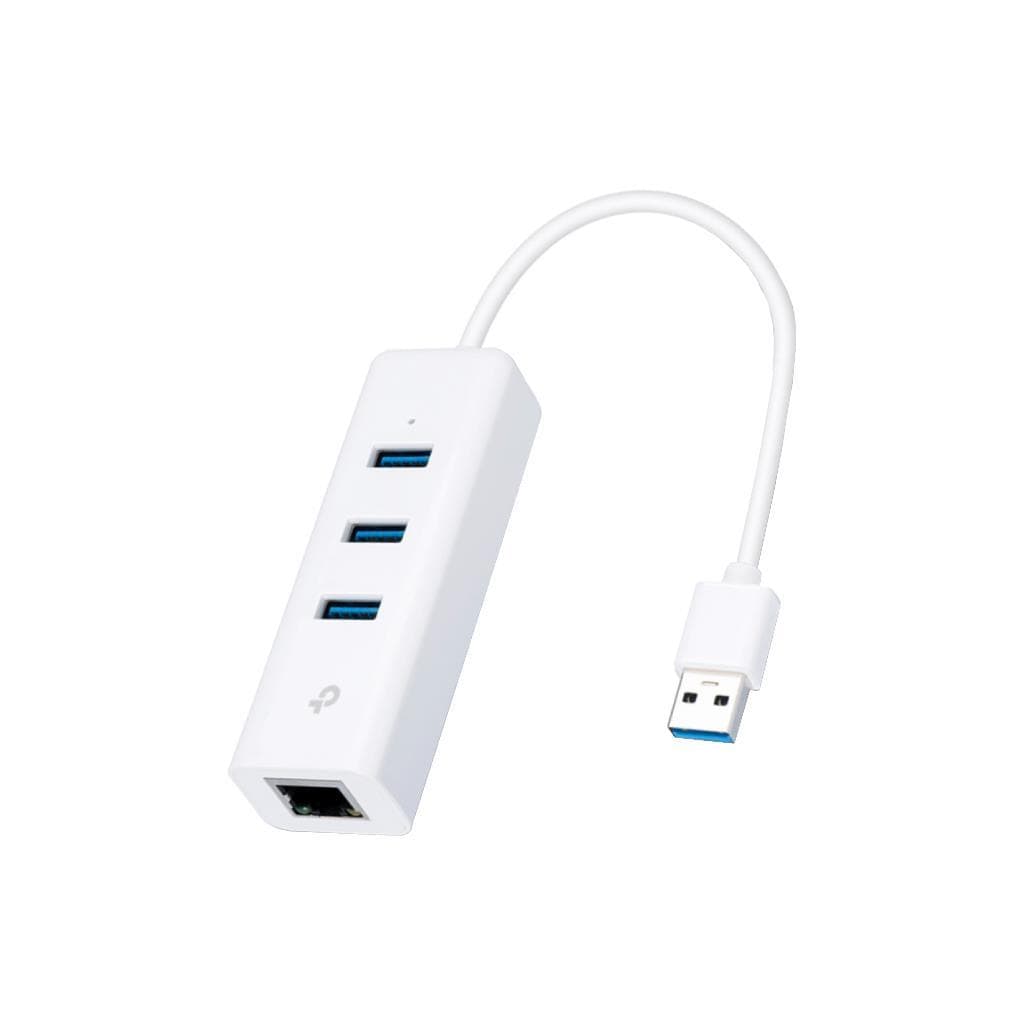
USB Type-C to 1Gbps Ethernet port adapter for direct internet connection via LAN cable, supports laptops, tablets, and other USB-C devices.
Key features
- Supports up to 1000 Mbps Gigabit Ethernet speed.
- Connects via USB 3.0 port on the host device.
- Plug-and-play compatibility with Windows, Mac, Chrome OS, and Linux.
- Foldable design, compact size, highly portable.
- Supports Ethernet Sharing with Mobile Hotspot.
Product description
The TP-Link UE300C is a USB Type-C to 1Gbps Ethernet port adapter designed to enable laptops or tablets without an Ethernet port to connect to a network via LAN cable with stable and fast performance. It supports up to 1000 Mbps speed and is plug-and-play compatible with Windows 11/10/8.1/8/7, Mac OS X (10.9 and later), Chrome OS, and Linux (Ubuntu) without requiring additional driver installation in most cases. Its foldable, compact design measures just 71 x 26 x 16.2 mm, making it ideal for carrying and using anywhere, especially with Ultrabooks or lightweight devices.
More features
- Uses high-performance RTL8153 chip, supports Plug and Play operation.
Pros and limitations
Pros
- Gigabit speed supports heavy-duty usage such as 4K streaming or online gaming.
- Foldable design, compact size, and highly portable.
- Supports multiple operating systems, especially Mac and Linux.
- Plug and Play operation, no additional driver installation required.
- Can connect a Mobile Hotspot to a router via Ethernet Sharing.
Limitations
- Does not support charging via the USB-C port while in use.
Who it is for
Ideal for laptop or tablet users without an Ethernet port, especially in locations requiring high stability such as office, classroom, or homes with existing LAN networks.
Connectivity
USB Type-C, RJ45
Specifications (17)
- Chipset
- RTL8153
- Form Factor
- Adapter
- Portability
- high
- USB Standard
- USB 3.0
- Compatibility
- Supports use with devices that have USB-C ports for charging and data transfer.
- Plug and Play
- yes
- Ethernet Speed
- 10/100/1000 Mbps
- Foldable Design
- yes
- Input Interface
- 1 USB 3.0 Port
- Package Content
- USB Type-C to Gigabit Ethernet Network Adapter, User Guide
- Firmware Version
- v1.18.5.0 (according to source)
- Hardware Version
- V2.6
- Output Interface
- 1 10/100/1000Mbps RJ45 Ethernet Port
- Supported Systems
- Windows 11/10/8.1/8/7, Mac OS X (10.9 and later), Chrome OS, Linux (Ubuntu)
- Dimensions (W x D x H)
- 2.8 x 1.0 x 0.6 in. (71 x 26 x 16.2 mm)
- Network Interface Type
- Wired Ethernet
- Ethernet Sharing Support
- Supports use with Mobile Hotspot via Ethernet Sharing
Compatibility
USB Type-C devices
Datasheets and manuals straight from the manufacturer — select a document to open or download it.
13 questions
Frequently asked questions about this product
Compiled from manufacturer information
Can the UE300C be used with a laptop that has a USB-C port?
Yes, especially laptops with USB 3.0 or newer ports, such as MacBook, Dell XPS, Lenovo ThinkPad, or newer Surface models, can use it immediately via USB-C without installing additional drivers.
Can I connect a Mobile Hotspot to a router using the UE300C?
Yes, you can use the Ethernet Sharing feature on your smartphone (e.g., Android) to route internet from a Mobile Hotspot to a router via the UE300C. Connect the router’s LAN cable to this adapter and enjoy stable Wi-Fi operation.
Does it support Linux?
Yes, it supports Linux, particularly Ubuntu as stated on the TP-Link website, with drivers available for download. For Linux environments, we recommend checking the latest drivers on the download page.
What is the actual speed of the UE300C?
Supports up to 1000 Mbps (Gigabit Ethernet) speed, but actual speed depends on the end network, such as the LAN cable, switch, or ISP internet connection. When used in a high-speed internal network, it can achieve full performance.
Can this adapter charge a laptop battery?
No, the UE300C draws power only from the USB-C port on the host device and does not charge the laptop battery. It cannot be used as a charging cable.
Can it be used with a Mac?
Yes, it supports Mac OS X version 10.9 and later, and can be used immediately upon plugging in without requiring additional drivers in most cases.
Is there information about operating in hot or cold environments?
No information is specified in the source, so it cannot be confirmed which operating temperatures are supported. If used in extreme heat or cold environments, additional network stability checks are recommended.
Can it be used with a router that has no LAN port?
Yes, if you have a device that supports Ethernet Sharing, such as an Android phone or tablet, you can use the UE300C to connect a LAN cable from your router to your phone via the USB-C port to share Wi-Fi.
Is it in stock?
We are confirming the latest stock and price of the TP-Link UE300C USB-C to RJ45 Gigabit Ethernet Adapter with the distributor. Please contact us before ordering at 092-251-4017 or sales@gist.co.th.
How much does it cost?
The distributor has not yet confirmed the latest price and availability. Please contact us before ordering at 092-251-4017 or sales@gist.co.th.
How long is the warranty?
The warranty follows the manufacturer's terms for each model; ask our sales team for the warranty period of this model. To make a warranty claim, call 092-251-4017 or 065-523-5262, or email sales@gist.co.th (Mon–Fri 9:00–18:00), then send the product with your order number to our head office, or bring it to the head office in person.
How long does delivery take?
Orders placed before 12:00 on a business day are delivered within 1–3 business days (Bangkok and vicinity) or 2–5 business days (other provinces). Free delivery on orders of ฿5,000 or more (a ฿150 delivery fee applies below this amount).
Is it genuine?
Genuine products sourced from distributors in Thailand, covered by the manufacturer's warranty. Full tax invoices are available.
Didn't find the answer you need?
Loading reviews…
Genuine products
Sourced from distributors in Thailand and covered by the manufacturer's warranty
Warranty period
According to the manufacturer's terms for each model
Covered by the manufacturer's warranty; you can make claims through GIST
Claims through GIST
Ship the product to our head office or bring it in person
Warranty conditions
- A receipt or other proof of purchase is required
- The product must not have been modified or altered
- Damage caused by misuse is not covered by the warranty
- To make a warranty claim, call 092-251-4017 or 065-523-5262, or email sales@gist.co.th (Mon–Fri 9:00–18:00), then send the product with your order number to our head office, or bring it to the head office in person.Head office: 554 Sky Nine Center, Floor 12A, Room 554/62, Asok-Din Daeng Road, Din Daeng Subdistrict, Din Daeng District, Bangkok 10400
More in Network Accessories