


TP-LINK UH400 USB 3.0 4-Port Portable Hub V5
SKU: UH400-VER5Networking › Network Accessories
฿333
Price includes 7% VATPrice updated November 2, 2026
In stockManufacturer's warranty
For orders placed before 12:00 on a business day; weekends excluded
GenuineFree delivery from ฿5,000Tax invoice
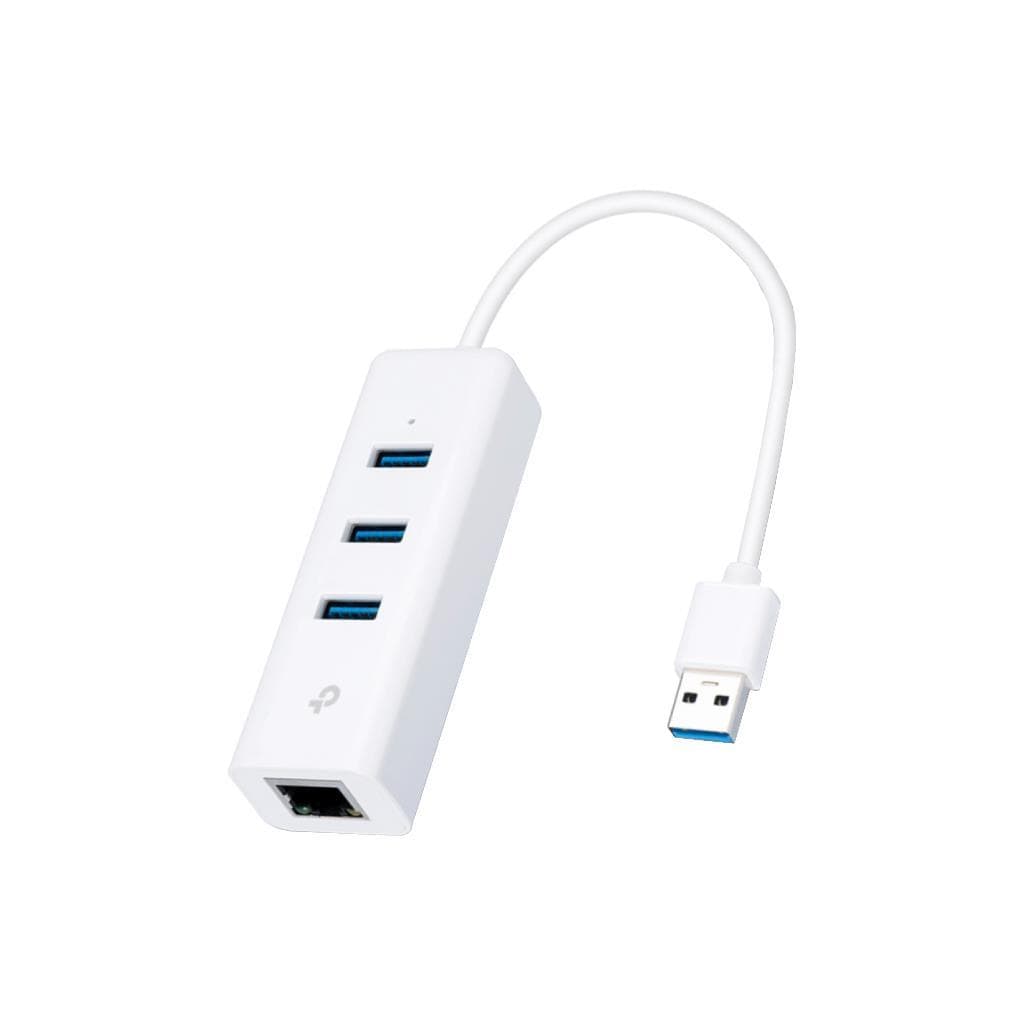
Portable USB 3.0 port expansion adapter supporting simultaneous connection of 4 devices. Works with Windows, Mac, and Linux without requiring driver installation.
Key features
- Supports simultaneous connection of 4 devices via USB 3.0 ports.
- Maximum speed of 5Gbps reduces data transfer time.
- Foldable design with compact size for easy portability.
- Built-in USB cable—no separate cable to carry.
- Works with Windows, Mac, and Linux without requiring driver installation.
Product description
The TP-LINK UH400 is a portable USB 3.0 hub designed to add USB ports to laptops or desktops with limited connectivity. It supports up to 4 devices simultaneously at a maximum data transfer speed of 5Gbps, which is 10 times faster than USB 2.0. This enables smooth file transfers and seamless use with devices such as flash drives, external hard drives, or mice/keyboards. The hub features an integrated USB connector cable and a foldable design, making it ideal for carrying and using in various locations, including offices, classrooms, or while traveling. It works with Windows, macOS, and Linux without requiring additional driver installation.
More features
- Supports backward compatibility with USB 2.0/1.1 devices.
- Ideal for use in offices, classrooms, and while traveling.
- Supports Plug and Play on all major operating systems.
Pros and limitations
Pros
- Up to 5Gbps speed enables significantly faster data transfer.
- Compact foldable design for easy portability.
- Built-in USB cable eliminates the need to carry a separate cable.
- Supports all major operating systems without requiring driver installation.
- Backward compatible with USB 2.0/1.1 devices.
Limitations
- Weight information is not available in the source.
- No ports other than USB 3.0.
Who it is for
Ideal for general users, students, or office workers who need to expand USB ports on laptops or desktops with limited ports, especially those who frequently use flash drives, external hard drives, or other peripherals simultaneously.
Connectivity
USB 3.0
Specifications (29)
- Port
- 4 x USB 3.0 Type-A
- Usage
- Adds USB ports for laptops or desktops with limited ports.
- Chipset
- RTS5411
- USB cable
- Built-in
- Office use
- Suitable for office and workplace use.
- Portability
- Foldable, compact
- Connectivity
- USB 3.0 Type-A
- Product name
- USB 3.0 4-Port Portable Hub
- Shared usage
- Supports backward compatibility with USB 2.0/1.1
- Travel usage
- Portable and convenient for use anywhere.
- Cable storage
- Foldable
- Certification
- CE, FCC, RoHS
- Classroom use
- Ideal for classroom or online learning use.
- Maximum speed
- 5 Gbps
- Plug and Play
- Yes
- Input Interface
- USB 3.0 Type-A
- Hardware version
- V5
- Output Interface
- 4 x USB 3.0 Type-A
- Package contents
- USB 3.0 4-Port Portable Hub UH400, Quick Installation Guide
- Real-world usage
- Connects up to 4 devices simultaneously, such as flash drives, external hard drives, mice, and keyboards.
- Storage humidity
- Storage humidity: 5% to 90% (non-condensing)
- Operating humidity
- 10% to 90% (non-condensing)
- Storage temperature
- Storage temperature: -40°C to 70°C (-40°F to 158°F)
- Operating temperature
- 0°C to 40°C (32°F to 104°F)
- Operating system usage
- Supports Windows 11/10/8.1/8/7/Vista/XP, Mac OS X, and Linux
- Product name (in English)
- UH400
- Supported operating systems
- Windows (XP/Vista/7/8/8.1/10), macOS (10.6/10.7/10.8/10.9/10.10/10.11), Linux OS
- Size (width x depth x height)
- 2.8 x 2.8 x 0.7 in. (71 x 71 x 16.6 mm)
- No driver installation required
- Yes
Datasheets and manuals straight from the manufacturer — select a document to open or download it.
13 questions
Frequently asked questions about this product
Compiled from manufacturer information
Does the UH400 support use with laptops running Linux?
Yes, it supports Linux operating systems without requiring additional driver installation. It can be used immediately upon plugging into a USB 3.0 port.
What is the actual data transfer speed of UH400?
Maximum supported speed is 5Gbps, which is 10 times faster than USB 2.0, but actual speed depends on the connected device, such as a flash drive or hard drive.
Can the UH400 be used with a USB 2.0 port?
Yes, it supports backward compatibility with USB 2.0 and 1.1 devices, but operates at USB 2.0 speeds of 480 Mbps.
Yes, this hub is compatible with Mac computers.
Yes, it supports macOS 10.6 and later without requiring additional drivers. It works immediately upon plugging into a USB port.
The UH400 requires power from the connected USB port.
It draws power from the connected USB port, so no additional power adapter is needed. It supports sufficient power delivery through USB 3.0 ports for typical devices.
Yes, this hub can be folded and stored easily.
Yes, it features a foldable design, making it easy to store in a bag or laptop sleeve without worrying about tangled cables.
Yes, the UH400 supports simultaneous use of up to 4 devices.
Yes, it supports simultaneous connection of up to 4 devices, such as flash drives, external hard drives, mice, or keyboards, all at once.
This hub is certified with CE, FCC, and RoHS standards, indicating safety and environmental compliance.
It is certified with CE, FCC, and RoHS standards, indicating safety and environmental compliance.
Is it in stock?
The TP-LINK UH400 USB 3.0 4-Port Portable Hub V5 is in stock and ready to ship. Orders placed before 12:00 on a business day are delivered within 1–3 business days (Bangkok and vicinity) or 2–5 business days (other provinces). Order online at store.gist.co.th or contact our sales team at 092-251-4017.
How much does it cost?
The price is ฿333 (including 7% VAT). It is in stock and ready to ship. Business customers can request a quotation at sales@gist.co.th.
How long is the warranty?
The warranty follows the manufacturer's terms for each model; ask our sales team for the warranty period of this model. To make a warranty claim, call 092-251-4017 or 065-523-5262, or email sales@gist.co.th (Mon–Fri 9:00–18:00), then send the product with your order number to our head office, or bring it to the head office in person.
How long does delivery take?
Orders placed before 12:00 on a business day are delivered within 1–3 business days (Bangkok and vicinity) or 2–5 business days (other provinces). Free delivery on orders of ฿5,000 or more (a ฿150 delivery fee applies below this amount).
Is it genuine?
Genuine products sourced from distributors in Thailand, covered by the manufacturer's warranty. Full tax invoices are available.
Didn't find the answer you need?
Loading reviews…
Genuine products
Sourced from distributors in Thailand and covered by the manufacturer's warranty
Warranty period
According to the manufacturer's terms for each model
Covered by the manufacturer's warranty; you can make claims through GIST
Claims through GIST
Ship the product to our head office or bring it in person
Warranty conditions
- A receipt or other proof of purchase is required
- The product must not have been modified or altered
- Damage caused by misuse is not covered by the warranty
- To make a warranty claim, call 092-251-4017 or 065-523-5262, or email sales@gist.co.th (Mon–Fri 9:00–18:00), then send the product with your order number to our head office, or bring it to the head office in person.Head office: 554 Sky Nine Center, Floor 12A, Room 554/62, Asok-Din Daeng Road, Din Daeng Subdistrict, Din Daeng District, Bangkok 10400
More in Network Accessories

Price
฿333