
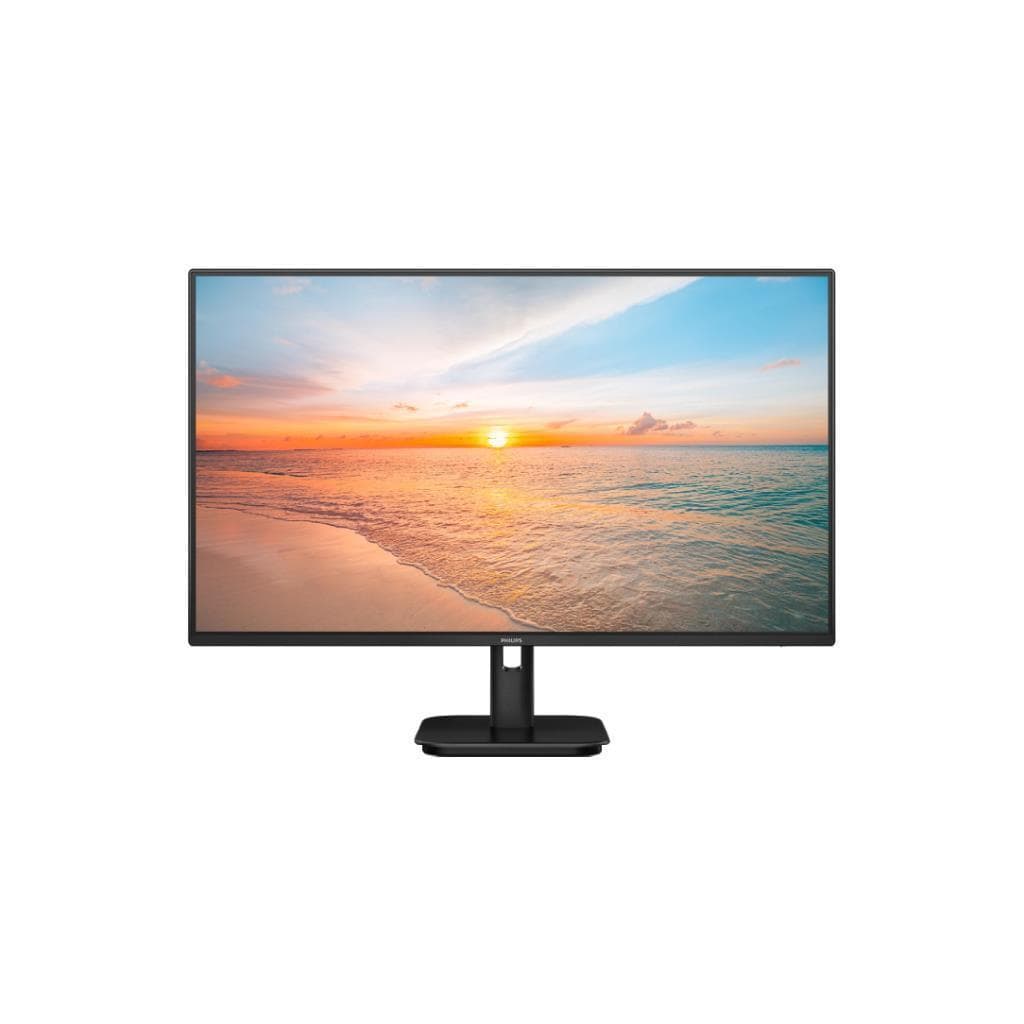


VIEWSONIC VP3481A 34" Curved UWQHD 3440x1440 100Hz FreeSync 90W USB-C MVA Monitor
SKU: V-VP3481ADisplays & Projectors › Monitors
฿16,329
Price includes 7% VATPrice updated November 1, 2026
In stock2 units3 years manufacturer's warranty
For orders placed before 12:00 on a business day; weekends excluded
GenuineFree delivery from ฿5,000Tax invoice
จอภาพ ViewSonic VP3481A ขนาด 34 นิ้ว ความละเอียด UWQHD 3440x1440 พื้นที่ทำงานกว้าง 21:9 พร้อมเทคโนโลยี FreeSync และ USB-C 90W สำหรับผู้ใช้งานด้านกราฟิก วิดีโอ และงานออกแบบที่ต้องการความแม่นยำสูง
Key features
- จอโค้ง 34 นิ้ว ความละเอียด 3440x1440 พื้นที่ใช้งานกว้าง 21:9
- รองรับ FreeSync 100Hz ภาพลื่นไหล ไม่กระตุก
- สีสันแม่นยำ 100% sRGB, Delta E < 2
- รองรับ USB-C 90W ชาร์จไฟและส่งสัญญาณได้พร้อมกัน
- มีลำโพงในตัว 5 วัตต์ ใช้งานได้ทันที
Product description
ViewSonic VP3481A คือจอภาพโค้งขนาด 34 นิ้ว ที่มอบประสบการณ์การรับชมแบบพาโนรามาด้วยความละเอียด UWQHD 3440x1440 และอัตราการรีเฟรช 100Hz พร้อมเทคโนโลยี AMD FreeSync ช่วยลดภาพกระตุกและ tear ได้อย่างมีประสิทธิภาพ เหมาะอย่างยิ่งสำหรับผู้ใช้งานด้านกราฟิกดีไซน์ วิดีโอเอนจิเนียร์ และนักพัฒนาเกม จอภาพนี้มาพร้อมกับสีสันที่แม่นยำสูงด้วยการรองรับ sRGB 100% และ Delta E < 2 ทำให้สามารถแสดงสีได้อย่างสมจริง พร้อมเทคโนโลยี 14-bit 3D LUT ที่สร้างพื้นผิวสีได้ถึง 4.39 ล้านล้านสี ช่วยให้ภาพมีความลื่นไหลและสมจริงยิ่งขึ้น นอกจากนี้ยังรองรับ HDR10 และมีการปรับสมดุลความสว่าง (Delta Lv <5%) เพื่อให้ความสว่างสม่ำเสมอทั่วทั้งจอ
More features
- รองรับการแบ่งหน้าจอ 2 หรือ 4 ส่วน
- รองรับการเชื่อมต่อหลายอุปกรณ์พร้อมกันผ่าน KVM Switch
- รองรับการเชื่อมต่อ Ethernet ผ่านพอร์ต RJ45
- รองรับการปรับสีด้วยฮาร์ดแวร์ผ่าน Colorbration+
- รองรับการปรับสมดุลความสว่างทั่วจอ (Uniformity Correction)
Pros and limitations
Pros
- สีสันแม่นยำสูง 100% sRGB และ Delta E < 2 ใช้ได้จริงในงานโปรเฟสชันแนล
- รองรับ USB-C 90W ชาร์จไฟและส่งสัญญาณได้พร้อมกัน ลดความยุ่งเหยิง
- จอโค้ง 1800R พร้อมความละเอียด UWQHD ให้ภาพลึกและimmersing มากขึ้น
- รองรับการแบ่งหน้าจอ 2 หรือ 4 ส่วน ช่วยเพิ่มประสิทธิภาพการทำงาน
- รองรับการปรับสีด้วยฮาร์ดแวร์ผ่าน Colorbration+ และ Pantone Validated
Limitations
- ไม่มีการรองรับการปรับความสูง (Height Adjustment)
- ไม่มีการรองรับการหมุนหน้าจอ (Pivot)
Who it is for
เหมาะสำหรับนักออกแบบกราฟิก ช่างตัดต่อวิดีโอ และผู้ใช้งานที่ต้องการพื้นที่ทำงานกว้างพร้อมสีสันแม่นยำ รองรับการเชื่อมต่อหลายอุปกรณ์พร้อมกันผ่าน USB-C และ KVM
Specifications (39)
- HDR
- HDR10
- HDCP
- 2.2
- พอร์ต
- HDMI x2, DisplayPort x1, USB-C (90W PD), USB-A x2, USB-B x1, RJ45 Ethernet
- น้ำหนัก
- 8.5 kg
- PIP/PBP
- รองรับ
- ลำโพง
- 5 watts
- USB Hub
- รองรับ (USB-A x2, USB-B x1)
- การรับประกัน
- 3 years
- Curvature
- 1800R
- ความสว่าง
- 400 cd/m²
- ขนาด
- 785.5 x 445.5 x 210 mm
- KVM Switch
- รองรับ
- ขนาดหน้าจอ
- 34"
- ประเภทจอ
- MVA
- ความละเอียด
- 3440 x 1440
- การติดตั้ง VESA
- 100 x 100 mm
- ความลึกสี
- 14-bit 3D LUT
- ขอบเขตสี
- 100% sRGB
- ระยะห่างพิกเซล
- 0.218 mm
- อัตราส่วนภาพ
- 21:9
- HDMI Version
- 2.0
- อัตราการรีเฟรช
- 100 Hz
- Split Screen
- 2 or 4 zones
- การปรับตั้ง
- Tilt
- พอร์ต Ethernet
- RJ45
- แรงดันไฟฟ้าขาเข้า
- 100-240 V AC
- เวลาตอบสนอง
- 5 ms
- มุมมองภาพ
- 178° (H) / 178° (V)
- การรับรอง
- Pantone Validated, HDR10, HDCP 2.2
- Color Accuracy
- Delta E < 2
- อัตราส่วนคอนทราสต์
- 1,000:1
- Color Uniformity
- Delta Lv <5%
- Built-in Speakers
- รองรับ
- Pantone Validated
- รองรับ
- การใช้พลังงาน
- 45 W
- DisplayPort Version
- 1.4
- Hardware Calibration
- รองรับ (via Colorbration+)
- USB-C Power Delivery
- 90W
- ระบบปฏิบัติการที่รองรับ
- Windows, macOS, Linux
Datasheets and manuals straight from the manufacturer — select a document to open or download it.
13 questions
Frequently asked questions about this product
Compiled from manufacturer information
จอ ViewSonic VP3481A รองรับการเชื่อมต่อ MacBook Pro ได้ไหม?
ได้แน่นอน จอรุ่นนี้รองรับ USB-C 90W ซึ่งสามารถเชื่อมต่อ MacBook Pro ได้ทั้งส่งสัญญาณภาพและชาร์จไฟพร้อมกัน โดยเฉพาะรุ่นที่ใช้พอร์ต USB-C ได้ทันที
จอ VP3481A ใช้กับเกมได้ไหม?
ใช่ จอรุ่นนี้รองรับอัตราการรีเฟรช 100Hz และ AMD FreeSync ช่วยลดภาพกระตุกและ tear ได้อย่างมีประสิทธิภาพ เหมาะสำหรับเกมที่ต้องการภาพลื่นไหล
จอ VP3481A ใช้กับ Adobe Photoshop ได้ไหม?
ได้ดีมาก จอรองรับ sRGB 100% และ Delta E < 2 พร้อมการรองรับ Pantone Validated และ Colorbration+ ทำให้สีใน Photoshop แม่นยำและสอดคล้องกับงานจริง
จอ VP3481A ต่อแล็ปท็อปได้กี่เครื่องพร้อมกัน?
จอรองรับ KVM Switch ซึ่งสามารถสลับการควบคุมระหว่างอุปกรณ์ได้สูงสุด 2 เครื่อง โดยใช้เพียงเมาส์และคีย์บอร์ดเดียว ช่วยเพิ่มประสิทธิภาพการทำงาน
จอ VP3481A ใช้ไฟกี่วัตต์?
จอใช้ไฟสูงสุด 45 วัตต์ ขณะทำงานทั่วไป รองรับไฟ 100-240 V AC ใช้งานได้ทั่วโลก
จอ VP3481A ติดตั้งบนตู้หรือผนังได้ไหม?
ได้ จอรองรับการติดตั้งผ่านมาตรฐาน VESA ขนาด 100 x 100 มม. สามารถติดตั้งบนขาตั้งหรือผนังได้ทันที
จอ VP3481A ปรับสีได้ไหม?
ได้ จอรองรับการปรับสีด้วยฮาร์ดแวร์ผ่านฟีเจอร์ Colorbration+ ซึ่งสามารถเชื่อมต่อกับเครื่องมือวัดสีอย่าง X-Rite i1 Display Pro หรือ Datacolor Spyder X เพื่อปรับสีให้แม่นยำยิ่งขึ้น
จอ VP3481A ใช้กับ Adobe Premiere Pro ได้ไหม?
ได้ดีมาก จอรองรับความละเอียดสูง 3440x1440 และ HDR10 ช่วยให้การตัดต่อวิดีโอทำได้ลื่นไหล พร้อมสีที่แม่นยำ ใช้ได้จริงในงานโปรดักชัน
Is it in stock?
The VIEWSONIC VP3481A 34" Curved UWQHD 3440x1440 100Hz FreeSync 90W USB-C MVA Monitor is in stock and ready to ship. Orders placed before 12:00 on a business day are delivered within 1–3 business days (Bangkok and vicinity) or 2–5 business days (other provinces). Order online at store.gist.co.th or contact our sales team at 092-251-4017.
How much does it cost?
The price is ฿16,329 (including 7% VAT). It is in stock and ready to ship. Business customers can request a quotation at sales@gist.co.th.
How long is the warranty?
Warranty period: รับประกัน 3 ปี (manufacturer's terms). To make a warranty claim, call 092-251-4017 or 065-523-5262, or email sales@gist.co.th (Mon–Fri 9:00–18:00), then send the product with your order number to our head office, or bring it to the head office in person.
How long does delivery take?
Orders placed before 12:00 on a business day are delivered within 1–3 business days (Bangkok and vicinity) or 2–5 business days (other provinces). Free delivery on orders of ฿5,000 or more (a ฿150 delivery fee applies below this amount).
Is it genuine?
Genuine products sourced from distributors in Thailand, covered by the manufacturer's warranty. Full tax invoices are available.
Didn't find the answer you need?
Loading reviews…
Genuine products
Sourced from distributors in Thailand and covered by the manufacturer's warranty
Warranty period
รับประกัน 3 ปี
Covered by the manufacturer's warranty; you can make claims through GIST
Claims through GIST
Ship the product to our head office or bring it in person
Warranty conditions
- A receipt or other proof of purchase is required
- The product must not have been modified or altered
- Damage caused by misuse is not covered by the warranty
- To make a warranty claim, call 092-251-4017 or 065-523-5262, or email sales@gist.co.th (Mon–Fri 9:00–18:00), then send the product with your order number to our head office, or bring it to the head office in person.Head office: 554 Sky Nine Center, Floor 12A, Room 554/62, Asok-Din Daeng Road, Din Daeng Subdistrict, Din Daeng District, Bangkok 10400
More in Monitors
Price
฿16,329