

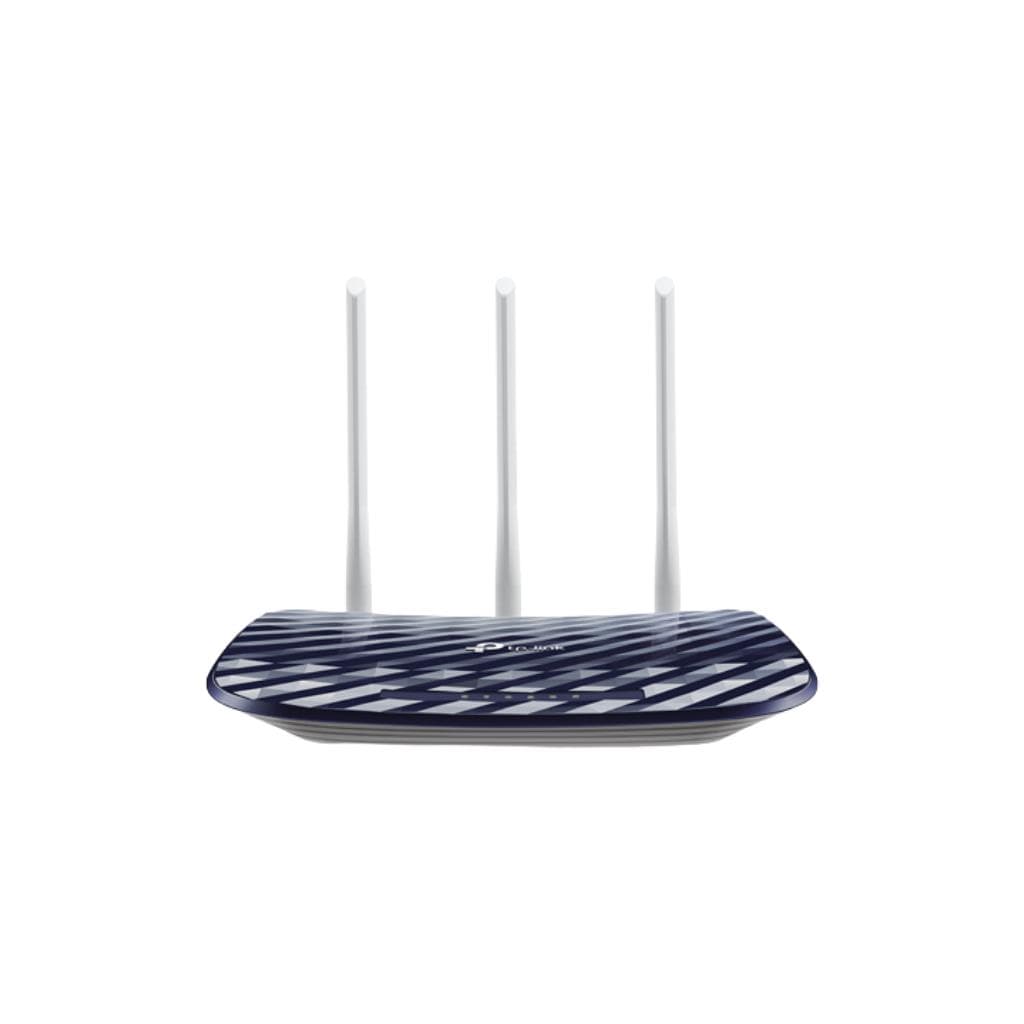

TP-Link Archer C20 V6 AC750 Dual Band Wi-Fi Router
SKU: ARCHER-C20-V6Networking › Routers & Access Points
฿715
Price includes 7% VATPrice updated November 2, 2026
In stock1 unit2 years manufacturer's warranty
For orders placed before 12:00 on a business day; weekends excluded
GenuineFree delivery from ฿5,000Tax invoice
AC750 wireless router supporting 2.4 GHz and 5 GHz signals, featuring a Mediatek chipset for use in homes and small offices
Key features
- Supports Wi-Fi 5 (802.11ac) on both 2.4 GHz and 5 GHz bands
- Maximum speed of 733 Mbps (433 Mbps + 300 Mbps)
- Features a high-performance Mediatek chipset
- Includes 4 LAN ports and 1 WAN port
- Supports management via the TP-Link Tether app
Product description
The TP-Link Archer C20 V6 is a new high-performance wireless router supporting the Wi-Fi 5 (802.11ac) standard on both 2.4 GHz and 5 GHz bands, delivering up to 300 Mbps on the 2.4 GHz band and 433 Mbps on the 5 GHz band, totaling 733 Mbps, enabling smooth 4K video streaming or online gaming. It uses a high-efficiency Mediatek chipset for effective network management, with 4 LAN ports and 1 WAN port, supporting simultaneous connections to multiple devices without lag
More features
- Supports remote configuration via the app
- Ideal for use in homes and small offices
- Supports Parental Controls and Address Reservation settings
- Firmware updates available through the official TP-Link website
- Easy to use with setup tutorial videos
Pros and limitations
Pros
- Supports Wi-Fi 5 on both bands for smooth operation
- Features 4 LAN ports for connecting multiple devices
- Can be managed via the TP-Link Tether app both on-site and remotely
- Supports advanced security features such as Parental Controls and OpenVPN
- Firmware updates are easy through the official website
Limitations
- No USB port
- not supported Wi-Fi 6
- no Mesh feature or signal extension system
Who it is for
Ideal for general users and small business who need a high-performance wireless router that supports multiple simultaneous connections
Specifications (35)
- QoS
- Yes
- RAM
- 128 MB
- WPS
- Yes
- Weight
- 490 g
- Warranty
- 2 years
- Processor
- Mediatek
- Dimensions
- 208 x 138 x 37 mm
- Port Speed
- 10/100 Mbps
- Antenna Type
- Fixed
- Flash Memory
- 16 MB
- IGMP Snooping
- Yes
- Input Voltage
- 100–240 V AC
- Certifications
- FCC, CE, RoHS
- Frequency Band
- Dual Band (2.4 GHz and 5 GHz)
- Humidity Range
- 10% to 90% RH (non-condensing)
- LED Indicators
- Power, Internet, Wi-Fi, LAN 1-4
- Wi-Fi Antennas
- External
- Wi-Fi Standard
- 802.11ac
- Frequency Range
- 50–60 Hz
- OpenVPN Support
- Yes
- Port Forwarding
- Yes
- Firmware Upgrade
- Yes (via official TP-Link website)
- Parental Controls
- Yes
- Power Consumption
- 6.5 W
- Remote Management
- Yes (via TP-Link Tether)
- Wireless Security
- WPA/WPA2-Personal, WPA/WPA2-Enterprise
- Max Wireless Speed
- 733 Mbps
- Address Reservation
- Yes
- Number of LAN Ports
- https://www.tp-link.com/us/support/download/archer-c20/
- Number of WAN Ports
- https://www.tp-link.com/us/support/download/archer-c20/
- Storage Temperature
- -40°C to 70°C
- Management Interface
- Web-based, TP-Link Tether App
- Operating Temperature
- -10°C to 40°C
- Wireless Speed at 5 GHz
- 433 Mbps
- Wireless Speed at 2.4 GHz
- 300 Mbps
Datasheets and manuals straight from the manufacturer — select a document to open or download it.
13 questions
Frequently asked questions about this product
Compiled from manufacturer information
Does the Archer C20 V6 support Wi-Fi 6?
Does not support Wi-Fi 6. This model only supports Wi-Fi 5 (802.11ac), so it cannot fully utilize Wi-Fi 6 devices
What additional equipment is needed for setup?
No additional equipment is required. Simply connect a cable from your modem or internet source, and you can set it up immediately, with setup tutorial videos available on the TP-Link website
Can this router be used with Starlink?
Yes, it supports configuration with Starlink. You can watch setup tutorial videos on the TP-Link website immediately to smoothly connect to Starlink internet
Can it be used with multiple devices at the same time?
Yes, it supports connecting multiple devices simultaneously via 4 LAN ports and wireless connectivity, with QoS to prioritize network traffic
Can Parental Controls be set up?
Yes, it supports Parental Controls for limiting access time or content for children, along with Address Reservation for managing device IP addresses
What app is needed for management?
Can be managed via web browser or the TP-Link Tether app on both iOS and Android, with the app enabling remote setup and network monitoring
How can firmware be updated?
Firmware updates can be performed through the official TP-Link website by selecting the V6 hardware version and downloading the firmware file from the download page
Can it be used with a DSL modem?
Yes, it supports configuration with DSL modems, and you can watch tutorial videos for troubleshooting internet connection issues on the TP-Link website immediately
Is it in stock?
The TP-Link Archer C20 V6 AC750 Dual Band Wi-Fi Router is in stock and ready to ship. Orders placed before 12:00 on a business day are delivered within 1–3 business days (Bangkok and vicinity) or 2–5 business days (other provinces). Order online at store.gist.co.th or contact our sales team at 092-251-4017.
How much does it cost?
The price is ฿715 (including 7% VAT). It is in stock and ready to ship. Business customers can request a quotation at sales@gist.co.th.
How long is the warranty?
Warranty period: 2-year warranty according to manufacturer's terms (manufacturer's terms). To make a warranty claim, call 092-251-4017 or 065-523-5262, or email sales@gist.co.th (Mon–Fri 9:00–18:00), then send the product with your order number to our head office, or bring it to the head office in person.
How long does delivery take?
Orders placed before 12:00 on a business day are delivered within 1–3 business days (Bangkok and vicinity) or 2–5 business days (other provinces). Free delivery on orders of ฿5,000 or more (a ฿150 delivery fee applies below this amount).
Is it genuine?
Genuine products sourced from distributors in Thailand, covered by the manufacturer's warranty. Full tax invoices are available.
Didn't find the answer you need?
Loading reviews…
Genuine products
Sourced from distributors in Thailand and covered by the manufacturer's warranty
Warranty period
2-year warranty according to manufacturer's terms
Covered by the manufacturer's warranty; you can make claims through GIST
Claims through GIST
Ship the product to our head office or bring it in person
Warranty conditions
- A receipt or other proof of purchase is required
- The product must not have been modified or altered
- Damage caused by misuse is not covered by the warranty
- To make a warranty claim, call 092-251-4017 or 065-523-5262, or email sales@gist.co.th (Mon–Fri 9:00–18:00), then send the product with your order number to our head office, or bring it to the head office in person.Head office: 554 Sky Nine Center, Floor 12A, Room 554/62, Asok-Din Daeng Road, Din Daeng Subdistrict, Din Daeng District, Bangkok 10400
More in Routers & Access Points







Price
฿715