


ASUS Chrome OS Keyboard & Mouse Combo (Black) - Wired
SKU: ASU-90MA0000-P01000Computers › Computer Parts & Options
฿2,916
Price includes 7% VATPrice updated November 1, 2026
In stock20 units2 years manufacturer's warranty
For orders placed before 12:00 on a business day; weekends excluded
GenuineFree delivery from ฿5,000Tax invoice
ชุดคีย์บอร์ดและเมาส์ไร้สายสำหรับอุปกรณ์ Chrome OS ออกแบบมาเพื่อความสะดวกในการใช้งานทั้งในงานประจำวันและประชุมออนไลน์ พร้อมปุ่มลัดเฉพาะสำหรับ Chrome OS
Key features
- ออกแบบเฉพาะสำหรับ Chrome OS มีปุ่มลัดที่ใช้งานบ่อย
- คีย์บอร์ดบางพิเศษ ใช้งานเงียบ ไม่รบกวนผู้อื่น
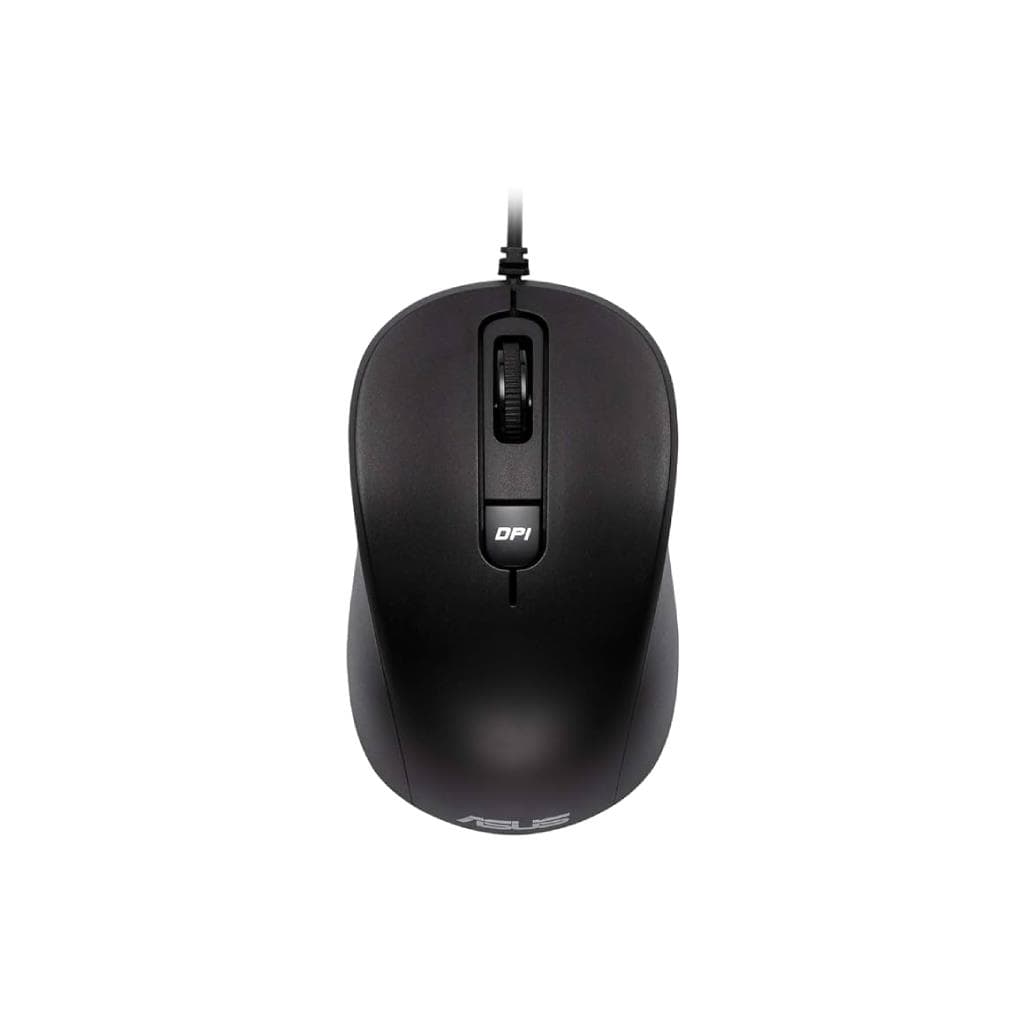
- เมาส์แบบ ambidextrous เหมาะกับทั้งมือซ้ายและมือขวา
- เชื่อมต่อผ่านสาย USB แบบ wired ความเสถียรสูง
- ใช้งานได้ยาวนาน ทนทานต่อการใช้งานประจำวัน
Product description
ชุดคีย์บอร์ดและเมาส์ ASUS Chrome OS ออกแบบมาเพื่อให้ใช้งานร่วมกับอุปกรณ์ Chrome device ได้อย่างราบรื่น โดยคีย์บอร์ดมีขนาดบางพิเศษ ใช้งานเงียบ และมีปุ่มลัดเฉพาะสำหรับ Chrome OS เช่น การเปิดหน้าต่างใหม่ การค้นหา และการสลับแอปพลิเคชันอย่างรวดเร็ว เมาส์แบบ ambidextrous มีเซ็นเซอร์ออปติคัลที่แม่นยำ ใช้งานได้สบายมือ แม้จะใช้เป็นเวลานาน ทั้งสองอุปกรณ์เชื่อมต่อผ่านสาย USB แบบ wired จึงไม่ต้องกังวลเรื่องแบตเตอรี่หรือการเชื่อมต่อผิดพลาด
Pros and limitations
Pros
- ออกแบบเฉพาะสำหรับ Chrome OS ใช้งานได้เต็มประสิทธิภาพ
- คีย์บอร์ดบางพิเศษ ใช้งานเงียบ ไม่รบกวนผู้อื่น
- เมาส์แบบ ambidextrous ใช้งานได้ทั้งมือซ้ายและมือขวา
- เชื่อมต่อผ่านสาย USB ความเสถียรสูง ไม่ต้องกังวลเรื่องแบตเตอรี่
Limitations
- ต้องใช้สาย USB จึงไม่เหมาะกับการพกพา
- ไม่มีฟังก์ชันไร้สายหรือ Bluetooth
Who it is for
เหมาะสำหรับผู้ใช้งาน Chromebook หรืออุปกรณ์ Chrome OS ที่ต้องการชุดคีย์บอร์ดและเมาส์ที่รองรับฟีเจอร์เฉพาะของระบบปฏิบัติการอย่างเต็มที่ เช่น การใช้งานในห้องเรียน สำนักงาน หรือประชุมออนไลน์
Specifications (19)
- สี
- Black
- การรับประกัน
- 2 Year
- Condition
- Brand New
- Mouse Type
- Ambidextrous Optical Mouse
- Sensor Type
- Optical
- ความยาวสาย
- 1.5 m
- การเชื่อมต่อ
- Wired
- Mouse Design
- Comfortable ambidextrous shape
- ล้อเลื่อน
- Standard
- ความเข้ากันได้
- Chrome OS devices
- Mouse Buttons
- 2 buttons + scroll wheel
- Response Rate
- Standard
- การรับรอง
- ASUS Certified for Chrome OS
- Number of Keys
- 104-key layout
- Key Switch Type
- Membrane
- Keyboard Design
- Ultra-slim, compact
- Keyboard Layout
- Chrome OS-specific
- การใช้พลังงาน
- USB-powered
- ระบบปฏิบัติการที่รองรับ
- Chrome OS
Datasheets and manuals straight from the manufacturer — select a document to open or download it.
13 questions
Frequently asked questions about this product
Compiled from manufacturer information
ชุดนี้ใช้กับ Chromebook ทุกรุ่นได้ไหม?
ใช้งานได้กับอุปกรณ์ Chrome OS ทุกรุ่นที่รองรับการเชื่อมต่อคีย์บอร์ดและเมาส์ผ่าน USB โดยเฉพาะอย่างยิ่งมีการออกแบบให้รองรับฟีเจอร์เฉพาะของ Chrome OS เช่น การเปิดหน้าต่างใหม่หรือสลับแอปพลิเคชันด้วยปุ่มลัด
ใช้กับโน้ตบุ๊ก Windows ได้ไหม?
ใช้งานได้ทั่วไปกับโน้ตบุ๊ก Windows ที่รองรับการเชื่อมต่อ USB โดยไม่มีปัญหา แต่ฟีเจอร์เฉพาะ Chrome OS เช่น ปุ่มลัดจะไม่ทำงาน หากไม่ได้ใช้งานในสภาพแวดล้อม Chrome OS
เมาส์นี้รองรับการใช้งานกับมือซ้ายไหม?
ใช่ เมาส์แบบ ambidextrous ออกแบบมาให้ใช้งานได้ทั้งมือซ้ายและมือขวา โดยมีรูปร่างและตำแหน่งปุ่มที่เหมาะสมกับทั้งสองมือ
แบตเตอรี่ของเมาส์ต้องชาร์จไหม?
ไม่จำเป็น เมาส์รุ่นนี้ใช้พลังงานจากสาย USB โดยตรง จึงไม่มีแบตเตอรี่ในตัว และไม่ต้องชาร์จ
มีปุ่มลัดสำหรับ Chrome OS อะไรบ้าง?
คีย์บอร์ดมีปุ่มลัดเฉพาะ Chrome OS เช่น ปุ่มค้นหา (Search), ปุ่มเปิดหน้าต่างใหม่ (New Window), และปุ่มสลับแอปพลิเคชัน (Alt+Tab) ทำให้การทำงานเร็วขึ้นในสภาพแวดล้อม Chrome OS
ใช้งานกับ Google Meet ได้ไหม?
ใช่ แม้จะไม่ได้ออกแบบมาเพื่อ Google Meet โดยตรง แต่สามารถใช้งานร่วมกับการประชุมออนไลน์ได้ดี เพราะรองรับการเชื่อมต่อผ่าน USB และมีความเสถียรสูง
มีสายยาวแค่ไหน?
มีความยาวสาย 1.5 เมตร ช่วยให้สามารถวางอุปกรณ์ได้อย่างยืดหยุ่นในโต๊ะทำงานหรือห้องประชุม
รับประกันกี่ปี?
รับประกัน 2 ปีเต็มจาก ASUS โดยครอบคลุมความเสียหายจากข้อบกพร่องของวัสดุหรือการผลิต สอบถามทีมขายเพื่อรายละเอียดเพิ่มเติม
Is it in stock?
The ASUS Chrome OS Keyboard & Mouse Combo (Black) - Wired is in stock and ready to ship. Orders placed before 12:00 on a business day are delivered within 1–3 business days (Bangkok and vicinity) or 2–5 business days (other provinces). Order online at store.gist.co.th or contact our sales team at 092-251-4017.
How much does it cost?
The price is ฿2,916 (including 7% VAT). It is in stock and ready to ship. Business customers can request a quotation at sales@gist.co.th.
How long is the warranty?
Warranty period: รับประกัน 2 ปี ตามเงื่อนไขผู้ผลิต (manufacturer's terms). To make a warranty claim, call 092-251-4017 or 065-523-5262, or email sales@gist.co.th (Mon–Fri 9:00–18:00), then send the product with your order number to our head office, or bring it to the head office in person.
How long does delivery take?
Orders placed before 12:00 on a business day are delivered within 1–3 business days (Bangkok and vicinity) or 2–5 business days (other provinces). Free delivery on orders of ฿5,000 or more (a ฿150 delivery fee applies below this amount).
Is it genuine?
Genuine products sourced from distributors in Thailand, covered by the manufacturer's warranty. Full tax invoices are available.
Didn't find the answer you need?
Loading reviews…
Genuine products
Sourced from distributors in Thailand and covered by the manufacturer's warranty
Warranty period
รับประกัน 2 ปี ตามเงื่อนไขผู้ผลิต
Covered by the manufacturer's warranty; you can make claims through GIST
Claims through GIST
Ship the product to our head office or bring it in person
Warranty conditions
- A receipt or other proof of purchase is required
- The product must not have been modified or altered
- Damage caused by misuse is not covered by the warranty
- To make a warranty claim, call 092-251-4017 or 065-523-5262, or email sales@gist.co.th (Mon–Fri 9:00–18:00), then send the product with your order number to our head office, or bring it to the head office in person.Head office: 554 Sky Nine Center, Floor 12A, Room 554/62, Asok-Din Daeng Road, Din Daeng Subdistrict, Din Daeng District, Bangkok 10400
More in Computer Parts & Options

Price
฿2,916