

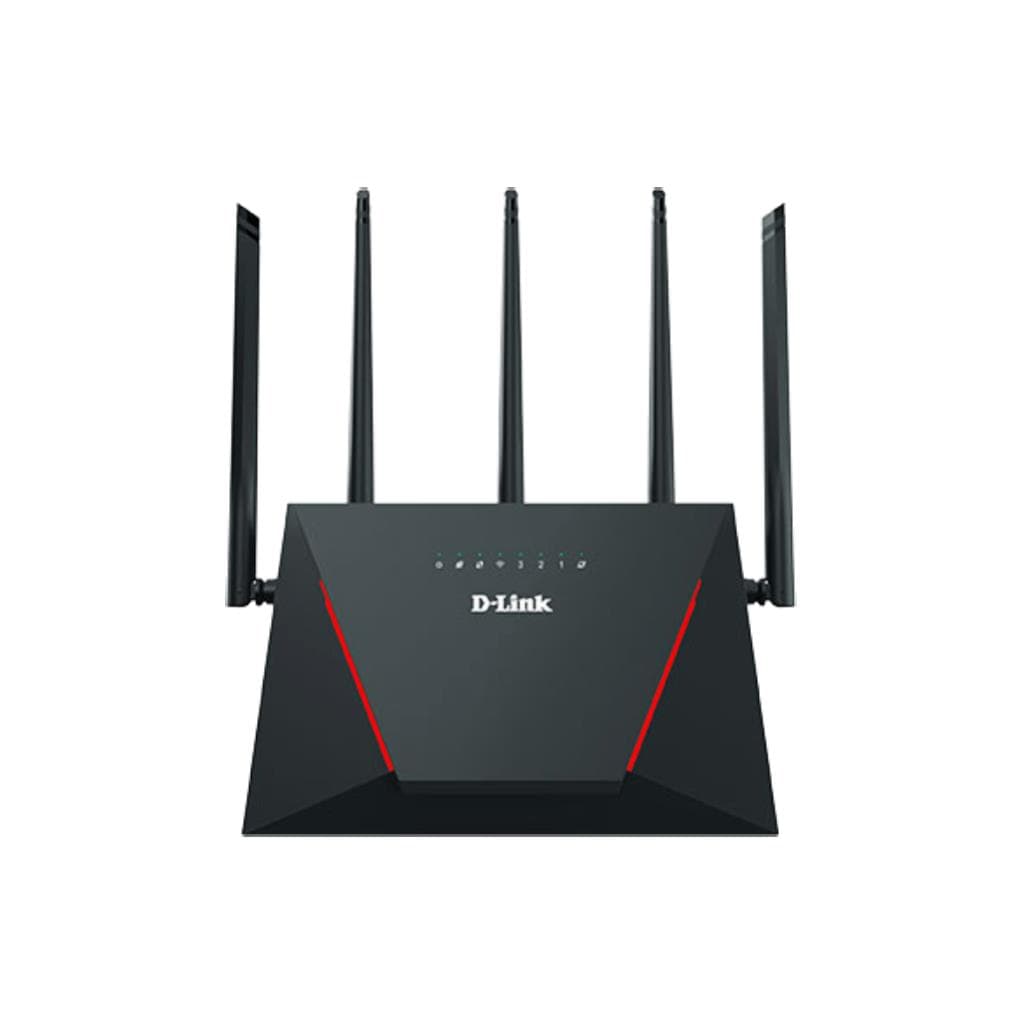

D-Link DIR-X3000Z AX3000 Mesh Gigabit Wi-Fi 6 Router
SKU: DIR-X3000ZNetworking › Routers & Access Points
Please enquire before ordering
The distributor has not yet confirmed the latest price and availability (last checked Aug 17, 2026)
092-251-4017Awaiting stock confirmation3 years manufacturer's warranty
GenuineFree delivery from ฿5,000Tax invoice
The router features a high-speed Wi-Fi 6 Mesh system that supports simultaneous connections from multiple devices at home or in the office, suitable for both general users and small business.
Key features
- Supports Wi-Fi 6 (AX3000) with a maximum combined speed of 3 Gbps
- Mesh system for seamless extended coverage
- Gigabit LAN port x4 + WAN x1 for high-speed wired connectivity
- Supports remote management via Nuclias Cloud
- Includes Guest Zone mode to separate external user networks
Product description
The DIR-X3000Z is a new D-Link Mesh Wi-Fi 6 router designed to provide extensive coverage with speeds up to AX3000, supporting the Wi-Fi 6 (802.11ax) standard on both 2.4 GHz and 5 GHz bands, with a combined bandwidth of up to 3 Gbps. This enables smooth 4K video streaming, lag-free online gaming, and seamless team collaboration. The Mesh system ensures stable connectivity even in distant areas from the main router, and network coverage can be extended instantly using other D-Link Mesh-compatible devices. It also includes advanced security features such as user control, usage scheduling, and detailed network access management.
More features
- Supports detailed usage scheduling and user control
- Remote Management can be configured via port 8080
- Supports NTP for automatic time synchronization from a server
- Supports DHCP Reservation and Port Forwarding settings
- Firmware updates can be performed immediately through a web browser
Pros and limitations
Pros
- Supports Wi-Fi 6 with a maximum speed of 3 Gbps, enabling simultaneous use by multiple devices
- Mesh system extends signal coverage for seamless connectivity across larger areas
- Supports remote management via Nuclias Cloud immediately
- Features comprehensive security including Guest Zone, Parental Control, and Access Control
- Flexible remote management setup via port 8080
Limitations
- No USB port available for connecting hard drive or printer
- Does not support Wi-Fi 7 despite being the latest model
Who it is for
Ideal for large homes or small offices requiring high speed and wide coverage, especially for users streaming 4K video, playing online games, or working collaboratively in real time
Specifications (38)
- Weight
- 750 g
- Firewall
- Yes (basic)
- WAN Port
- 1 x Gigabit Ethernet
- Warranty
- 3 years
- Dimensions
- 240 x 180 x 65 mm
- Guest Zone
- Yes
- DHCP Server
- Enabled by default
- DMZ Support
- Yes
- NTP Support
- Yes (built-in D-Link NTP server)
- Input Voltage
- 100–240 V AC, 50/60 Hz
- Access Control
- Supported
- LED Indicators
- Power, Internet, LAN, Wireless
- Wi-Fi Standard
- 802.11ax (Wi-Fi 6)
- Mesh Capability
- Yes (supports D-Link Mesh ecosystem)
- Mounting Option
- Wall mountable
- Port Forwarding
- Supported
- 5 GHz Band Speed
- Up to 2402 Mbps
- Cloud Management
- Yes (via Nuclias Unity)
- DHCP Reservation
- Supported
- Default Password
- blank
- Default Username
- admin
- Operating System
- Embedded Linux
- Parental Control
- Yes
- Application Rules
- Supported
- Dual-Band Support
- Yes
- Gigabit LAN Ports
- >=4
- Power Consumption
- 12 W
- Remote Management
- Enabled via port 8080 (configurable)
- Wireless Security
- WPA2-Personal, WPA3-SAE
- 2.4 GHz Band Speed
- Up to 574 Mbps
- Default IP Address
- 192.168.0.1
- Number of LAN Ports
- >=4
- Daylight Saving Time
- Supports enabling/disabling
- Management Interface
- Web-based Configuration Utility
- Total Wireless Speed
- 3 Gbps
- Ethernet Cable Length
- 1.5 m (included)
- Firmware Upgrade Method
- Web-based
- Time Zone Configuration
- Configurable via web interface
Datasheets and manuals straight from the manufacturer — select a document to open or download it.
13 questions
Frequently asked questions about this product
Compiled from manufacturer information
Does DIR-X3000Z support Remote Management configuration?
Yes, Remote Management can be enabled through a web browser by navigating to TOOLS > ADMINISTRATION and selecting Enable Remote Management, then setting the port (starting at 8080) to access the router remotely.
How much power does DIR-X3000Z consume?
This router consumes approximately 12 watts of power and supports AC 100–240 V at 50/60 Hz, making it energy-efficient and stable in typical environments.
How do I set the time on DIR-X3000Z?
Time can be set through Maintenance > Time & Schedule by enabling NTP for automatic synchronization with a server, or manually configured if needed.
Does DIR-X3000Z support Mesh connection with other routers?
Yes, it supports Mesh networking via the D-Link Mesh network and can extend coverage using other D-Link Mesh-compatible routers that support the same standard.
Does DIR-X3000Z have a USB port?
No USB port is included. This router is designed for wired LAN and Wi-Fi connections only, so it does not support connecting hard drives or USB devices.
Does DIR-X3000Z support Wi-Fi 7?
No, it does not support Wi-Fi 7. The DIR-X3000Z uses only the Wi-Fi 6 (802.11ax) standard, despite being the latest model in the product line.
Can DIR-X3000Z configure DHCP Reservation?
Yes, it supports DHCP Reservation configuration through the LAN Setup menu, allowing specific devices to have a fixed IP address, simplifying network management at home or in the office.
Can the DIR-X3000Z be wall-mounted?
Yes, it supports wall mounting with a mounting bracket on the back that allows for horizontal or vertical installation as needed
Is it in stock?
We are confirming the latest stock and price of the D-Link DIR-X3000Z AX3000 Mesh Gigabit Wi-Fi 6 Router with the distributor. Please contact us before ordering at 092-251-4017 or sales@gist.co.th.
How much does it cost?
The distributor has not yet confirmed the latest price and availability. Please contact us before ordering at 092-251-4017 or sales@gist.co.th.
How long is the warranty?
Warranty period: 3-year warranty according to manufacturer's terms (manufacturer's terms). To make a warranty claim, call 092-251-4017 or 065-523-5262, or email sales@gist.co.th (Mon–Fri 9:00–18:00), then send the product with your order number to our head office, or bring it to the head office in person.
How long does delivery take?
Orders placed before 12:00 on a business day are delivered within 1–3 business days (Bangkok and vicinity) or 2–5 business days (other provinces). Free delivery on orders of ฿5,000 or more (a ฿150 delivery fee applies below this amount).
Is it genuine?
Genuine products sourced from distributors in Thailand, covered by the manufacturer's warranty. Full tax invoices are available.
Didn't find the answer you need?
Loading reviews…
Genuine products
Sourced from distributors in Thailand and covered by the manufacturer's warranty
Warranty period
3-year warranty according to manufacturer's terms
Covered by the manufacturer's warranty; you can make claims through GIST
Claims through GIST
Ship the product to our head office or bring it in person
Warranty conditions
- A receipt or other proof of purchase is required
- The product must not have been modified or altered
- Damage caused by misuse is not covered by the warranty
- To make a warranty claim, call 092-251-4017 or 065-523-5262, or email sales@gist.co.th (Mon–Fri 9:00–18:00), then send the product with your order number to our head office, or bring it to the head office in person.Head office: 554 Sky Nine Center, Floor 12A, Room 554/62, Asok-Din Daeng Road, Din Daeng Subdistrict, Din Daeng District, Bangkok 10400
More in Routers & Access Points






