

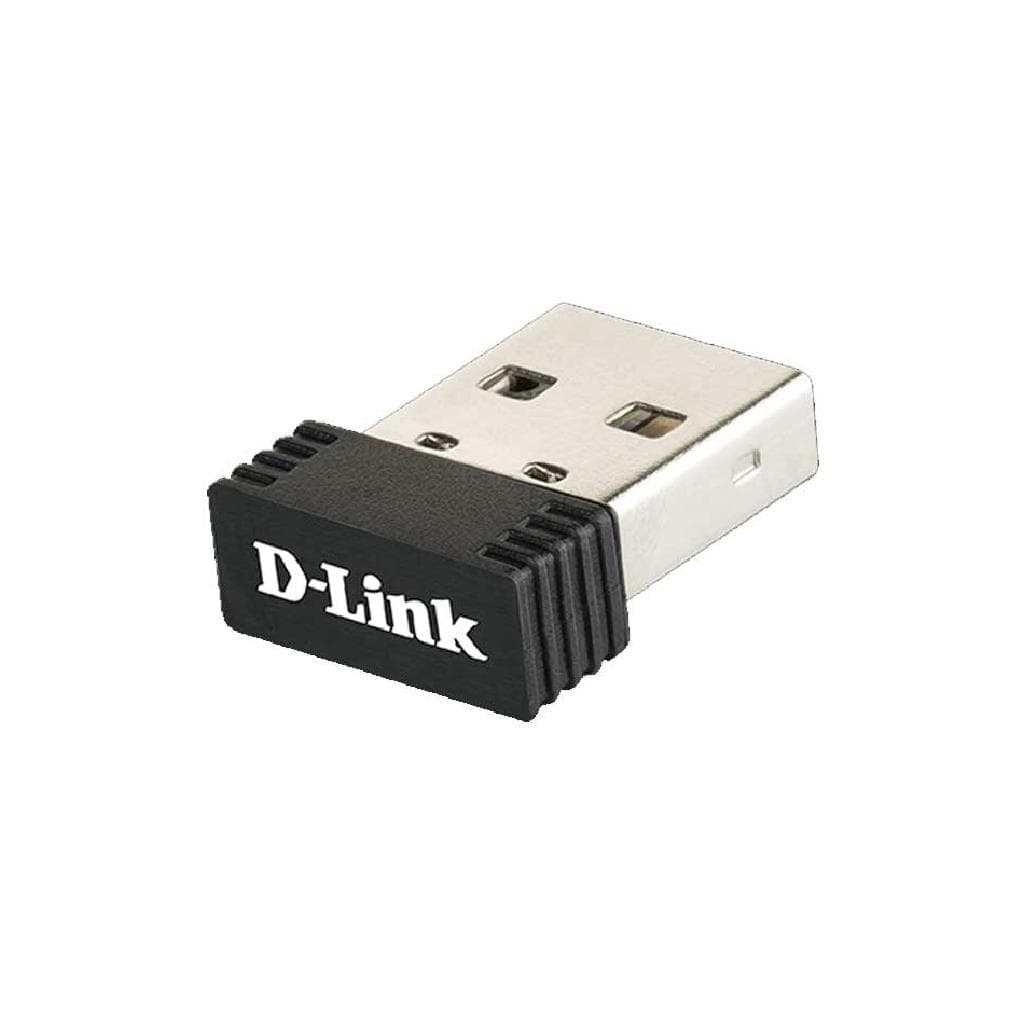

D-Link DWA-121 Wireless N 150 Pico USB Adapter (150 Mbps) 2.4 GHz
SKU: DWA-121Networking › Routers & Access Points
Please enquire before ordering
The distributor has not yet confirmed the latest price and availability (last checked Aug 27, 2026)
092-251-4017Awaiting stock confirmationManufacturer's warranty
GenuineFree delivery from ฿5,000Tax invoice
Compact portable Wi-Fi adapter for notebooks or desktops, supporting Wireless N standard with maximum speed of 150 Mbps at 2.4 GHz, simply plug into a USB port for easy setup
Key features
- Supports Wi-Fi 802.11n with maximum speed of 150 Mbps
- Uses USB 2.0 port for connectivity
- Compact and portable design
- Supports Windows, Mac, and Linux operating systems
- Connects to networks immediately without requiring additional driver installation in many cases
Product description
The D-Link DWA-121 is a compact portable Wi-Fi adapter that enables any computer to connect to wireless networks quickly and reliably. It supports the Wireless N standard with a maximum speed of 150 Mbps at the 2.4 GHz frequency band, offering improved speed and range compared to older 802.11g/b standards. Compatible with Windows, Mac, and Linux operating systems, it often works without requiring additional driver installation. Its compact design fits snugly into a USB port without interfering with other devices.
Pros and limitations
Pros
- Compact size, plugs in without obstructing other ports
- Supports Wireless N standard with faster speeds than 802.11g/b
- Connects immediately to multiple major operating systems
- Easy to use, no complex driver installation required
- Affordable price for basic Wi-Fi expansion
Limitations
- Supports only 2.4 GHz frequency band, no dual-band mode
- Maximum speed limited to 150 Mbps
- Product has reached end of life (End of Life)
Who it is for
Ideal for general users who want to add Wi-Fi capability to desktop computers or notebooks that lack a wireless port, especially in environments requiring basic speed for web browsing, chatting, and streaming light content.
Specifications (19)
- Weight
- 7 g
- Antenna
- Built-in
- Revision
- B
- Standard
- IEEE 802.11n, IEEE 802.11g, IEEE 802.11b
- Interface
- USB 2.0
- Dimensions
- 50 x 16.5 x 8 mm
- Encryption
- 64/128-bit WEP
- Form Factor
- Pico USB
- Connectivity
- Wireless N
- Manufacturer
- D-Link Corporation
- Compatibility
- Windows, Mac, Linux
- LED Indicator
- Status LED
- Frequency Band
- 2.4 GHz
- Product Status
- End of Life
- Type of device
- USB Wi-Fi adapter
- Wireless speed
- 150 Mbps 2.4 GHz
- Package Contents
- DWA-121 USB Adapter, Quick Setup Guide
- Power Consumption
- Low power consumption
- Operating System Support
- Windows 10, Windows 8.1, Windows 7, macOS 10.12 or later, Linux kernel 2.6+
Datasheets and manuals straight from the manufacturer — select a document to open or download it.
13 questions
Frequently asked questions about this product
Compiled from manufacturer information
Can DWA-121 be used with Windows 11?
Yes, the DWA-121 supports Windows 10, 8.1, and 7. It can also work on Windows 11 using the built-in drivers or by downloading drivers from the D-Link website. If it does not work, verify that the driver is correctly installed.
Can it be used with Mac?
Yes, the DWA-121 supports macOS 10.12 or later. In many cases, no additional driver installation is required, as Mac operating systems include standard drivers for common Wi-Fi devices.
Does it support Wi-Fi 6?
No, it does not support Wi-Fi 6. The DWA-121 is a Wireless N adapter that only supports 802.11n/g/b standards, which are from the era before Wi-Fi 6 (802.11ax).
Can it be used with Linux?
Yes, the DWA-121 supports Linux kernel 2.6 and later. Drivers are available for multiple Linux distributions. Check the D-Link website or use Linux's automatic driver support.
Do I need additional drivers?
In many cases, no additional driver is needed, as major operating systems like Windows, Mac, and Linux include standard drivers for common USB Wi-Fi devices. However, if it fails to connect, download the driver from the D-Link website.
Can it be used with a Wi-Fi 5 router?
Yes, the DWA-121 supports 802.11n/g/b standards, including backward compatibility with Wi-Fi 5 (802.11ac) routers, and can connect in 2.4 GHz mode.
Does it have an LED indicator?
Yes, the DWA-121 has an LED indicator that blinks when data is being sent or received, clearly showing connection status.
Can it be used with a 5 GHz router?
No, it cannot be used because the DWA-121 only supports the 2.4 GHz frequency band and cannot connect to 5 GHz or dual-band Wi-Fi networks.
Is it in stock?
We are confirming the latest stock and price of the D-Link DWA-121 Wireless N 150 Pico USB Adapter (150 Mbps) 2.4 GHz with the distributor. Please contact us before ordering at 092-251-4017 or sales@gist.co.th.
How much does it cost?
The distributor has not yet confirmed the latest price and availability. Please contact us before ordering at 092-251-4017 or sales@gist.co.th.
How long is the warranty?
The warranty follows the manufacturer's terms for each model; ask our sales team for the warranty period of this model. To make a warranty claim, call 092-251-4017 or 065-523-5262, or email sales@gist.co.th (Mon–Fri 9:00–18:00), then send the product with your order number to our head office, or bring it to the head office in person.
How long does delivery take?
Orders placed before 12:00 on a business day are delivered within 1–3 business days (Bangkok and vicinity) or 2–5 business days (other provinces). Free delivery on orders of ฿5,000 or more (a ฿150 delivery fee applies below this amount).
Is it genuine?
Genuine products sourced from distributors in Thailand, covered by the manufacturer's warranty. Full tax invoices are available.
Didn't find the answer you need?
Loading reviews…
Genuine products
Sourced from distributors in Thailand and covered by the manufacturer's warranty
Warranty period
According to the manufacturer's terms for each model
Covered by the manufacturer's warranty; you can make claims through GIST
Claims through GIST
Ship the product to our head office or bring it in person
Warranty conditions
- A receipt or other proof of purchase is required
- The product must not have been modified or altered
- Damage caused by misuse is not covered by the warranty
- To make a warranty claim, call 092-251-4017 or 065-523-5262, or email sales@gist.co.th (Mon–Fri 9:00–18:00), then send the product with your order number to our head office, or bring it to the head office in person.Head office: 554 Sky Nine Center, Floor 12A, Room 554/62, Asok-Din Daeng Road, Din Daeng Subdistrict, Din Daeng District, Bangkok 10400
More in Routers & Access Points






