

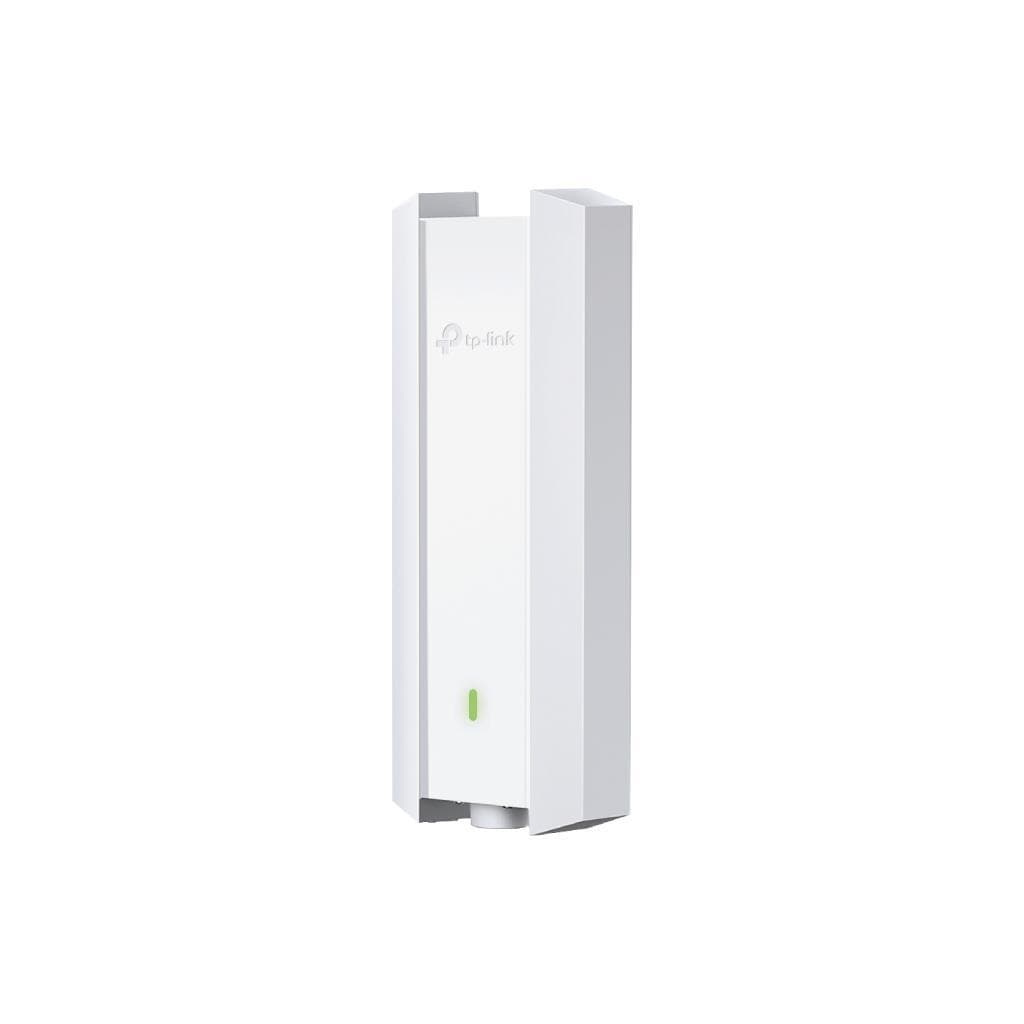

TP-Link EAP683-UR AX6000 Ceiling Mount Wi-Fi 6 Access Point (2.5G PoE+)
SKU: EAP683-URNetworking › Routers & Access Points
Please enquire before ordering
The distributor has not yet confirmed the latest price and availability (last checked Aug 24, 2026)
092-251-4017Awaiting stock confirmation3 years manufacturer's warranty
GenuineFree delivery from ฿5,000Tax invoice
High-performance Wi-Fi 6 wireless access point for commercial buildings, supporting up to 5,952 Mbps speed and centralized management via Omada SDN
Key features
- Supports Wi-Fi 6 with maximum speed of 5,952 Mbps
- Uses 2.5G PoE+ port for enterprise-grade network connectivity
- Supports centralized management via Omada Cloud / Software / Hardware Controller
- Designed for ceiling or wall mounting with complete mounting kit included
- Supports MU-MIMO and Seamless Roaming for smooth user experience
Product description
The TP-Link EAP683-UR is an AX6000 ceiling-mount Access Point designed for medium to large enterprise networks, supporting Wi-Fi 6 (802.11ax) with HE160, 1024-QAM, and OFDMA technologies to enhance data throughput and reduce latency. It supports a maximum combined speed of 5,952 Mbps (1,148 Mbps at 2.4 GHz and 4,804 Mbps at 5 GHz), accommodating up to 510 concurrent users within a coverage area of up to 185 square meters. Easy installation is enabled via ceiling or wall mount, and it comes with a complete mounting kit. It works with Omada Controller in Cloud, Software, or Hardware (OC300/OC200) modes for centralized and secure network management.
More features
- Features Bluetooth for remote management and device detection
- Supports Zero-Touch Provisioning setup via Omada Cloud
- Supports VLAN, MAC Filtering, and Captive Portal for enhanced security
- Includes SNMP, SSH, and Web-based Management for advanced network administrators
- Supports remote firmware updates and email alerts
Pros and limitations
Pros
- Maximum wireless speed of 5,952 Mbps for smooth performance under heavy usage
- Supports 2.5G PoE+ ports for enterprise-grade network connectivity
- Manage instantly via Omada Cloud—no additional hardware required
- Supports Zero-Touch Provisioning for easy setup and time-saving management
- Designed for large areas, covering up to 185 square meters
Limitations
- DC power adapter not included—must be purchased separately
- Requires Omada Controller or Cloud for full management—may require additional investment in network management system
Who it is for
Ideal for medium to large organizations such as offices, meeting rooms, schools, or shopping centers that need high-speed wireless networks supporting many users simultaneously
Specifications (60)
- Brand
- TP-Link
- Model
- EAP683-UR
- Bluetooth
- Yes
- Port Type
- 2.5 Gigabit PoE+ Port
- Port Count
- 1
- Form Factor
- Ceiling Mount
- QoS Support
- WMM
- Antenna Type
- Internal Omni
- Cloud Access
- Yes
- Email Alerts
- Yes
- Power Supply
- 802.3at PoE / 12 V / 2 A DC
- Coverage Area
- 185 m² (2000 ft²)
- L3 Management
- Yes
- Mounting Type
- Ceiling / Wall Mounting
- 802.1X Support
- Yes
- Access Control
- Yes
- Product Series
- Omada AX6000
- System Logging
- Local/Remote Syslog
- Frequency Bands
- 2.4 GHz and 5 GHz
- Management VLAN
- Yes
- Concurrent Clients
- 510+
- LED ON/OFF Control
- Yes
- Rogue AP Detection
- Yes
- Wireless Standards
- IEEE 802.11a/b/g/n/ac/ax
- Wireless Encryption
- WPA-Personal/Enterprise, WPA2-Personal/Enterprise, WPA3-Personal/Enterprise, OWE
- Antenna Gain (5 GHz)
- 4 × 5 dBi
- Included Accessories
- Mounting Kits
- Management Interface
- Omada App, Web-based (HTTP/HTTPS), SSH, SNMP v1/v2c/v3
- SSID to VLAN Mapping
- Yes
- MAC Filtering Support
- Up to 4000 entries
- Multi-site Management
- Yes
- Antenna Gain (2.4 GHz)
- 4 × 4 dBi
- Centralized Management
- Omada Software Controller, Omada Cloud-Based Controller, Omada Hardware Controller (OC300, OC200)
- Dimensions (W x D x H)
- 8.7 × 8.7 × 1.3 in (220 × 220 × 32.5 mm)
- Transmit Power Control
- Adjust transmit Power on dBm
- Total Maximum Data Rate
- 5952 Mbps
- Zero-Touch Provisioning
- Yes
- Wi-Fi Technology Support
- HE160, 1024-QAM, OFDMA, MU-MIMO, Seamless Roaming
- Maximum Data Rate (5 GHz)
- 4804 Mbps
- Number of SSIDs Supported
- 16 (8 on each band)
- Max Power Consumption (EU)
- 20.43 W
- Max Power Consumption (US)
- 23.69 W
- Transmit Power (FCC 5 GHz)
- <26 dBm
- Maximum Data Rate (2.4 GHz)
- 1148 Mbps
- Automatic Channel Assignment
- Yes
- Transmit Power (FCC 2.4 GHz)
- <26 dBm
- Captive Portal Authentication
- Yes
- Management MAC Access Control
- Yes
- Transmit Power (CE 2.4 GHz EIRP)
- <20 dBm
- Wireless Client Capacity (5 GHz)
- 256
- Wireless Client Capacity (2.4 GHz)
- 256
- Wireless Isolation Between Clients
- Yes
- Transmit Power (CE 5 GHz Band 3 EIRP)
- <28 dBm
- Reception Sensitivity (5 GHz HE20 MCS0)
- -94 dBm
- Reception Sensitivity (5 GHz HE160 MCS0)
- -85 dBm
- Reception Sensitivity (5 GHz HE20 MCS11)
- -64 dBm
- Reception Sensitivity (2.4 GHz HE20 MCS0)
- -95 dBm
- Reception Sensitivity (5 GHz HE160 MCS11)
- -55 dBm
- Transmit Power (CE 5 GHz Band 1 & 2 EIRP)
- <23 dBm
- Reception Sensitivity (2.4 GHz HE20 MCS11)
- -65 dBm
Datasheets and manuals straight from the manufacturer — select a document to open or download it.
13 questions
Frequently asked questions about this product
Compiled from manufacturer information
EAP683-UR supports wall mounting?
Yes, it supports both ceiling and wall mounting, and comes with a complete mounting kit for easy installation in various locations
Can it be used with Omada Cloud Controller?
Yes, it supports management through Omada Cloud-Based Controller, allowing Zero-Touch Provisioning setup to improve network management efficiency
What is the maximum speed at 5 GHz?
The maximum speed at 5 GHz is 4,804 Mbps, supporting HE160 and 1024-QAM technologies to improve data transmission efficiency
What additional items are needed for installation?
A PoE+ compatible switch and 12V/2A power supply are required. If not using PoE, a separate power adapter is needed, which is not included in the box
How many users can it support simultaneously?
Supports up to 510 concurrent users, with a maximum of 256 devices managed per 2.4 GHz and 5 GHz band
Can it be used with Omada Software Controller?
Yes, it supports management via Omada Software Controller on an on-premises server, with L3 Management and Multi-site Management capabilities
What can the Bluetooth be used for?
It has Bluetooth for remote management, detecting nearby devices, and supporting future features such as app-based connectivity
Can it be used with PoE systems?
Yes, it supports the 802.3at PoE+ standard and can deliver power over the network cable without requiring a separate power adapter
Is it in stock?
We are confirming the latest stock and price of the TP-Link EAP683-UR AX6000 Ceiling Mount Wi-Fi 6 Access Point (2.5G PoE+) with the distributor. Please contact us before ordering at 092-251-4017 or sales@gist.co.th.
How much does it cost?
The distributor has not yet confirmed the latest price and availability. Please contact us before ordering at 092-251-4017 or sales@gist.co.th.
How long is the warranty?
Warranty period: 3-year warranty (manufacturer's terms). To make a warranty claim, call 092-251-4017 or 065-523-5262, or email sales@gist.co.th (Mon–Fri 9:00–18:00), then send the product with your order number to our head office, or bring it to the head office in person.
How long does delivery take?
Orders placed before 12:00 on a business day are delivered within 1–3 business days (Bangkok and vicinity) or 2–5 business days (other provinces). Free delivery on orders of ฿5,000 or more (a ฿150 delivery fee applies below this amount).
Is it genuine?
Genuine products sourced from distributors in Thailand, covered by the manufacturer's warranty. Full tax invoices are available.
Didn't find the answer you need?
Loading reviews…
Genuine products
Sourced from distributors in Thailand and covered by the manufacturer's warranty
Warranty period
3-year warranty
Covered by the manufacturer's warranty; you can make claims through GIST
Claims through GIST
Ship the product to our head office or bring it in person
Warranty conditions
- A receipt or other proof of purchase is required
- The product must not have been modified or altered
- Damage caused by misuse is not covered by the warranty
- To make a warranty claim, call 092-251-4017 or 065-523-5262, or email sales@gist.co.th (Mon–Fri 9:00–18:00), then send the product with your order number to our head office, or bring it to the head office in person.Head office: 554 Sky Nine Center, Floor 12A, Room 554/62, Asok-Din Daeng Road, Din Daeng Subdistrict, Din Daeng District, Bangkok 10400
More in Routers & Access Points






