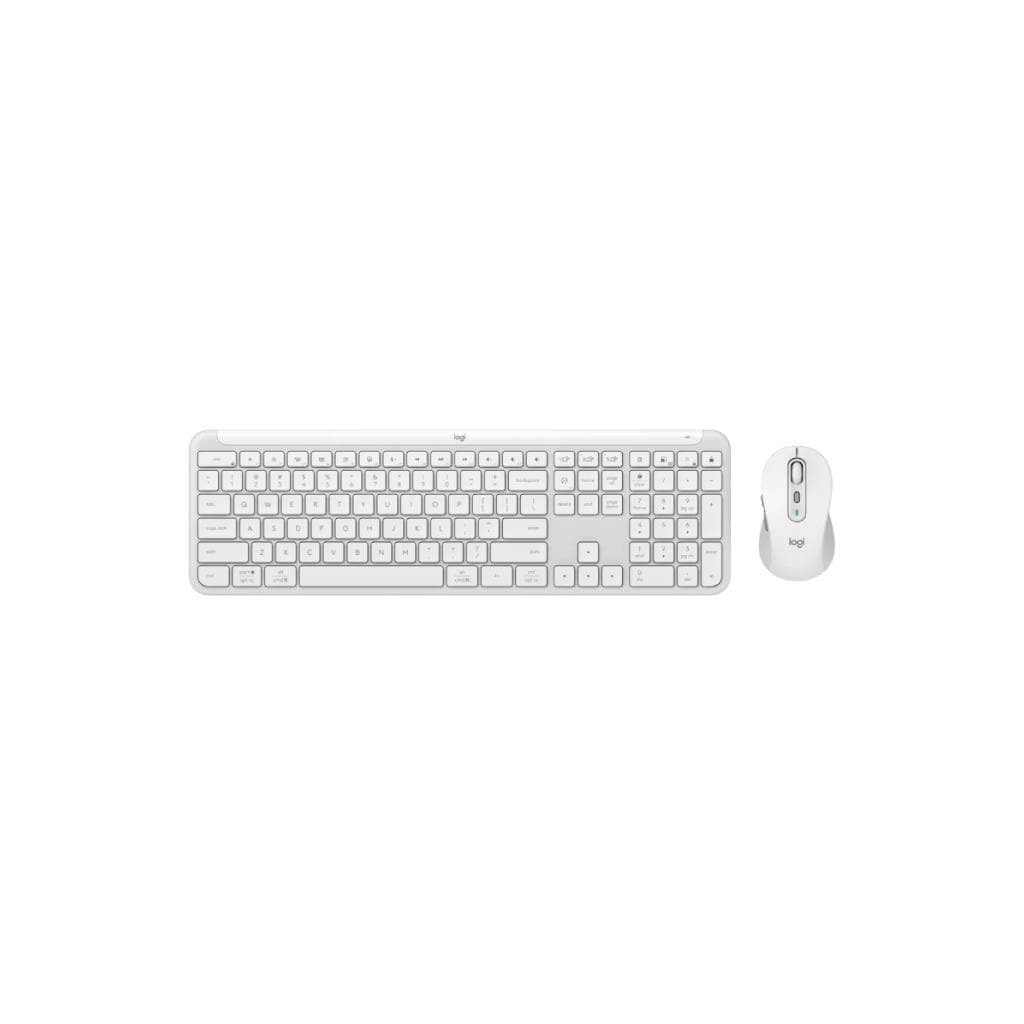
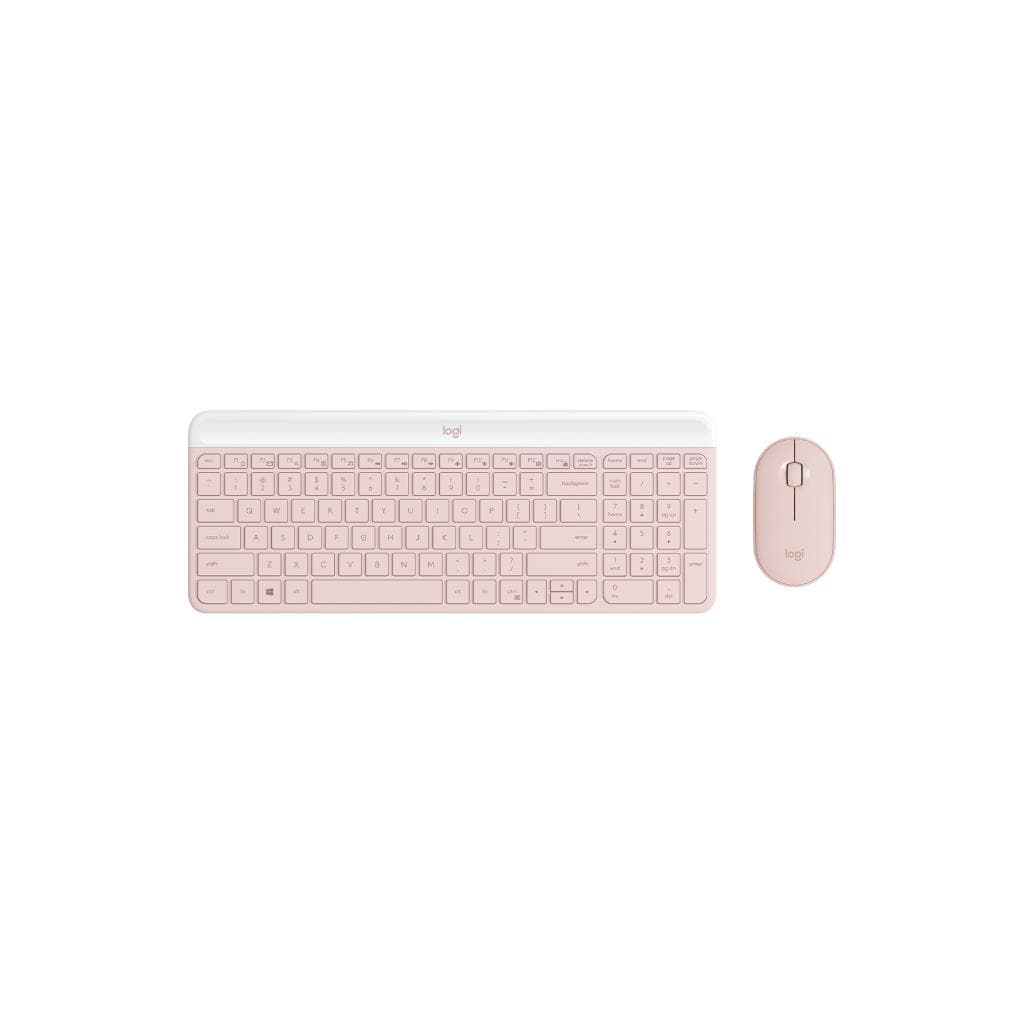
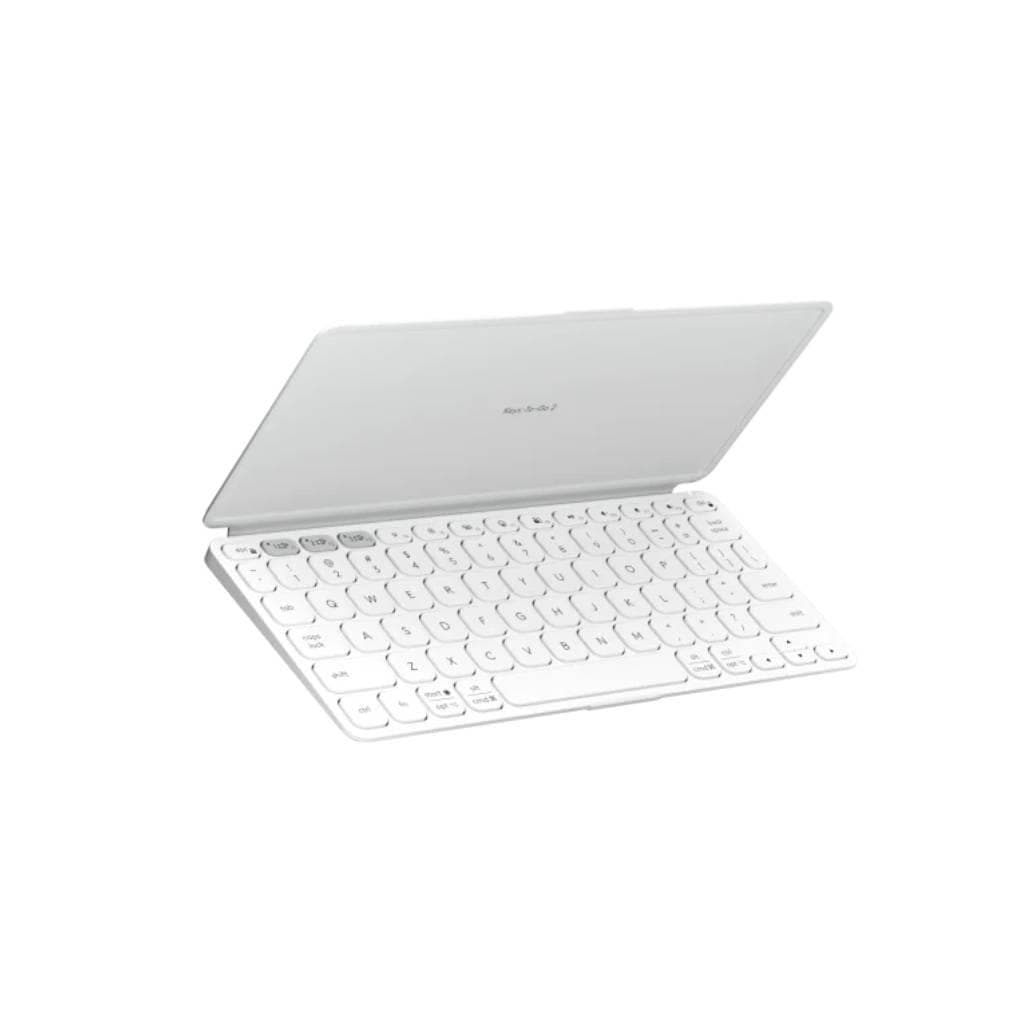
Logitech Signature Slim Wireless Keyboard K950 - Graphite (US Layout)
SKU: KEYBOARD-K950-SLIM-GRAPHITE-USGadgets & Accessories › Keyboards· Model: K950
Please enquire before ordering
The distributor has not yet confirmed the latest price and availability (last checked Jun 15, 2026)
092-251-4017Awaiting stock confirmation2 years manufacturer's warranty
GenuineFree delivery from ฿5,000Tax invoice
คีย์บอร์ดไร้สายบางเฉียบจาก Logitech รองรับการเชื่อมต่อพร้อมกัน 3 อุปกรณ์ ใช้งานได้ทั้งบนคอมพิวเตอร์ แท็บเล็ต และสมาร์ทโฟน พร้อมปุ่มปรับแต่งได้ด้วยแอป Logi Options+
Key features
- รองรับการเชื่อมต่อ 3 อุปกรณ์พร้อมกัน
- สลับอุปกรณ์ได้ทันทีด้วยปุ่มเดียว
- ปรับแต่งปุ่ม F-Keys ผ่านแอป Logi Options+
- ดีไซน์บางเฉียบ น้ำหนักเบา พกพาสะดวก
- ใช้งานได้ทั้งบน Windows, macOS, Android และ iOS
Product description
คีย์บอร์ดไร้สาย Logitech Signature Slim K950 ออกแบบมาเพื่อช่วยให้คุณจัดการชีวิตและงานได้อย่างราบรื่น ด้วยการสลับการทำงานระหว่างอุปกรณ์ได้อย่างลื่นไหล โดยรองรับการเชื่อมต่อพร้อมกันถึง 3 อุปกรณ์ ไม่ว่าจะเป็นคอมพิวเตอร์ แท็บเล็ต หรือสมาร์ทโฟน เพียงกดปุ่มเดียว คุณก็สามารถสลับไปใช้งานอุปกรณ์อื่นได้ทันที ไม่ต้องสลับสายหรือตั้งค่าใหม่ พร้อมระบบปรับแต่งปุ่ม F-Keys ผ่านแอป Logi Options+ ให้คุณตั้งค่าปุ่มเปิดเบราว์เซอร์ ฟังเพลง หรือทำงานอื่น ๆ ได้ตามต้องการ ช่วยเพิ่มประสิทธิภาพในการทำงานอย่างมาก
More features
- ปุ่มพิมพ์เงียบ ไม่รบกวนผู้อื่น
- ใช้งานได้นานถึง 2 ปีต่อการชาร์จ 1 ครั้ง
- รองรับ Bluetooth และ Logi Bolt Receiver
- ตัวคีย์บอร์ดทำจากอลูมิเนียม ทนทาน หรูหรา
- เหมาะสำหรับผู้ที่ทำงานจากที่บ้านหรือเดินทางบ่อย
Pros and limitations
Pros
- รองรับการสลับอุปกรณ์ 3 เครื่องพร้อมกันได้อย่างลื่นไหล
- ใช้งานได้นานถึง 2 ปีต่อการชาร์จ 1 ครั้ง
- ดีไซน์อลูมิเนียม ทนทาน หรูหรา
- รองรับทั้ง Bluetooth และ Logi Bolt Receiver
- ปรับแต่งปุ่มได้ผ่านแอป Logi Options+ ช่วยเพิ่มประสิทธิภาพ
Limitations
- ไม่มีไฟพื้นหลัง (Backlight)
- ไม่มีการปรับระดับความสูงของคีย์บอร์ด
- ต้องใช้แอป Logi Options+ เพื่อใช้งานฟีเจอร์เสริม
Who it is for
เหมาะสำหรับผู้ที่ทำงานจากที่บ้านหรือเดินทางบ่อย ต้องการคีย์บอร์ดที่พกพาได้ รองรับการสลับระหว่างคอมพิวเตอร์ แท็บเล็ต และสมาร์ทโฟนได้ทันที
Color
Graphite
Connectivity
Bluetooth, USB Receiver
Specifications (34)
- สี
- Graphite
- พอร์ต
- USB-C
- Layout
- US QWERTY
- น้ำหนัก
- 600 g
- ลำโพง
- ไม่รองรับ
- วัสดุ
- Aluminum chassis, plastic keys
- ซอฟต์แวร์
- Logi Options+
- การรับประกัน
- 2 years
- การเชื่อมต่อ
- Wireless (Bluetooth 5.0, Logi Bolt USB receiver)
- ขนาด
- 430 x 120 x 10 mm
- Key Travel
- 1.5 mm
- การติดตั้ง VESA
- ไม่รองรับ
- อายุการใช้งานแบตเตอรี่
- Up to 2 years
- ประเภทแบตเตอรี่
- Rechargeable lithium-ion
- ระยะเวลาชาร์จ
- Approx. 2 hours
- ความเข้ากันได้
- Compatible with Windows, macOS, Android, iOS
- Eco Packaging
- รองรับ
- Function Keys
- Customizable via Logi Options+
- แรงดันไฟฟ้าขาเข้า
- 5 V DC
- การรับรอง
- CE, FCC, RoHS
- ความชื้นขณะทำงาน
- 10% to 90% non-condensing
- Media Controls
- Integrated volume and mute controls
- Number of Keys
- 104 keys
- Charging Method
- USB-C
- Key Switch Type
- Low-profile scissor-switch
- เวอร์ชัน Bluetooth
- Bluetooth 5.0
- Number of Devices
- On the same time: up to 3 devices
- Operating Systems
- Windows, macOS, Android, iOS
- การใช้พลังงาน
- Low power mode
- Logi Bolt Receiver
- Included (USB-C dongle)
- อุณหภูมิในการจัดเก็บ
- -20°C to 60°C
- อุปกรณ์ในกล่อง
- Logi Bolt USB receiver, USB-C cable
- Recyclable Materials
- Aluminum, plastic
- อุณหภูมิการทำงาน
- 0°C to 35°C
Datasheets and manuals straight from the manufacturer — select a document to open or download it.
13 questions
Frequently asked questions about this product
Compiled from manufacturer information
คีย์บอร์ดรุ่นนี้รองรับการใช้งานกับ iPhone ได้ไหม?
ได้ คีย์บอร์ด K950 รองรับการเชื่อมต่อผ่าน Bluetooth กับ iPhone ได้ทันที สามารถสลับไปใช้งานกับสมาร์ทโฟนได้โดยไม่ต้องตั้งค่าใหม่ พร้อมใช้งานฟีเจอร์ปรับแต่งปุ่มผ่านแอป Logi Options+
ใช้กับแท็บเล็ตได้ไหม?
ได้ คีย์บอร์ด K950 รองรับการเชื่อมต่อผ่าน Bluetooth กับแท็บเล็ตทุกรุ่นที่รองรับ Bluetooth เช่น iPad หรือ Android Tablet สามารถสลับการใช้งานได้ทันทีเมื่อต้องการ
ใช้งานกับ Windows และ macOS พร้อมกันได้ไหม?
ได้ คีย์บอร์ดรองรับการเชื่อมต่อพร้อมกัน 3 อุปกรณ์ รวมถึงคอมพิวเตอร์ทั้ง Windows และ macOS ได้พร้อมกัน ใช้ปุ่มสลับเพื่อเปลี่ยนไปใช้งานอุปกรณ์ใดก็ได้ทันที
แบตเตอรี่ใช้งานได้นานแค่ไหน?
แบตเตอรี่ใช้งานได้นานถึง 2 ปีต่อการชาร์จ 1 ครั้ง ขึ้นอยู่กับการใช้งานจริง โดยคีย์บอร์ดใช้พลังงานต่ำมากในโหมดพัก ช่วยยืดอายุการใช้งานแบตเตอรี่
ต้องติดตั้งแอป Logi Options+ ไหม?
ไม่จำเป็นสำหรับการใช้งานพื้นฐาน แต่เพื่อใช้งานฟีเจอร์ปรับแต่งปุ่ม F-Keys และการสลับอุปกรณ์ได้อย่างเต็มประสิทธิภาพ จำเป็นต้องติดตั้งแอป Logi Options+ บนอุปกรณ์ที่ใช้งาน
ใช้กับ Mac ได้ไหม?
ได้แน่นอน คีย์บอร์ด K950 รองรับ macOS ทุกรุ่นที่รองรับ Bluetooth และสามารถใช้งานได้ทันทีโดยไม่ต้องติดตั้งไดรเวอร์เพิ่มเติม
มีปุ่มไฟพื้นหลังไหม?
ไม่มี คีย์บอร์ดรุ่นนี้ไม่มีไฟพื้นหลัง (Backlight) แต่ออกแบบมาให้ใช้งานในที่มีแสงสว่างปกติได้ดี ด้วยตัวปุ่มที่มีความคมชัด
ใช้กับ Android ได้ไหม?
ได้ คีย์บอร์ดรองรับการเชื่อมต่อผ่าน Bluetooth กับสมาร์ทโฟนหรือแท็บเล็ต Android ทุกรุ่นที่รองรับ Bluetooth สามารถใช้งานได้ทันที
Is it in stock?
We are confirming the latest stock and price of the Logitech Signature Slim Wireless Keyboard K950 - Graphite (US Layout) with the distributor. Please contact us before ordering at 092-251-4017 or sales@gist.co.th.
How much does it cost?
The distributor has not yet confirmed the latest price and availability. Please contact us before ordering at 092-251-4017 or sales@gist.co.th.
How long is the warranty?
Warranty period: รับประกัน 2 ปี ตามเงื่อนไขผู้ผลิต (manufacturer's terms). To make a warranty claim, call 092-251-4017 or 065-523-5262, or email sales@gist.co.th (Mon–Fri 9:00–18:00), then send the product with your order number to our head office, or bring it to the head office in person.
How long does delivery take?
Orders placed before 12:00 on a business day are delivered within 1–3 business days (Bangkok and vicinity) or 2–5 business days (other provinces). Free delivery on orders of ฿5,000 or more (a ฿150 delivery fee applies below this amount).
Is it genuine?
Genuine products sourced from distributors in Thailand, covered by the manufacturer's warranty. Full tax invoices are available.
Didn't find the answer you need?
Loading reviews…
Genuine products
Sourced from distributors in Thailand and covered by the manufacturer's warranty
Warranty period
รับประกัน 2 ปี ตามเงื่อนไขผู้ผลิต
Covered by the manufacturer's warranty; you can make claims through GIST
Claims through GIST
Ship the product to our head office or bring it in person
Warranty conditions
- A receipt or other proof of purchase is required
- The product must not have been modified or altered
- Damage caused by misuse is not covered by the warranty
- To make a warranty claim, call 092-251-4017 or 065-523-5262, or email sales@gist.co.th (Mon–Fri 9:00–18:00), then send the product with your order number to our head office, or bring it to the head office in person.Head office: 554 Sky Nine Center, Floor 12A, Room 554/62, Asok-Din Daeng Road, Din Daeng Subdistrict, Din Daeng District, Bangkok 10400
More in Keyboards