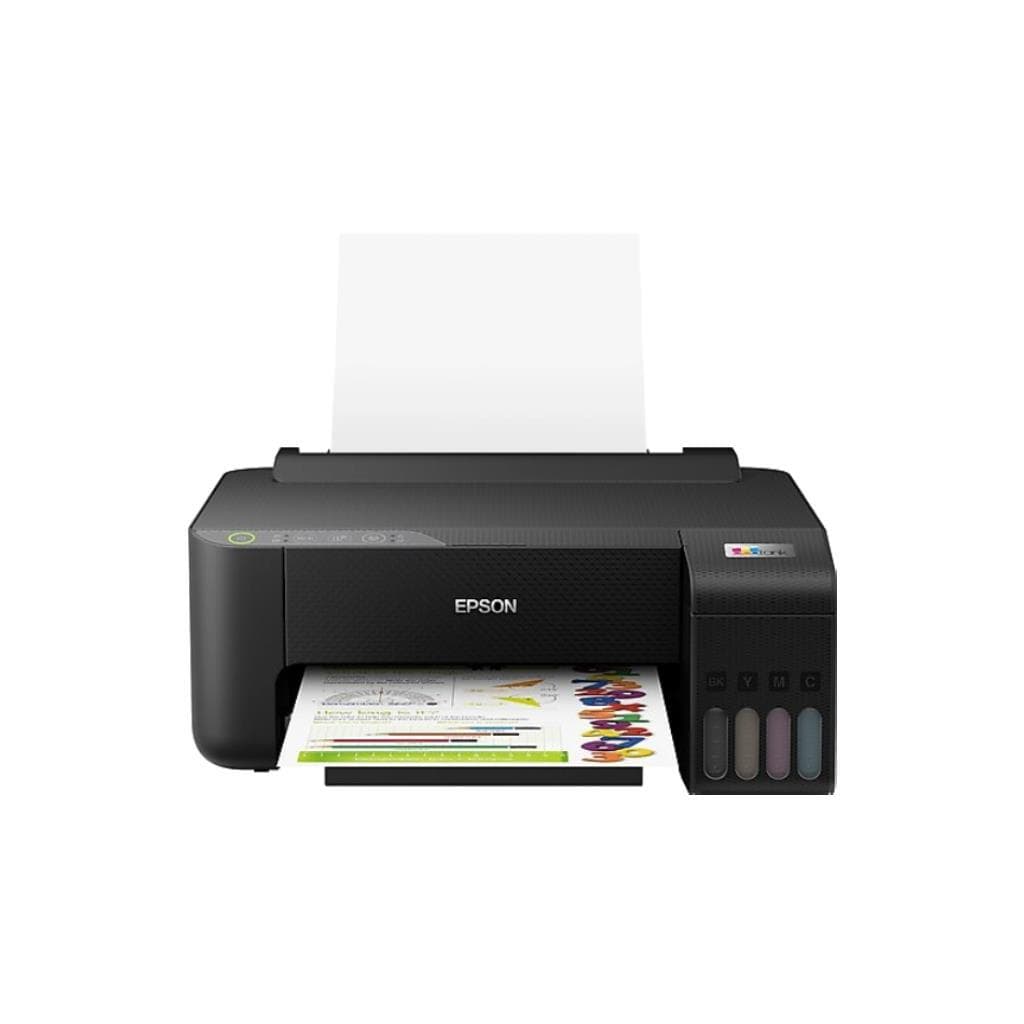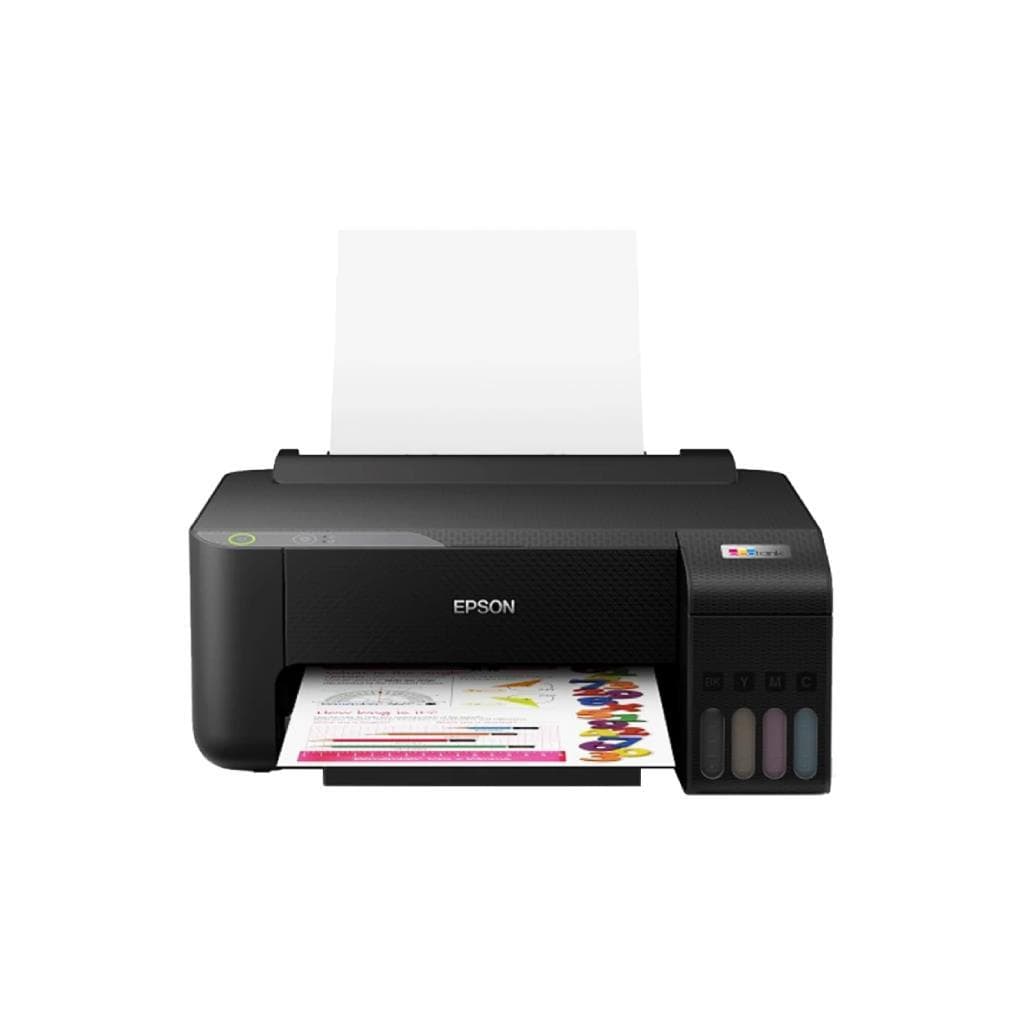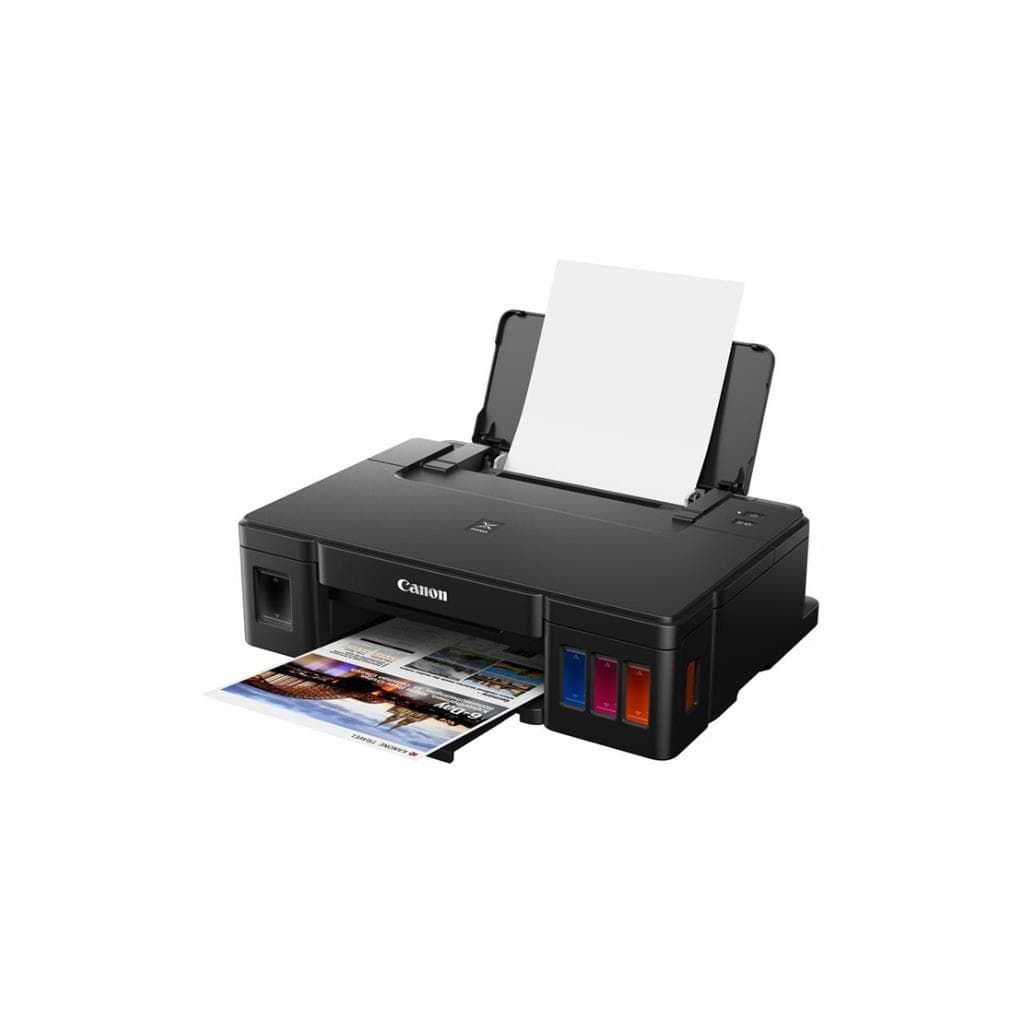


EPSON L1250 EcoTank Inkjet Printer (A4) - 33ppm Black / 15ppm Color
SKU: L1250/2YEARSPrinters & Supplies › Inkjet Printers· Model: L1250
Please enquire before ordering
The distributor has not yet confirmed the latest price and availability (last checked Aug 26, 2026)
092-251-4017Awaiting stock confirmation2 years manufacturer's warranty
GenuineFree delivery from ฿5,000Tax invoice
เครื่องพิมพ์อิงค์เจ็ทแบบแทงค์หมึก Epson L1250 พิมพ์ได้เร็วสูงสุด 33 แผ่นต่อนาที (ดำ) และ 15 แผ่นต่อนาที (สี) พร้อมระบบ Wi-Fi และการเชื่อมต่อผ่านมือถือ ใช้งานได้ทั้งบ้านและสำนักงานขนาดเล็ก
Key features
- พิมพ์เร็วสูงสุด 33 ppm (ดำ) / 15 ppm (สี)
- ความละเอียดสูงถึง 5760 x 1440 dpi
- ระบบหมึกแทงค์ (EcoTank) ประหยัดต้นทุนต่อหน้าพิมพ์
- รองรับ Wi-Fi และการพิมพ์ผ่านมือถือ
- เชื่อมต่อผ่าน Epson Smart Panel และ Epson Connect
Product description
EPSON L1250 เป็นเครื่องพิมพ์อิงค์เจ็ทแบบแทงค์หมึก (EcoTank) รุ่นใหม่ที่ออกแบบมาเพื่อลดต้นทุนการพิมพ์อย่างยั่งยืน โดยรองรับการพิมพ์ความเร็วสูงสุด 33 แผ่นต่อนาทีสำหรับงานดำ และ 15 แผ่นต่อนาทีสำหรับงานสี พร้อมความละเอียดสูงถึง 5760 x 1440 dpi ทำให้ภาพพิมพ์คมชัด เหมาะกับการใช้งานเอกสารและภาพถ่ายคุณภาพสูงในสำนักงานขนาดเล็กหรือบ้านที่ต้องการพิมพ์บ่อยครั้ง ระบบ Wi-Fi และการเชื่อมต่อผ่านแอป Epson Smart Panel ช่วยให้พิมพ์จากสมาร์ทโฟน แท็บเล็ต หรือ Chromebook ได้อย่างสะดวก ไม่ต้องใช้สาย USB พร้อมรองรับฟีเจอร์ Epson Email Print และ Remote Print เพื่อเพิ่มประสิทธิภาพการทำงานจากระยะไกล
More features
- รองรับพิมพ์จาก Chromebook โดยตรง
- มีช่องใส่กระดาษด้านหลังสำหรับป้องกันการขดกระดาษ
- ระบบแจ้งเตือนสถานะผ่านไฟแสดงผล (Power, Ink, Paper, Wi-Fi)
Pros and limitations
Pros
- พิมพ์เร็วสูงสุด 33 ppm สำหรับงานดำ ใช้งานได้จริงในสภาพแวดล้อมทำงานจริง
- ระบบหมึกแทงค์ช่วยลดต้นทุนการพิมพ์ต่อหน้าได้อย่างมาก
- รองรับการพิมพ์ผ่านมือถือและ Chromebook โดยไม่ต้องใช้คอมพิวเตอร์
- มีช่องใส่กระดาษด้านหลังเพื่อป้องกันการขดกระดาษในงานพิมพ์ขนาดใหญ่
- ความละเอียดสูงถึง 5760 x 1440 dpi ทำให้ภาพพิมพ์คมชัดและมีคุณภาพสูง
Limitations
- ไม่มีฟังก์ชันสแกน
- พิมพ์สองหน้าต้องหมุนกระดาษด้วยมือ
- ไม่รองรับ Ethernet หรือพอร์ต LAN
Who it is for
เหมาะสำหรับสำนักงานขนาดเล็ก บ้านที่ต้องพิมพ์เอกสารและภาพถ่ายบ่อยครั้ง โดยเฉพาะผู้ที่ต้องการลดต้นทุนหมึกและใช้งานระบบไร้สายได้สะดวก
Connectivity
USB
Specifications (39)
- น้ำหนัก
- 8.5 kg
- ลำโพง
- ไม่รองรับ
- พอร์ต USB
- 1 x USB 2.0 Type-B
- การรับประกัน
- 2 years
- HDMI Port
- ไม่รองรับ
- ช่องเสียบหูฟัง
- ไม่รองรับ
- Duty Cycle
- Up to 2,000 pages per month
- Ink System
- EcoTank (Built-in ink tank)
- Paper Size
- A4, Letter, Legal, Envelope (DL, Monarch)
- การติดตั้ง VESA
- ไม่รองรับ
- ระดับเสียง
- Approx. 45 dB (printing)
- แหล่งจ่ายไฟ
- AC adapter included
- SD Card Slot
- ไม่รองรับ
- Supported OS
- Windows 10/11, macOS 10.15 or later, ChromeOS, Android 6.0+, iOS 12.0+
- ความเข้ากันได้
- Epson EcoTank L1250 series
- พอร์ต Ethernet
- ไม่รองรับ
- แรงดันไฟฟ้าขาเข้า
- AC 100–240 V, 50/60 Hz
- Cloud Printing
- Epson Connect
- ไฟแสดงสถานะ
- Power, Wi-Fi, Wi-Fi Direct, Ink, Paper
- การเชื่อมต่อ
- USB 2.0, Wi-Fi, Wi-Fi Direct
- Duplex Printing
- Manual
- การใช้พลังงาน
- Approx. 12 W (printing), 3.5 W (standby)
- Dimensions (WxDxH)
- 438 x 390 x 175 mm
- Error Light Status
- Ink and paper lights flashing simultaneously: Standard ink pad nearing end of life
- Ink Cartridge Type
- Refillable ink tanks (Black, Cyan, Magenta, Yellow)
- Page Yield (Black)
- Up to 4,500 pages
- Page Yield (Color)
- Up to 7,500 pages
- มาตรฐาน Wi-Fi
- Wi-Fi 802.11b/g/n
- Paper Tray Capacity
- 150 sheets
- Print Speed (Black)
- 33 ppm
- Print Speed (Color)
- 15 ipm
- Firmware Update Error
- Power light off, Ink and Paper lights on: Firmware update error
- Ink Volume (Each Color)
- Approx. 100 mL
- Mobile Printing Support
- Epson Print Enabler (Android), Epson Email Print, Epson Remote Print
- Rear Paper Feed Capacity
- 1 sheet
- Resolution (Black/Color)
- 5760 x 1440 dpi
- Recommended Monthly Pages
- Up to 1,000 pages
- First Print Out Time (Black)
- 10.0 sec
- First Print Out Time (Color)
- 15.0 sec
Compatibility
Windows, macOS
Datasheets and manuals straight from the manufacturer — select a document to open or download it.
13 questions
Frequently asked questions about this product
Compiled from manufacturer information
เครื่องพิมพ์ L1250 พิมพ์สองหน้าอัตโนมัติได้ไหม?
ไม่รองรับการพิมพ์สองหน้าอัตโนมัติ ต้องหมุนกระดาษด้วยมือหลังจากพิมพ์หน้าแรกแล้ว จึงสามารถพิมพ์หน้าที่สองได้
พิมพ์งานสีเร็วแค่ไหน?
เครื่องพิมพ์ L1250 พิมพ์งานสีได้เร็วสุด 15 แผ่นต่อนาที (ipm) และใช้เวลาเริ่มพิมพ์เพียง 15 วินาที สำหรับงานสีคุณภาพสูง
สามารถพิมพ์จาก Chromebook ได้ไหม?
ได้ครับ เครื่องพิมพ์ L1250 รองรับการตั้งค่าพิมพ์โดยตรงจาก Chromebook โดยไม่ต้องติดตั้งไดรเวอร์เพิ่มเติม
ไฟแจ้งเตือนสีแดงที่เครื่องกระพริบพร้อมกัน 2 ดวง หมายถึงอะไร?
หากไฟ Ink และ Paper กระพริบพร้อมกัน หมายถึงหมึกพัด (ink pad) เริ่มหมดอายุการใช้งาน ควรติดต่อ Epson เพื่อเปลี่ยนชิ้นส่วน หากมีข้อความให้พิมพ์ต่ออยู่ในคอมพิวเตอร์ ให้กดปุ่ม Stop เพื่อดำเนินการต่อ
ใช้หมึกอะไร? หมึกหมดต้องซื้อใหม่ไหม?
เครื่องใช้ระบบหมึกแทงค์ (EcoTank) ไม่ต้องเปลี่ยนตลับหมึก แต่เติมหมึกผ่านขวดหมึกที่มาพร้อมเครื่องได้ โดยแต่ละสีมีความจุประมาณ 100 มล. รองรับพิมพ์ได้ถึง 4,500 แผ่น (ดำ) และ 7,500 แผ่น (สี)
เครื่องพิมพ์ L1250 รองรับการพิมพ์ผ่าน Wi-Fi Direct ได้ไหม?
ได้ครับ เครื่องรองรับ Wi-Fi Direct ทำให้สามารถเชื่อมต่อโดยตรงจากสมาร์ทโฟนหรือแท็บเล็ตได้โดยไม่ต้องผ่านเราเตอร์
มีช่องใส่กระดาษด้านหลังไหม?
ใช่ครับ เครื่องมีช่องใส่กระดาษด้านหลังรองรับการใส่กระดาษ 1 แผ่น เพื่อป้องกันการขดหรือบิดของกระดาษในงานพิมพ์ขนาดใหญ่
ใช้พลังงานเท่าไหร่?
เครื่องใช้พลังงานประมาณ 12 วัตต์ขณะพิมพ์ และ 3.5 วัตต์ในโหมดสแตนด์บาย จึงประหยัดไฟและเหมาะกับการใช้งานต่อเนื่อง
Is it in stock?
We are confirming the latest stock and price of the EPSON L1250 EcoTank Inkjet Printer (A4) - 33ppm Black / 15ppm Color with the distributor. Please contact us before ordering at 092-251-4017 or sales@gist.co.th.
How much does it cost?
The distributor has not yet confirmed the latest price and availability. Please contact us before ordering at 092-251-4017 or sales@gist.co.th.
How long is the warranty?
Warranty period: รับประกัน 2 ปี ตามเงื่อนไขผู้ผลิต (manufacturer's terms). To make a warranty claim, call 092-251-4017 or 065-523-5262, or email sales@gist.co.th (Mon–Fri 9:00–18:00), then send the product with your order number to our head office, or bring it to the head office in person.
How long does delivery take?
Orders placed before 12:00 on a business day are delivered within 1–3 business days (Bangkok and vicinity) or 2–5 business days (other provinces). Free delivery on orders of ฿5,000 or more (a ฿150 delivery fee applies below this amount).
Is it genuine?
Genuine products sourced from distributors in Thailand, covered by the manufacturer's warranty. Full tax invoices are available.
Didn't find the answer you need?
Loading reviews…
Genuine products
Sourced from distributors in Thailand and covered by the manufacturer's warranty
Warranty period
รับประกัน 2 ปี ตามเงื่อนไขผู้ผลิต
Covered by the manufacturer's warranty; you can make claims through GIST
Claims through GIST
Ship the product to our head office or bring it in person
Warranty conditions
- A receipt or other proof of purchase is required
- The product must not have been modified or altered
- Damage caused by misuse is not covered by the warranty
- To make a warranty claim, call 092-251-4017 or 065-523-5262, or email sales@gist.co.th (Mon–Fri 9:00–18:00), then send the product with your order number to our head office, or bring it to the head office in person.Head office: 554 Sky Nine Center, Floor 12A, Room 554/62, Asok-Din Daeng Road, Din Daeng Subdistrict, Din Daeng District, Bangkok 10400
More in Inkjet Printers