
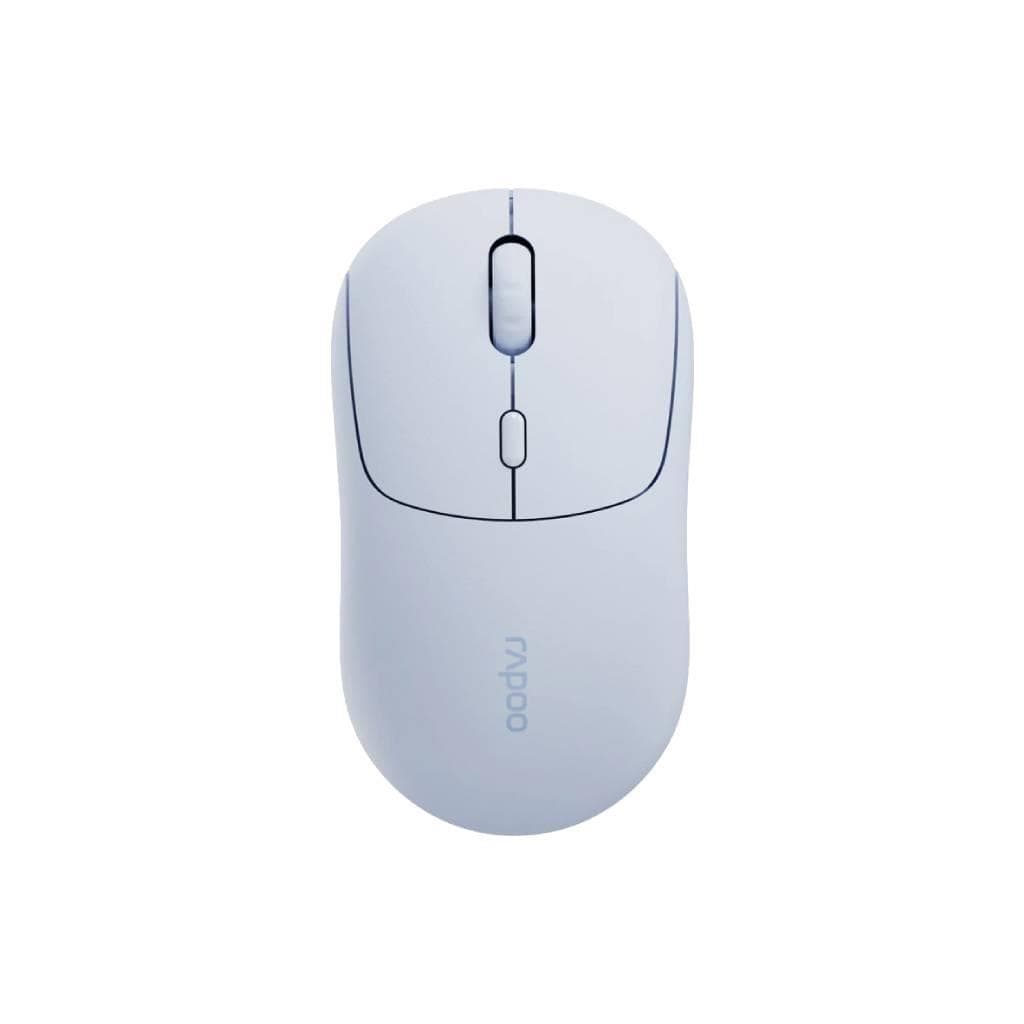


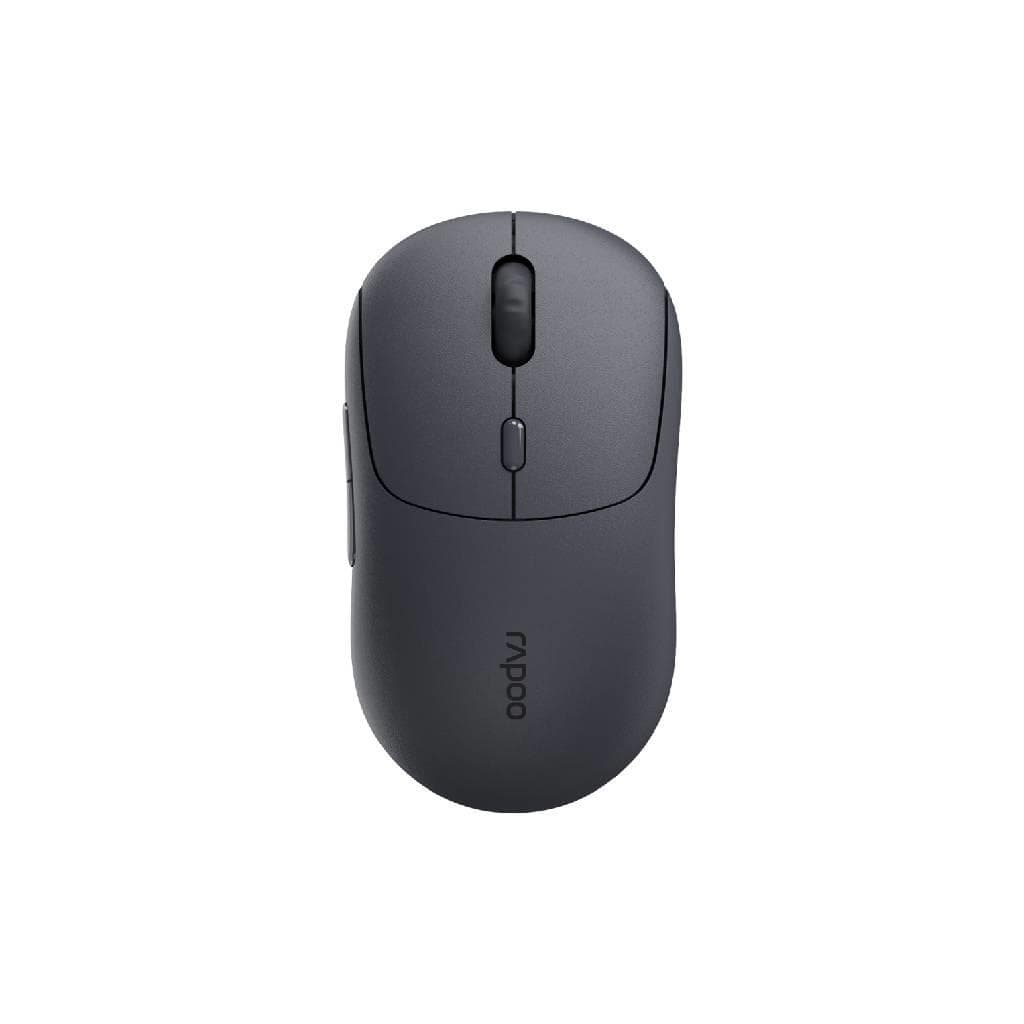
RAPOO M1 Wireless Optical Mouse Black
SKU: M1-BKGadgets & Accessories › Mice· Model: M100 Silent
฿146
Price includes 7% VATPrice updated November 1, 2026
In stock1 year manufacturer's warranty
For orders placed before 12:00 on a business day; weekends excluded
GenuineFree delivery from ฿5,000Tax invoice
เมาส์ไร้สายรุ่นพื้นฐานจาก RAPOO ใช้งานง่ายด้วยการเชื่อมต่อ Bluetooth และ USB 2.4GHz รองรับการใช้งานบนแล็ปท็อปหรือเดสก์ท็อปได้อย่างสะดวก
Key features
- รองรับ Bluetooth และ USB 2.4GHz พร้อมกัน
- ความละเอียด 1000 DPI แม่นยำในการควบคุม
- ใช้งานได้นานถึง 12 เดือนต่อการชาร์จหนึ่งครั้ง
- น้ำหนักเบาเพียง 85 กรัม จับถนัดมือ
- ออกแบบพื้นฐาน ใช้งานง่าย ไม่ซับซ้อน
Product description
เมาส์ไร้สาย RAPOO M1 สีดำ ออกแบบมาเพื่อความเรียบง่ายและใช้งานได้ทันที โดยรองรับการเชื่อมต่อแบบไร้สายผ่าน Bluetooth และ USB 2.4GHz ซึ่งช่วยให้คุณสามารถสลับระหว่างอุปกรณ์ได้อย่างรวดเร็ว โดยเฉพาะเมื่อใช้งานกับแล็ปท็อปหรือเครื่องมือพกพา ความละเอียดของเซ็นเซอร์อยู่ที่ 1000 DPI ทำให้การเลื่อนหน้าจอแม่นยำและลื่นไหล แบตเตอรี่ภายในใช้งานได้นานถึง 12 เดือน ช่วยลดความกังวลเรื่องการชาร์จบ่อย ๆ ตัวเมาส์มีน้ำหนักเบาเพียง 85 กรัม จับถนัดมือ พร้อมปุ่มคลิกที่ตอบสนองไว เหมาะสำหรับงานทั่วไป เช่น การพิมพ์เอกสาร การใช้งานเว็บไซต์ และการนำเสนอข้อมูล
More features
- รองรับการสลับอุปกรณ์ได้หลายเครื่อง
- เซ็นเซอร์ออปติคอลแม่นยำ ใช้งานได้ทั้งบนโต๊ะและพื้นผิวเรียบ
- ไม่ต้องเสียบสาย ใช้งานไร้สายได้ทันที
Pros and limitations
Pros
- รองรับการเชื่อมต่อหลายช่องทาง ใช้งานได้หลากหลายอุปกรณ์
- แบตเตอรี่ใช้งานได้นานถึง 12 เดือน ลดความจำเป็นในการชาร์จบ่อย
- น้ำหนักเบา จับถนัดมือ ใช้งานได้ทั้งบนแล็ปท็อปและเดสก์ท็อป
- เซ็นเซอร์ออปติคอลแม่นยำ รองรับพื้นผิวเรียบทั่วไป
- ออกแบบเรียบง่าย ใช้งานได้ทันที ไม่ต้องติดตั้งไดรเวอร์ซับซ้อน
Limitations
- ไม่มีปุ่มปรับ DPI แบบฟิสิกส์บนตัวเมาส์
- ไม่รองรับการชาร์จไร้สาย
- ไม่มีไฟ RGB หรือฟังก์ชันเสริมเชิงเกม
Who it is for
เหมาะสำหรับผู้ใช้งานทั่วไปที่ต้องการเมาส์พกพา ใช้ร่วมกับแล็ปท็อปหรือเดสก์ท็อปในสำนักงาน บ้าน หรือระหว่างเดินทาง
Color
ดำ
Weight
55 กรัม
Dimensions
98.30 x 60.5 x 34.10 มม.
Connectivity
Bluetooth, 2.4GHz Wireless
Specifications (21)
- ความละเอียด DPI
- 1000
- สี
- Black
- เซ็นเซอร์
- Optical
- น้ำหนัก
- 85 g
- จำนวนปุ่ม
- 3 (Left, Right, Scroll Wheel)
- ซอฟต์แวร์
- RAPOO Mouse Utility (for advanced settings)
- การรับประกัน
- 1 year
- การเชื่อมต่อ
- Bluetooth, USB 2.4GHz Wireless
- ขนาด
- 119 x 67 x 38 mm
- อายุการใช้งานแบตเตอรี่
- Up to 12 months
- ประเภทแบตเตอรี่
- Built-in Rechargeable Li-ion
- Polling Rate
- 1000 Hz
- ล้อเลื่อน
- Standard Scroll
- ระยะเวลาชาร์จ
- Approx. 2 hours
- ความเข้ากันได้
- Windows, macOS, Linux, Android, iOS
- ไฟแสดงสถานะ
- Battery Status LED
- Receiver Type
- USB Nano Receiver
- Adjustable DPI
- รองรับ (via software or button)
- Operating Range
- Up to 10 meters
- เวอร์ชัน Bluetooth
- Bluetooth 5.0
- การใช้พลังงาน
- Low Power Mode
Compatibility
Windows, macOS, iOS, Android, Chrome OS
Datasheets and manuals straight from the manufacturer — select a document to open or download it.
12 questions
Frequently asked questions about this product
Compiled from manufacturer information
เมาส์ RAPOO M1 ใช้งานกับแล็ปท็อปได้ไหม?
ได้แน่นอน เมาส์ RAPOO M1 รองรับการเชื่อมต่อผ่าน Bluetooth และ USB 2.4GHz จึงใช้งานได้กับแล็ปท็อปทุกรุ่นที่มีพอร์ต USB หรือรองรับ Bluetooth โดยไม่ต้องติดตั้งไดรเวอร์เพิ่มเติม
ใช้งานแบตเตอรี่ได้นานแค่ไหน?
เมาส์ RAPOO M1 ใช้งานได้นานถึง 12 เดือนต่อการชาร์จหนึ่งครั้ง โดยขึ้นอยู่กับการใช้งานจริง ซึ่งเหมาะสำหรับผู้ที่ไม่อยากเสียเวลาชาร์จบ่อย ๆ
รองรับการสลับระหว่างอุปกรณ์ได้กี่เครื่อง?
เมาส์ RAPOO M1 รองรับการเชื่อมต่อพร้อมกันผ่าน Bluetooth และ USB 2.4GHz จึงสามารถสลับใช้งานระหว่างอุปกรณ์ได้หลายเครื่อง เช่น แล็ปท็อป แท็บเล็ต และมือถือ โดยไม่ต้องตั้งค่าใหม่บ่อย
ต้องใช้ไดรเวอร์ไหม?
ไม่จำเป็น เมาส์ RAPOO M1 รองรับ Plug-and-Play ทันทีเมื่อเชื่อมต่อผ่าน Bluetooth หรือ USB Receiver โดยไม่ต้องติดตั้งไดรเวอร์เพิ่มเติม แต่สามารถใช้ซอฟต์แวร์ RAPOO Mouse Utility เพื่อปรับแต่งเพิ่มเติมได้
ใช้งานบนโต๊ะไม้ได้ไหม?
ได้ เมาส์ RAPOO M1 ใช้เซ็นเซอร์ออปติคอลที่รองรับพื้นผิวเรียบทั่วไป เช่น โต๊ะไม้ กระจก หรือแผ่นวางเมาส์ ความละเอียด 1000 DPI ทำให้การควบคุมแม่นยำแม้บนพื้นผิวที่ไม่ใช่แผ่นรองเมาส์โดยเฉพาะ
มีปุ่มปรับ DPI ไหม?
สามารถปรับ DPI ได้ผ่านซอฟต์แวร์ RAPOO Mouse Utility หรือหากมีปุ่มบนตัวเมาส์ (ขึ้นอยู่กับรุ่น) แต่ในรุ่น M1 Black ไม่มีปุ่มปรับ DPI แบบฟิสิกส์ จึงต้องใช้ซอฟต์แวร์ในการตั้งค่า
ชาร์จไฟผ่านสาย USB ได้ไหม?
ได้ เมาส์ RAPOO M1 มีแบตเตอรี่ในตัวที่สามารถชาร์จผ่านพอร์ต Micro-USB ใช้เวลาชาร์จประมาณ 2 ชั่วโมง แล้วใช้งานได้นานถึง 12 เดือน
Is it in stock?
The RAPOO M1 Wireless Optical Mouse Black is in stock and ready to ship. Orders placed before 12:00 on a business day are delivered within 1–3 business days (Bangkok and vicinity) or 2–5 business days (other provinces). Order online at store.gist.co.th or contact our sales team at 092-251-4017.
How much does it cost?
The price is ฿146 (including 7% VAT). It is in stock and ready to ship. Business customers can request a quotation at sales@gist.co.th.
How long is the warranty?
Warranty period: รับประกัน 1 ปี (manufacturer's terms). To make a warranty claim, call 092-251-4017 or 065-523-5262, or email sales@gist.co.th (Mon–Fri 9:00–18:00), then send the product with your order number to our head office, or bring it to the head office in person.
How long does delivery take?
Orders placed before 12:00 on a business day are delivered within 1–3 business days (Bangkok and vicinity) or 2–5 business days (other provinces). Free delivery on orders of ฿5,000 or more (a ฿150 delivery fee applies below this amount).
Is it genuine?
Genuine products sourced from distributors in Thailand, covered by the manufacturer's warranty. Full tax invoices are available.
Didn't find the answer you need?
Loading reviews…
Genuine products
Sourced from distributors in Thailand and covered by the manufacturer's warranty
Warranty period
รับประกัน 1 ปี
Covered by the manufacturer's warranty; you can make claims through GIST
Claims through GIST
Ship the product to our head office or bring it in person
Warranty conditions
- A receipt or other proof of purchase is required
- The product must not have been modified or altered
- Damage caused by misuse is not covered by the warranty
- To make a warranty claim, call 092-251-4017 or 065-523-5262, or email sales@gist.co.th (Mon–Fri 9:00–18:00), then send the product with your order number to our head office, or bring it to the head office in person.Head office: 554 Sky Nine Center, Floor 12A, Room 554/62, Asok-Din Daeng Road, Din Daeng Subdistrict, Din Daeng District, Bangkok 10400
More in Mice
Logitech
Logitech Signature Comfort Plus M850L Wireless Mouse (Graphite & Off-White) - 3-Device Bluetooth
Price on request
Price
฿146