
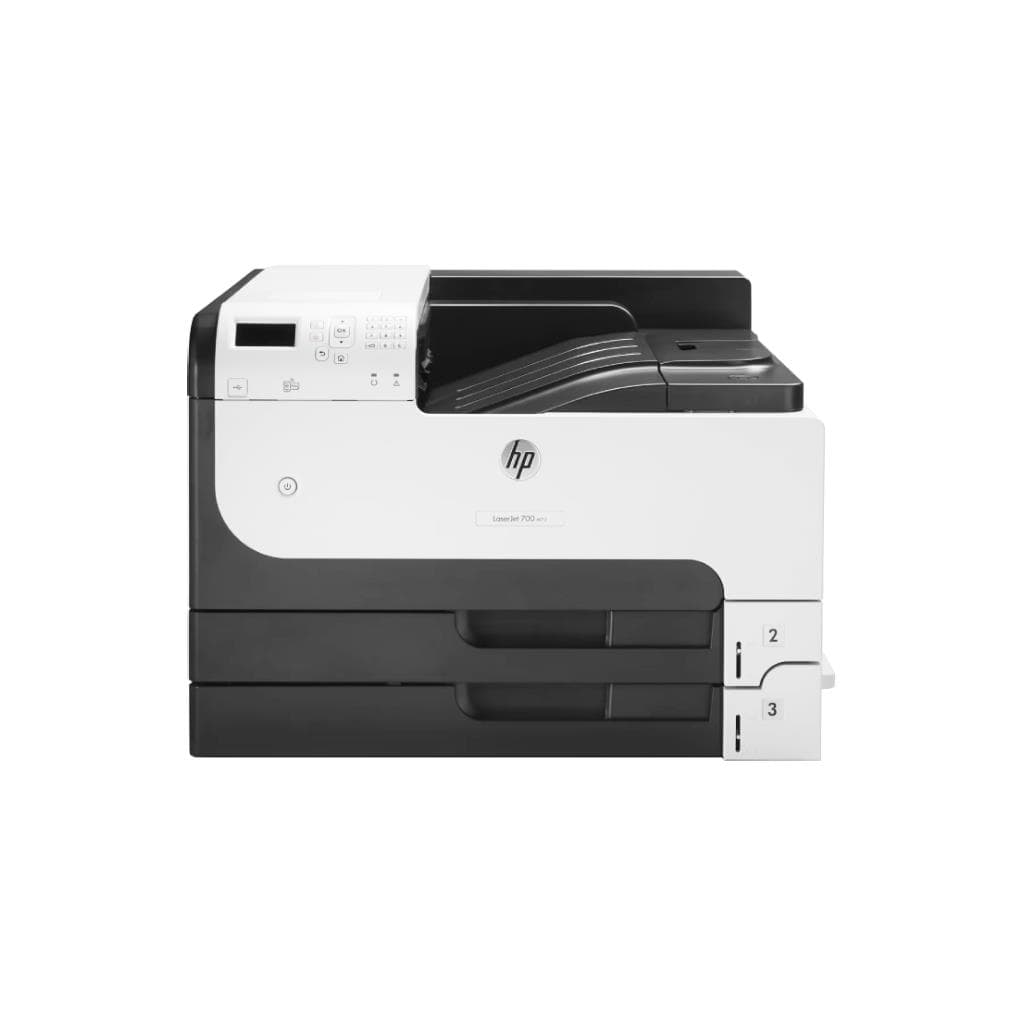


CANON imageCLASS MF272DW All-in-One Laser Printer (29 ppm, Wi-Fi, 600 x 600 DPI)
SKU: MF272DWPrinters & Supplies › Multifunction Laser Printers
฿9,519
Price includes 7% VATPrice updated October 29, 2026
Out of stock1 year manufacturer's warranty
Temporarily out of stock — ask us about the restock date or an alternative model
Call us 092-251-4017Send a question to salesGenuineFree delivery from ฿5,000Tax invoice
เครื่องพิมพ์เลเซอร์ All-in-One แบบไร้สาย รองรับการพิมพ์ ถ่ายเอกสาร และสแกน ความเร็ว 29 แผ่นต่อนาที พร้อมหน้าจอสัมผัส 5 บรรทัด ใช้งานได้ทั้งในสำนักงานขนาดเล็กและบ้านทำงาน
Key features
- พิมพ์ ถ่ายเอกสาร สแกน ครบในเครื่องเดียว
- ความเร็ว 29 แผ่นต่อนาที (ขาวดำ)
- หน้าจอสัมผัส 5 บรรทัด ควบคุมง่าย
- รองรับการเชื่อมต่อ Wi-Fi และ Ethernet
- ความละเอียดพิมพ์ 600 x 600 DPI
Product description
เครื่องพิมพ์เลเซอร์ All-in-One รุ่น imageCLASS MF272DW จาก Canon ออกแบบมาเพื่อประสิทธิภาพในการทำงานประจำวันในสำนักงานขนาดเล็กและบ้านทำงาน โดยรองรับการพิมพ์ ถ่ายเอกสาร และสแกนได้ครบครันในเครื่องเดียว ความเร็วพิมพ์สูงถึง 29 แผ่นต่อนาที (ppm) สำหรับเอกสารขาวดำ พร้อมความละเอียด 600 x 600 DPI ทำให้ได้คุณภาพการพิมพ์คมชัด หน้าจอสัมผัส 5 บรรทัดช่วยให้การตั้งค่าและการควบคุมง่ายขึ้น รองรับการเชื่อมต่อไร้สายผ่าน Wi-Fi และ Ethernet ทำให้สามารถใช้งานร่วมกับคอมพิวเตอร์หลายเครื่องในเครือข่ายได้อย่างราบรื่น แม้จะไม่สามารถใช้งานได้กับระบบ Linux สำหรับฟังก์ชันสแกนโดยตรง แต่ยังสามารถใช้งานผ่านแอปพลิเคชัน Scan ได้ในบางรุ่น
More features
- รองรับระบบปฏิบัติการ Windows และ macOS
- ใช้งานได้ทั้งในสำนักงานเล็กและบ้านทำงาน
- รองรับการพิมพ์จากอุปกรณ์มือถือผ่าน AirPrint และ Mopria
- มีระบบสแกนที่ใช้งานได้กับ Windows และ macOS
Pros and limitations
Pros
- ความเร็วพิมพ์สูง 29 แผ่นต่อนาที สำหรับงานประจำวัน
- รองรับการพิมพ์แบบอัตโนมัติทั้งสองด้าน (Duplex)
- หน้าจอสัมผัส 5 บรรทัด ใช้งานง่าย
- รองรับการเชื่อมต่อไร้สายและ Ethernet ใช้งานได้หลายเครื่อง
- มีระบบสแกน ADF 35 แผ่น ช่วยประหยัดเวลา
Limitations
- ไม่มีการสนับสนุนไดรเวอร์ Linux สำหรับฟังก์ชันสแกนโดยตรง
- ไม่รองรับการสแกนผ่านระบบ Linux โดยตรง (ต้องใช้แอปพลิเคชันภายนอก)
Who it is for
เหมาะสำหรับสำนักงานขนาดเล็ก บ้านทำงาน หรือพนักงานที่ต้องการเครื่องพิมพ์ครบวงจร รองรับการพิมพ์ ถ่ายเอกสาร และสแกนแบบไร้สาย
Connectivity
Wi-Fi, Ethernet
Specifications (40)
- Fax
- ไม่รองรับ
- IPv6
- รองรับ
- UPnP
- รองรับ
- สี
- Black
- พอร์ต
- USB 2.0, Ethernet RJ-45, Wi-Fi
- หน่วยความจำ (RAM)
- 64 MB
- น้ำหนัก
- 10.5 kg
- Bonjour
- รองรับ
- Display
- 5-line monochrome LCD touch screen
- การรับประกัน
- 1 year
- Languages
- English, Thai, Japanese, Korean, Simplified Chinese, Traditional Chinese, French, German, Spanish, Italian, Russian, Portuguese, Dutch, Polish, Turkish, Arabic, Hebrew
- ขนาด
- 398 x 365 x 285 mm
- Duty Cycle
- Up to 15,000 pages per month
- Paper Size
- A4, A5, A6, B5, Letter, Legal, Executive, Envelope (DL, Monarch)
- Duplex Scan
- Automatic
- Toner Yield
- Approx. 1,500 pages
- ADF Capacity
- 35 sheets
- Web Interface
- รองรับ
- Ink/Toner Type
- Toner cartridge (CLI-272)
- การเชื่อมต่อ
- Wi-Fi, Ethernet, USB 2.0
- Duplex Printing
- Automatic
- การอัปเดตเฟิร์มแวร์
- รองรับ
- Mobile Printing
- AirPrint, Mopria Print Service
- Network Discovery
- รองรับ
- Network Protocols
- TCP/IP, HTTP, IPP, SNMP, DHCP, DNS, mDNS
- Operating Systems
- Windows® 8.1/10/11, Windows Server® 2012/2012 R2/2016/2019/2022, macOS v10.12 or later
- การใช้พลังงาน
- Approx. 550 W (printing), 15 W (standby)
- Remote Management
- รองรับ
- Scanner Interface
- TWAIN, WIA
- Scanning Software
- Canon PRINT Inkjet/SELPHY, Canon PRINT Inkjet/SELPHY for Mac
- คุณสมบัติด้านความปลอดภัย
- User authentication, Secure Print
- Toner Part Number
- CLI-272
- Resolution (Print)
- 600 x 600 dpi
- Scanner Resolution
- 600 x 600 dpi
- Security Protocols
- WPA2-PSK, WPA3-SAE
- มาตรฐาน Wi-Fi
- IEEE 802.11b/g/n
- Paper Tray Capacity
- 150 sheets
- First Print Out Time
- 10.5 seconds
- Print Speed (A4, Black)
- 29 ppm
- Recommended Monthly Pages
- Up to 1,500 pages
Compatibility
Windows, macOS
Datasheets and manuals straight from the manufacturer — select a document to open or download it.
13 questions
Frequently asked questions about this product
Compiled from manufacturer information
เครื่องพิมพ์ MF272DW รองรับการพิมพ์จากมือถือได้ไหม?
ได้ รองรับการพิมพ์จากมือถือผ่าน AirPrint และ Mopria Print Service ทำให้สามารถพิมพ์เอกสารหรือภาพจากสมาร์ทโฟนหรือแท็บเล็ตได้ทันที โดยไม่ต้องติดตั้งไดรเวอร์เพิ่มเติม
ทำไมพิมพ์ผ่าน Wi-Fi แล้วไม่เจอเครื่องในเครือข่าย?
อาจเกิดจาก IP ของเครื่องไม่คงที่ แนะนำให้ตั้งค่า IP คงที่ในเราเตอร์ แล้วจอง IP ให้เครื่องพิมพ์ หลังจากนั้นรีสตาร์ทเครื่องและเพิ่มเครื่องพิมพ์ผ่าน TCP/IP ด้วย IP ที่จองไว้
เครื่องพิมพ์ MF272DW ใช้ตลับหมึกแบบไหน?
ใช้ตลับหมึกแบบโทนเนอร์ CLI-272 รองรับการพิมพ์ได้ประมาณ 1,500 หน้า สามารถซื้อเพิ่มเติมได้ที่ร้านค้าหรือเว็บไซต์อย่างเป็นทางการของ Canon
ใช้ Linux แล้วสแกนไม่ได้ ต้องทำอย่างไร?
แม้ Canon จะไม่ให้ไดรเวอร์เฉพาะสำหรับ Linux แต่สามารถใช้งานฟังก์ชันสแกนได้ผ่านแอปพลิเคชัน Scan หรือ XSane โดยต้องตั้งค่าเครือข่ายให้ถูกต้องและใช้โปรโตคอล TWAIN หรือ WIA
เครื่องพิมพ์นี้รองรับการสแกนแบบสองด้านได้ไหม?
ได้ รองรับการสแกนแบบอัตโนมัติทั้งสองด้าน (Duplex Scan) ผ่านเครื่องสแกน ADF ที่รองรับการสแกนเอกสารหลายหน้าพร้อมกัน
เครื่องพิมพ์นี้ใช้พลังงานเท่าไร?
ใช้พลังงานประมาณ 550 วัตต์เมื่อพิมพ์ และ 15 วัตต์เมื่ออยู่ในโหมดสแตนด์บาย ประหยัดพลังงานในช่วงที่ไม่ใช้งาน
สามารถตั้งค่าเครือข่ายผ่านหน้าจอได้ไหม?
ได้ รองรับการตั้งค่าเครือข่ายผ่านหน้าจอสัมผัส 5 บรรทัด โดยสามารถเชื่อมต่อ Wi-Fi หรือ Ethernet ได้โดยตรงจากเมนูเครื่อง
เครื่องพิมพ์นี้รองรับการพิมพ์จากเว็บไซต์หรืออีเมลไหม?
ได้ รองรับการพิมพ์จากเว็บเบราว์เซอร์ผ่านโปรโตคอล IPP และสามารถพิมพ์อีเมลหรือเอกสารจากอีเมลได้โดยตรงผ่านฟีเจอร์ Secure Print
Is it in stock?
The CANON imageCLASS MF272DW All-in-One Laser Printer (29 ppm, Wi-Fi, 600 x 600 DPI) is temporarily out of stock. Ask us about the restock date or an alternative model at sales@gist.co.th or 092-251-4017.
How much does it cost?
The price is ฿9,519 (including 7% VAT). It is currently out of stock; ask us about the restock date at sales@gist.co.th. Business customers can request a quotation at sales@gist.co.th.
How long is the warranty?
Warranty period: 1 ปี (manufacturer's terms). To make a warranty claim, call 092-251-4017 or 065-523-5262, or email sales@gist.co.th (Mon–Fri 9:00–18:00), then send the product with your order number to our head office, or bring it to the head office in person.
How long does delivery take?
Orders placed before 12:00 on a business day are delivered within 1–3 business days (Bangkok and vicinity) or 2–5 business days (other provinces). Free delivery on orders of ฿5,000 or more (a ฿150 delivery fee applies below this amount).
Is it genuine?
Genuine products sourced from distributors in Thailand, covered by the manufacturer's warranty. Full tax invoices are available.
Didn't find the answer you need?
Loading reviews…
Genuine products
Sourced from distributors in Thailand and covered by the manufacturer's warranty
Warranty period
1 ปี
Covered by the manufacturer's warranty; you can make claims through GIST
Claims through GIST
Ship the product to our head office or bring it in person
Warranty conditions
- A receipt or other proof of purchase is required
- The product must not have been modified or altered
- Damage caused by misuse is not covered by the warranty
- To make a warranty claim, call 092-251-4017 or 065-523-5262, or email sales@gist.co.th (Mon–Fri 9:00–18:00), then send the product with your order number to our head office, or bring it to the head office in person.Head office: 554 Sky Nine Center, Floor 12A, Room 554/62, Asok-Din Daeng Road, Din Daeng Subdistrict, Din Daeng District, Bangkok 10400
More in Multifunction Laser Printers


