
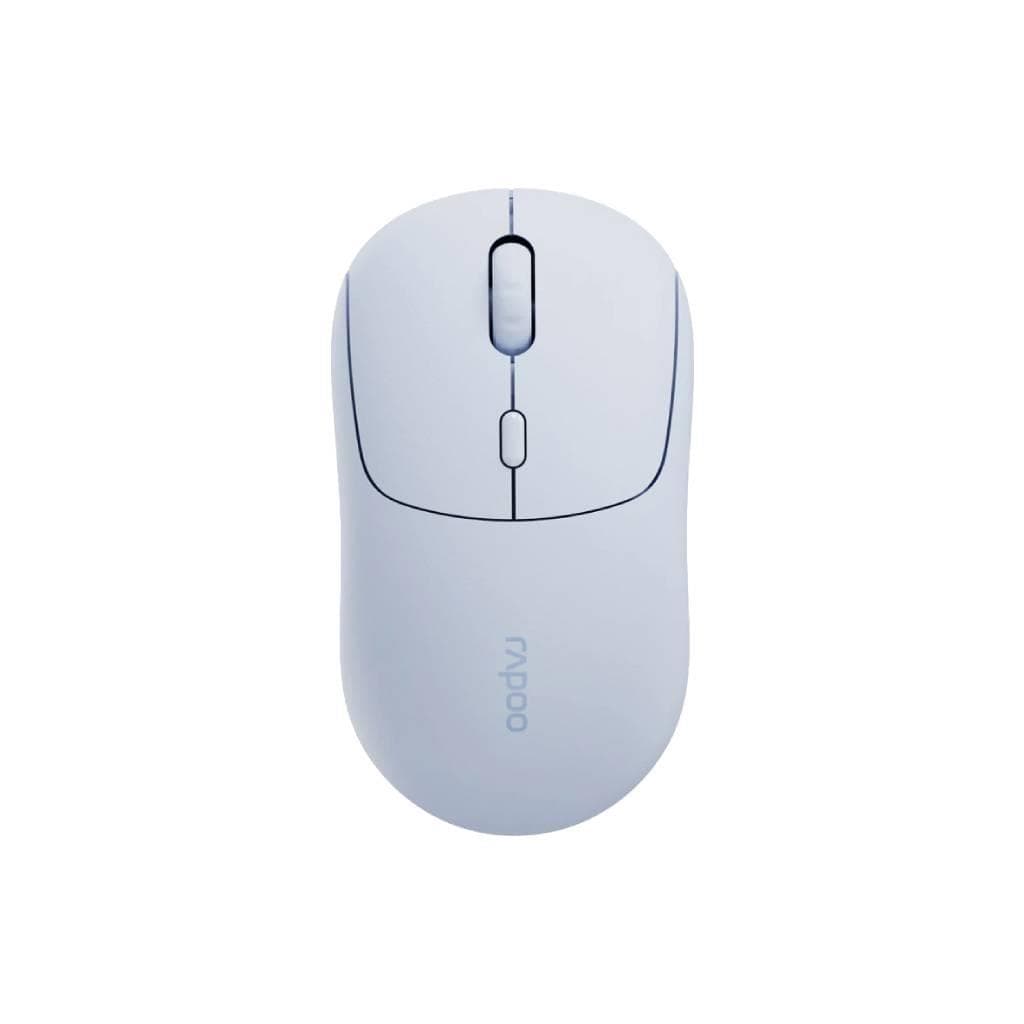


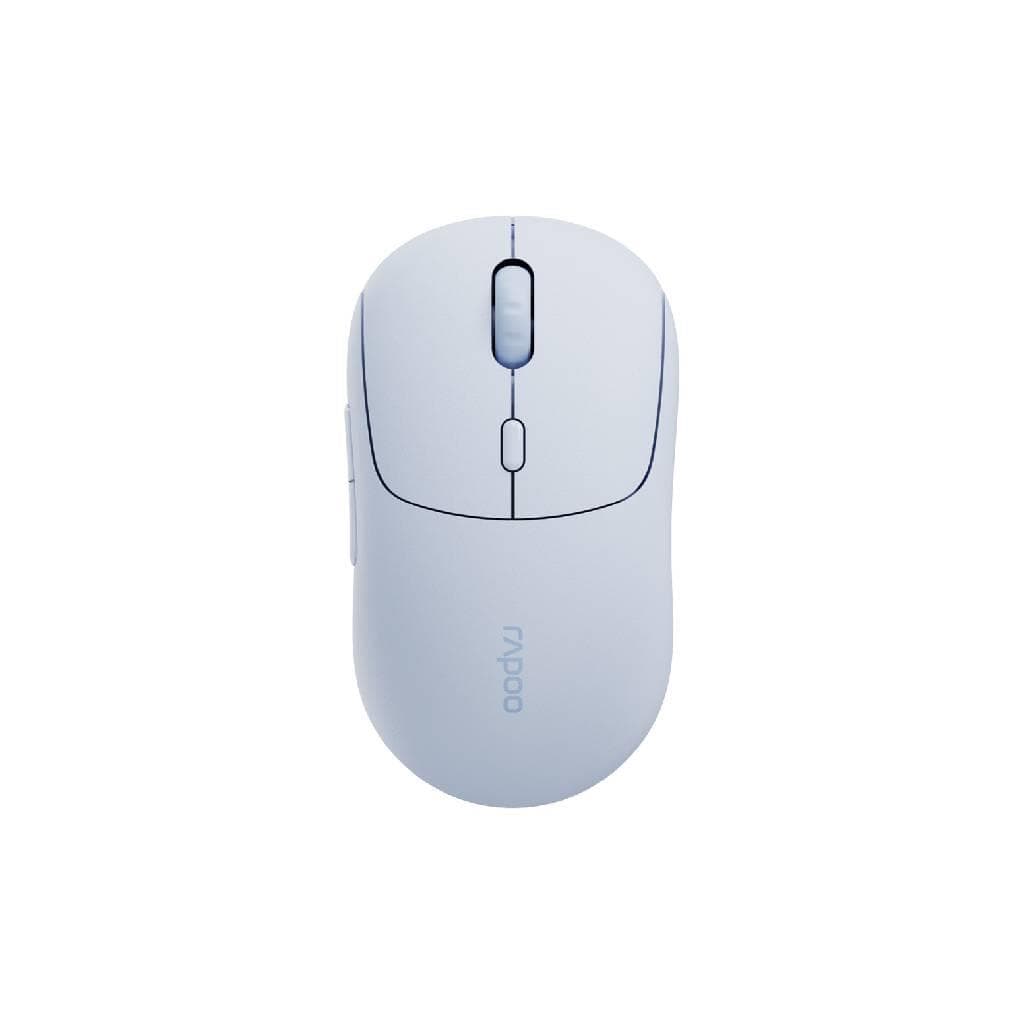
RAPOO M100 Silent Wireless Mouse (Blue) - Multi-mode
SKU: MSM100-BLGadgets & Accessories › Mice· Model: M100SILENT.BLUE
Please enquire before ordering
The distributor has not yet confirmed the latest price and availability (last checked Sep 22, 2026)
092-251-4017Awaiting stock confirmation1 year manufacturer's warranty
GenuineFree delivery from ฿5,000Tax invoice
Rapoo M100 Silent Wireless Mouse, Blue, supports multi-mode connectivity, easy to use, quiet, won't disturb coworkers
Key features
- Supports Multi-mode connectivity (USB Wireless + Bluetooth 5.0)
- Precise optical sensor, 1000 DPI resolution
- Quiet, soft click sound, won't disturb others
- Up to 12 months of battery life per charge
- Designed for general users and office environments
Product description
Rapoo M100 Silent Wireless Mouse, Blue, features Multi-mode connectivity technology supporting both USB Wireless and Bluetooth 5.0, allowing seamless switching between multiple devices without frequent battery changes. Sleek design ideal for general use at home or in the office, equipped with precise optical sensor, fast response, and quiet click sound that won't disturb others. Battery lasts up to 12 months per charge via micro-USB port.
More features
- Supports switching between multiple devices
- Includes micro-USB charging cable, ready to use immediately
- Lightweight and portable
- Sleek design, striking blue color
- No need to replace batteries
Pros and limitations
Pros
- Supports multi-mode connectivity, works with multiple devices
- Battery lasts up to 12 months, reducing hassle of battery replacement
- Quiet click sound, won't disturb others, ideal for meetings or quiet spaces
- Sleek design, striking blue color, suitable for general use
- Includes micro-USB charging port, no need to buy extra batteries
Limitations
- No programmable buttons
- Only one DPI setting (1000 DPI), may not suit gamers or users needing high precision for design work
Who it is for
Ideal for office workers, students, or general users seeking a quiet, easy-to-use wireless mouse that supports multiple devices simultaneously
Connectivity
Bluetooth, 2.4GHz Wireless
Specifications (18)
- DPI
- 1000
- Color
- Blue
- Weight
- 95 g
- Buttons
- Forward/Backward + Scroll Wheel
- Warranty
- 1 year
- Connection
- Wireless (USB Wireless + Bluetooth 5.0)
- Dimensions
- 123 x 70 x 38 mm
- Sensor Type
- Optical
- Switch Type
- Silent Click
- Battery Life
- Up to 12 months (typical usage)
- Battery Type
- Rechargeable Li-ion
- Polling Rate
- 125 Hz
- Scroll Wheel
- Click-to-Scroll
- Charging Port
- Micro-USB
- Charging Time
- Approx. 2 hours
- Compatibility
- Windows, macOS, Linux, Android, iOS
- Operating Range
- Up to 10 meters
- Battery Capacity
- 500 mAh
Datasheets and manuals straight from the manufacturer — select a document to open or download it.
12 questions
Frequently asked questions about this product
Compiled from manufacturer information
How many devices can the Rapoo M100 Silent mouse connect to via Bluetooth at once?
Supports switching between up to 3 devices simultaneously via Bluetooth 5.0 protocol, automatically reconnects upon power-on
Can this mouse be used with tablets or smartphones?
Yes, it supports Bluetooth connection with Android and iOS devices, as well as tablets that support Bluetooth mice
How long does the battery actually last?
According to the manufacturer, battery lasts up to 12 months per charge under normal usage conditions, such as 500 clicks per day
Does this mouse have programmable buttons or DPI adjustment?
No, there are no DPI adjustment buttons or additional programmable buttons. It works out of the box with no setup required, fixed at 1000 DPI
Can it be used with a PC that lacks a USB-C port?
Yes, absolutely. The mouse connects via a compact USB Wireless Receiver or Bluetooth, requiring no special ports
Can the mouse be charged using a micro-USB cable?
Yes, the mouse comes with a micro-USB port for charging, taking approximately 2 hours to fully charge
Is this mouse suitable for those who prefer using it in meeting rooms?
Yes, the mouse is designed with a quiet click mechanism, making it ideal for use in meeting rooms or quiet environments
Is it in stock?
We are confirming the latest stock and price of the RAPOO M100 Silent Wireless Mouse (Blue) - Multi-mode with the distributor. Please contact us before ordering at 092-251-4017 or sales@gist.co.th.
How much does it cost?
The distributor has not yet confirmed the latest price and availability. Please contact us before ordering at 092-251-4017 or sales@gist.co.th.
How long is the warranty?
Warranty period: 1-year warranty (manufacturer's terms). To make a warranty claim, call 092-251-4017 or 065-523-5262, or email sales@gist.co.th (Mon–Fri 9:00–18:00), then send the product with your order number to our head office, or bring it to the head office in person.
How long does delivery take?
Orders placed before 12:00 on a business day are delivered within 1–3 business days (Bangkok and vicinity) or 2–5 business days (other provinces). Free delivery on orders of ฿5,000 or more (a ฿150 delivery fee applies below this amount).
Is it genuine?
Genuine products sourced from distributors in Thailand, covered by the manufacturer's warranty. Full tax invoices are available.
Didn't find the answer you need?
Loading reviews…
Genuine products
Sourced from distributors in Thailand and covered by the manufacturer's warranty
Warranty period
1-year warranty
Covered by the manufacturer's warranty; you can make claims through GIST
Claims through GIST
Ship the product to our head office or bring it in person
Warranty conditions
- A receipt or other proof of purchase is required
- The product must not have been modified or altered
- Damage caused by misuse is not covered by the warranty
- To make a warranty claim, call 092-251-4017 or 065-523-5262, or email sales@gist.co.th (Mon–Fri 9:00–18:00), then send the product with your order number to our head office, or bring it to the head office in person.Head office: 554 Sky Nine Center, Floor 12A, Room 554/62, Asok-Din Daeng Road, Din Daeng Subdistrict, Din Daeng District, Bangkok 10400
More in Mice
Logitech
Logitech Signature Comfort Plus M850L Wireless Mouse (Graphite & Off-White) - 3-Device Bluetooth
Price on request