

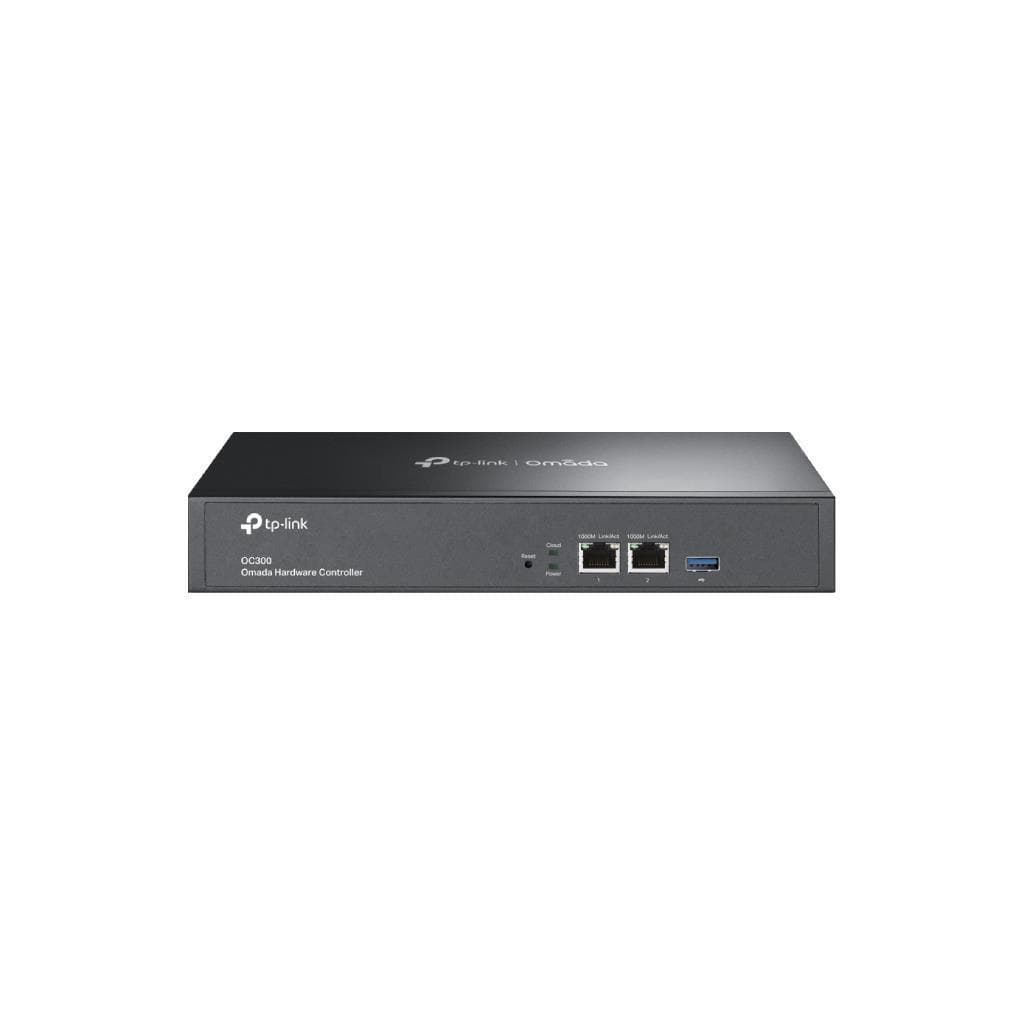

TP-Link Omada OC300 Hardware Controller V1.2 (2x1G Ethernet, USB 3.0)
SKU: OC300-VER1.2Networking › Routers & Access Points
฿9,996
Price includes 7% VATPrice updated November 1, 2026
In stock31 units1 year manufacturer's warranty
For orders placed before 12:00 on a business day; weekends excluded
GenuineFree delivery from ฿5,000Tax invoice
ฮาร์ดแวร์คอนโทรลเลอร์สำหรับจัดการเครือข่าย Omada รองรับจุดเชื่อมต่อ Wi-Fi ได้สูงสุด 500 ตัว พร้อมพอร์ต Ethernet 2 ช่องและ USB 3.0 ใช้จัดการเครือข่ายขนาดกลางถึงใหญ่ได้อย่างมีประสิทธิภาพ
Key features
- รองรับจุดเชื่อมต่อ Wi-Fi สูงสุด 500 ตัว
- จัดการเครือข่ายหลายสถานที่ได้พร้อมกัน
- อัปเดตเฟิร์มแวร์แบบกลุ่ม (Batch Update)
- รองรับการจัดการ PoE และการตั้งค่าช่องสัญญาณอัตโนมัติ
- มีพอร์ต Ethernet 2 ช่อง 10/100/1000 Mbps
Product description
TP-Link Omada OC300 รุ่น V1.2 เป็นฮาร์ดแวร์คอนโทรลเลอร์ที่ออกแบบมาเพื่อจัดการเครือข่าย Omada แบบครบวงจร โดยรองรับการควบคุมจุดเชื่อมต่อ Wi-Fi ได้สูงสุด 500 ตัว พร้อมสวิตช์ JetStream 100 ตัว และรูเตอร์ Omada 100 ตัว ทำให้เหมาะสำหรับองค์กรขนาดกลางถึงใหญ่ที่ต้องการควบคุมเครือข่ายแบบรวมศูนย์ รองรับการจัดการหลายสถานที่ (Multi-site Management) และการอัปเดตเฟิร์มแวร์แบบพร้อมกัน (Batch Firmware Upgrading) ช่วยลดภาระงานของทีมไอทีอย่างมาก พร้อมฟีเจอร์ขั้นสูง เช่น การจัดการ PoE, การตั้งค่าช่องสัญญาณอัตโนมัติ และการแจ้งเตือนเหตุการณ์ผิดปกติผ่านอีเมล
More features
- มีพอร์ต USB 3.0 สำหรับอุปกรณ์เสริม
- รองรับการจัดการผ่าน Cloud และ On-Premises
- รองรับการจัดการผ่านแอป Omada บนมือถือ
- รองรับการตั้งค่า VLAN อัตโนมัติเมื่อสร้าง PPSK
- รองรับการเข้ารหัส RadSec เพื่อความปลอดภัยสูงขึ้น
Pros and limitations
Pros
- รองรับการจัดการเครือข่ายขนาดใหญ่ได้ดี
- มีฟีเจอร์ขั้นสูง เช่น Auto Channel และ RadSec
- รองรับการจัดการผ่าน Cloud และ On-Premises
- มีพอร์ต USB 3.0 สำหรับอุปกรณ์เสริม
Limitations
- ไม่รองรับการจัดการผ่าน SNMP อย่างชัดเจน
- ไม่รองรับการจัดการผ่าน API โดยตรง
Specifications (44)
- แบรนด์
- TP-Link
- รุ่น
- OC300
- พอร์ต USB
- 1 × USB 3.0
- การติดตั้งในตู้ Rack
- รองรับ
- Cloud Access
- รองรับ
- Network Type
- Small/Medium local network, Medium/Large network, Medium/Large multi-site network
- PoE Schedule
- รองรับ
- แหล่งจ่ายไฟ
- 100–240 V~50/60 Hz, 0.6 A
- VLAN
- รองรับ
- L3 Management
- รองรับ
- พอร์ต Ethernet
- 2 × 10/100/1000 Mbps
- RadSec Support
- รองรับ (for SSID, MAC-Based, and 802.1X authentication)
- Wi-Fi Schedule
- รองรับ
- Backup Schedule
- รองรับ
- Reboot Schedule
- รองรับ
- เวอร์ชันเฟิร์มแวร์
- 1.32.10
- เวอร์ชันฮาร์ดแวร์
- V1.2
- Management Scale
- Up to 500 Omada access points, 100 JetStream switches, and 100 Omada routers
- ระบบปฏิบัติการ
- Embedded Linux
- Power Adjustment
- รองรับ
- Upgrade Schedule
- รองรับ
- Bluetooth Console
- รองรับ
- Omada App Support
- รองรับ
- Advanced Functions
- Multi-Site Management, Multi-User Privilege Assignment, WiFi Heatmap Simulator, Network Summary Report, Abnormal Event Warnings and Notifications, Batch Configuration, Batch Firmware Upgrading, Captive Portal (Facebook WiFi, Voucher, SMS, etc.)
- Email Notification
- รองรับ
- Security Protocols
- RadSec (RADIUS over TLS), SSL/TLS
- Management Protocol
- HTTP, HTTPS, SNMP, SSH
- อินเทอร์เฟซการจัดการ
- Web, CLI, Omada App
- Multi-site Management
- รองรับ
- Omada Network Version
- 6.1.0.19
- Auto Channel Selection
- รองรับ
- Auto WLAN Optimization
- รองรับ (Adaptive Mode)
- DHCP Option 82 Support
- รองรับ
- ขนาด (กว้าง x ลึก x สูง)
- 11.6 × 7.1 × 1.7 in (294 × 180 × 44 mm)
- Firmware Update Method
- Remote, Batch, Scheduled
- On-Premises Deployment
- รองรับ
- PPSK Bandwidth Control
- รองรับ (rate-limit or custom-speed restrictions)
- PPSK Expiration Control
- รองรับ (permanent, calendar range, post-creation interval, or daily window)
- Supported Device Models
- EAP 725-Outdoor v1.0, EAP 802.1X authentication (requires updated firmware)
- Zero-Touch Provisioning
- รองรับ
- Channel Adjustment Schedule
- รองรับ
- IoT Transport Stream Support
- WebSocket, MQTT, AMQP
- 802.1X Authentication Support
- รองรับ (on switches)
- Auto VLAN Assignment for PPSK
- รองรับ
Datasheets and manuals straight from the manufacturer — select a document to open or download it.
9 questions
Frequently asked questions about this product
Compiled from manufacturer information
OC300 รองรับจุดเชื่อมต่อ Wi-Fi กี่ตัว?
รองรับได้สูงสุด 500 ตัว
สามารถจัดการเครือข่ายหลายสถานที่ได้หรือไม่?
ได้ รองรับ Multi-site Management อย่างเต็มรูปแบบ
รองรับการอัปเดตเฟิร์มแวร์แบบกลุ่มหรือไม่?
ได้ รองรับ Batch Firmware Upgrading
มีพอร์ต USB หรือไม่?
มี 1 พอร์ต USB 3.0 สำหรับอุปกรณ์เสริม
Is it in stock?
The TP-Link Omada OC300 Hardware Controller V1.2 (2x1G Ethernet, USB 3.0) is in stock and ready to ship. Orders placed before 12:00 on a business day are delivered within 1–3 business days (Bangkok and vicinity) or 2–5 business days (other provinces). Order online at store.gist.co.th or contact our sales team at 092-251-4017.
How much does it cost?
The price is ฿9,996 (including 7% VAT). It is in stock and ready to ship. Business customers can request a quotation at sales@gist.co.th.
How long is the warranty?
Warranty period: รับประกัน 1 ปี ตามเงื่อนไขผู้ผลิต (manufacturer's terms). To make a warranty claim, call 092-251-4017 or 065-523-5262, or email sales@gist.co.th (Mon–Fri 9:00–18:00), then send the product with your order number to our head office, or bring it to the head office in person.
How long does delivery take?
Orders placed before 12:00 on a business day are delivered within 1–3 business days (Bangkok and vicinity) or 2–5 business days (other provinces). Free delivery on orders of ฿5,000 or more (a ฿150 delivery fee applies below this amount).
Is it genuine?
Genuine products sourced from distributors in Thailand, covered by the manufacturer's warranty. Full tax invoices are available.
Didn't find the answer you need?
Loading reviews…
Genuine products
Sourced from distributors in Thailand and covered by the manufacturer's warranty
Warranty period
รับประกัน 1 ปี ตามเงื่อนไขผู้ผลิต
Covered by the manufacturer's warranty; you can make claims through GIST
Claims through GIST
Ship the product to our head office or bring it in person
Warranty conditions
- A receipt or other proof of purchase is required
- The product must not have been modified or altered
- Damage caused by misuse is not covered by the warranty
- To make a warranty claim, call 092-251-4017 or 065-523-5262, or email sales@gist.co.th (Mon–Fri 9:00–18:00), then send the product with your order number to our head office, or bring it to the head office in person.Head office: 554 Sky Nine Center, Floor 12A, Room 554/62, Asok-Din Daeng Road, Din Daeng Subdistrict, Din Daeng District, Bangkok 10400
More in Routers & Access Points







Price
฿9,996