

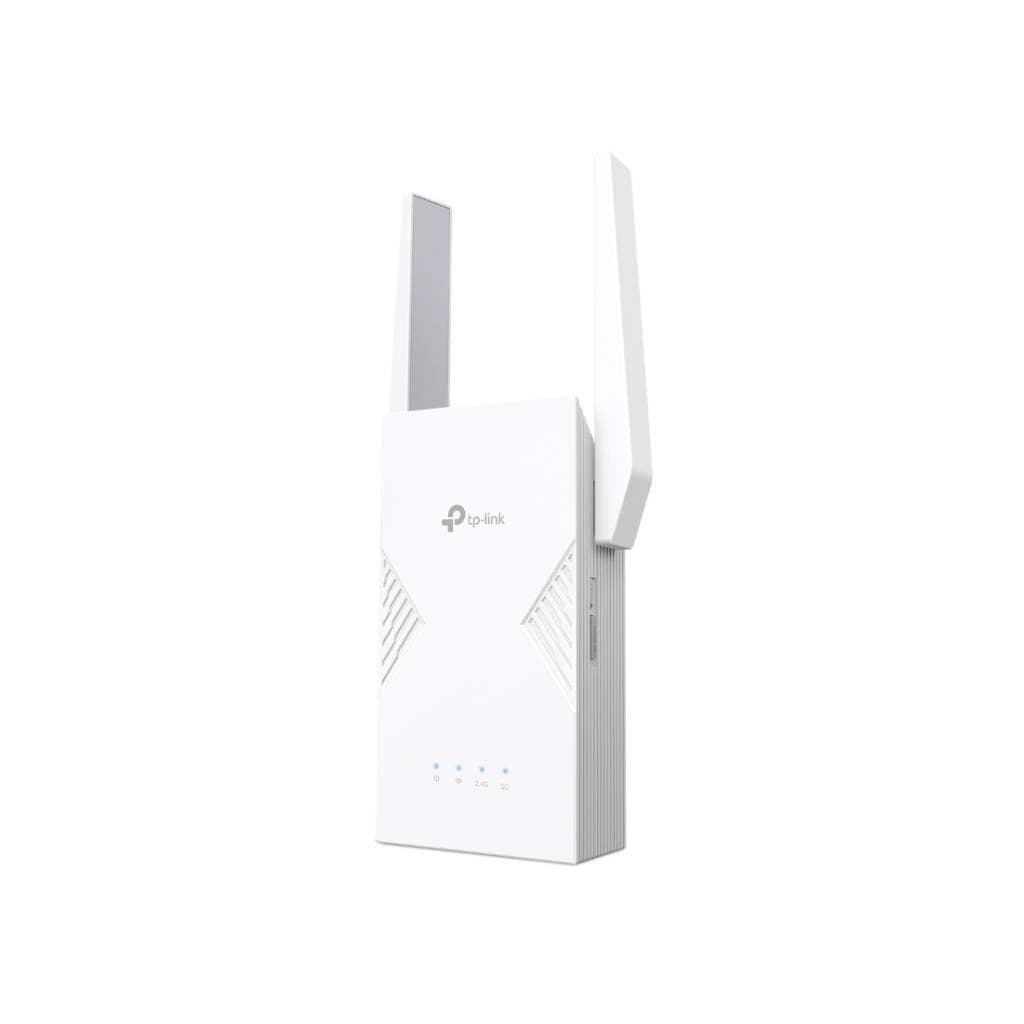

TP-Link RE235BE Wi-Fi 7 Range Extender (BE3600) Dual-Band 2.5G Ethernet
SKU: RE235BE-VER1Networking › Routers & Access Points
฿3,091
Price includes 7% VATPrice updated October 2, 2026
Out of stockManufacturer's warranty
Temporarily out of stock — ask us about the restock date or an alternative model
Call us 092-251-4017Send a question to salesGenuineFree delivery from ฿5,000Tax invoice
Extend Wi-Fi 7 signal farther with RE235BE, supporting up to 3.6 Gbps speed and featuring a 2.5G Ethernet port for high-speed wired connections, ideal for users requiring high speed and stability
Key features
- Supports Wi-Fi 7 on both 2.4 GHz and 5 GHz bands
- Up to 3.6 Gbps speed
- 2.5G Ethernet port for fast wired connection
- Supports Multi-Link Operation (MLO)
- 2 external antennas
Product description
TP-Link RE235BE is a new Wi-Fi 7 range extender designed to solve weak signal areas or dead zones in homes or offices. It supports Wi-Fi 7 on both 2.4 GHz and 5 GHz bands, delivering a maximum speed of 2,882 Mbps at 5 GHz and 688 Mbps at 2.4 GHz, totaling 3.6 Gbps continuous speed. It features Multi-Link Operation (MLO) technology, enabling devices to connect to multiple channels simultaneously, reducing latency and improving performance for multiple concurrent activities such as 4K streaming, online gaming, and real-time collaboration. The device comes with a 2.5G Ethernet port for high-speed wired connectivity and includes 2 external antennas to enhance signal reception.
More features
- Supports EasyMesh for Mesh network expansion
- Control via TP-Link Tether app from anywhere
- Schedule Wi-Fi on/off times
- Supports WPA3 for maximum security
- Easy setup with WPS button
Specifications (37)
- Brand
- TP-Link
- Model
- RE235BE
- Antenna
- 2 External Antennas
- MU-MIMO
- Yes
- Modulation
- 4K-QAM
- WPS Button
- Yes
- Beamforming
- Yes
- Power Supply
- 100-240V~50/60Hz 0.3A
- Product Type
- Range Extender
- Reset Button
- Yes
- Certification
- FCC
- Channel Width
- 160 MHz
- Ethernet Port
- 1 × 2.5 Gbps
- LED Indicator
- Power, Signal, 2.4G, 5G
- Working Modes
- Range Extender, Access Point
- App Management
- TP-Link Tether (Port 20001, TCP; Port 20002, UDP)
- Wi-Fi Standard
- Wi-Fi 7 IEEE 802.11be/ax/ac/n/a 5 GHz, IEEE 802.11be/ax/n/b/g 2.4 GHz
- Frequency Bands
- 2.4 GHz, 5 GHz
- Mesh Technology
- EasyMesh-Compatible
- Package Content
- Wi-Fi 7 Range Extender RE235BE, Quick Installation Guide
- Total Max Speed
- 3600 Mbps
- Firmware Upgrade
- Via web interface or TP-Link Tether app
- Hardware Version
- V1
- Storage Humidity
- 5% ~ 90% non-condensing
- Max Speed (5 GHz)
- 2882 Mbps
- Wireless Security
- WPA/WPA2-PSK, WPA2/WPA3
- Operating Humidity
- 10% ~ 90% non-condensing
- Transmission Power
- 2.4 GHz < 30dBm, 5 GHz < 30dBm
- Max Speed (2.4 GHz)
- 688 Mbps
- Storage Temperature
- -40℃ ~ 70℃ (-40℉ ~158℉)
- System Requirements
- Internet Explorer, Firefox, Chrome, Safari, or other JavaScript-enabled browser
- Max Power Consumption
- 15W
- Operating Temperature
- 0℃ ~ 40℃ (32℉ ~104℉)
- Reception Sensitivity
- 5 GHz: 11be EHT20 MCS0:-96dBm, 11be EHT40 MCS0:-94dBm, 11be EHT80 MCS0:-91dBm, 11be EHT160 MCS0:-88dBm, 11be EHT20 MCS13:-59dBm, 11be EHT40 MCS13:-57dBm, 11be EHT80 MCS13:-54dBm, 11be EHT160 MCS13:-51dBm; 2.4 GHz: 11be EHT20 MCS0:-95dBm, 11be EHT40 MCS0:-93dBm, 11be EHT20 MCS13:-58dBm, 11be EHT40 MCS13:-56dBm
- Dimensions (W x D x H)
- 3.8 × 1.8 × 6.2 in (97 × 46 × 158 mm)
- Default Network Services
- Web Server (HTTP/HTTPS, Port 80/443, TCP), DHCP Server (Port 67, UDP)
- Multi-Link Operation (MLO)
- Yes
Datasheets and manuals straight from the manufacturer — select a document to open or download it.
8 questions
Frequently asked questions about this product
Compiled from manufacturer information
Can I use V2 firmware on a V1 hardware unit?
No. Firmware for RE235BE V1 and V2 are not interchangeable due to hardware differences. The device will refuse to install firmware meant for a different hardware version.
How do I reset the RE235BE?
Use a pin to press the Reset button for 1 second.
How do I connect using WPS?
Press the WPS button on your host router, then immediately press the WPS button on the extender for 1 second. The Signal LED should turn solid blue.
Is it in stock?
The TP-Link RE235BE Wi-Fi 7 Range Extender (BE3600) Dual-Band 2.5G Ethernet is temporarily out of stock. Ask us about the restock date or an alternative model at sales@gist.co.th or 092-251-4017.
How much does it cost?
The price is ฿3,091 (including 7% VAT). It is currently out of stock; ask us about the restock date at sales@gist.co.th. Business customers can request a quotation at sales@gist.co.th.
How long is the warranty?
The warranty follows the manufacturer's terms for each model; ask our sales team for the warranty period of this model. To make a warranty claim, call 092-251-4017 or 065-523-5262, or email sales@gist.co.th (Mon–Fri 9:00–18:00), then send the product with your order number to our head office, or bring it to the head office in person.
How long does delivery take?
Orders placed before 12:00 on a business day are delivered within 1–3 business days (Bangkok and vicinity) or 2–5 business days (other provinces). Free delivery on orders of ฿5,000 or more (a ฿150 delivery fee applies below this amount).
Is it genuine?
Genuine products sourced from distributors in Thailand, covered by the manufacturer's warranty. Full tax invoices are available.
Didn't find the answer you need?
Loading reviews…
Genuine products
Sourced from distributors in Thailand and covered by the manufacturer's warranty
Warranty period
According to the manufacturer's terms for each model
Covered by the manufacturer's warranty; you can make claims through GIST
Claims through GIST
Ship the product to our head office or bring it in person
Warranty conditions
- A receipt or other proof of purchase is required
- The product must not have been modified or altered
- Damage caused by misuse is not covered by the warranty
- To make a warranty claim, call 092-251-4017 or 065-523-5262, or email sales@gist.co.th (Mon–Fri 9:00–18:00), then send the product with your order number to our head office, or bring it to the head office in person.Head office: 554 Sky Nine Center, Floor 12A, Room 554/62, Asok-Din Daeng Road, Din Daeng Subdistrict, Din Daeng District, Bangkok 10400
More in Routers & Access Points






