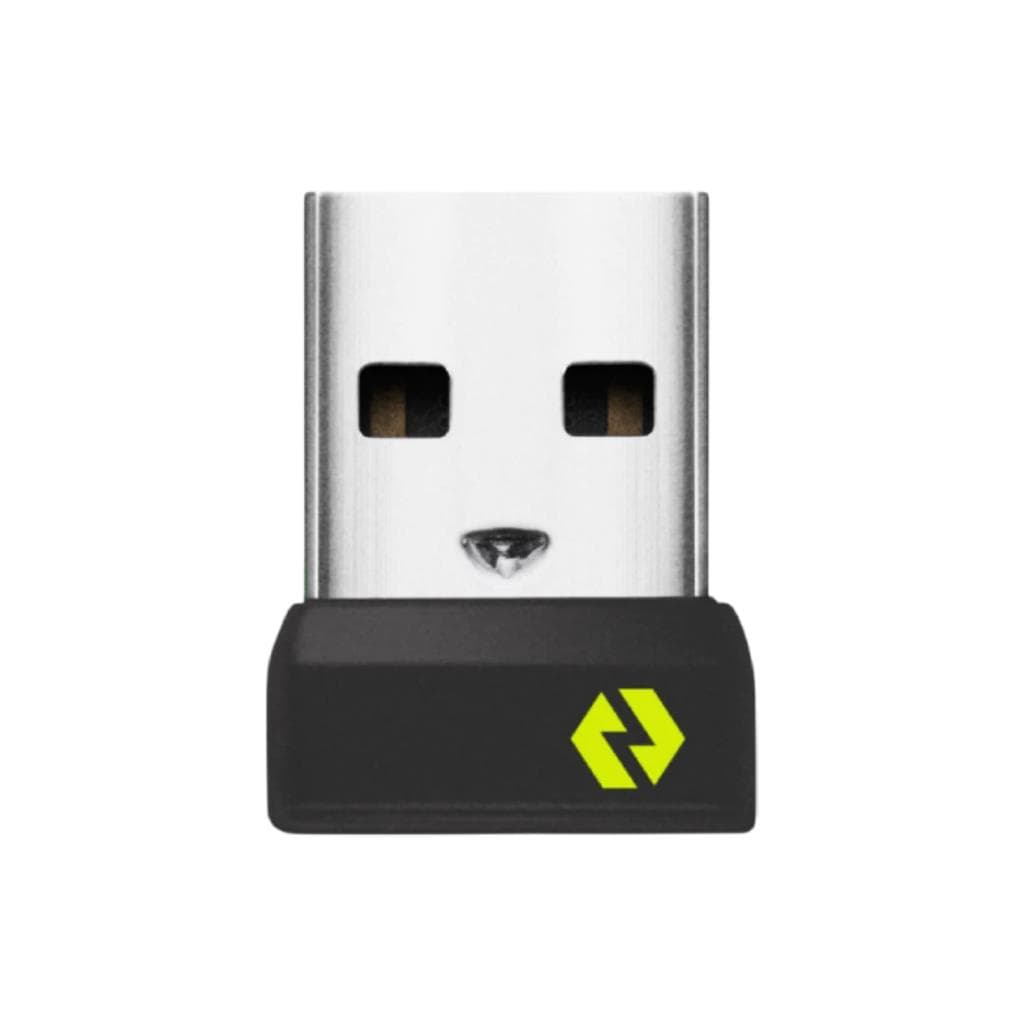

LOGITECH BOLT USB RECEIVER (Graphite) - Wireless Receiver for Mouse & Keyboard
SKU: BOLT-USB-RECEIVERGadgets & Accessories › Accessories
Please enquire before ordering
The distributor has not yet confirmed the latest price and availability (last checked Aug 25, 2026)
092-251-4017Awaiting stock confirmationManufacturer's warranty
GenuineFree delivery from ฿5,000Tax invoice
รีเซฟเวอร์ไร้สาย Logi Bolt สำหรับเชื่อมต่อเมาส์และคีย์บอร์ด Logi Bolt เข้ากับคอมพิวเตอร์ได้อย่างมั่นคง ปลอดภัย และไม่มีการตัดขาด รองรับระบบปฏิบัติการหลายรุ่น
Key features
- เชื่อมต่อไร้สายความเร็วสูง ระยะไกล 10 เมตร (33 ฟุต)
- รองรับการสลับระหว่างเครื่องคอมพิวเตอร์ได้ 2 เครื่อง
- ปลอดภัยด้วยการเข้ารหัสเต็มรูปแบบ (Secure Connections Only Mode)
- ใช้งานร่วมกับ Logi Options+ เพื่อควบคุมการตั้งค่าอุปกรณ์
- ขนาดเล็ก ติดตั้งได้ที่พอร์ต USB ใดๆ บนเครื่อง
Product description
รีเซฟเวอร์ Logi Bolt USB ออกแบบมาเพื่อให้การเชื่อมต่อไร้สายระหว่างเมาส์หรือคีย์บอร์ด Logi Bolt กับคอมพิวเตอร์มีความเสถียร ปลอดภัย และไม่มีการตัดขาดแม้ในสภาพแวดล้อมที่มีคลื่นรบกวนสูง โดยสามารถเชื่อมต่อได้ไกลถึง 10 เมตร (33 ฟุต) รองรับระบบปฏิบัติการ Windows®, macOS, Linux®, และ ChromeOS™ ใช้งานได้ทั้งบนแล็ปท็อปและเดสก์ท็อป พร้อมรองรับการสลับระหว่างเครื่องคอมพิวเตอร์สองเครื่องได้อย่างราบรื่น โดยเฉพาะเมื่อใช้ร่วมกับ Logi Options+ App และอุปกรณ์ที่รองรับ Logi Flow เพื่อเพิ่มประสิทธิภาพการทำงานในหลายสถานที่ทำงาน
More features
- รองรับเมาส์และคีย์บอร์ด Logi Bolt หลายรุ่น
- ใช้งานได้กับ Windows, macOS, Linux และ ChromeOS
- ไม่ต้องถอดออกเมื่อพกพาแล็ปท็อปไปทำงานที่อื่น
Pros and limitations
Pros
- เชื่อมต่อได้ไกลถึง 10 เมตร โดยไม่ตัดขาดแม้ในพื้นที่มีคลื่นรบกวนสูง
- รองรับการสลับระหว่างเครื่องคอมพิวเตอร์ได้ 2 เครื่อง ช่วยเพิ่มประสิทธิภาพการทำงาน
- ใช้งานร่วมกับ Logi Options+ เพื่อปรับแต่งการตั้งค่าอุปกรณ์ได้อย่างละเอียด
- ขนาดเล็ก พกพาสะดวก ติดตั้งได้ที่พอร์ต USB ใดๆ โดยไม่ต้องถอดออก
- รองรับระบบปฏิบัติการหลากหลาย ใช้งานได้ทั้งบน Windows, macOS, Linux และ ChromeOS
Limitations
- ต้องใช้ซอฟต์แวร์ Logitech Options+ เพื่อจัดการการเชื่อมต่อ
- ไม่รองรับการใช้งานกับอุปกรณ์ที่ไม่ใช่ Logi Bolt
Who it is for
เหมาะสำหรับผู้ใช้งานที่ต้องสลับงานระหว่างคอมพิวเตอร์หลายเครื่อง เช่น พนักงานออฟฟิศ นักพัฒนา หรือผู้ทำงานอิสระที่ต้องการความปลอดภัยและประสิทธิภาพในการเชื่อมต่อไร้สาย
Specifications (20)
- สี
- Graphite
- Range
- 10 meters (33 feet)
- น้ำหนัก
- 0.63 kg
- การรับประกัน
- Standard warranty included with product
- ประเภทพอร์ต
- USB Type A
- การเข้ารหัส
- Full encryption (end-to-end)
- รูปทรง
- Compact USB receiver
- ความเข้ากันได้
- Windows®, macOS, Linux®, ChromeOS™
- การติดตั้ง
- Plug-in only
- Security Mode
- Security Level 4 (Secure Connections Only mode)
- Pairing Method
- Via Logitech Options+ App
- การเชื่อมต่อ
- Wireless (Logi Bolt)
- Included In Box
- Logi Bolt USB Receiver
- การใช้พลังงาน
- Low power wireless receiver
- Software Required
- Logitech Options+ App
- Supported Devices
- Logi Bolt wireless mice and keyboards
- Flow Compatibility
- รองรับ (with Flow-enabled devices)
- Multi-Computer Support
- รองรับ (up to 2 computers)
- Interference Resistance
- High performance in congested environments
- ระบบปฏิบัติการที่รองรับ
- Windows, macOS, Linux, ChromeOS
Datasheets and manuals straight from the manufacturer — select a document to open or download it.
12 questions
Frequently asked questions about this product
Compiled from manufacturer information
รีเซฟเวอร์นี้ใช้กับเมาส์หรือคีย์บอร์ดรุ่นไหนได้บ้าง?
รองรับเมาส์และคีย์บอร์ดที่ใช้เทคโนโลยี Logi Bolt เช่น MX Anywhere 3S, Signature M650, MX Keys, และอุปกรณ์ในซีรีส์ Business ที่ระบุว่ามีรีเซฟเวอร์ Logi Bolt ในกล่อง
ใช้สลับระหว่างคอมพิวเตอร์ได้กี่เครื่อง?
สามารถเชื่อมต่อกับได้สูงสุด 2 เครื่องพร้อมกัน โดยสลับได้ง่ายผ่าน Logi Options+ App หรือฟีเจอร์ Logi Flow
รองรับระบบปฏิบัติการอะไรบ้าง?
ใช้งานได้กับ Windows®, macOS, Linux®, และ ChromeOS™ โดยไม่จำเป็นต้องติดตั้งไดรเวอร์เพิ่มเติม
มีความปลอดภัยแค่ไหน?
รองรับการเข้ารหัสเต็มรูปแบบ (Security Level 4) หรือที่เรียกว่า Secure Connections Only mode ทำให้การเชื่อมต่อปลอดภัยจากผู้ไม่หวังดี
ต้องใช้ซอฟต์แวร์อะไรในการตั้งค่า?
ต้องดาวน์โหลดและติดตั้ง Logitech Options+ App จากเว็บไซต์ logitech.com/options เพื่อจัดการการเชื่อมต่อ ปรับแต่งปุ่ม และใช้งานฟีเจอร์ Flow
ใช้กับแล็ปท็อปได้ไหม?
ได้แน่นอน ขนาดเล็กพอดีพอร์ต USB บนแล็ปท็อป สามารถปล่อยไว้ตลอดเวลาเพื่อไม่ให้ต้องเสียบถอดบ่อยๆ
มีรุ่น USB-C ด้วยไหม?
ใช่ มีรุ่น Logi Bolt USB-C Receiver แยกจำหน่าย โดยมีขนาดเล็กกว่าและให้พลังงานมากกว่า 3 เท่าสำหรับการเชื่อมต่อในสภาพแวดล้อมที่มีสัญญาณรบกวนสูง
Is it in stock?
We are confirming the latest stock and price of the LOGITECH BOLT USB RECEIVER (Graphite) - Wireless Receiver for Mouse & Keyboard with the distributor. Please contact us before ordering at 092-251-4017 or sales@gist.co.th.
How much does it cost?
The distributor has not yet confirmed the latest price and availability. Please contact us before ordering at 092-251-4017 or sales@gist.co.th.
How long is the warranty?
The warranty follows the manufacturer's terms for each model; ask our sales team for the warranty period of this model. To make a warranty claim, call 092-251-4017 or 065-523-5262, or email sales@gist.co.th (Mon–Fri 9:00–18:00), then send the product with your order number to our head office, or bring it to the head office in person.
How long does delivery take?
Orders placed before 12:00 on a business day are delivered within 1–3 business days (Bangkok and vicinity) or 2–5 business days (other provinces). Free delivery on orders of ฿5,000 or more (a ฿150 delivery fee applies below this amount).
Is it genuine?
Genuine products sourced from distributors in Thailand, covered by the manufacturer's warranty. Full tax invoices are available.
Didn't find the answer you need?
Loading reviews…
Genuine products
Sourced from distributors in Thailand and covered by the manufacturer's warranty
Warranty period
According to the manufacturer's terms for each model
Covered by the manufacturer's warranty; you can make claims through GIST
Claims through GIST
Ship the product to our head office or bring it in person
Warranty conditions
- A receipt or other proof of purchase is required
- The product must not have been modified or altered
- Damage caused by misuse is not covered by the warranty
- To make a warranty claim, call 092-251-4017 or 065-523-5262, or email sales@gist.co.th (Mon–Fri 9:00–18:00), then send the product with your order number to our head office, or bring it to the head office in person.Head office: 554 Sky Nine Center, Floor 12A, Room 554/62, Asok-Din Daeng Road, Din Daeng Subdistrict, Din Daeng District, Bangkok 10400
More in Accessories