
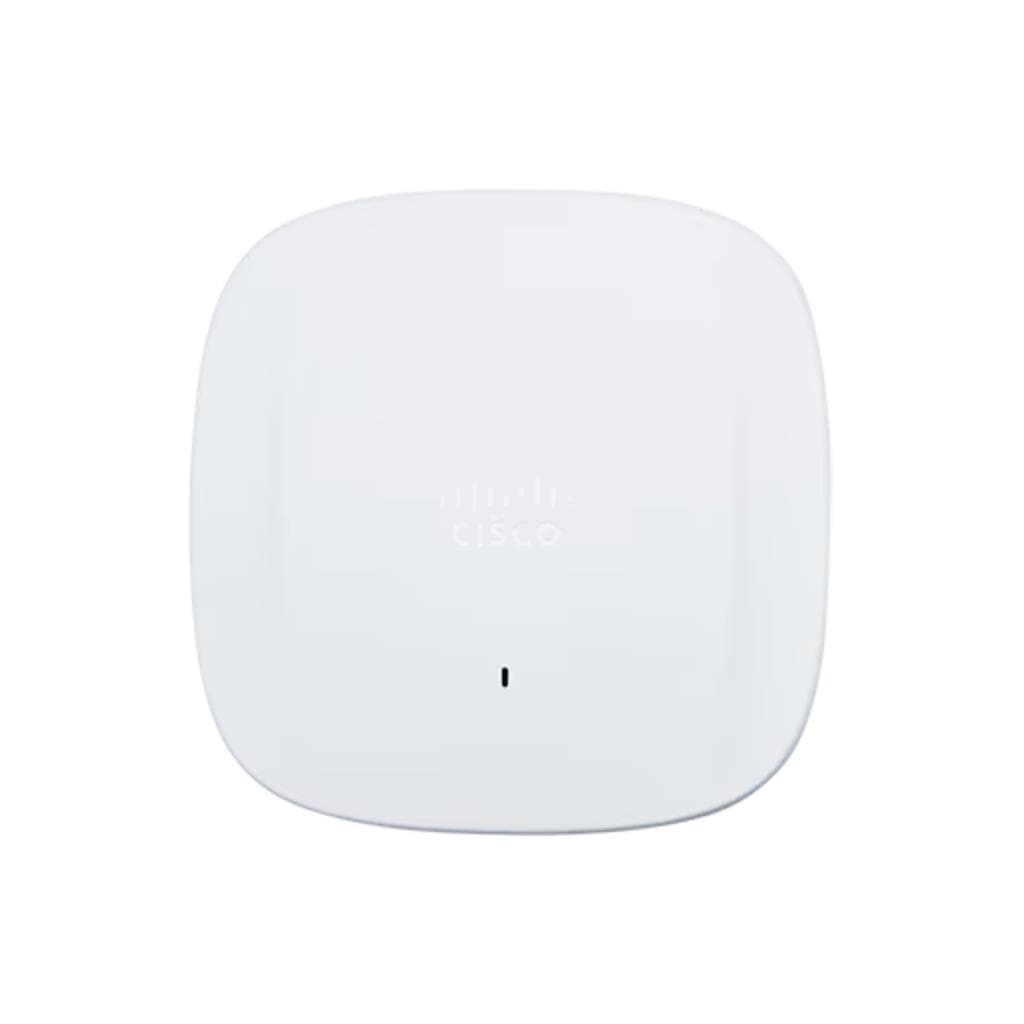


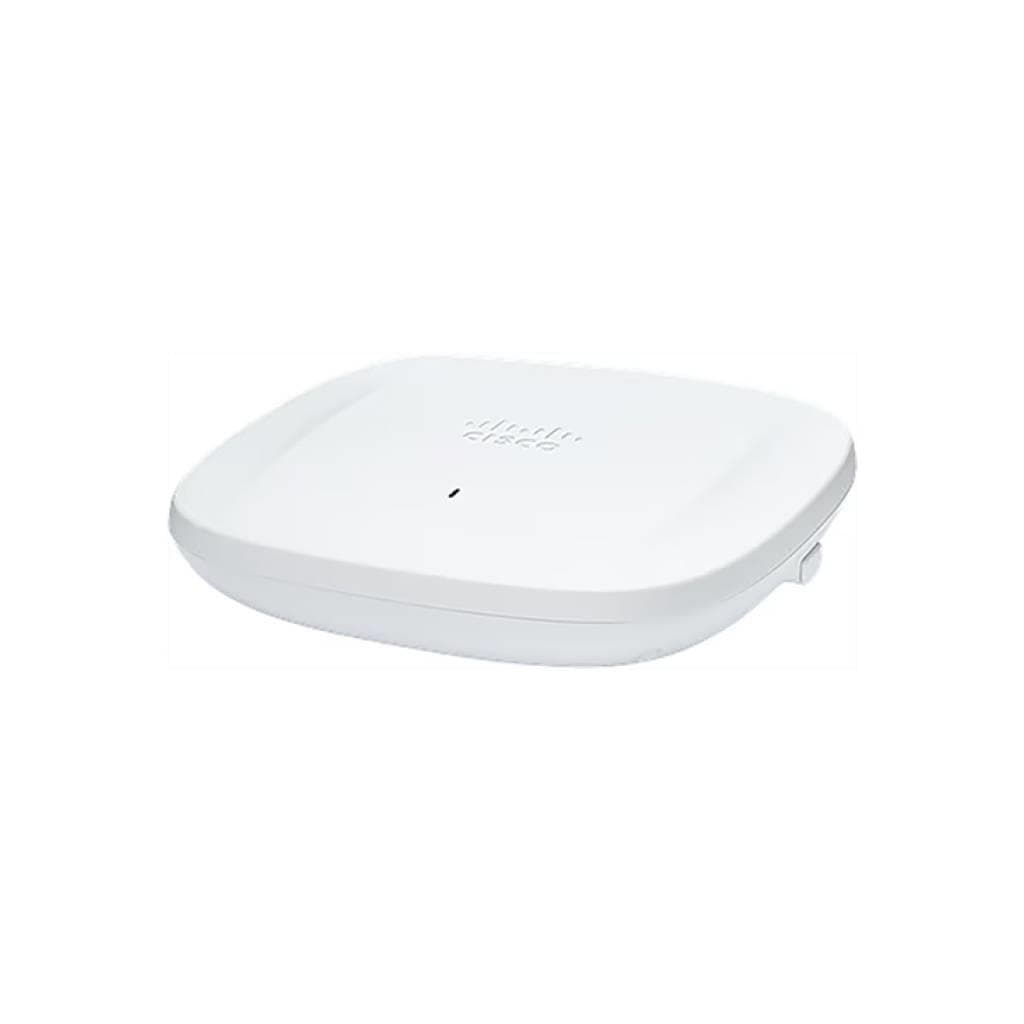
Cisco Business 240AC Access Point 802.11ac Wave 2 Dual-Band Wi-Fi 6 (4x4 MU-MIMO) - 2x Gigabit PoE
SKU: CBW240AC-SCisco › Cisco Routers & Access Points
฿7,663
Price includes 7% VATPrice updated November 1, 2026
In stock9 units3 years manufacturer's warranty
For orders placed before 12:00 on a business day; weekends excluded
GenuineFree delivery from ฿5,000Tax invoice
จุดเข้าถึงไร้สาย Cisco Business 240AC รองรับ Wi-Fi 6 (802.11ac Wave 2) พร้อมเทคโนโลยี MU-MIMO 4x4 ใช้งานได้สูงสุด 400 ผู้ใช้งานพร้อมกัน เหมาะสำหรับสำนักงานขนาดเล็กถึงกลางที่ต้องการสัญญาณเสถียรและครอบคลุมทั่วพื้นที่
Key features
- รองรับ Wi-Fi 6 (802.11ac Wave 2) พร้อม MU-MIMO 4x4
- สูงสุด 400 ผู้ใช้งานพร้อมกัน รองรับ IoT และ 4K Streaming
- ติดตั้งง่ายด้วย PoE ผ่าน Ethernet พอร์ตเดียว
- จัดการผ่านแอป Cisco Business Mobile โดยไม่ต้องคอนโทรลเลอร์
- รองรับการตั้งค่า VLAN สูงสุด 16 ช่อง
Product description
จุดเข้าถึงไร้สาย Cisco Business 240AC มอบประสบการณ์การเชื่อมต่อ Wi-Fi ระดับสูงด้วยมาตรฐาน 802.11ac Wave 2 ที่รองรับเทคโนโลยี MU-MIMO 4x4 พร้อมสตรีมสูงสุด 1,733 Mbps บนแบนด์วิธี 5 GHz ช่วยให้ผู้ใช้งานหลายคนสามารถทำงานพร้อมกันได้โดยไม่เกิดความล่าช้า ไม่ว่าจะเป็นการประชุมวิดีโอ 4K, การสตรีมเสียง-ภาพ หรือการใช้งาน IoT อย่างมีประสิทธิภาพ ตัวจุดเข้าถึงรองรับการติดตั้งแบบ PoE ผ่านพอร์ต Ethernet 1 ช่อง พร้อมพอร์ต Gigabit 2 ช่อง สำหรับการเชื่อมต่อเครือข่ายหลักและอุปกรณ์เสริม พร้อมระบบจัดการผ่านแอป Cisco Business Mobile ได้ทันทีโดยไม่ต้องใช้คอนโทรลเลอร์ภายนอก ช่วยลดต้นทุนและเพิ่มความยืดหยุ่นในการขยายเครือข่าย
More features
- รองรับการเชื่อมต่อ Mesh ได้สูงสุด 25 เครื่องต่อ AP
- มีพอร์ต USB 2.0 และ RJ-45 Console สำหรับการสนับสนุนเทคนิค
- ออกแบบมาเพื่อใช้งานในสำนักงานขนาดเล็กถึงกลาง
- รองรับการอัปเดตความปลอดภัย WPA3 ในอนาคต
- มีไฟ LED แสดงสถานะการเริ่มต้นและระบบ
Pros and limitations
Pros
- รองรับเทคโนโลยี MU-MIMO 4x4 ช่วยเพิ่มประสิทธิภาพการใช้งานพร้อมกัน
- ติดตั้งง่ายด้วย PoE ไม่ต้องใช้ปลั๊กไฟแยก
- จัดการผ่านแอปมือถือได้ทันที ไม่ต้องใช้คอนโทรลเลอร์ภายนอก
- รองรับการขยายเครือข่ายแบบ Mesh ได้สูงสุด 25 เครื่องต่อ AP
- ออกแบบมาเพื่อใช้งานในสภาพแวดล้อมสำนักงานจริง ทนทานต่ออุณหภูมิ
Limitations
- พอร์ต USB 2.0 และ RJ-45 Console ไม่สามารถใช้งานได้ในปัจจุบัน
- รองรับ WPA3 ได้ในอนาคต ยังไม่สามารถใช้งานได้ทันที
- ต้องใช้ PoE Switch หรือ PoE Injector แยกต่างหาก
Who it is for
เหมาะสำหรับสำนักงานขนาดเล็กถึงกลางที่ต้องการขยายสัญญาณ Wi-Fi อย่างมีประสิทธิภาพ รองรับผู้ใช้งานจำนวนมากพร้อมกัน เช่น สำนักงานขาย ร้านค้า หรือศูนย์บริการที่ต้องใช้งาน IoT และการประชุมวิดีโอ
Connectivity
Wi-Fi
Specifications (46)
- Status
- Available Order
- น้ำหนัก
- 1.2 kg
- PoE Type
- 802.3af
- พอร์ต USB
- USB 2.0 (not functional)
- การรับประกัน
- 3 years
- 5 GHz Band
- รองรับ
- Compliance
- RoHS, CE, FCC, IC
- ขนาด
- 240 x 240 x 45 mm
- รองรับ PoE
- รองรับ
- 2.4 GHz Band
- รองรับ
- ประเภทเสาอากาศ
- Omnidirectional
- Console Port
- RJ-45 console port (not functional)
- ประเภทสินค้า
- Access Points
- VLAN
- Up to 16
- การติดตั้ง
- Wall or ceiling (with mounting bracket)
- พอร์ต Ethernet
- 2 x Gigabit (10/100/1000BASE-T autosensing)
- ความชื้นขณะทำงาน
- 10% to 90% non-condensing
- ไฟแสดงสถานะ
- Status LED indicates boot loop
- มาตรฐาน Wi-Fi
- 802.11ac Wave 2
- MU-MIMO Support
- 4x4 Downlink
- PoE Power Input
- PoE (Power over Ethernet)-In Port (Ethernet Uplink Port)
- Dual-Band Support
- รองรับ
- การใช้พลังงาน
- Up to 15.4 W
- Remote Management
- Optional multisite remote management via Cisco FindIT Network Management
- 5 GHz Antenna Gain
- 5 dBi
- Integrated Antenna
- รองรับ
- Security Protocols
- WPA3 (coming in future release), 802.11r, 802.11i
- Beamforming Support
- 802.11ac beamforming
- Security Screw Hole
- รองรับ
- Series Release Date
- 06-NOV-2019
- อุณหภูมิในการจัดเก็บ
- -20°C to 70°C
- 2.4 GHz Antenna Gain
- 4 dBi
- อินเทอร์เฟซการจัดการ
- Cisco Business Mobile app, Web UI
- Maximum Hops in Mesh
- 8
- Channel Width Support
- 20, 40, 80 MHz
- Maximum APs in System
- 50
- อุณหภูมิการทำงาน
- 0°C to 40°C
- Total Maximum Clients
- 400
- Authentication Methods
- WPA2, 802.1X, RADIUS, MAC filtering
- Mesh Technology Support
- รองรับ
- Recommended APs in System
- 25
- Maximum Throughput (5 GHz)
- 1733 Mbps
- Guest Network Authentication
- Google, Facebook, email, SMS
- Maximum Mesh Extenders per AP
- 25
- Dynamic Frequency Selection (DFS)
- รองรับ
- Maximum Associated Clients (per radio)
- 200
Datasheets and manuals straight from the manufacturer — select a document to open or download it.
13 questions
Frequently asked questions about this product
Compiled from manufacturer information
จุดเข้าถึงนี้รองรับการตั้งค่า VLAN ได้กี่ช่อง?
รองรับการตั้งค่า VLAN สูงสุด 16 ช่อง ช่วยให้สามารถแยกเครือข่ายสำหรับพนักงาน ลูกค้า และอุปกรณ์ IoT ได้อย่างมีประสิทธิภาพ
สามารถเชื่อมต่อ Mesh Extender ได้กี่เครื่อง?
รองรับการเชื่อมต่อ Cisco Business Mesh Extender สูงสุด 25 เครื่องต่อ Access Point และสามารถขยายได้สูงสุด 8 ขั้นตอน ช่วยเพิ่มพื้นที่สัญญาณได้อย่างครอบคลุม
ใช้ PoE ได้หรือไม่ และต้องใช้มาตรฐานอะไร?
ใช้ได้ รองรับ PoE ตามมาตรฐาน 802.3af ต้องใช้ PoE Switch, Router หรือ PoE Injector ที่รองรับมาตรฐานนี้ในการจ่ายไฟ
ต้องใช้คอนโทรลเลอร์ภายนอกไหม?
ไม่จำเป็น สามารถจัดการผ่านแอป Cisco Business Mobile ได้ทันที โดยไม่ต้องใช้คอนโทรลเลอร์ภายนอก ช่วยลดต้นทุนและเพิ่มความยืดหยุ่นในการติดตั้ง
รองรับการอัปเดต WPA3 ได้หรือไม่?
รองรับในอนาคต แต่ยังไม่สามารถใช้งานได้ในเวอร์ชันปัจจุบัน ผู้ใช้ควรติดตามการอัปเดตซอฟต์แวร์จาก Cisco เพื่อเปิดใช้งานฟีเจอร์นี้
มีพอร์ต USB 2.0 ใช้งานได้ไหม?
พอร์ต USB 2.0 ถูกออกแบบมาสำหรับการใช้งานในอนาคต ปัจจุบันยังไม่สามารถใช้งานได้
ใช้กับสำนักงานขนาดเล็กได้ไหม?
ใช้ได้ดีมาก เหมาะสำหรับสำนักงานขนาดเล็กถึงกลาง รองรับผู้ใช้งานสูงสุด 400 คน และสามารถขยายเครือข่ายได้ผ่าน Mesh ช่วยให้ครอบคลุมทั่วทั้งออฟฟิศ
ไฟ LED แสดงสถานะอย่างไร?
ไฟ LED แสดงสถานะการเริ่มต้น (boot loop) โดยจะเปลี่ยนสีเป็นสีเขียว อำพัน และแดง ซึ่งเป็นปกติ และอาจใช้เวลาถึง 6 นาทีในการเริ่มต้นครั้งแรก
Is it in stock?
The Cisco Business 240AC Access Point 802.11ac Wave 2 Dual-Band Wi-Fi 6 (4x4 MU-MIMO) - 2x Gigabit PoE is in stock and ready to ship. Orders placed before 12:00 on a business day are delivered within 1–3 business days (Bangkok and vicinity) or 2–5 business days (other provinces). Order online at store.gist.co.th or contact our sales team at 092-251-4017.
How much does it cost?
The price is ฿7,663 (including 7% VAT). It is in stock and ready to ship. Business customers can request a quotation at sales@gist.co.th.
How long is the warranty?
Warranty period: รับประกัน 3 ปี ตามเงื่อนไขผู้ผลิต (manufacturer's terms). To make a warranty claim, call 092-251-4017 or 065-523-5262, or email sales@gist.co.th (Mon–Fri 9:00–18:00), then send the product with your order number to our head office, or bring it to the head office in person.
How long does delivery take?
Orders placed before 12:00 on a business day are delivered within 1–3 business days (Bangkok and vicinity) or 2–5 business days (other provinces). Free delivery on orders of ฿5,000 or more (a ฿150 delivery fee applies below this amount).
Is it genuine?
Genuine products sourced from distributors in Thailand, covered by the manufacturer's warranty. Full tax invoices are available.
Didn't find the answer you need?
Loading reviews…
Genuine products
Sourced from distributors in Thailand and covered by the manufacturer's warranty
Warranty period
รับประกัน 3 ปี ตามเงื่อนไขผู้ผลิต
Covered by the manufacturer's warranty; you can make claims through GIST
Claims through GIST
Ship the product to our head office or bring it in person
Warranty conditions
- A receipt or other proof of purchase is required
- The product must not have been modified or altered
- Damage caused by misuse is not covered by the warranty
- To make a warranty claim, call 092-251-4017 or 065-523-5262, or email sales@gist.co.th (Mon–Fri 9:00–18:00), then send the product with your order number to our head office, or bring it to the head office in person.Head office: 554 Sky Nine Center, Floor 12A, Room 554/62, Asok-Din Daeng Road, Din Daeng Subdistrict, Din Daeng District, Bangkok 10400
More in Cisco Routers & Access Points


Cisco
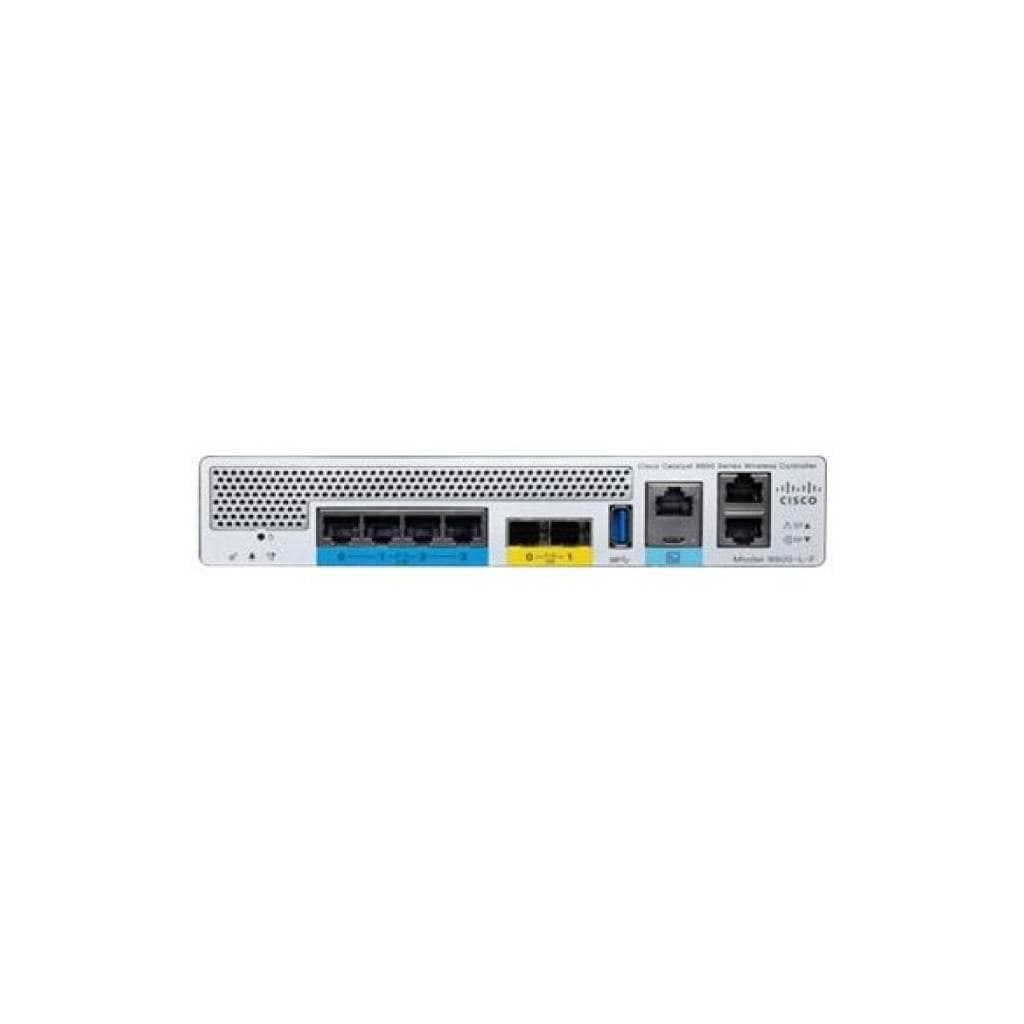
Cisco Catalyst 9800-L Wireless Controller (Copper Uplink) - 250 APs / 5,000 Clients
Price on request


Price
฿7,663