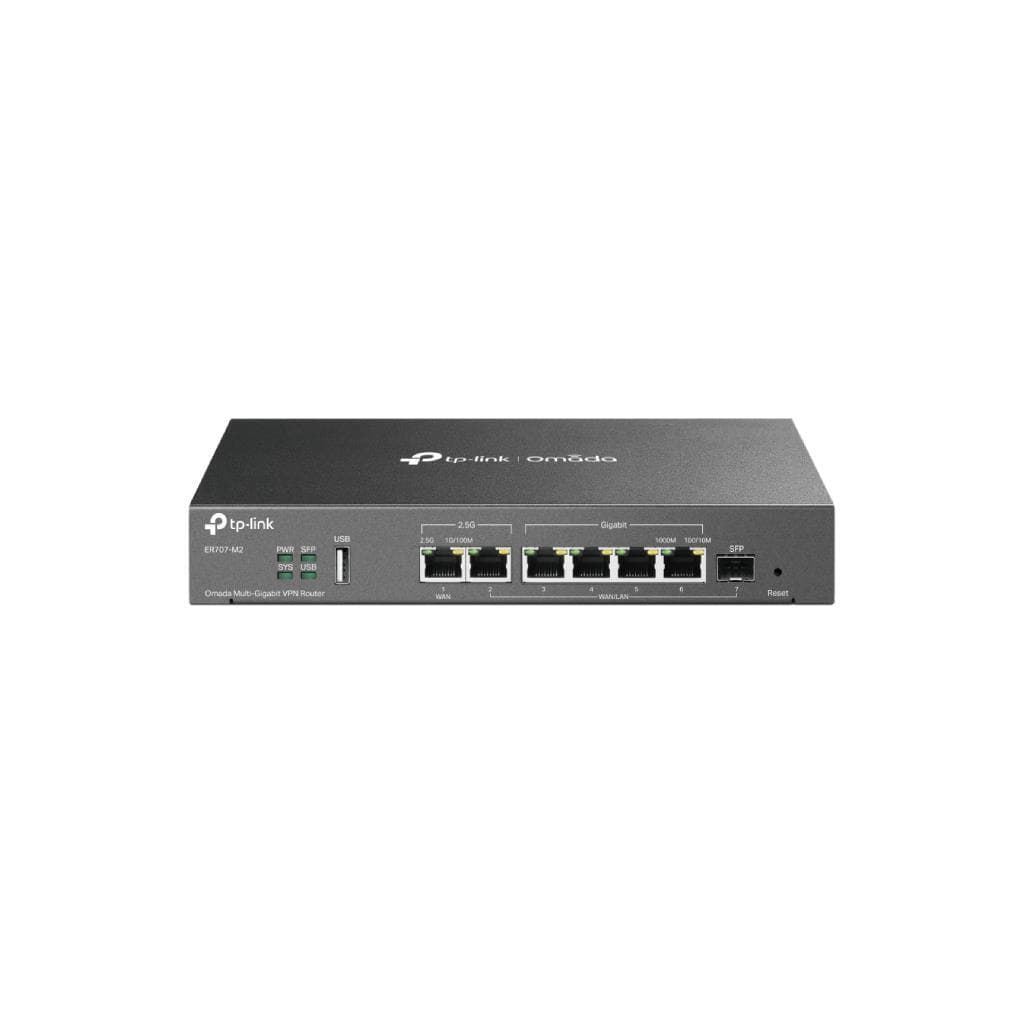


TP-Link ER8411 V1 Omada VPN Gateway 10G Ports
SKU: ER8411-VER1Networking › VPN Routers
Please enquire before ordering
The distributor has not yet confirmed the latest price and availability (last checked Jun 15, 2026)
092-251-4017Awaiting stock confirmationManufacturer's warranty
GenuineFree delivery from ฿5,000Tax invoice
Enterprise-grade VPN router from TP-Link with 10G SFP+ ports and advanced security features such as DPI, IDS/IPS, and centralized VPN management via Omada Controller
Key features
- Supports 10G SFP+ ports for WAN and WAN/LAN
- Supports IPsec, OpenVPN, WireGuard, L2TP with maximum throughput of 3,099 Mbps
- Advanced security: DPI, IDS/IPS, ACL, DNSSEC, DoH, DoT
- Supports centralized management via Omada Controller
- Dual Power Supply with backup and 4 kV surge protection
Product description
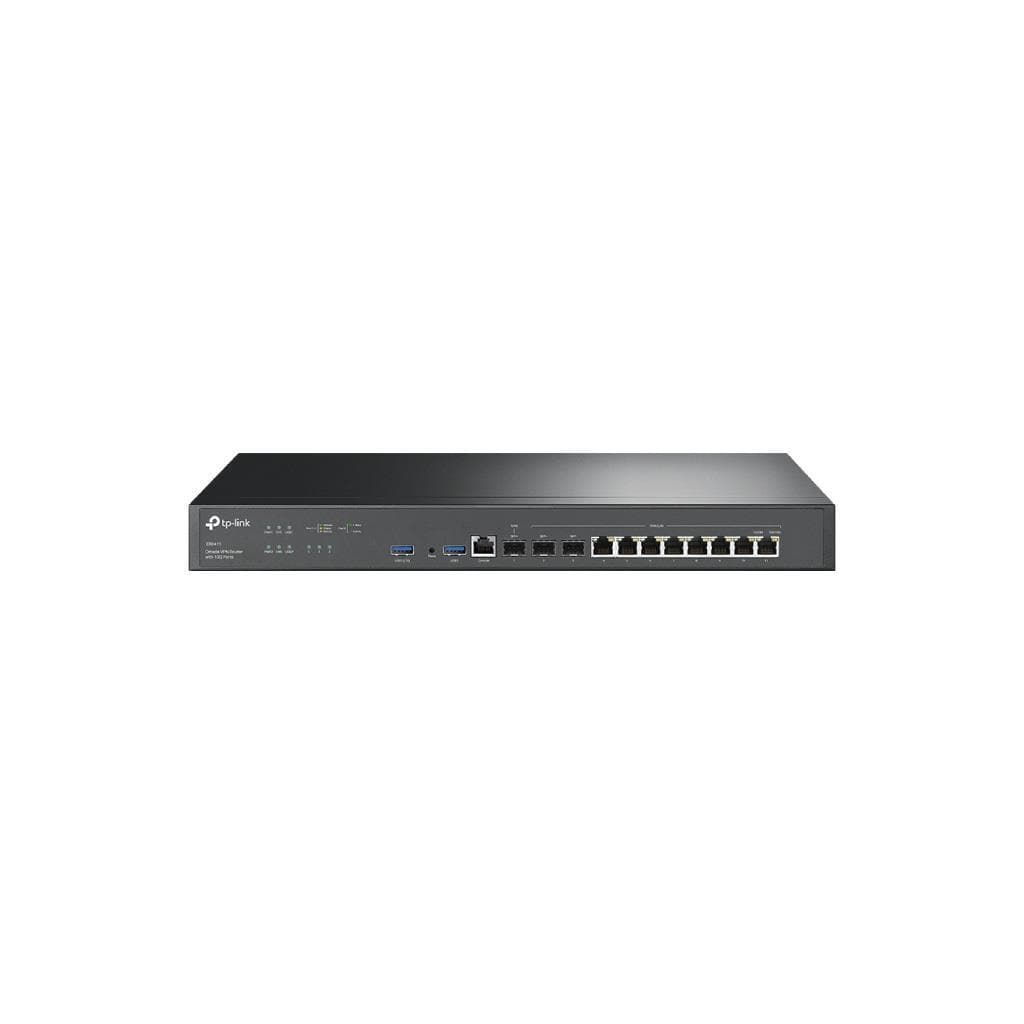
TP-Link ER8411 V1 is an enterprise-grade VPN router designed to support high-speed network connectivity with 10G SFP+ ports on both WAN and WAN/LAN, making it ideal for businesses requiring high bandwidth and stability. It features advanced security including Deep Packet Inspection (DPI), signature-based IDS/IPS threat detection, IP, domain, and regional access control, as well as effective protection against Flood and Scan attacks. It supports multiple VPN protocols such as IPsec, OpenVPN, WireGuard, and L2TP, with a maximum throughput of up to 3,099 Mbps for IPsec ESP-SHA1-AES256, ensuring smooth performance even in high-demand environments.
More features
- Supports LTE connectivity via USB 3.0
- Supports SD-WAN and Virtual WAN for multi-path WAN management
- Supports LAN DNS and FQDN/Wildcards management
- Supports up to 2,300,000 concurrent sessions
- Designed for enterprise environments with durable steel chassis and Rack Mount installation
Pros and limitations
Pros
- Supports 10G SFP+ port for high-speed connectivity.
- Features comprehensive security, such as DPI, IDS/IPS, ACL, and attack protection.
- Supports multi-protocol VPN management with high throughput.
- Supports SD-WAN and Virtual WAN for multi-path WAN management.
- Features Dual Power Supply backup to reduce the risk of downtime.
Limitations
- Does not support rolling back to a previous firmware version after update.
- Requires Omada Controller for centralized management.
Who it is for
Ideal for medium to large organizations requiring high-performance VPN routers with multiple WAN connectivity, advanced security, and Omada Controller-based management.
Connectivity
10G SFP+
Specifications (69)
- LED
- PWR, SYS, WAN, LAN, USB, FAN
- DRAM
- 4 GB DDR4
- Brand
- TP-Link
- Flash
- 4MB SPI NOR + 256 MB NAND
- Model
- ER8411
- IDS/IPS
- Signature-based IPS/IDS threat detection
- OpenVPN
- 1043 Mbps
- Mounting
- Rack Mountable
- SFP Port
- 1× 1GE SFP WAN/LAN
- DNS Proxy
- DNSSEC, DoH, DoT, and DNS Override
- Enclosure
- Steel
- Filtering
- WEB Group Filtering, URL Categories and URLs Filtering, Web Security
- LAN Ports
- 8× 1GE RJ45 WAN/LAN
- USB Ports
- 2× USB 3.0 Ports (One supports LTE backup with LTE dongle)
- WAN Ports
- 2× 10GE SFP+ (1× WAN, 1× WAN/LAN)
- HTTPS Port
- Support (enable required before upgrade)
- Port Count
- >{12}
- Protection
- 4 kV surge protection
- RJ45 Ports
- 8× 1GE RJ45 WAN/LAN
- SFP+ Ports
- 2× 10GE SFP+ (1× WAN, 1× WAN/LAN)
- Console Port
- 1× RJ45 Console Port
- Fan Quantity
- >{2}
- Power Supply
- Redundant Dual Power Supplies (100–240 VAC, 50/60 Hz)
- Reset Button
- Yes
- Network Media
- 10BASE-T: UTP category 3, 4, 5 cable (Max 100 m) EIA/TIA-568 100Ω STP (Max 100 m); 100BASE-TX: UTP category 5, 5e cable (Max 100 m); 1000BASE-T: UTP category 5e, 6 cable (Max 100 m)
- WireGuard VPN
- 1411 Mbps
- ARP Inspection
- Sending GARP Packets, ARP Scanning, IP-MAC Binding, ARP Detection
- Access Control
- Source/Destination IP Based ACL, Stateful ACL, IPv4/IPv6 ACL, National Based ACL, FQDN
- Attack Defense
- TCP/UDP/ICMP Flood Defense, Block TCP Scan (Stealth FIN/Xmas/Null), Block Ping from WAN
- SD-WAN Support
- Yes
- GRE - Encrypted
- 2775 Mbps
- LAN DNS Support
- Yes
- Firmware Version
- 1.3.3 Build 20250930 (Pre-Release)
- Hardware Version
- V1
- GRE - Unencrypted
- 8437 Mbps
- Concurrent Session
- >{2300000}
- LTE Backup Support
- Yes (via USB 3.0 LTE dongle)
- Disable NAT Support
- Yes
- Google LDAP Support
- Yes
- NAT (DHCP) - Upload
- 9426.83 Mbps
- NAT (L2TP) - Upload
- 9064.66 Mbps
- NAT (PPTP) - Upload
- 8712.11 Mbps
- Virtual WAN Support
- Yes
- DPI Throughput - TCP
- 9067 Mbps
- DPI Throughput - UDP
- 5873 Mbps
- L2TP VPN - Encrypted
- 3178.5 Mbps
- NAT (PPPoE) - Upload
- 9413.96 Mbps
- New Sessions /Second
- >{20000}
- NAT (DHCP) - Download
- 9426.20 Mbps
- NAT (L2TP) - Download
- 8587.57 Mbps
- NAT (PPTP) - Download
- 8505.61 Mbps
- Boot Time Optimization
- Yes
- Dimensions (W x D x H)
- 17.3 × 8.7 × 1.7 in (440 × 220 × 44 mm)
- L2TP VPN - Unencrypted
- 10497 Mbps
- Max. Power Consumption
- 26.36 W (with USB 3.0 connected), 19.12 W (without USB 3.0 connected)
- NAT (PPPoE) - Download
- 9102.01 Mbps
- Standards and Protocols
- LLDP
- Controller Compatibility
- Omada Controller V5.15.20.X
- NAT (Static IP) - Upload
- 9445.82 Mbps
- Upgrade Time Optimization
- Yes
- NAT (Static IP) - Download
- 9449.26 Mbps
- Deep Packet Inspection (DPI)
- Support 2421 type Applications
- FQDN/Wildcards WAN DHCP Option Support
- Yes
- IPsec VPN Throughput - ESP-SHA1-AES256
- 3099.4 Mbps
- IPsec VPN Throughput - ESP-SHA256-AES256
- 2928.4 Mbps
- IPsec VPN Throughput - ESP-SHA384-AES256
- 2935.7 Mbps
- IPsec VPN Throughput - ESP-SHA512-AES256
- 2878 Mbps
- 1,518 Byte Packet forwarding rate - Upload
- 820,982 pps
- 1,518 Byte Packet forwarding rate - Download
- 820,982 pps
Datasheets and manuals straight from the manufacturer — select a document to open or download it.
13 questions
Frequently asked questions about this product
Compiled from manufacturer information
Does ER8411 support LTE connectivity?
Yes, it supports LTE connectivity via USB 3.0 using an LTE dongle, which can serve as a backup link to keep the network operational even if the primary line fails.
Does ER8411 support SD-WAN?
Yes, it supports SD-WAN with Virtual WAN and multi-path WAN management features, enabling efficient bandwidth distribution.
Does ER8411 support firmware rollback?
Firmware rollback is not supported after an update. Therefore, it is recommended to back up your configuration before updating.
Does ER8411 support management via Omada Controller?
Yes, it supports full management via Omada Controller, including VPN configuration, WAN management, and real-time system monitoring.
How many concurrent sessions does ER8411 support?
It supports up to 2,300,000 concurrent sessions, making it suitable for large organizations with many users.
Does ER8411 support WireGuard connectivity?
Yes, it supports real WireGuard connectivity with a maximum throughput of up to 1,411 Mbps, ensuring fast and stable VPN communications.
Can ER8411 be mounted on a rack?
Yes, it is designed for Rack Mount installation with a durable steel chassis, providing stable operation in data centers or server rooms.
Does ER8411 support surge protection?
Yes, it features 4 kV surge protection with Dual Power Supply backup, reducing the risk of power outage or abnormal voltage.
Is it in stock?
We are confirming the latest stock and price of the TP-Link ER8411 V1 Omada VPN Gateway 10G Ports with the distributor. Please contact us before ordering at 092-251-4017 or sales@gist.co.th.
How much does it cost?
The distributor has not yet confirmed the latest price and availability. Please contact us before ordering at 092-251-4017 or sales@gist.co.th.
How long is the warranty?
Warranty period: null (manufacturer's terms). To make a warranty claim, call 092-251-4017 or 065-523-5262, or email sales@gist.co.th (Mon–Fri 9:00–18:00), then send the product with your order number to our head office, or bring it to the head office in person.
How long does delivery take?
Orders placed before 12:00 on a business day are delivered within 1–3 business days (Bangkok and vicinity) or 2–5 business days (other provinces). Free delivery on orders of ฿5,000 or more (a ฿150 delivery fee applies below this amount).
Is it genuine?
Genuine products sourced from distributors in Thailand, covered by the manufacturer's warranty. Full tax invoices are available.
Didn't find the answer you need?
Loading reviews…
Genuine products
Sourced from distributors in Thailand and covered by the manufacturer's warranty
Warranty period
According to the manufacturer's terms for each model
Covered by the manufacturer's warranty; you can make claims through GIST
Claims through GIST
Ship the product to our head office or bring it in person
Warranty conditions
- A receipt or other proof of purchase is required
- The product must not have been modified or altered
- Damage caused by misuse is not covered by the warranty
- To make a warranty claim, call 092-251-4017 or 065-523-5262, or email sales@gist.co.th (Mon–Fri 9:00–18:00), then send the product with your order number to our head office, or bring it to the head office in person.Head office: 554 Sky Nine Center, Floor 12A, Room 554/62, Asok-Din Daeng Road, Din Daeng Subdistrict, Din Daeng District, Bangkok 10400
More in VPN Routers