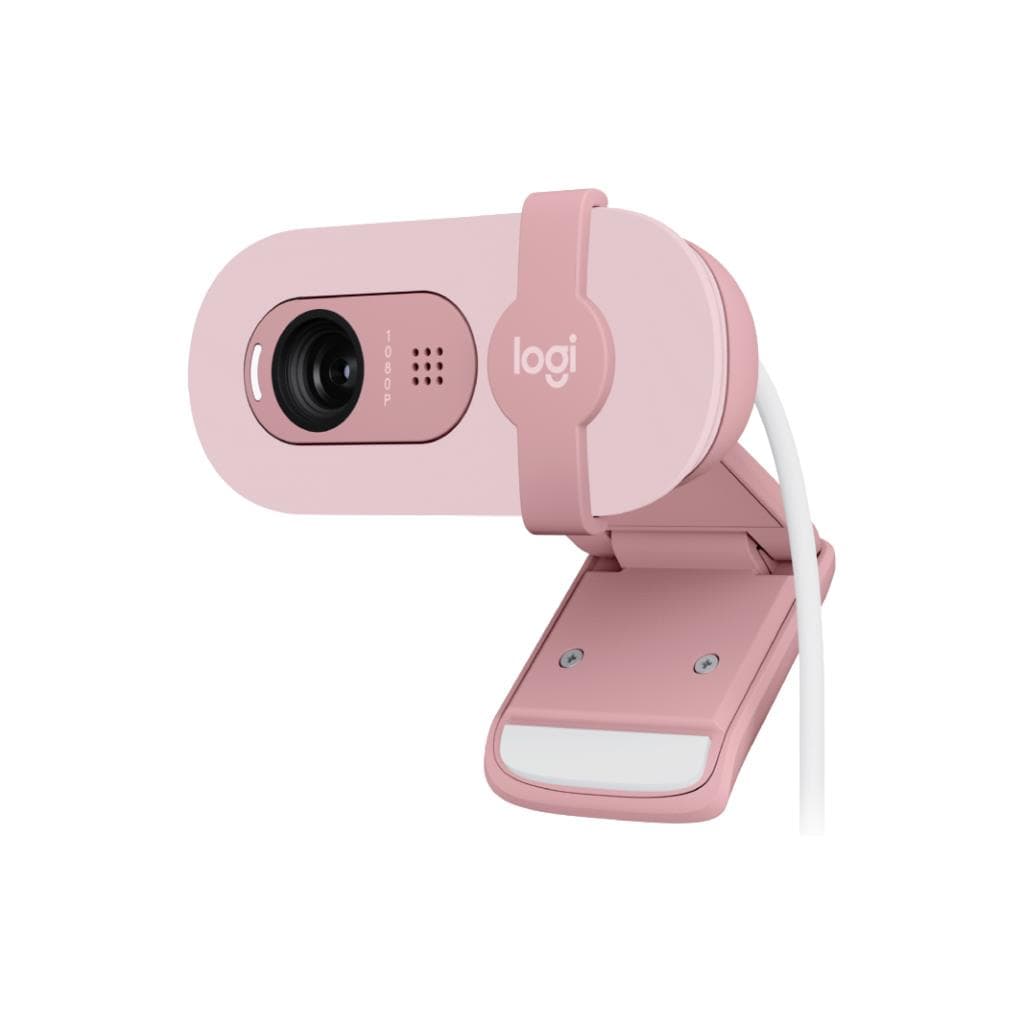


Logitech Brio 500 1080p Webcam (Graphite) - 4MP HDR Auto-Focus
SKU: QCAM-BRIO500-GRAPHITEGadgets & Accessories › Video Conferencing· Model: Brio 500
Please enquire before ordering
The distributor has not yet confirmed the latest price and availability (last checked Jun 15, 2026)
092-251-4017Awaiting stock confirmation3 years manufacturer's warranty
GenuineFree delivery from ฿5,000Tax invoice
กล้องเว็บแคมระดับพรีเมียมจาก Logitech รองรับการประชุมออนไลน์คุณภาพสูง พร้อมระบบปรับแสงอัตโนมัติ RightLight 4 และไมค์สเตอริโอ ให้ภาพชัดเจนแม้ในพื้นที่แสงน้อย
Key features
- ความละเอียด 1080p ที่คมชัดแม้ในแสงน้อย
- ระบบปรับแสงอัตโนมัติ RightLight 4
- ไมค์สเตอริโอ ลดเสียงรบกวนได้ไกล 1.22 เมตร
- ซูมดิจิทัล 4x พร้อมโฟกัสอัตโนมัติ
- ชัตเตอร์เปิด-ปิดความเป็นส่วนตัวฝังในตัว
Product description
กล้องเว็บแคม Logitech Brio 500 รุ่น Graphite ออกแบบมาเพื่อให้คุณแสดงตัวตนได้อย่างเต็มที่ในทุกการประชุมออนไลน์ ด้วยความละเอียด Full HD 1080p ที่ให้ภาพคมชัด พร้อมเลนส์แก้วและระบบ RightLight 4 ที่ปรับแสงอัตโนมัติ ทำให้คุณดูดีแม้ในสภาพแสงน้อยหรือแสงจ้า กล้องรองรับการซูมดิจิทัล 4x และมีระบบโฟกัสอัตโนมัติ ช่วยให้ภาพคงความชัดตลอดการใช้งาน ไมค์สเตอริโอสองตัวช่วยลดเสียงรบกวนและจับเสียงได้ไกลถึง 1.22 เมตร พร้อมชัตเตอร์เปิด-ปิดความเป็นส่วนตัวแบบฝังในตัวกล้อง ใช้งานได้กับ Windows, macOS และ ChromeOS ทุกแพลตฟอร์มการประชุมยอดนิยม เช่น Microsoft Teams, Zoom และ Google Meet
More features
- รองรับการติดตั้งด้วยไมโครซัคชันพัดเดอร์
- เชื่อมต่อผ่าน USB-C แบบ Plug-and-Play
- ใช้งานร่วมกับ Logi Tune (เว้น ChromeOS)
- ออกแบบมาเพื่อการทำงานจากที่บ้านและออฟฟิศ
Pros and limitations
Pros
- ภาพคมชัดระดับ Full HD 1080p แม้ในแสงน้อยด้วย RightLight 4
- ไมค์สเตอริโอจับเสียงได้ไกลถึง 1.22 เมตร ลดเสียงรบกวนได้ดี
- ซูมดิจิทัล 4x พร้อมโฟกัสอัตโนมัติ ใช้งานง่าย
- ติดตั้งได้หลากหลายรูปแบบ ด้วยไมโครซัคชันพัดเดอร์และคลิปยึด
- ออกแบบมาเพื่อความเป็นส่วนตัว พร้อมชัตเตอร์เปิด-ปิดฝังในตัว
Limitations
- ไม่รองรับ Logi Tune บน ChromeOS
- ไม่มีฟีเจอร์ Auto-Framing ที่ต้องใช้ Logi Tune
Who it is for
เหมาะสำหรับผู้ใช้งานที่ต้องประชุมออนไลน์บ่อย เช่น พนักงานออฟฟิศ ครูออนไลน์ หรือผู้ประกอบการที่ต้องไลฟ์สตรีมงานขาย
Color
Graphite
Connectivity
USB-C
Specifications (29)
- การรับประกัน
- 3-year limited hardware warranty
- Lens Type
- Glass
- Mic Range
- Up to 4 ft (1.22 m)
- Focus Type
- Autofocus
- In the Box
- Webcam with attached USB-C cable, Mount clip with removable mount adaptor, User documentation
- ความละเอียด
- 1080p/30fps (1920x1080 pixels)
- ขอบเขตสี
- HDR for clear image in various lighting environments
- ความยาวสาย
- 5 ft (1.5 m)
- Mount Design
- Micro-suction pad with removable mount adaptor
- Certified For
- Microsoft Teams, Zoom, Google Meet, Works With Chromebook
- ความเข้ากันได้
- Available USB-C port required
- Hardware Zoom
- 4x digital zoom
- Mounting Clip
- Detachable universal mounting clip
- TAA Compliant
- รองรับ
- Privacy Shutter
- Integrated
- Camera Megapixel
- 4MP
- Carbon Footprint
- 13.98 kg CO2e
- Software Support
- Logi Tune (not available for ChromeOS)
- USB Connectivity
- USB-C plug-and-play
- Supported Platforms
- Windows, macOS, ChromeOS
- Secondary Resolution
- 720p/60fps (1280x720 pixels)
- Weight (Webcam only)
- 4.27 oz (121 g), incl. mount clip & cable
- RightLight 4 with HDR
- รองรับ
- Weight (Mounting Clip)
- 1.41 oz (40 g), incl. Removable mount adapter
- Built-in Microphone Type
- Stereo microphone
- Dimensions (Webcam only)
- Height: 1.24 in (31.5 mm), Width: 4.33 in (110 mm), Depth: 1.24 in (31.5 mm)
- Dimensions (Webcam + Mount)
- Height: 2.03 in (51.5 mm), Width: 4.33 in (110 mm), Depth: 1.77 in (45 mm) incl. mount clip
- Materials and Sustainability
- Plastic should have more than one life
- Diagonal Field of View (dFoV)
- 90°/78°/65°
Datasheets and manuals straight from the manufacturer — select a document to open or download it.
13 questions
Frequently asked questions about this product
Compiled from manufacturer information
กล้อง Brio 500 รองรับการใช้งานกับ ChromeOS ได้ไหม?
ใช่ กล้อง Brio 500 รองรับ ChromeOS ได้ทั้งในด้านการเชื่อมต่อและใช้งานพื้นฐาน แต่ไม่สามารถใช้งานแอป Logi Tune ได้ ซึ่งอาจจำกัดการตั้งค่าเพิ่มเติม
สามารถใช้กล้องนี้กับ Microsoft Teams ได้หรือไม่?
ได้แน่นอน Brio 500 ได้รับการรับรองรองรับ Microsoft Teams โดยตรง จึงใช้งานได้ทันทีโดยไม่ต้องติดตั้งไดรเวอร์เพิ่มเติม
กล้องนี้มีระบบ Auto-Framing ไหม?
ระบบ Auto-Framing ต้องใช้แอป Logi Tune ในการเปิดใช้งาน ซึ่งไม่รองรับบน ChromeOS ดังนั้นหากใช้กับ ChromeOS จะไม่สามารถใช้ฟีเจอร์นี้ได้
ระยะจับเสียงของไมค์ในกล้องนี้ไกลแค่ไหน?
ไมค์สเตอริโอสามารถจับเสียงได้ไกลถึง 4 ฟุต (1.22 เมตร) ทำให้เหมาะกับการใช้งานในห้องประชุมขนาดเล็กหรือพื้นที่ทำงานร่วมกัน
กล้องนี้สามารถติดตั้งกับจอภาพได้กี่แบบ?
สามารถติดตั้งได้หลายรูปแบบ เช่น ติดด้วยไมโครซัคชันพัดเดอร์ หรือใช้คลิปยึดแบบถอดได้ พร้อมขาตั้งแบบพับได้ รองรับการปรับมุมได้หลากหลาย
กล้องนี้ใช้พลังงานจากไหน?
ใช้พลังงานจากพอร์ต USB-C โดยตรง ไม่ต้องใช้ปลั๊กไฟภายนอก ใช้งานได้ทันทีเมื่อเสียบเข้ากับแล็ปท็อปหรือคอมพิวเตอร์ที่มีพอร์ต USB-C
กล้องนี้มีการรับประกันกี่ปี?
กล้อง Brio 500 มีการรับประกันฮาร์ดแวร์ 3 ปีเต็ม ครอบคลุมความเสียหายจากข้อบกพร่องของตัวสินค้า
กล้องนี้เหมาะกับการใช้งานไลฟ์สตรีมมิ่งไหม?
ใช่ เนื่องจากมีความละเอียด 1080p พร้อมระบบปรับแสงอัตโนมัติและไมค์สเตอริโอ ทำให้ภาพและเสียงชัดเจนเหมาะกับการสตรีมงานนำเสนอหรือการสอนออนไลน์
Is it in stock?
We are confirming the latest stock and price of the Logitech Brio 500 1080p Webcam (Graphite) - 4MP HDR Auto-Focus with the distributor. Please contact us before ordering at 092-251-4017 or sales@gist.co.th.
How much does it cost?
The distributor has not yet confirmed the latest price and availability. Please contact us before ordering at 092-251-4017 or sales@gist.co.th.
How long is the warranty?
Warranty period: รับประกันฮาร์ดแวร์ 3 ปี ตามเงื่อนไขผู้ผลิต (manufacturer's terms). To make a warranty claim, call 092-251-4017 or 065-523-5262, or email sales@gist.co.th (Mon–Fri 9:00–18:00), then send the product with your order number to our head office, or bring it to the head office in person.
How long does delivery take?
Orders placed before 12:00 on a business day are delivered within 1–3 business days (Bangkok and vicinity) or 2–5 business days (other provinces). Free delivery on orders of ฿5,000 or more (a ฿150 delivery fee applies below this amount).
Is it genuine?
Genuine products sourced from distributors in Thailand, covered by the manufacturer's warranty. Full tax invoices are available.
Didn't find the answer you need?
Loading reviews…
Genuine products
Sourced from distributors in Thailand and covered by the manufacturer's warranty
Warranty period
รับประกันฮาร์ดแวร์ 3 ปี ตามเงื่อนไขผู้ผลิต
Covered by the manufacturer's warranty; you can make claims through GIST
Claims through GIST
Ship the product to our head office or bring it in person
Warranty conditions
- A receipt or other proof of purchase is required
- The product must not have been modified or altered
- Damage caused by misuse is not covered by the warranty
- To make a warranty claim, call 092-251-4017 or 065-523-5262, or email sales@gist.co.th (Mon–Fri 9:00–18:00), then send the product with your order number to our head office, or bring it to the head office in person.Head office: 554 Sky Nine Center, Floor 12A, Room 554/62, Asok-Din Daeng Road, Din Daeng Subdistrict, Din Daeng District, Bangkok 10400
More in Video Conferencing