
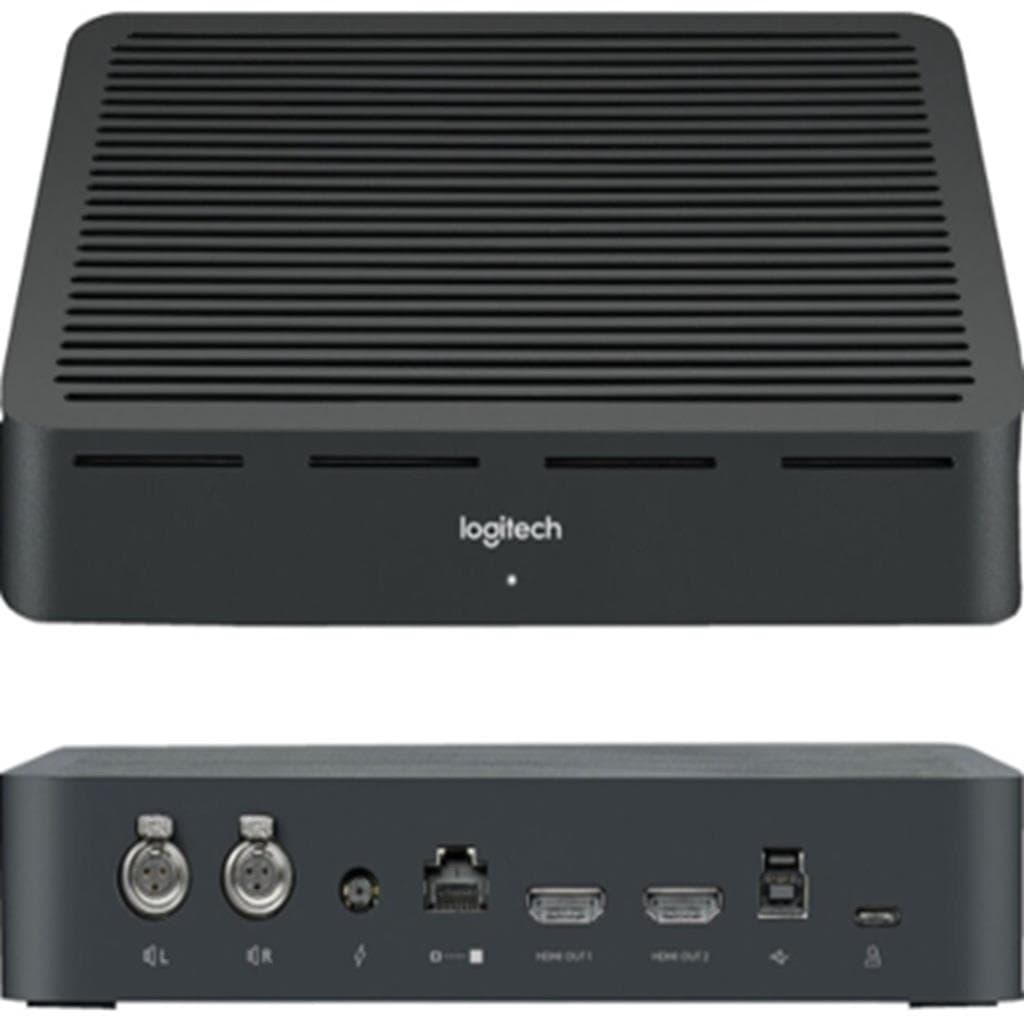


LOGITECH CONFERENCE CAM LIVE GROUP 960-001054 10x Zoom 90° FOV
SKU: QCAM-GROUPGadgets & Accessories › Video Conferencing· Model: 960-001054
฿33,934
Price includes 7% VATPrice updated November 1, 2026
In stock37 units1 year manufacturer's warranty
For orders placed before 12:00 on a business day; weekends excluded
GenuineFree delivery from ฿5,000Tax invoice
กล้องประชุมวิดีโอ Logitech GROUP สำหรับห้องประชุมขนาดกลางถึงใหญ่ รองรับผู้เข้าร่วมได้สูงสุด 20 คน พร้อมซูม 10x แบบไม่สูญเสียคุณภาพ ใช้งานง่ายด้วยการเชื่อมต่อ USB Plug-and-Play
Key features
- ซูม 10x แบบ lossless ไม่สูญเสียคุณภาพวิดีโอ
- มุมมองภาพรวม 90° diagonal ครอบคลุมผู้เข้าร่วมได้สูงสุด 20 คน
- ควบคุมการหมุน-เอียง-ซูม จากระยะไกลด้วยรีโมต
- รองรับการเชื่อมต่อ USB Plug-and-Play กับทุกแพลตฟอร์ม
- ลำโพง full-duplex คุณภาพสูง ลดเสียงสะท้อนและตัดเสียงรบกวน
Product description
กล้องประชุมวิดีโอ Logitech GROUP ออกแบบมาเพื่อยกระดับประสบการณ์การประชุมออนไลน์ในห้องขนาดกลางถึงใหญ่ โดยรองรับผู้เข้าร่วมได้สูงสุด 20 คน ด้วยมุมมองภาพรวมที่กว้างถึง 90° diagonal และสามารถซูมแบบ lossless ได้สูงสุด 10 เท่า ทำให้เห็นรายละเอียดได้ชัดเจนทั้งผู้พูดและเนื้อหาบนกระดานไวท์บอร์ด โดยไม่สูญเสียคุณภาพวิดีโอ กล้องมีระบบควบคุมการหมุน (pan) และเอียง (tilt) แบบมอเตอร์ized พร้อมควบคุมจากระยะไกลหรือรีโมต ช่วยให้สามารถโฟกัสผู้พูดได้ทันที พร้อมรองรับการเชื่อมต่อ USB Plug-and-Play ใช้งานได้กับทุกโปรแกรมประชุมวิดีโอ เช่น Zoom, Teams, Google Meet โดยไม่ต้องติดตั้งไดรเวอร์เพิ่มเติม
More features
- ติดตั้งได้ทั้งบนโต๊ะหรือผนัง รองรับขาตั้งมาตรฐาน
- มีช่อง Kensington Security Slot ป้องกันการขโมย
- มีไฟ LED แสดงสถานะการปิดเสียงวิดีโอ
- รองรับไมโครโฟนขยายเพิ่มเติมเพื่อเพิ่มพื้นที่รับเสียง
- ออกแบบสำหรับห้องประชุมขนาดใหญ่ ใช้งานได้ทั้งในออฟฟิศและโฮมออฟฟิศ
Pros and limitations
Pros
- ซูม 10x แบบ lossless ไม่สูญเสียคุณภาพวิดีโอแม้ในระยะไกล
- มุมมองภาพกว้าง 90° diagonal ครอบคลุมผู้เข้าร่วมได้ทั้งห้อง
- ควบคุมกล้องจากระยะไกลด้วยรีโมต ใช้งานสะดวกในห้องประชุมใหญ่
- รองรับการเชื่อมต่อ USB Plug-and-Play กับทุกแพลตฟอร์ม
- ลำโพง full-duplex คุณภาพสูง ลดเสียงสะท้อนและตัดเสียงรบกวนได้ดี
Limitations
- ไม่รวมไมโครโฟนขยายในชุดเริ่มต้น ต้องซื้อเพิ่มเติมหากต้องการพื้นที่รับเสียงกว้าง
- ขนาดตัวกล้องใหญ่ อาจไม่เหมาะกับโต๊ะแคบหรือพื้นที่จำกัด
Who it is for
เหมาะสำหรับห้องประชุมขนาดกลางถึงใหญ่ ใช้ในการประชุมออนไลน์กับทีมงาน 14–20 คน หรือการสอนออนไลน์ในห้องเรียนขนาดใหญ่ รองรับการซูมและควบคุมกล้องจากระยะไกลได้อย่างแม่นยำ
Connectivity
USB
Specifications (73)
- Pan
- +/- 90°
- SKU
- 960-001054
- Tilt
- +35° / -45°
- แบรนด์
- LOGITECH
- รุ่น
- GROUP
- พอร์ต USB
- USB Type-A
- Autofocus
- รองรับ
- Bluetooth
- รองรับ (for speakerphone use with mobile devices)
- Hub Depth
- 2.91 in (74 mm)
- Hub Width
- 7.87 in (200 mm)
- เฟรมเรต
- 30 fps
- Hub Height
- 3.70 in (94 mm)
- Hub Weight
- 2.93 oz (83 g)
- Mount Type
- Wall/Table Mount
- ความละเอียด
- Up to Full HD 1080p30, Up to Ultra HD 4K
- Camera Zoom
- 10x lossless HD zoom
- ความยาวสาย
- USB cable included (length not specified)
- Camera Depth
- 5.43 in (138 mm)
- Camera Width
- 6.69 in (170 mm)
- การเชื่อมต่อ
- USB plug-and-play
- แหล่งพลังงาน
- USB bus power
- ประเภทสินค้า
- Conference Camera
- Remote Depth
- 0.47 in (12 mm)
- Remote Width
- 4.72 in (120 mm)
- Speaker Type
- Full-duplex speakerphone
- Camera Height
- 5.12 in (130 mm)
- Camera Weight
- 20.63 oz (585 g)
- ความเข้ากันได้
- Works with any video conferencing software (Zoom, Teams, Google Meet, etc.)
- Remote Height
- 1.97 in (50 mm)
- Remote Weight
- 1.80 oz (51 g)
- Camera Presets
- 5
- Expansion Mics
- Available (optional)
- ไฟแสดงสถานะ
- Video mute/unmute LED
- รีโมตคอนโทรล
- รองรับ
- Speaker Output
- 95 dB SPL at 1/2 meter peak
- Video Encoding
- H.264 UVC 1.5 with Scalable Video Coding (SVC)
- Video Mute LED
- รองรับ
- Far-end Control
- รองรับ (PTZ control with supported services)
- Microphone Type
- Integrated beamforming microphone
- คุณสมบัติด้านความปลอดภัย
- Kensington security slot
- Speakerphone Depth
- 9.45 in (240 mm)
- Speakerphone Width
- 2.56 in (65 mm)
- Expansion Mic Depth
- 0.83 in (21 mm)
- Expansion Mic Width
- 3.27 in (83 mm)
- Speaker Sensitivity
- 86.5+/-3dB
- Speakerphone Height
- 9.45 in (240 mm)
- Speakerphone Weight
- 43.14 oz (1223 g)
- Supported Platforms
- Windows 10 64-bit, macOS 10.14 or higher
- Expansion Mic Height
- 3.27 in (83 mm)
- Expansion Mic Weight
- 8.11 oz (230 g)
- Recommended Use Case
- Video conferencing for mid to large-sized meeting rooms
- Recommended Room Size
- Mid to large-sized meeting rooms
- Software Requirements
- RightSight auto-framing requires Windows 10 64-bit or macOS 10.14 or higher
- Field of View Diagonal
- 90°
- Field of View Vertical
- 52.2°
- Microphone Sensitivity
- -27 dB
- Remote Control Battery
- 2 x AAA batteries (included)
- Wall/Table Mount Depth
- 3.90 in (99 mm)
- Wall/Table Mount Width
- 4.72 in (120 mm)
- Beamforming Performance
- Factory-paired, low distortion algorithm
- Expansion Mics Included
- ไม่รองรับ
- Microphone Pickup Range
- Up to 6 meters (20 ft) from base
- Wall/Table Mount Height
- 8.27 in (210 mm)
- Wall/Table Mount Weight
- 8.99 oz (255 g)
- Field of View Horizontal
- 82.1°
- Kensington Security Slot
- รองรับ
- Microphone Sampling Rate
- 32KHz
- Recommended Participants
- 14–20 people
- Voice Activity Detection
- รองรับ
- Wall/Table Mount Included
- รองรับ
- Acoustic Echo Cancellation
- รองรับ
- Microphone Frequency Response
- 90Hz - 16KHz
- Microphone Pickup Range with Expansion Mic
- Up to 8.5 meters (28 ft)
Compatibility
Windows, macOS
Datasheets and manuals straight from the manufacturer — select a document to open or download it.
13 questions
Frequently asked questions about this product
Compiled from manufacturer information
กล้องนี้รองรับการใช้งานกับ Zoom และ Teams ได้ไหม?
ได้แน่นอน กล้องนี้รองรับการเชื่อมต่อ USB Plug-and-Play ใช้งานได้กับทุกแพลตฟอร์มการประชุมวิดีโอ เช่น Zoom, Microsoft Teams, Google Meet โดยไม่ต้องติดตั้งไดรเวอร์เพิ่มเติม
ใช้กล้องนี้ในห้องประชุมขนาด 10x10 เมตรได้ไหม?
ได้ กล้องนี้ออกแบบมาสำหรับห้องประชุมขนาดกลางถึงใหญ่ โดยมีมุมมองภาพรวม 90° และสามารถซูม 10x ได้ ครอบคลุมผู้เข้าร่วมได้สูงสุด 20 คน แม้ในพื้นที่ขนาด 10x10 เมตรก็ยังเห็นรายละเอียดได้ชัดเจน
ต้องใช้ไมโครโฟนขยายเพิ่มไหมถ้ามีผู้เข้าร่วม 15 คน?
ไม่จำเป็นต้องใช้ กล้องนี้มีไมโครโฟนแบบ beamforming ที่สามารถจับเสียงได้ไกลถึง 6 เมตรจากฐาน แต่หากต้องการพื้นที่รับเสียงกว้างขึ้น แนะนำให้ใช้ไมโครโฟนขยายเพิ่มเติมเพื่อประสิทธิภาพสูงสุด
สามารถควบคุมกล้องจากที่ไกลๆ ได้ไหม?
ได้ กล้องนี้มีรีโมตควบคุมที่มาพร้อมชุด สามารถควบคุมการหมุน (pan), เอียง (tilt), และซูม (zoom) ได้จากระยะไกล ช่วยให้ผู้จัดการประชุมสามารถโฟกัสผู้พูดได้ทันที
กล้องนี้ใช้พลังงานจากไหน?
กล้องนี้ใช้พลังงานจากพอร์ต USB โดยตรง ไม่ต้องใช้ปลั๊กไฟเพิ่มเติม รองรับการใช้งานผ่านแล็ปท็อปหรือฮับ USB ทั่วไปได้ทันที
ติดตั้งบนผนังได้ไหม?
ได้ กล้องนี้มาพร้อมอุปกรณ์ติดตั้งบนผนังและโต๊ะ พร้อมช่องสำหรับติดตั้งขาตั้งกล้องมาตรฐาน สามารถติดตั้งได้ทั้งแนวนอนและแนวตั้งตามต้องการ
มีไฟแสดงสถานะการปิดเสียงวิดีโอไหม?
มี กล้องนี้มีไฟ LED แสดงสถานะการปิดเสียงวิดีโอ ไฟจะติดเมื่อปิดเสียง ช่วยให้ผู้เข้าร่วมรับรู้ได้ทันทีว่ากล้องถูกปิดเสียง
รองรับการใช้งานกับอุปกรณ์มือถือผ่าน Bluetooth ไหม?
ได้ กล้องนี้มีลำโพง full-duplex ที่รองรับการเชื่อมต่อ Bluetooth ทำให้สามารถใช้งานกับสมาร์ทโฟนหรือแท็บเล็ตที่รองรับ Bluetooth เพื่อสนทนาเสียงได้โดยตรง
Is it in stock?
The LOGITECH CONFERENCE CAM LIVE GROUP 960-001054 10x Zoom 90° FOV is in stock and ready to ship. Orders placed before 12:00 on a business day are delivered within 1–3 business days (Bangkok and vicinity) or 2–5 business days (other provinces). Order online at store.gist.co.th or contact our sales team at 092-251-4017.
How much does it cost?
The price is ฿33,934 (including 7% VAT). It is in stock and ready to ship. Business customers can request a quotation at sales@gist.co.th.
How long is the warranty?
Warranty period: 1 ปี รับประกันศูนย์ (manufacturer's terms). To make a warranty claim, call 092-251-4017 or 065-523-5262, or email sales@gist.co.th (Mon–Fri 9:00–18:00), then send the product with your order number to our head office, or bring it to the head office in person.
How long does delivery take?
Orders placed before 12:00 on a business day are delivered within 1–3 business days (Bangkok and vicinity) or 2–5 business days (other provinces). Free delivery on orders of ฿5,000 or more (a ฿150 delivery fee applies below this amount).
Is it genuine?
Genuine products sourced from distributors in Thailand, covered by the manufacturer's warranty. Full tax invoices are available.
Didn't find the answer you need?
Loading reviews…
Genuine products
Sourced from distributors in Thailand and covered by the manufacturer's warranty
Warranty period
1 ปี รับประกันศูนย์
Covered by the manufacturer's warranty; you can make claims through GIST
Claims through GIST
Ship the product to our head office or bring it in person
Warranty conditions
- A receipt or other proof of purchase is required
- The product must not have been modified or altered
- Damage caused by misuse is not covered by the warranty
- To make a warranty claim, call 092-251-4017 or 065-523-5262, or email sales@gist.co.th (Mon–Fri 9:00–18:00), then send the product with your order number to our head office, or bring it to the head office in person.Head office: 554 Sky Nine Center, Floor 12A, Room 554/62, Asok-Din Daeng Road, Din Daeng Subdistrict, Din Daeng District, Bangkok 10400
More in Video Conferencing



Price
฿33,934