
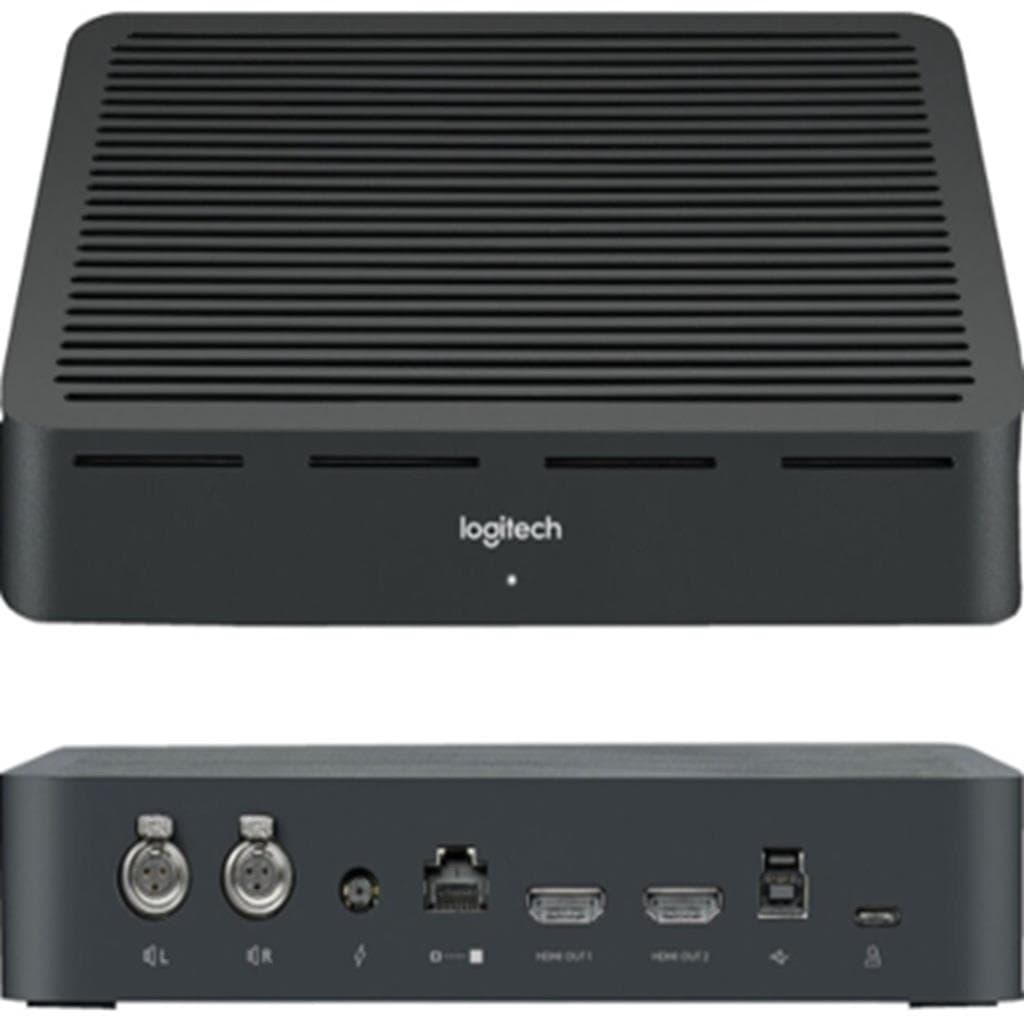


Logitech BCC950 ConferenceCam (1080p30 Full HD) with Speakerphone
SKU: QCAM_BCC950Gadgets & Accessories › Video Conferencing· Model: BCC950
฿6,660
Price includes 7% VATPrice updated November 1, 2026
In stock41 units2 years manufacturer's warranty
For orders placed before 12:00 on a business day; weekends excluded
GenuineFree delivery from ฿5,000Tax invoice
กล้องเว็บแคมแบบครบวงจรสำหรับประชุมออนไลน์ในห้องทำงานส่วนตัว ห้องประชุมขนาดกลาง และพื้นที่ทำงานร่วมกัน เสียงชัดเจนด้วยไมโครโฟนและลำโพงฝังตัว พร้อมควบคุมผ่านปุ่มบนตัวเครื่อง
Key features
- ภาพ Full HD 1080p30 คมชัด แม้ในแสงน้อยด้วย RightLight™ 2
- ซูม HD 1.2x แบบไม่ลดคุณภาพ พร้อมควบคุม Pan/Tilt ผ่านปุ่ม
- ลำโพงและไมโครโฟนฝังตัว รองรับการประชุมเสียงชัด ไม่มีเสียงสะท้อน
- เชื่อมต่อ USB Plug-and-play ใช้งานได้ทันทีกับ Teams, Zoom, Google Meet
- ควบคุมการประชุมผ่านปุ่มบนตัวเครื่อง: ตอบสาย, ยกเลิก, มิวต์, เสียง, ซูม
Product description
Logitech BCC950 เป็นกล้องเว็บแคมแบบครบวงจรที่ออกแบบมาเพื่อการประชุมออนไลน์ในห้องทำงานส่วนตัว ห้องประชุมขนาดกลาง และพื้นที่ทำงานร่วมกัน โดยให้ภาพ Full HD ความละเอียด 1920 x 1080 พิกเซล พร้อมฟีเจอร์ RightLight™ 2 สำหรับถ่ายภาพคมชัดแม้ในสภาพแสงน้อย กล้องมีมุมมองแนวทแยง 78° และสามารถซูม HD ได้สูงสุด 1.2x โดยไม่ลดคุณภาพ พร้อมขาตั้งปรับระดับความสูงได้สูงสุด 228 มม. เพื่อให้มุมกล้องอยู่ในระดับสายตา ทำให้ผู้เข้าร่วมประชุมรู้สึกเหมือนนั่งคุยกันจริง
More features
- รองรับการใช้งานในห้องประชุมขนาดเล็กถึงกลาง (S-M/L)
- มีช่องเสียบหูฟัง 3.5 มม. สำหรับฟังแยกต่างหาก
- ใช้พลังงานจาก AC ผ่านปลั๊กไฟ ไม่ต้องพึ่งแบตเตอรี่
- รองรับการเชื่อมต่อ Bluetooth® speakerphone สำหรับการประชุมแบบส่วนตัว
- ออกแบบมาเพื่อใช้บนโต๊ะ พร้อมขาตั้งปรับระดับความสูงได้
Pros and limitations
Pros
- ภาพ Full HD 1080p30 คมชัดแม้ในแสงน้อยด้วยเทคโนโลยี RightLight™ 2
- ควบคุมการประชุมผ่านปุ่มบนตัวเครื่องได้ทันที ไม่ต้องใช้ซอฟต์แวร์เพิ่ม
- รองรับการเชื่อมต่อหลายแพลตฟอร์ม เช่น Zoom, Teams, Google Meet โดยไม่ต้องตั้งค่าซับซ้อน
- ขาตั้งปรับระดับความสูงได้ 228 มม. เพื่อให้มุมกล้องอยู่ในระดับสายตา
- มีช่องหูฟัง 3.5 มม. สำหรับฟังแยกต่างหาก ใช้งานได้หลากหลายสถานการณ์
Limitations
- ต้องใช้ปลั๊กไฟ AC ไม่สามารถใช้แบตเตอรี่ได้
- ไม่มีพอร์ต HDMI หรือ DisplayPort สำหรับเชื่อมต่อหน้าจอภายนอก
Who it is for
เหมาะสำหรับผู้ใช้งานที่ต้องประชุมออนไลน์บ่อยในห้องทำงานส่วนตัว ห้องประชุมขนาดเล็กถึงกลาง หรือพื้นที่ทำงานร่วมกัน โดยต้องการภาพคมชัด เสียงชัดเจน และควบคุมง่ายผ่านปุ่มบนตัวเครื่อง
Connectivity
USB
Specifications (43)
- HDR
- ไม่รองรับ
- HD Zoom
- 1.2x
- ลำโพง
- Integrated full duplex speakerphone
- Bluetooth
- รองรับ Bluetooth® speakerphone
- Camera LED
- มี (สำหรับแสดงสถานะการสตรีม)
- Mount Type
- Designed for tabletop use
- การติดตั้ง VESA
- ไม่รองรับ
- ขอบเขตสี
- Full HD 1080p video calling (up to 1920 x 1080 pixels)
- อัตราส่วนภาพ
- 16:9
- ประเภทแบตเตอรี่
- CR2032 battery (included)
- Zoom Control
- มี (ปุ่ม Zoom บนตัวเครื่อง)
- ขนาด
- Height: 6.06 in (154 mm), Width: 5.91 in (150 mm), Depth: 4.09 in (104 mm)
- การปรับตั้ง
- Pan, Tilt, Height adjustment via extender stem
- ความเข้ากันได้
- Compatible with Zoom, Google Meet™, Skype for Business, Microsoft Teams, Cisco Jabber, WebEx, BlueJeans, BroadSoft, GoToMeeting, Vidyo
- แรงดันไฟฟ้าขาเข้า
- 100-240 V AC
- Plug-and-Play
- ใช่
- การรับรอง
- Zoom Certified, Fuze® Certified, Certified for Skype for Business and ready for Teams
- รีโมตคอนโทรล
- IR 10-ft (3 m) range
- Video Encoding
- UVC-compatible
- Cables Included
- AC Power adapter, USB cable 7.8 ft (2.4 m), Power cable 7.8 ft (2.4 m)
- พอร์ต
- USB Type-A, AC Power Input, 3.5mm Headphone Jack
- ประเภทจอ
- Autofocus lens
- Pan/Tilt Control
- มี (ปุ่ม Pan และ Tilt บนตัวเครื่อง)
- Echo Cancellation
- มี
- Height Adjustment
- 228 mm extender stem for elevation / eye-level camera angle
- การใช้พลังงาน
- AC Power adapter
- Audio Input/Output
- Integrated microphone and speakerphone
- Noise Cancellation
- มี
- ขนาดหน้าจอ
- 1080p30 Full HD (1920 x 1080)
- Max Output (Speakers)
- 80 dB SPL at 0.3 m
- Recommended Room Size
- S (สำหรับห้องทำงานส่วนตัว), M/L (สำหรับห้องประชุมขนาดกลางถึงใหญ่)
- น้ำหนัก
- 20.04 oz (568 g)
- Field of View (Diagonal)
- 78°
- Field of View (Vertical)
- 43.3°
- ระบบปฏิบัติการที่รองรับ
- Windows 7, 8.1, 10; macOS 10.10 or later
- Field of View (Horizontal)
- 70.42°
- ความสว่าง
- RightLight™ 2 technology for clarity in various lighting environments, even low light
- อัตราการรีเฟรช
- 30 Hz
- Frequency Response (Speakers)
- 220Hz – 20KHz
- Frequency Response (Microphones)
- 200Hz – 8KHz
- ความละเอียด
- 1920 x 1080 พิกเซล
- การรับประกัน
- 2-Year Limited Hardware Warranty
- ความไวของไมโครโฟน
- Omnidirectional microphone with 2.4 m diameter range
Compatibility
Windows, macOS
Datasheets and manuals straight from the manufacturer — select a document to open or download it.
13 questions
Frequently asked questions about this product
Compiled from manufacturer information
BCC950 รองรับการใช้งานกับ Google Meet ได้ไหม?
ใช่ กล้องนี้รองรับการใช้งานกับ Google Meet™ โดยตรง เนื่องจากเป็นอุปกรณ์ UVC-compatible ที่เชื่อมต่อผ่าน USB Plug-and-play ไม่จำเป็นต้องติดตั้งไดรเวอร์เพิ่มเติม
สามารถใช้ BCC950 ควบคุมการประชุมผ่านปุ่มบนตัวเครื่องได้ไหม?
ได้ เครื่องมีปุ่มควบคุมครบถ้วน เช่น ตอบสาย, ยกเลิก, มิวต์, เพิ่ม-ลดเสียง, ซูม และหมุนกล้อง (Pan/Tilt) โดยสามารถกดและปล่อยเพื่อปรับทีละน้อย หรือกดค้างเพื่อปรับต่อเนื่อง
BCC950 มีความสามารถในการซูมภาพได้กี่เท่า?
กล้องรองรับการซูม HD ได้สูงสุด 1.2x โดยไม่ลดคุณภาพของภาพ พร้อมควบคุมผ่านปุ่ม Zoom บนตัวเครื่อง
ใช้ BCC950 กับห้องประชุมขนาดใหญ่ได้ไหม?
เหมาะสำหรับห้องประชุมขนาดกลางถึงใหญ่ (M/L) โดยมีมุมมองแนวทแยง 78° และสามารถปรับระดับความสูงของกล้องได้สูงสุด 228 มม. เพื่อให้มุมกล้องอยู่ในระดับสายตา
BCC950 ใช้พลังงานจากไหน?
ต้องใช้ปลั๊กไฟ AC ผ่านอะแดปเตอร์ที่แถมมา ไม่สามารถใช้แบตเตอรี่หรือ USB Power Delivery ได้
มีช่องเสียบหูฟังไหม?
มี กล้องมีพอร์ต 3.5 มม. สำหรับเสียบหูฟัง เพื่อฟังเสียงแยกจากลำโพง ใช้ได้ทั้งในห้องประชุมและงานส่วนตัว
BCC950 รองรับ Bluetooth ไหม?
ใช่ รองรับการเชื่อมต่อ Bluetooth® speakerphone เพื่อใช้งานในโหมดประชุมแบบส่วนตัวหรือพกพาไปใช้ที่อื่นได้
ต้องติดตั้งไดรเวอร์เพิ่มไหม?
ไม่จำเป็น กล้องนี้เป็นอุปกรณ์ UVC-compatible ที่รองรับ Plug-and-play โดยระบบปฏิบัติการจะตรวจจับอัตโนมัติเมื่อเสียบ USB เข้ากับคอมพิวเตอร์
Is it in stock?
The Logitech BCC950 ConferenceCam (1080p30 Full HD) with Speakerphone is in stock and ready to ship. Orders placed before 12:00 on a business day are delivered within 1–3 business days (Bangkok and vicinity) or 2–5 business days (other provinces). Order online at store.gist.co.th or contact our sales team at 092-251-4017.
How much does it cost?
The price is ฿6,660 (including 7% VAT). It is in stock and ready to ship. Business customers can request a quotation at sales@gist.co.th.
How long is the warranty?
Warranty period: รับประกันฮาร์ดแวร์ 2 ปี ตามเงื่อนไขผู้ผลิต (manufacturer's terms). To make a warranty claim, call 092-251-4017 or 065-523-5262, or email sales@gist.co.th (Mon–Fri 9:00–18:00), then send the product with your order number to our head office, or bring it to the head office in person.
How long does delivery take?
Orders placed before 12:00 on a business day are delivered within 1–3 business days (Bangkok and vicinity) or 2–5 business days (other provinces). Free delivery on orders of ฿5,000 or more (a ฿150 delivery fee applies below this amount).
Is it genuine?
Genuine products sourced from distributors in Thailand, covered by the manufacturer's warranty. Full tax invoices are available.
Didn't find the answer you need?
Loading reviews…
Genuine products
Sourced from distributors in Thailand and covered by the manufacturer's warranty
Warranty period
รับประกันฮาร์ดแวร์ 2 ปี ตามเงื่อนไขผู้ผลิต
Covered by the manufacturer's warranty; you can make claims through GIST
Claims through GIST
Ship the product to our head office or bring it in person
Warranty conditions
- A receipt or other proof of purchase is required
- The product must not have been modified or altered
- Damage caused by misuse is not covered by the warranty
- To make a warranty claim, call 092-251-4017 or 065-523-5262, or email sales@gist.co.th (Mon–Fri 9:00–18:00), then send the product with your order number to our head office, or bring it to the head office in person.Head office: 554 Sky Nine Center, Floor 12A, Room 554/62, Asok-Din Daeng Road, Din Daeng Subdistrict, Din Daeng District, Bangkok 10400
More in Video Conferencing



Price
฿6,660