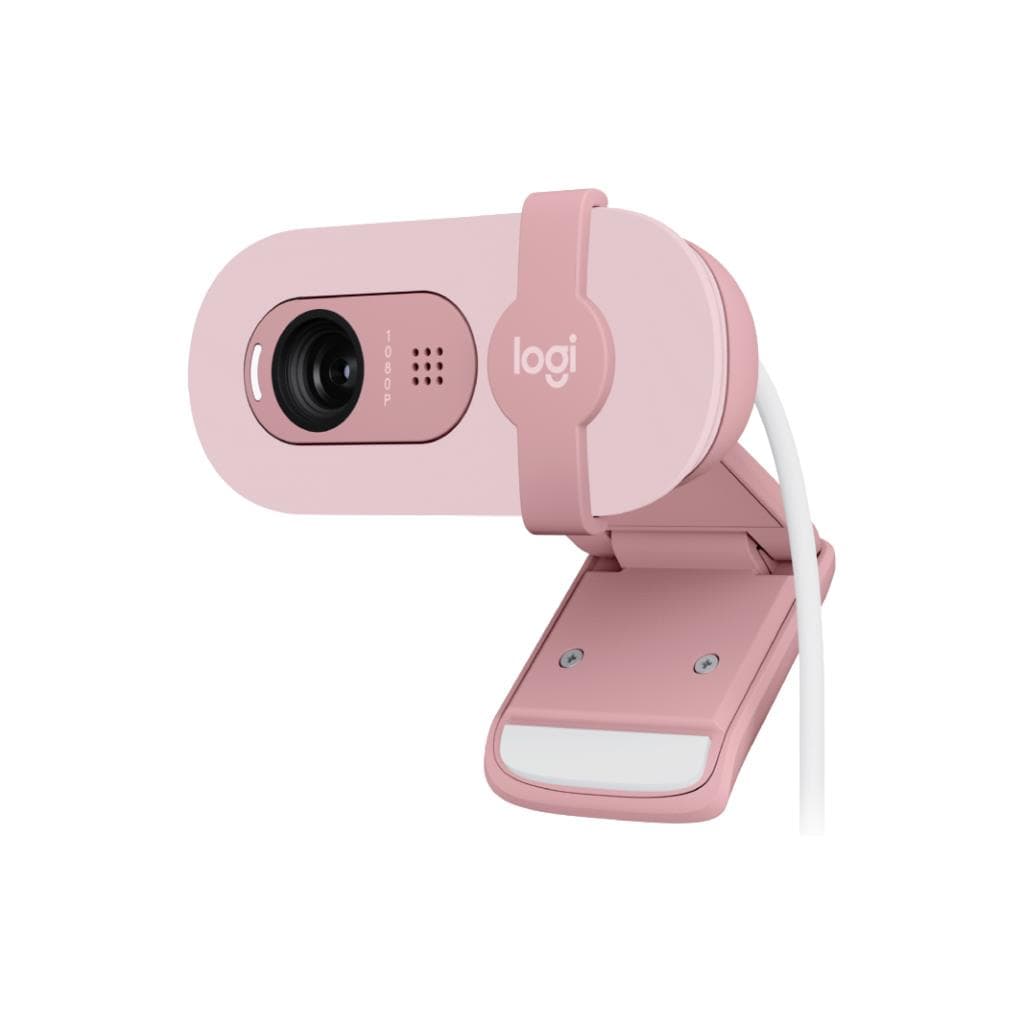


Logitech C920 HD PRO Webcam 1080p Full HD with Privacy Shutter
SKU: QCAM_C920Gadgets & Accessories › Video Conferencing· Model: C920
฿2,671
Price includes 7% VATPrice updated October 28, 2026
Out of stock3 years manufacturer's warranty
Temporarily out of stock — ask us about the restock date or an alternative model
Call us 092-251-4017Send a question to salesGenuineFree delivery from ฿5,000Tax invoice
เว็บแคม Full HD 1080p พร้อมเลนส์แก้ว 5 ชั้น และไมค์สเตอริโอ สำหรับการประชุมออนไลน์ ไลฟ์สตรีมมิ่ง และการเรียนการสอนจากระยะไกล
Key features
- Full HD 1080p 30fps ความละเอียดสูงสุด 1920 x 1080 พิกเซล
- เลนส์แก้ว 5 ชั้น ลดแสงสะท้อน ภาพคมชัด
- มุมมองแนวทแยง 78° จับภาพได้กว้างขึ้น
- ไมค์สเตอริโอ 2 ตัว รับเสียงจากทุกมุม
- รองรับการปรับโฟกัสอัตโนมัติและ RightLight™ 2
Product description
Logitech C920 HD PRO เว็บแคมระดับมืออาชีพที่ให้ภาพคมชัดระดับ Full HD 1080p ที่ความละเอียดสูงสุด 1920 x 1080 พิกเซล พร้อมอัตราเฟรมเรต 30fps ด้วยเลนส์แก้ว 5 ชั้น ที่ช่วยลดแสงสะท้อนและเพิ่มความคมชัดของภาพ โดยมีมุมมองแนวทแยง (dFoV) 78° จึงสามารถจับภาพผู้ใช้งานและพื้นหลังได้อย่างสมบูรณ์ ไม่ว่าจะอยู่ในห้องทำงานหรือบ้านก็ตาม เว็บแคมนี้รองรับการปรับโฟกัสอัตโนมัติ (Autofocus) และเทคโนโลยี RightLight™ 2 เพื่อปรับแสงอัตโนมัติในสภาพแวดล้อมที่มีแสงน้อย ทำให้ภาพไม่จางหรือรบกวนจากแสงจ้า
More features
- มีชัตเตอร์ปิด-เปิดความเป็นส่วนตัว
- เชื่อมต่อผ่าน USB-A Plug-and-Play
- ใช้งานร่วมกับ Microsoft Teams, Zoom, Google Meet ได้ทันที
- รองรับ Logi Tune เพื่อปรับแต่งภาพและเสียง
- น้ำหนักเบาเพียง 162 กรัม ติดตั้งง่าย
Pros and limitations
Pros
- ภาพ Full HD 1080p คมชัดด้วยเลนส์แก้ว 5 ชั้น
- มุมมอง 78° จับภาพได้กว้าง ไม่ต้องถอยหลังไกล
- ไมค์สเตอริโอ 2 ตัว รับเสียงจากทุกมุม
- รองรับเทคโนโลยี RightLight™ 2 ใช้งานได้ดีในที่แสงน้อย
- มีชัตเตอร์ปิด-เปิดความเป็นส่วนตัว ปลอดภัยขึ้น
Limitations
- ไม่รองรับการซูมออฟไลน์ (Digital zoom เท่านั้น)
- สาย USB ยาวเพียง 1.5 เมตร อาจจำกัดการวางตำแหน่ง
- ไม่มีพอร์ต HDMI หรือ DisplayPort
Who it is for
เหมาะสำหรับพนักงานที่ทำงานจากบ้าน ครูผู้สอนออนไลน์ และผู้สร้างคอนเทนต์ที่ต้องการภาพวิดีโอคุณภาพสูงในราคาที่เข้าถึงได้
Connectivity
USB
Specifications (26)
- สี
- Black
- พอร์ต
- USB-A plug-and-play
- การซูม (Zoom)
- Digital zoom 1x
- ขนาด
- Height: 1.70 in (43.3 mm), Width: 3.70 in (94 mm), Depth: 2.8 in (71 mm)
- เลนส์ (Lens Type)
- Glass
- ไมค์ (Built-in Mic)
- Stereo
- โฟกัส (Focus Type)
- Autofocus
- น้ำหนัก
- 5.71 oz (162 g)
- การจัดส่ง (Shipping)
- Free standard shipping on orders of $29 and above
- การใช้งาน (Use Case)
- Video conferencing, live streaming, online teaching, content creation
- ซอฟต์แวร์
- Logi Tune for Video Conferencing, Logitech G HUB
- การติดตั้ง
- Tripod-ready universal mounting clip
- อัตราการรีเฟรช
- 30 fps
- ความยาวสาย
- 5 ft (1.5 m)
- การคืนสินค้า (Returns)
- Free returns within 30 days of purchase
- ความละเอียด
- 1080p/30fps (up to 1920 x 1080 pixels), 720p/30fps (up to 1280 x 720 pixels)
- จำนวนเลนส์ (Lens Elements)
- 5
- การรับประกัน
- 3-year limited hardware warranty
- ระยะรับเสียง (Mic Range)
- Up to 3 ft (1 m)
- การเชื่อมต่อ
- USB-A plug-and-play
- มุมมองแนวทแยง (Diagonal Field of View)
- 78°
- เทคโนโลยีปรับแสง (RightLight™)
- RightLight™ 2 technology for clarity in various lighting environments, even low light
- ความละเอียดกล้อง (Camera Mega Pixel)
- 3
- รองรับแพลตฟอร์ม (Compatible Platforms)
- Microsoft DirectShow, Microsoft Teams, Zoom, Google Meet
- รองรับระบบปฏิบัติการ (OS Compatibility)
- Windows 8 or later, macOS 10.10 or later, ChromeOS
- ชัตเตอร์ความเป็นส่วนตัว (Privacy Shutter)
- Attachable privacy shutter
Datasheets and manuals straight from the manufacturer — select a document to open or download it.
13 questions
Frequently asked questions about this product
Compiled from manufacturer information
เว็บแคม C920 ใช้กับ Zoom และ Google Meet ได้ไหม?
ได้แน่นอน เว็บแคมนี้รองรับแพลตฟอร์มยอดนิยม เช่น Zoom, Google Meet และ Microsoft Teams โดยเชื่อมต่อผ่าน USB-A เพียงเสียบก็ใช้งานได้ทันที ไม่ต้องติดตั้งไดรเวอร์เพิ่มเติม
C920 รองรับการใช้งานในที่แสงน้อยได้ไหม?
ได้ เว็บแคมนี้มาพร้อมเทคโนโลยี RightLight™ 2 ที่ช่วยปรับความสว่างอัตโนมัติในสภาพแวดล้อมที่มีแสงน้อย ทำให้ภาพไม่จางหรือมืดเกินไป แม้จะอยู่ในห้องที่เปิดไฟน้อย
สามารถปรับมุมกล้องได้ไหม?
เว็บแคมนี้มีขาตั้งแบบหมุนได้ (universal mounting clip) จึงสามารถติดตั้งบนหน้าจอ หรือแท่นวางได้หลากหลายตำแหน่ง โดยสามารถปรับมุมกล้องได้ตามต้องการ
มีชัตเตอร์ความเป็นส่วนตัวไหม?
ใช่ เว็บแคมรุ่นนี้มาพร้อมชัตเตอร์ปิด-เปิดความเป็นส่วนตัวแบบ attachable ที่สามารถเลื่อนปิดเมื่อไม่ต้องการเปิดกล้อง เพื่อความปลอดภัยและป้องกันการถูกดักจับภาพโดยไม่รู้ตัว
ใช้กับ Mac และ Windows ได้ไหม?
ได้ทั้งสองระบบ เว็บแคมนี้รองรับ Windows 8 ขึ้นไป และ macOS 10.10 ขึ้นไป โดยสามารถใช้งานได้ทันทีกับซอฟต์แวร์ประชุมยอดนิยม เช่น Zoom, Teams และ Google Meet
มีการอัปเดตซอฟต์แวร์ไหม?
ใช่ สามารถอัปเดตและปรับแต่งเว็บแคมผ่าน Logi Tune ได้ ซึ่งช่วยให้ควบคุมค่าภาพ เช่น ความสว่าง สี และมุมมองได้อย่างละเอียด เพื่อให้ภาพออกมาดีที่สุดในทุกสถานการณ์
ใช้กับ Chromebook ได้ไหม?
ได้ เว็บแคมนี้รองรับ ChromeOS โดยสามารถใช้งานได้ทันทีเมื่อเสียบผ่านพอร์ต USB-A ไม่จำเป็นต้องติดตั้งไดรเวอร์เพิ่มเติม
มีการรับประกันกี่ปี?
เว็บแคมนี้มีการรับประกันฮาร์ดแวร์ 3 ปี ครอบคลุมความเสียหายจากข้อบกพร่องของตัวสินค้า สอบถามทีมขายเพื่อรายละเอียดเพิ่มเติม
Is it in stock?
The Logitech C920 HD PRO Webcam 1080p Full HD with Privacy Shutter is temporarily out of stock. Ask us about the restock date or an alternative model at sales@gist.co.th or 092-251-4017.
How much does it cost?
The price is ฿2,671 (including 7% VAT). It is currently out of stock; ask us about the restock date at sales@gist.co.th. Business customers can request a quotation at sales@gist.co.th.
How long is the warranty?
Warranty period: รับประกันฮาร์ดแวร์ 3 ปี ตามเงื่อนไขผู้ผลิต (manufacturer's terms). To make a warranty claim, call 092-251-4017 or 065-523-5262, or email sales@gist.co.th (Mon–Fri 9:00–18:00), then send the product with your order number to our head office, or bring it to the head office in person.
How long does delivery take?
Orders placed before 12:00 on a business day are delivered within 1–3 business days (Bangkok and vicinity) or 2–5 business days (other provinces). Free delivery on orders of ฿5,000 or more (a ฿150 delivery fee applies below this amount).
Is it genuine?
Genuine products sourced from distributors in Thailand, covered by the manufacturer's warranty. Full tax invoices are available.
Didn't find the answer you need?
Loading reviews…
Genuine products
Sourced from distributors in Thailand and covered by the manufacturer's warranty
Warranty period
รับประกันฮาร์ดแวร์ 3 ปี ตามเงื่อนไขผู้ผลิต
Covered by the manufacturer's warranty; you can make claims through GIST
Claims through GIST
Ship the product to our head office or bring it in person
Warranty conditions
- A receipt or other proof of purchase is required
- The product must not have been modified or altered
- Damage caused by misuse is not covered by the warranty
- To make a warranty claim, call 092-251-4017 or 065-523-5262, or email sales@gist.co.th (Mon–Fri 9:00–18:00), then send the product with your order number to our head office, or bring it to the head office in person.Head office: 554 Sky Nine Center, Floor 12A, Room 554/62, Asok-Din Daeng Road, Din Daeng Subdistrict, Din Daeng District, Bangkok 10400
More in Video Conferencing