
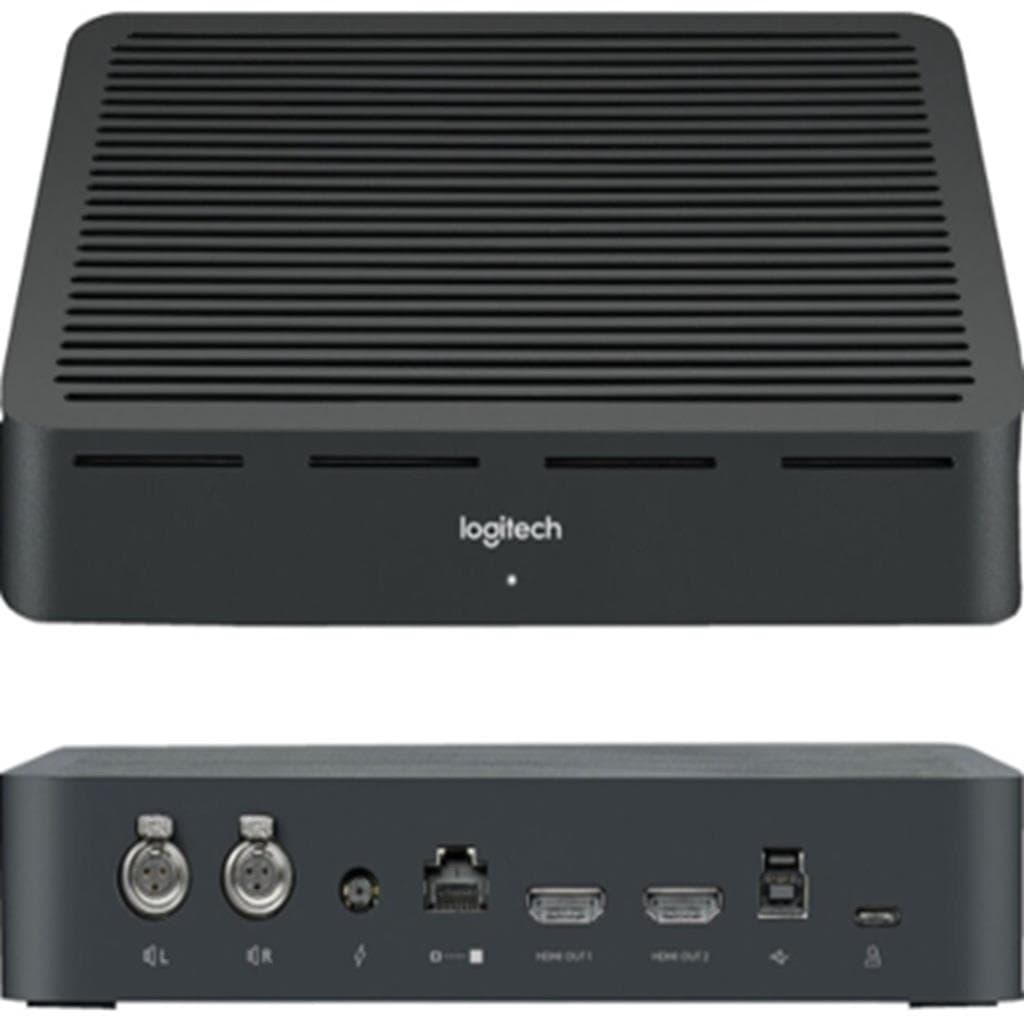


LOGITECH TAP IP Touch Controller 10.1" IPS 1280x800 PoE - Graphite
SKU: TAP-IP-GRAPHITEGadgets & Accessories › Video Conferencing· Model: TAP-IP
฿30,033
Price includes 7% VATPrice updated November 1, 2026
In stock10 units2 years manufacturer's warranty
For orders placed before 12:00 on a business day; weekends excluded
GenuineFree delivery from ฿5,000Tax invoice
อุปกรณ์ควบคุมห้องประชุมวิดีโอแบบสัมผัส รองรับ Power over Ethernet (PoE) ติดตั้งได้หลายตำแหน่ง ใช้งานง่ายด้วยหน้าจอสัมผัส 10.1 นิ้ว และเซ็นเซอร์ตรวจจับการเคลื่อนไหว
Key features
- หน้าจอสัมผัส 10.1" IPS ความละเอียด 1280x800 พิกเซล
- รองรับ Power over Ethernet (PoE) แบบ IEEE 802.3af Type 1
- เซ็นเซอร์ตรวจจับการเคลื่อนไหว (PIR Motion Sensor)
- ติดตั้งได้ทั้งบนโต๊ะ เฟรม และผนัง
- รองรับระบบประชุมวิดีโอหลายแพลตฟอร์ม เช่น Microsoft Teams, Zoom Rooms, Google Meet
Product description
Logitech Tap IP เป็นตัวควบคุมห้องประชุมวิดีโอแบบสัมผัสที่ออกแบบมาเพื่อให้การประชุมทางไกลเป็นไปอย่างราบรื่นและมีประสิทธิภาพ โดยมีหน้าจอขนาด 10.1 นิ้ว ความละเอียด 1280x800 พิกเซล พร้อมเทคโนโลยี IPS และพื้นผิวป้องกันรอยนิ้วมือ Oleophobic Coating ทำให้มองเห็นภาพชัดเจนแม้ในที่แสงจ้า โดยรองรับการเชื่อมต่อ Power over Ethernet (PoE) แบบ IEEE 802.3af Type 1 ซึ่งช่วยลดความยุ่งเหยิงของสายไฟ และสามารถติดตั้งได้หลายตำแหน่ง เช่น โต๊ะ เฟรม หรือผนัง ด้วยระบบยึดแบบ VESA FDMI ขนาด 100x100 มม. พร้อมระบบกันลื่นและรัดสายภายในตัวเครื่อง เพื่อป้องกันการหลุดหรือเสียหายระหว่างใช้งาน
More features
- หน้าจอป้องกันรอยนิ้วมือด้วย Oleophobic Coating
- มุมมอง 85° (ขึ้น-ลง-ซ้าย-ขวา)
- รองรับ Bluetooth 5.0 และ Wi-Fi 802.11a/b/g/n/ac
- ระบบเสียงในตัวพร้อมลำโพงอัลตราโซนิก
- รองรับการจัดการระยะไกลผ่าน Logitech Sync, Microsoft Teams Admin Center และ Zoom Device Management
Pros and limitations
Pros
- ควบคุมการประชุมได้ด้วยหนึ่งครั้งแตะเดียว ใช้งานง่ายมาก
- ติดตั้งได้หลายตำแหน่งด้วยระบบยึด VESA และมีสายรัดภายในตัวเครื่อง
- รองรับ PoE ทำให้ลดความยุ่งเหยิงของสายไฟ
- หน้าจอ IPS ความละเอียดสูง มองเห็นชัดแม้ในที่แสงจ้า
- รองรับการจัดการระยะไกลผ่านแพลตฟอร์มหลัก เช่น Microsoft Teams และ Zoom
Limitations
- ไม่มีพอร์ต HDMI หรือ USB-C สำหรับเชื่อมต่ออุปกรณ์ภายนอก
- ไม่รองรับการเชื่อมต่อแบบไร้สายโดยตรงกับหน้าจอหรือโปรเจคเตอร์
Who it is for
เหมาะสำหรับห้องประชุมขนาดเล็กถึงกลางที่ต้องการควบคุมระบบวิดีโอคอนเฟอเรนซ์แบบสัมผัสได้ทันที โดยเฉพาะองค์กรที่ใช้ Microsoft Teams, Zoom Rooms หรือ Google Meet เป็นหลัก
Color
Graphite
Connectivity
IP
Specifications (31)
- สี
- Graphite
- ขนาด
- Height: 2.21 in (56.1 mm), Width: 9.69 in (246.2 mm), Depth: 6.74 in (171.3 mm)
- อัตราส่วนคอนทราสต์
- 1000:1
- พอร์ต
- Ethernet 10/100Mbps, Wi-Fi 802.11a/b/g/n/ac, Bluetooth 5.0
- ประเภทจอ
- IPS (In-Plane Switching)
- ขนาดหน้าจอ
- 10.1” diagonal
- มุมมองภาพ
- 85° (up/down/left/right)
- Power over Ethernet
- IEEE 802.3af Type 1, Class 3 device
- น้ำหนัก
- 2.2 lbs (1 kg)
- ระบบยึด
- 100mm x 100mm VESA FDMI
- ความชื้น
- 10 to 95%
- มุมเอียง
- 14°
- ความสว่าง
- 400 nits
- การติดตั้ง
- Table Mount, Riser Mount, Wall Mount
- ชนิดหน้าจอ
- LCD with LED Backlighting
- รหัสสินค้า
- 952-000085
- ลำโพงในตัว
- Integrated ultrasonic speaker
- ความปลอดภัย
- AES-128 Full Disk Encryption, Symmetric Keys, PKI, Device Attestation, Arm TrustZone, RPMP, Kensington Lock
- ความละเอียด
- 1280 x 800
- การรับประกัน
- 2 year limited hardware warranty
- การเชื่อมต่อ
- Ethernet, Wi-Fi, Bluetooth 5.0
- พื้นผิวหน้าจอ
- Oleophobic coating
- เซ็นเซอร์อื่นๆ
- Accelerometer, Ambient light sensor
- รองรับแพลตฟอร์ม
- Microsoft Teams Rooms on Android, Zoom Rooms (any), RingCentral Rooms™, Tencent Meeting Rooms
- เทคโนโลยีสัมผัส
- Capacitive, 10 point multi-touch
- การจัดการระยะไกล
- Logitech Sync, Microsoft Teams Admin Center, Zoom Device Management
- การจัดการอุปกรณ์
- Remote management via Logitech Sync, Microsoft Teams Admin Center, Zoom Device Management
- การจัดเก็บข้อมูล
- Full Disk Encryption: AES-128
- อุณหภูมิในการทำงาน
- 0 to 40°C
- อุณหภูมิในการจัดเก็บ
- -40 to 70°C
- เซ็นเซอร์ตรวจจับการเคลื่อนไหว
- PIR Motion Sensor
Compatibility
Microsoft Teams, Zoom, Google Meet
Datasheets and manuals straight from the manufacturer — select a document to open or download it.
13 questions
Frequently asked questions about this product
Compiled from manufacturer information
Tap IP ใช้กับกล้อง Logitech Rally Bar ได้ไหม?
ได้แน่นอน Tap IP ถูกออกแบบมาเพื่อใช้งานร่วมกับกล้อง Logitech Rally Bar, MeetUp และรุ่นอื่น ๆ ของ Logitech โดยเฉพาะในระบบประชุมแบบครบวงจรที่ต้องการควบคุมจากหน้าจอสัมผัส
ใช้ Tap IP กับ Microsoft Teams Rooms ได้หรือไม่?
ใช่ Tap IP รองรับ Microsoft Teams Rooms on Android และ Windows โดยสามารถจัดการการประชุม การเชื่อมต่อ และการแชร์หน้าจอผ่านแอปพลิเคชัน Teams ได้อย่างราบรื่น
ต้องใช้สาย PoE กี่เส้นในการติดตั้ง Tap IP?
ใช้เพียงสาย PoE เพียงเส้นเดียวเท่านั้น เพราะ Tap IP รองรับ Power over Ethernet (PoE) แบบ IEEE 802.3af Type 1 ซึ่งส่งทั้งไฟและข้อมูลผ่านสาย Cat5e เดียวกัน
Tap IP ติดตั้งบนผนังได้ไหม?
ได้ Tap IP มาพร้อมกับ Tap Wall Mount และรองรับการยึดแบบ VESA FDMI ขนาด 100x100 มม. ทำให้สามารถติดตั้งแนวนอนหรือแนวตั้งบนผนังได้อย่างมั่นคง
หน้าจอ Tap IP ทนรอยขีดข่วนไหม?
หน้าจอ Tap IP มีพื้นผิว Oleophobic Coating ที่ช่วยป้องกันรอยนิ้วมือและคราบไขมัน แต่ไม่ได้ออกแบบมาเพื่อต้านทานรอยขีดข่วนอย่างรุนแรง ควรหลีกเลี่ยงการใช้ของแข็งหรือเครื่องมือคมๆ กับหน้าจอ
Tap IP รองรับการเชื่อมต่อ Wi-Fi ได้กี่แบนด์?
รองรับ Wi-Fi 802.11a/b/g/n/ac ซึ่งรวมถึงทั้งแบนด์ 2.4 GHz และ 5 GHz โดยสามารถเชื่อมต่อได้ทั้งสองแบนด์พร้อมกันเพื่อประสิทธิภาพการใช้งานสูงสุด
มีระบบประหยัดพลังงานไหม?
มี Tap IP มีเซ็นเซอร์ PIR Motion Sensor ที่ตรวจจับการเคลื่อนไหวของผู้ใช้ หากไม่มีคนเข้าใกล้ จะเข้าสู่โหมดประหยัดพลังงานโดยอัตโนมัติ และกลับมาเปิดเมื่อมีการเคลื่อนไหว
สามารถจัดการ Tap IP ผ่านแอป Logitech Sync ได้ไหม?
ได้ Tap IP รองรับการจัดการระยะไกลผ่านแอป Logitech Sync รวมถึงการอัปเดตเฟิร์มแวร์ การตั้งค่า และการตรวจสอบสถานะอุปกรณ์จากที่ใดก็ได้
Is it in stock?
The LOGITECH TAP IP Touch Controller 10.1" IPS 1280x800 PoE - Graphite is in stock and ready to ship. Orders placed before 12:00 on a business day are delivered within 1–3 business days (Bangkok and vicinity) or 2–5 business days (other provinces). Order online at store.gist.co.th or contact our sales team at 092-251-4017.
How much does it cost?
The price is ฿30,033 (including 7% VAT). It is in stock and ready to ship. Business customers can request a quotation at sales@gist.co.th.
How long is the warranty?
Warranty period: รับประกันฮาร์ดแวร์ 2 ปี ตามเงื่อนไขผู้ผลิต (manufacturer's terms). To make a warranty claim, call 092-251-4017 or 065-523-5262, or email sales@gist.co.th (Mon–Fri 9:00–18:00), then send the product with your order number to our head office, or bring it to the head office in person.
How long does delivery take?
Orders placed before 12:00 on a business day are delivered within 1–3 business days (Bangkok and vicinity) or 2–5 business days (other provinces). Free delivery on orders of ฿5,000 or more (a ฿150 delivery fee applies below this amount).
Is it genuine?
Genuine products sourced from distributors in Thailand, covered by the manufacturer's warranty. Full tax invoices are available.
Didn't find the answer you need?
Loading reviews…
Genuine products
Sourced from distributors in Thailand and covered by the manufacturer's warranty
Warranty period
รับประกันฮาร์ดแวร์ 2 ปี ตามเงื่อนไขผู้ผลิต
Covered by the manufacturer's warranty; you can make claims through GIST
Claims through GIST
Ship the product to our head office or bring it in person
Warranty conditions
- A receipt or other proof of purchase is required
- The product must not have been modified or altered
- Damage caused by misuse is not covered by the warranty
- To make a warranty claim, call 092-251-4017 or 065-523-5262, or email sales@gist.co.th (Mon–Fri 9:00–18:00), then send the product with your order number to our head office, or bring it to the head office in person.Head office: 554 Sky Nine Center, Floor 12A, Room 554/62, Asok-Din Daeng Road, Din Daeng Subdistrict, Din Daeng District, Bangkok 10400
More in Video Conferencing



Price
฿30,033