
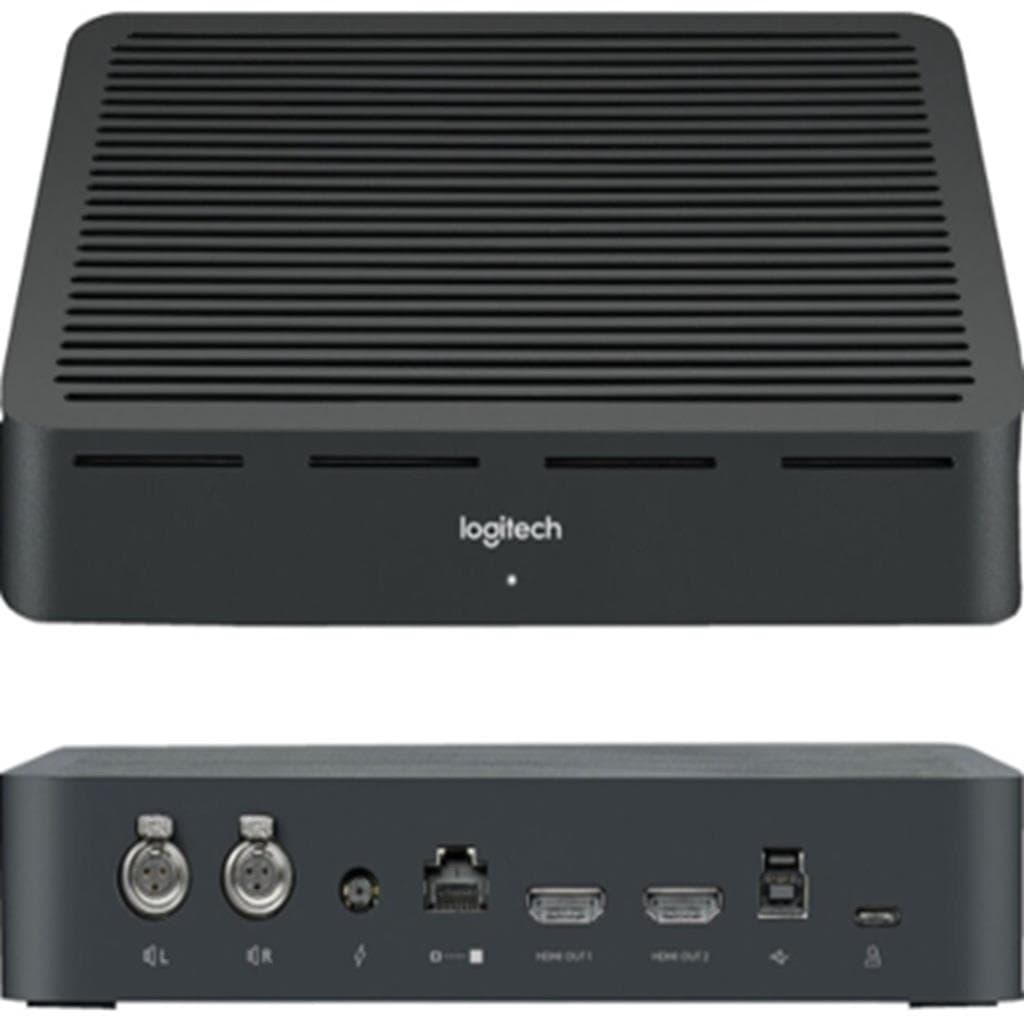


Logitech Tap Touch Controller 10.1" (Graphite) - USB/PoE - Compatible with Google, Microsoft, Zoom
SKU: TAP-TOUCHCONTROL#Gadgets & Accessories › Video Conferencing· Model: TAP
฿44,606
Price includes 7% VATPrice updated November 1, 2026
In stock4 unitsManufacturer's warranty
For orders placed before 12:00 on a business day; weekends excluded
GenuineFree delivery from ฿5,000Tax invoice
อุปกรณ์ควบคุมสัมผัสสำหรับห้องประชุม รองรับการเชื่อมต่อ USB หรือ Power over Ethernet พร้อมหน้าจอ 10.1 นิ้ว ใช้งานร่วมกับ Google Meet, Microsoft Teams Rooms และ Zoom Rooms ได้ทันที
Key features
- หน้าจอสัมผัส 10.1 นิ้ว ความละเอียด 1280x800 พิกเซล
- รองรับการเชื่อมต่อ USB หรือ Power over Ethernet (PoE)
- รองรับ Google Meet, Microsoft Teams Rooms และ Zoom Rooms
- เซ็นเซอร์ตรวจจับการเคลื่อนไหว (PIR) สำหรับการเปิดใช้งานอัตโนมัติ
- ระบบจัดการสายเคเบิลภายใน ซ่อนสายและป้องกันการหลุด
Product description
Logitech Tap คือตัวควบคุมสัมผัสสำหรับห้องประชุมที่ออกแบบมาเพื่อให้ประสบการณ์การประชุมวิดีโอแบบสม่ำเสมอและง่ายดายในทุกห้อง ด้วยหน้าจอสัมผัสขนาด 10.1 นิ้ว ความละเอียด 1280 x 800 พิกเซล พร้อมพื้นผิว Oleophobic ป้องกันรอยนิ้วมือและกันแสงสะท้อน ทำให้เห็นข้อความได้ชัดเจนแม้ในห้องที่มีแสงจ้า รองรับการเชื่อมต่อทั้งแบบ USB และ Power over Ethernet (PoE) ขึ้นอยู่กับรุ่น พร้อมระบบสายเคเบิลภายในที่ซ่อนและรักษาสายอย่างมีประสิทธิภาพ ลดความยุ่งเหยิงในห้องประชุม พร้อมเซ็นเซอร์ตรวจจับการเคลื่อนไหว (PIR) ทำให้ระบบพร้อมใช้งานตลอดเวลาโดยไม่ต้องเปิดด้วยมือ
More features
- รองรับการแชร์คอนเทนต์ผ่าน HDMI และไร้สาย
- มุมมองหน้าจอ 14° สำหรับการมองเห็นที่สะดวก
- รองรับการติดตั้งแบบ Wall, Table, Riser Mount
- มีช่องเสียบหูฟัง 1 ช่อง
- รองรับการล็อก Kensington 2 จุด
Pros and limitations
Pros
- หน้าจอสัมผัสขนาดใหญ่ 10.1 นิ้ว ใช้งานง่าย แม้ในห้องมืด
- รองรับการเชื่อมต่อทั้ง USB และ PoE ยืดหยุ่นในการติดตั้ง
- ระบบจัดการสายเคเบิลภายใน ลดความยุ่งเหยิงในห้องประชุม
- รองรับการเชื่อมต่อหลายระบบ เช่น Google Meet, Microsoft Teams และ Zoom Rooms
- เซ็นเซอร์ตรวจจับการเคลื่อนไหว ทำให้ระบบพร้อมใช้งานตลอดเวลา
Limitations
- ไม่มีช่องเสียบ USB สำหรับอุปกรณ์เสริม
- ไม่รองรับการเชื่อมต่อไร้สายแบบอิสระ (ต้องใช้ระบบห้องประชุม)
Who it is for
เหมาะสำหรับห้องประชุมขนาดเล็กถึงกลางในสำนักงาน ใช้ควบคุมการประชุมวิดีโอแบบ One-Touch Join พร้อมแชร์หน้าจอได้ทันที รองรับระบบ Google Meet, Microsoft Teams และ Zoom Rooms
Connectivity
USB
Specifications (27)
- Wi-Fi
- รองรับ
- Colors
- Graphite, White
- น้ำหนัก
- 2.76 lbs (1.25 kg)
- ลำโพง
- Integrated ultrasonic speaker
- ขนาด
- Height: 2.28 in (58 mm), Width: 9.6 in (244 mm), Depth: 7.0 in (179 mm)
- Mount Type
- Wall Mount, Table Mount, Riser Mount
- การติดตั้ง VESA
- 3.94 in x 3.94 in (100mm x 100mm) FDMI
- อัตราส่วนภาพ
- 16:10
- เอาต์พุตเสียง
- Integrated ultrasonic speaker
- การเชื่อมต่อ
- Cat5e or higher cables, combined maximum length: 131 ft (40 m)
- แหล่งจ่ายไฟ
- Inline via Cat5e (USB version) / Power over Ethernet (PoE version)
- ความเข้ากันได้
- Logitech MeetUp, Logitech Rally, Logitech Rally Plus
- พอร์ต Ethernet
- รองรับ
- Motion Sensor
- รองรับ
- Content Sharing
- HDMI ingest, Wireless via Room System
- พอร์ต
- HDMI ingest, 1x Headphone jack
- ประเภทจอ
- IPS (In-Plane Switching)
- ขนาดหน้าจอ
- 10.1"
- Strain Relief System
- รองรับ
- Kensington Lock Slots
- รองรับ
- Built-in Cable Retention
- รองรับ
- หน้าจอแสดงผล
- LCD Panel with LED Backlighting
- ความละเอียด
- 1280 x 800
- ประเภทหน้าจอ
- Capacitive Touch
- มุมมองหน้าจอ
- 14°
- พื้นผิวหน้าจอ
- Oleophobic Coating
- รองรับการเชื่อมต่อ
- Google Meet on ChromeOS, Google Meet on Android, Microsoft Teams Rooms on Windows, Microsoft Teams Rooms on Android, Zoom Rooms Appliances, Zoom Rooms for PC, Zoom Rooms for Mac
Compatibility
Microsoft Teams, Zoom, Google Meet
Datasheets and manuals straight from the manufacturer — select a document to open or download it.
13 questions
Frequently asked questions about this product
Compiled from manufacturer information
Logitech Tap ใช้กับ Microsoft Teams Rooms ได้ไหม?
ใช่ รองรับ Microsoft Teams Rooms ทั้งบน Windows และ Android โดยสามารถติดตั้งและใช้งานได้ทันทีในระบบห้องประชุมที่ตั้งค่าไว้แล้ว พร้อมการเชื่อมต่อผ่าน USB หรือ PoE
ต้องใช้สายเคเบิลอะไรกับ Logitech Tap?
ขึ้นอยู่กับรุ่น รุ่น USB ใช้ Cat5e พร้อมสาย 9.7 ฟุต (2.97 เมตร) และ 22 ฟุต (7.0 เมตร) ส่วนรุ่น PoE ใช้ Cat5e หรือสูงกว่า ระยะรวมสูงสุด 40 เมตร (131 ฟุต)
ติดตั้ง Logitech Tap บนผนังได้ไหม?
ได้ รองรับการติดตั้งแบบ Wall Mount โดยมีช่อง VESA FDMI ขนาด 100x100 มม. พร้อมระบบสายเคเบิลภายในที่ซ่อนและรักษาสายอย่างมีประสิทธิภาพ
รองรับการแชร์หน้าจอแบบไร้สายได้ไหม?
ใช่ รองรับการแชร์คอนเทนต์แบบไร้สายผ่านระบบห้องประชุม เช่น Google Meet, Microsoft Teams และ Zoom Rooms โดยขึ้นอยู่กับการตั้งค่าระบบหลัก
มีช่องเสียบหูฟังไหม?
มี ตัวเครื่องมีช่องเสียบหูฟัง 1 ช่อง สำหรับการรับเสียงเฉพาะตัวหรือการตั้งค่าเสียงในห้องประชุม
ใช้กับ Logitech Rally ได้ไหม?
ได้ รองรับการใช้งานร่วมกับ Logitech Rally และ Rally Plus โดยเป็นส่วนหนึ่งของระบบห้องประชุมที่ออกแบบมาเพื่อให้ประสบการณ์การประชุมที่สม่ำเสมอและมีประสิทธิภาพ
มีเซ็นเซอร์ตรวจจับการเคลื่อนไหวไหม?
มี ตัวเครื่องมีเซ็นเซอร์ PIR (Passive Infrared) ที่ตรวจจับการเคลื่อนไหวของผู้ใช้ ทำให้ระบบสามารถเปิดใช้งานอัตโนมัติเมื่อมีคนเข้ามาในห้อง
รองรับการตั้งค่าหลายภาษาไหม?
ไม่มีข้อมูลในแหล่งข้อมูล แต่เนื่องจากเป็นอุปกรณ์สำหรับห้องประชุมในระดับองค์กร จึงคาดว่ารองรับการตั้งค่าหลายภาษาผ่านระบบหลัก เช่น Google Meet หรือ Microsoft Teams
Is it in stock?
The Logitech Tap Touch Controller 10.1" (Graphite) - USB/PoE - Compatible with Google, Microsoft, Zoom is in stock and ready to ship. Orders placed before 12:00 on a business day are delivered within 1–3 business days (Bangkok and vicinity) or 2–5 business days (other provinces). Order online at store.gist.co.th or contact our sales team at 092-251-4017.
How much does it cost?
The price is ฿44,606 (including 7% VAT). It is in stock and ready to ship. Business customers can request a quotation at sales@gist.co.th.
How long is the warranty?
The warranty follows the manufacturer's terms for each model; ask our sales team for the warranty period of this model. To make a warranty claim, call 092-251-4017 or 065-523-5262, or email sales@gist.co.th (Mon–Fri 9:00–18:00), then send the product with your order number to our head office, or bring it to the head office in person.
How long does delivery take?
Orders placed before 12:00 on a business day are delivered within 1–3 business days (Bangkok and vicinity) or 2–5 business days (other provinces). Free delivery on orders of ฿5,000 or more (a ฿150 delivery fee applies below this amount).
Is it genuine?
Genuine products sourced from distributors in Thailand, covered by the manufacturer's warranty. Full tax invoices are available.
Didn't find the answer you need?
Loading reviews…
Genuine products
Sourced from distributors in Thailand and covered by the manufacturer's warranty
Warranty period
According to the manufacturer's terms for each model
Covered by the manufacturer's warranty; you can make claims through GIST
Claims through GIST
Ship the product to our head office or bring it in person
Warranty conditions
- A receipt or other proof of purchase is required
- The product must not have been modified or altered
- Damage caused by misuse is not covered by the warranty
- To make a warranty claim, call 092-251-4017 or 065-523-5262, or email sales@gist.co.th (Mon–Fri 9:00–18:00), then send the product with your order number to our head office, or bring it to the head office in person.Head office: 554 Sky Nine Center, Floor 12A, Room 554/62, Asok-Din Daeng Road, Din Daeng Subdistrict, Din Daeng District, Bangkok 10400
More in Video Conferencing



Price
฿44,606